
Introduction
This manual provides comprehensive instructions for the installation, operation, and maintenance of your ROCWARE RC310 Video Conferencing Camera. Please read this manual thoroughly before using the product to ensure optimal performance and longevity.
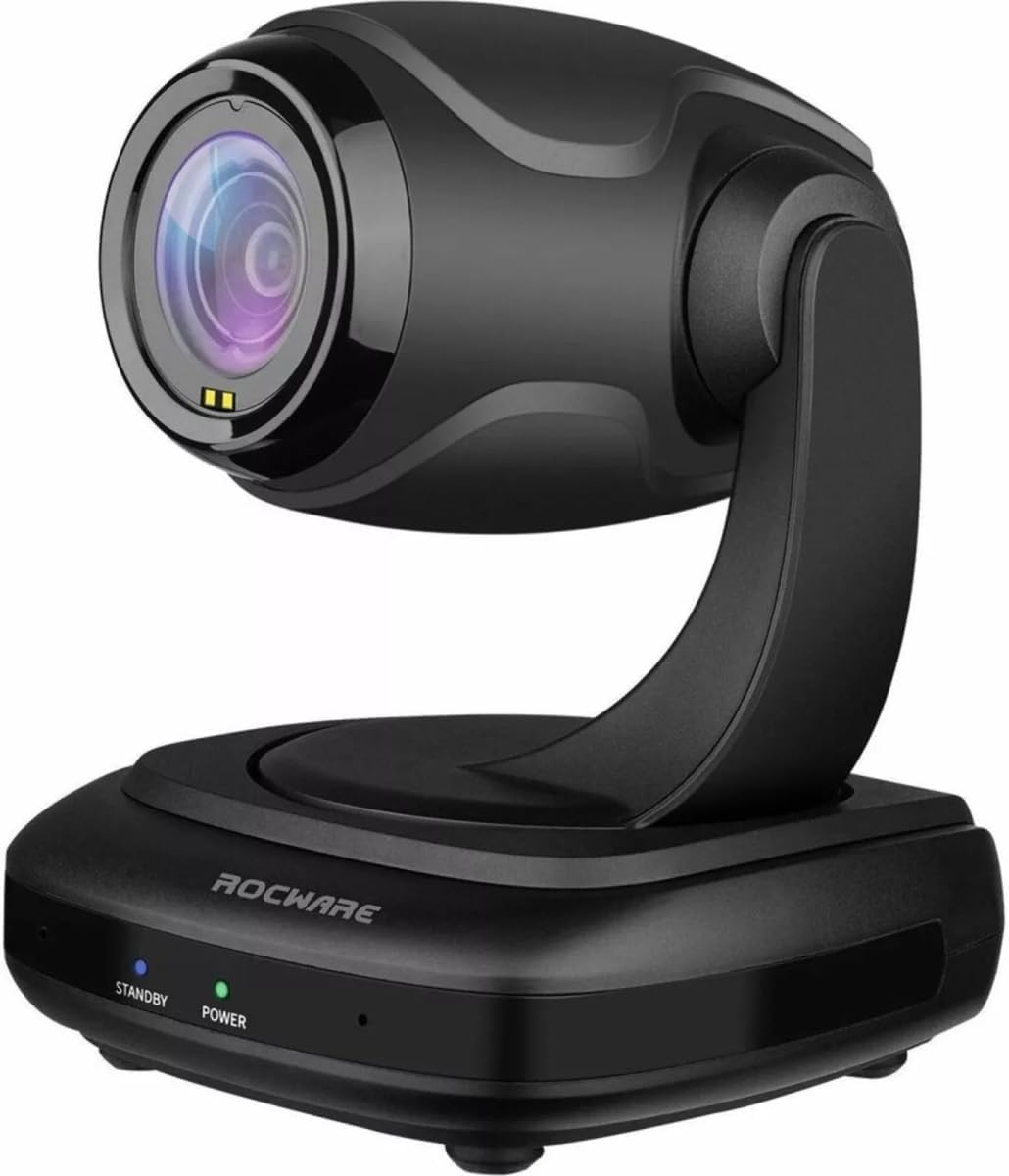
Figure 1: ROCWARE RC310 Video Conferencing Camera. The camera features a sleek black design with a rotating head and base. The base includes 'STANDBY' and 'POWER' indicator lights.
Package Contents
Verify that all items are present in the package:
- ROCWARE RC310 Video Conferencing Camera
- USB 2.0 Type-C Cable
- Power Adapter (DC 12V)
- Remote Control (if applicable, not specified but common for PTZ)
- User Manual (this document)
Setup
1. Connecting the Camera
- Power Connection: Connect the provided DC 12V power adapter to the camera's DC 12V input port and then plug it into a power outlet.
- USB Connection: Connect the USB 2.0 Type-C cable from the camera's USB 2.0 port to an available USB port on your computer (PC, Mac, or Linux).
- RS232 Connection (Optional): For external control systems, connect an RS232 cable to the camera's RS232 port. Refer to your control system's documentation for specific setup.
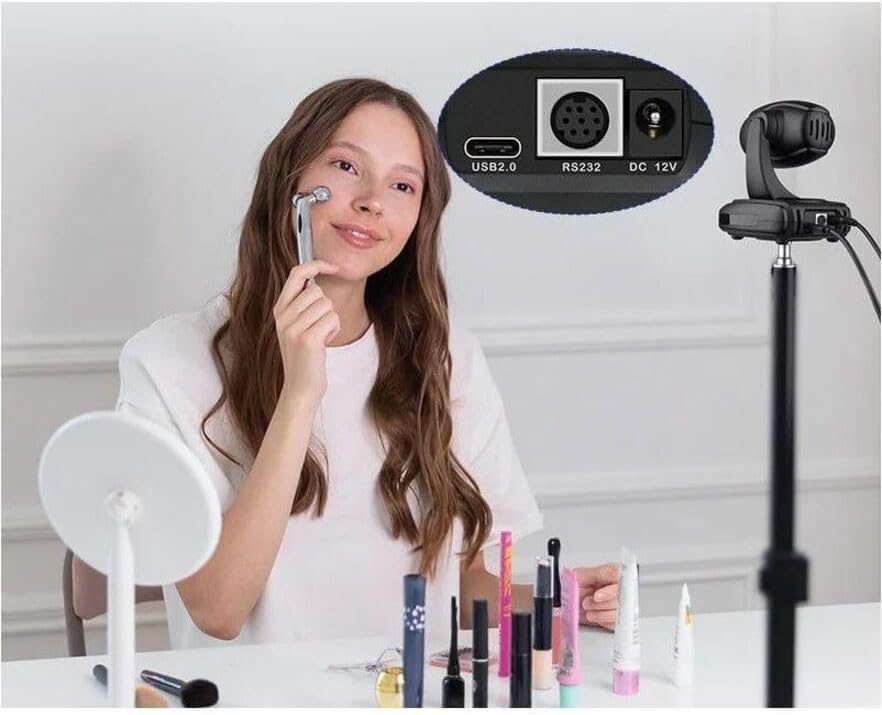
Figure 2: Camera rear ports. The rear panel of the ROCWARE RC310 camera provides essential connectivity options: a USB 2.0 port for data and power, an RS232 port for control, and a DC 12V input for power.
2. Driver Installation
The ROCWARE RC310 is a plug-and-play device. Your operating system (Windows, macOS, Linux) should automatically detect and install the necessary drivers upon connection. No manual driver installation is typically required.
3. Software Configuration
Once connected, select the ROCWARE RC310 as your video and audio input device within your preferred video conferencing software (e.g., Zoom, Microsoft Teams, Google Meet, Skype).
Operating Instructions
Pan, Tilt, and Zoom (PTZ) Control
The RC310 offers flexible control over its camera position and zoom:
- Pan: The camera can pan horizontally up to 340° to cover a wide area.
- Tilt: The camera can tilt vertically up to 120° for optimal framing.
- Optical Zoom: Utilize the 3x optical zoom to focus on specific details without loss of image quality.
- Digital Zoom: The camera also features 16x digital zoom for further magnification. Note that digital zoom may reduce image clarity compared to optical zoom.
Control of PTZ functions is typically done via a remote control (if included) or through compatible software applications that support VISCA or other control protocols via the USB or RS232 connection.
Autofocus Feature
The RC310 is equipped with an autofocus feature, ensuring clear visuals whether subjects are close or far from the camera. This feature automatically adjusts the lens focus for optimal image sharpness.
Integrated Microphone
The camera includes an integrated microphone for audio capture during video conferences. Ensure the camera is selected as the audio input device in your conferencing software.
Image Quality
Featuring a 1/2.9-inch high-quality CMOS sensor, the RC310 delivers sharp 1080P high-resolution video with brilliant color reproduction, enhancing your video communication experience.
Maintenance
- Cleaning: Use a soft, dry cloth to clean the camera body. For the lens, use a specialized lens cleaning cloth and solution. Avoid abrasive cleaners or solvents.
- Storage: When not in use for extended periods, store the camera in a cool, dry place away from direct sunlight and extreme temperatures.
- Handling: Handle the camera with care. Avoid dropping or subjecting it to strong vibrations.
Troubleshooting
| Problem | Possible Cause | Solution |
|---|---|---|
| No video output |
|
|
| No audio input |
|
|
| PTZ controls not responding |
|
|
Specifications
| Feature | Detail |
|---|---|
| Model Name | RC310 |
| Brand | ROCWARE |
| Max Screen Resolution | 1080p Full HD |
| Effective Still Resolution | 2.1 MP |
| Photo Sensor Technology | CMOS |
| Video Capture Resolution | 1080p |
| Video Capture Format | MP4 |
| Connectivity Technology | USB |
| Lens Type | Zoom |
| Pan Angle | 340° (Horizontal) |
| Tilt Angle | 120° (Vertical) |
| Optical Zoom | 3x |
| Digital Zoom | 16x |
| Supported Audio Format | AAC, MP3 |
| Hardware Platform | Linux, Mac, PC |
| Item Weight | 1.78 pounds |
| Product Dimensions (LxWxH) | 7.8 x 7 x 5.6 inches |
Warranty and Support
For warranty information and technical support, please refer to the official ROCWARE website or contact their customer service directly. Keep your purchase receipt for warranty claims.
Manufacturer: ROCWARE
ASIN: B0FBLZDJPM
Date First Available: June 2, 2025


