
Introduction
This manual provides detailed instructions for the safe and effective use of your Oraimo SpaceBuds Neo+ OTW-323P True Wireless Earbuds. Please read this manual thoroughly before use and retain it for future reference.
Key Features
- Active Noise Cancellation (ANC): Enjoy a quieter, more immersive listening experience by reducing ambient noise for music, travel, or work.
- Bluetooth 5.4 Stable Connection: Latest wireless technology for fast pairing, reliable connectivity, and low latency.
- Sound360 Spatial Audio: Proprietary spatial sound technology expands the sound field for rich, immersive audio.
- Up to 30 Hours Total Playtime: Around 5 hours per charge with ANC off + 25 hours from the case — keeps you powered throughout the day.
- ENC Calls & IPX4 Waterproof: Dual noise-reducing mics for clearer voice calls and protection against splashing water.
Package Contents
- Oraimo SpaceBuds Neo+ OTW-323P Earbuds (Left and Right)
- Charging Case
- USB-C Charging Cable
- Eartips (various sizes)
- User Manual
Product Overview
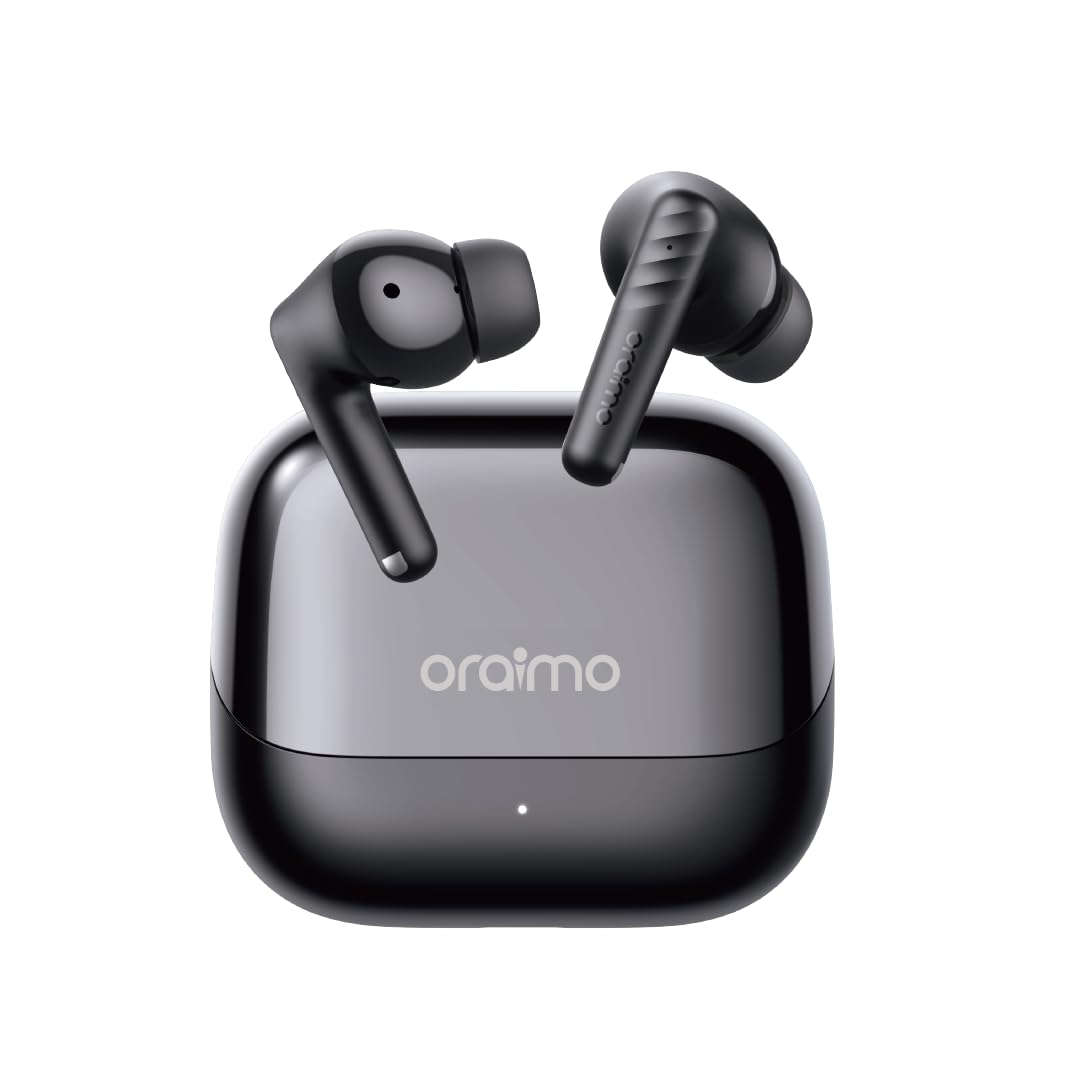
This image displays the Oraimo SpaceBuds Neo+ OTW-323P earbuds resting inside their charging case. The case is black with the 'oraimo' logo on the lid, and a small LED indicator is visible on the front.
Earbuds
- Touch Control Area: For managing playback, calls, and modes.
- Microphone: For calls and voice assistant.
- Eartip: Ensures comfortable fit and sound isolation.
- Charging Contacts: For charging within the case.
Charging Case
- USB-C Charging Port: For charging the case.
- LED Indicator: Shows charging status and battery level.
- Charging Contacts: For charging the earbuds.
Setup
Charging the Earbuds and Case
- Connect the provided USB-C charging cable to the charging port on the case and a power source.
- The LED indicator on the case will show the charging status. A full charge typically takes approximately 2 hours.
- Place the earbuds into the charging case. Ensure the charging contacts align. The earbuds will begin charging automatically.
Initial Pairing
- Open the charging case. The earbuds will automatically enter pairing mode, indicated by a flashing LED on the earbuds.
- On your device (smartphone, tablet, etc.), enable Bluetooth and search for available devices.
- Select "Oraimo SpaceBuds Neo+" from the list of detected devices to connect.
- Once connected, the earbud LEDs will turn off, and you will hear a confirmation tone.
Operating Instructions
Power On/Off
- Power On: Open the charging case, and the earbuds will power on automatically.
- Power Off: Place the earbuds back into the charging case and close the lid. They will power off automatically.
Touch Controls
| Function | Left Earbud | Right Earbud |
|---|---|---|
| Play/Pause | Single tap | Single tap |
| Next Track | Double tap | N/A |
| Previous Track | N/A | Double tap |
| Answer/End Call | Single tap | Single tap |
| Reject Call | Press and hold 2s | Press and hold 2s |
| Activate Voice Assistant | Triple tap | Triple tap |
| ANC/Transparency Mode | Press and hold 2s | Press and hold 2s |
Active Noise Cancellation (ANC)
The Oraimo SpaceBuds Neo+ feature Active Noise Cancellation to reduce ambient noise. You can cycle through ANC On, Transparency Mode, and ANC Off by pressing and holding the touch control area on either earbud for 2 seconds. Transparency Mode allows you to hear your surroundings while still enjoying your audio.

This image shows an individual wearing the Oraimo SpaceBuds Neo+ earbuds while on a bus, actively using a smartphone. The visual emphasizes the earbuds' capability for clear calls even in noisy environments, thanks to 2-mic call noise cancellation.
Sound360 Spatial Audio
Experience an expanded soundstage with Sound360 Spatial Audio, providing a more immersive audio experience with deeper bass and broader stereo effects. This feature is automatically enabled when supported content is played.
Low-Latency Game Mode
For an optimized gaming experience, activate Low-Latency Game Mode to minimize audio delay and ensure perfect synchronization between audio and video. Refer to the Oraimo Sound App for specific activation methods.
Oraimo Sound App
Download the Oraimo Sound App from your device's app store to unlock additional features and customization options, including advanced sound profiles, equalizer settings, and control personalization.
IPX4 Water Resistance
The earbuds are rated IPX4 water resistant, meaning they are protected against splashing water from any direction. This makes them suitable for workouts and light rain, but they are not designed for submersion in water.

This image features the Oraimo SpaceBuds Neo+ earbuds surrounded by water droplets, highlighting their IPX4 water resistance. This rating ensures protection against splashing water from any direction.
Battery Life and Charging
The Oraimo SpaceBuds Neo+ provide approximately 5 hours of playtime on a single charge with ANC off. The charging case extends the total playtime to up to 30 hours, allowing for multiple recharges on the go.

This image shows the open charging case of the Oraimo SpaceBuds Neo+ earbuds, with a prominent '30H' graphic in the background, signifying the extended total playtime provided by the earbuds and their charging case.
Maintenance
- Cleaning: Regularly clean the earbuds, eartips, and charging contacts with a soft, dry, lint-free cloth. Avoid using abrasive materials or harsh chemicals.
- Storage: When not in use, store the earbuds in their charging case to protect them and ensure they remain charged.
- Avoid Extreme Conditions: Do not expose the earbuds or charging case to extreme temperatures, humidity, or direct sunlight for extended periods.
- Water Exposure: While IPX4 rated, avoid intentional submersion or exposure to high-pressure water jets. Dry thoroughly if exposed to moisture.
Troubleshooting
Common Issues and Solutions
- Earbuds not pairing:
- Ensure the charging case is open and the earbuds are in pairing mode.
- Verify Bluetooth is enabled on your device.
- Make sure the earbuds are sufficiently charged.
- Try resetting the earbuds (refer to the Oraimo Sound App or manufacturer's website for specific reset instructions).
- Only one earbud working:
- Place both earbuds back into the charging case, close the lid, wait a few seconds, then reopen.
- If the issue persists, try re-pairing the earbuds with your device.
- Charging issues:
- Clean the charging contacts on both the earbuds and the charging case with a dry cotton swab.
- Ensure the USB-C charging cable is securely connected to both the case and the power source.
- Check the charging case's battery level.
- Low volume or poor sound quality:
- Adjust the volume on your connected device.
- Ensure the eartips provide a proper seal in your ear. Try different sizes if necessary.
- Clean any debris from the earbud mesh.
- Active Noise Cancellation (ANC) not effective:
- Ensure the earbuds are properly seated in your ears to create a good seal.
- Verify that ANC mode is activated.
Specifications
| Feature | Detail |
|---|---|
| Model Name | OTW-323P |
| Bluetooth Version | 5.4 |
| Noise Control | Active Noise Cancellation |
| Playtime (Earbuds) | Approx. 5 hours (ANC off) |
| Total Playtime (with Case) | Up to 30 hours |
| Battery Charge Time | 2 Hours |
| Water Resistance | IPX4 |
| Control Method | Touch |
| Material | Plastic, Rubber, Silicone |
| Item Weight | 100 Grams |
| Compatible Devices | Telephones, Tablets, Laptops, Desktops, Smart Speaker |
Warranty and Support
For warranty information or technical support, please refer to the official Oraimo website or contact their customer service. Keep your purchase receipt for warranty claims.
Manufacturer: Oraimo