
1. Introduction
The LUX TQ1 Smart Thermostat provides advanced temperature control for your home, integrating seamlessly with various smart home ecosystems through the Matter protocol. This manual outlines the installation, operation, and maintenance procedures to ensure optimal performance and comfort.
Video Description: An overview of the LUX TQ1 Smart Thermostat, highlighting its features for saving money and maintaining comfort. The video demonstrates the thermostat's sleek design and user interface.
The TQ1 is designed for ease of use and connectivity, allowing control via your existing smart home app without requiring additional applications. It supports Google Home, Apple Home, Alexa, and SmartThings.

Image Description: The LUX TQ1 Smart Thermostat displaying a temperature of 72 degrees, with logos indicating compatibility with Google Home, Alexa, Apple Home, and Samsung SmartThings.
2. Installation Guide
2.1 Pre-Installation Checklist
- Ensure your HVAC system is compatible (see System Compatibility in Specifications).
- Verify the presence of a C-Wire or plan for a LUX Power Bridge (sold separately).
- Gather necessary tools: screwdriver, wire strippers (if needed), drill (if needed).
- Turn off power to your HVAC system at the circuit breaker before beginning installation.
2.2 Wiring Your Thermostat
The TQ1 Smart Thermostat requires a 24V C-Wire for continuous power. If your existing wiring does not include a C-Wire, an alternate 24V power source or a LUX Power Bridge (sold separately) will be necessary.
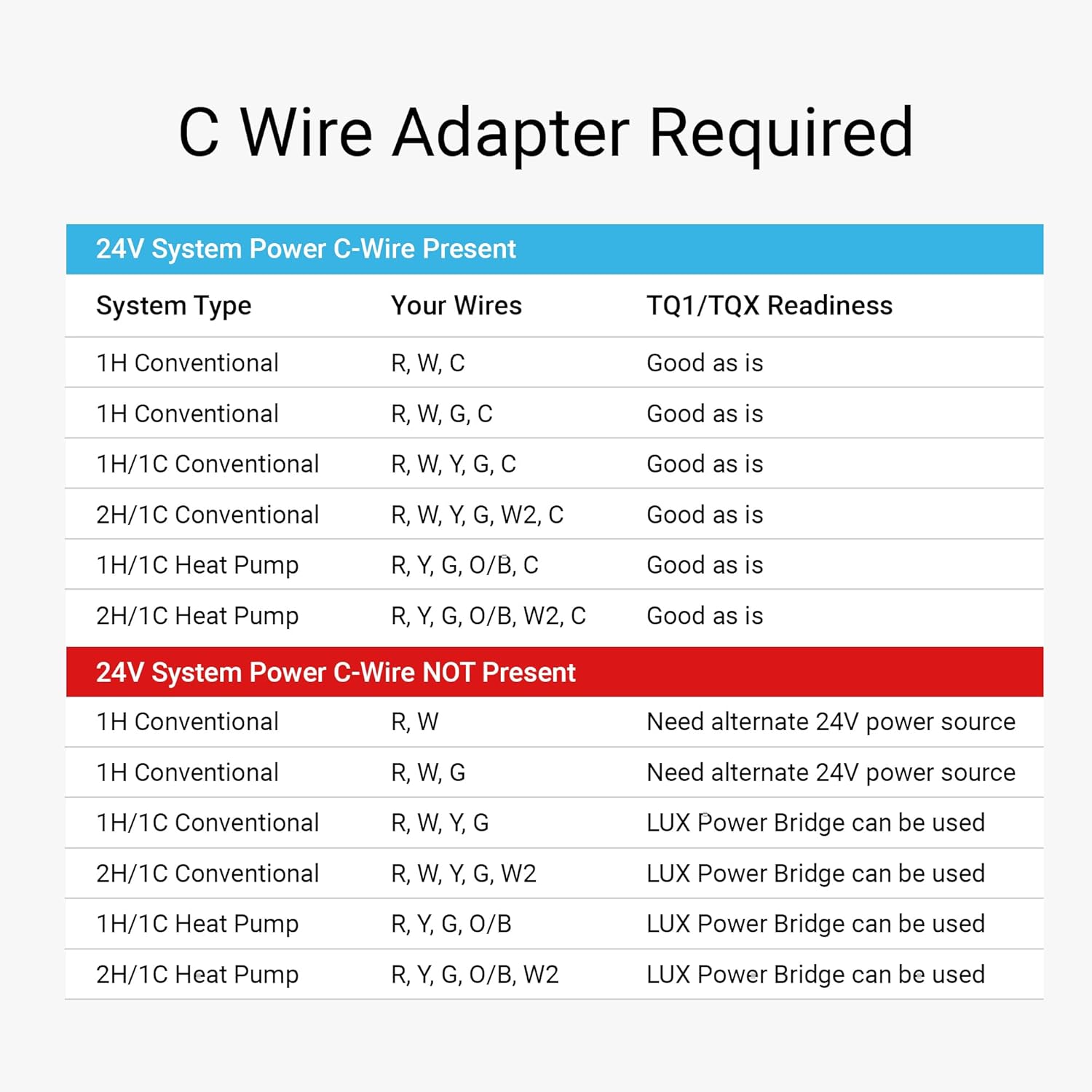
Image Description: A table detailing C-Wire compatibility for 24V systems. It shows various system types (1H Conventional, 2H/1C Conventional, Heat Pump, etc.) and indicates whether a C-Wire is present or if a LUX Power Bridge is required.
- Carefully remove your old thermostat from the wall.
- Label each wire with the corresponding terminal letter before disconnecting.
- Mount the TQ1 backplate to the wall using the provided hardware.
- Connect the labeled wires to the appropriate terminals on the TQ1 backplate. Refer to the wiring diagram provided with your thermostat for specific connections.
- Ensure all connections are secure.
2.3 Mounting the Thermostat
Once wired, align the TQ1 thermostat unit with the backplate and gently push until it clicks into place. An optional LUX Wall Plate (sold separately) is available to cover any wall imperfections from previous thermostat installations.

Image Description: A black LUX Wall Plate, designed to provide a clean finish and hide wall imperfections when installing the thermostat.
2.4 Initial Setup with Matter
The TQ1 Smart Thermostat utilizes the Matter protocol for easy integration with your existing smart home system. No dedicated LUX app is required for setup or daily operation.
- Restore power to your HVAC system at the circuit breaker.
- The thermostat will power on. Follow the on-screen prompts for initial configuration.
- To connect to your smart home system, use your preferred smart home app (e.g., Apple Home, Google Home, Alexa, SmartThings).
- Scan the QR code displayed on the TQ1 thermostat or located on the back of the unit/packaging.
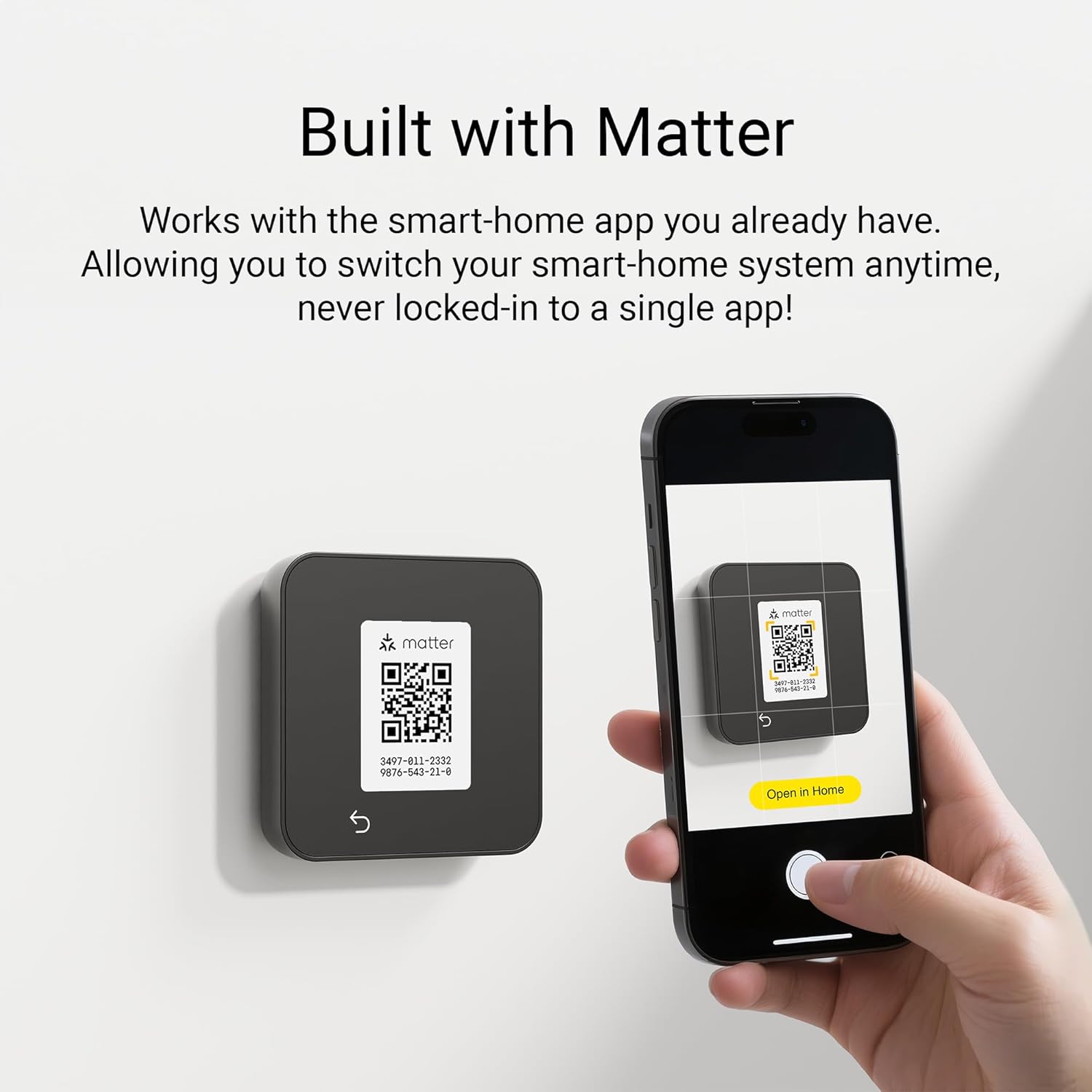
Image Description: A smartphone scanning a Matter QR code displayed on the LUX TQ1 Smart Thermostat, illustrating the setup process for smart home integration.
A compatible smart speaker or Matter controller is required for connectivity and remote control outside the home.

Image Description: A diagram showing the LUX TQ1 Smart Thermostat connecting via Matter to various smart speakers, including Apple HomePod Mini, Google Nest Mini, and Amazon Echo Dot, indicating the need for a Matter controller.
3. Operating Your LUX TQ1 Smart Thermostat
3.1 On-Device Control
The TQ1 features a responsive touchscreen for direct control. Use the up and down arrows to adjust the set temperature. The 'MODE' button allows you to switch between heating, cooling, and auto modes. The menu button (three horizontal lines) provides access to additional settings and scheduling.
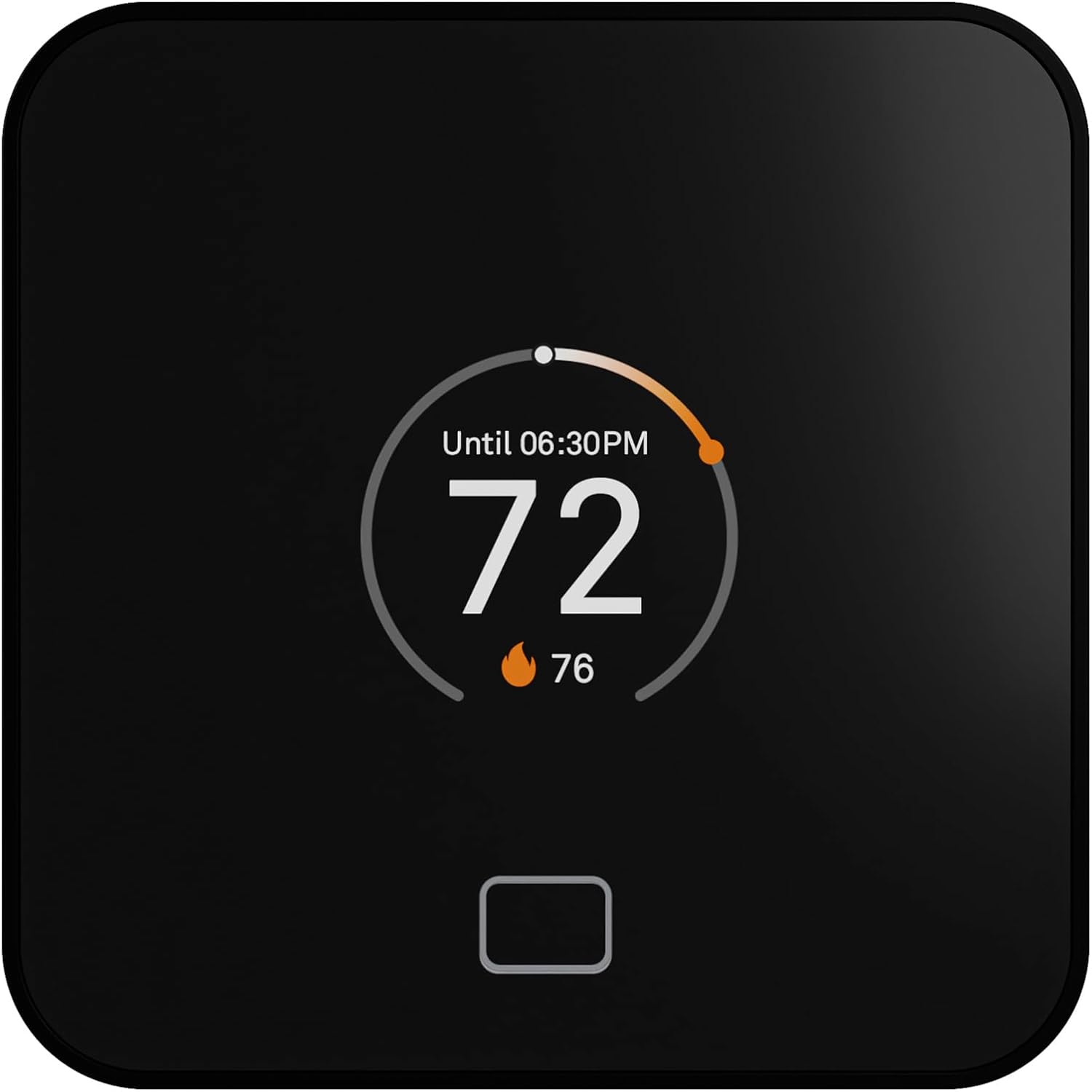
Image Description: The LUX TQ1 Smart Thermostat displaying a large '72' as the current temperature, with a smaller '76' indicating the heating setpoint. A circular graphic shows the temperature range.
3.2 Smart Home Integration (App Control)
Control your TQ1 thermostat remotely using your preferred smart home app (Apple Home, Google Home, Alexa, SmartThings). This allows you to adjust settings, create schedules, and monitor your home's temperature from anywhere.

Image Description: A person holding a smartphone displaying a smart home app interface, showing the LUX TQ1 Smart Thermostat set to 'COOL TO 74' degrees, with options for Off, Cool, Heat, and Auto modes.
3.3 Voice Control
With a connected smart speaker or Matter controller, you can use voice commands to adjust your thermostat. For example, say "Hey Siri, set the temperature to 72 degrees."

Image Description: A room scene with a LUX TQ1 Smart Thermostat on the wall and an Apple HomePod Mini on a cabinet. A speech bubble indicates the voice command "Hey Siri, set the temperature to 72°F."
3.4 Programming Schedules
The TQ1 allows you to create custom heating and cooling schedules to optimize comfort and energy savings. Access scheduling options through the on-device menu or your smart home app.
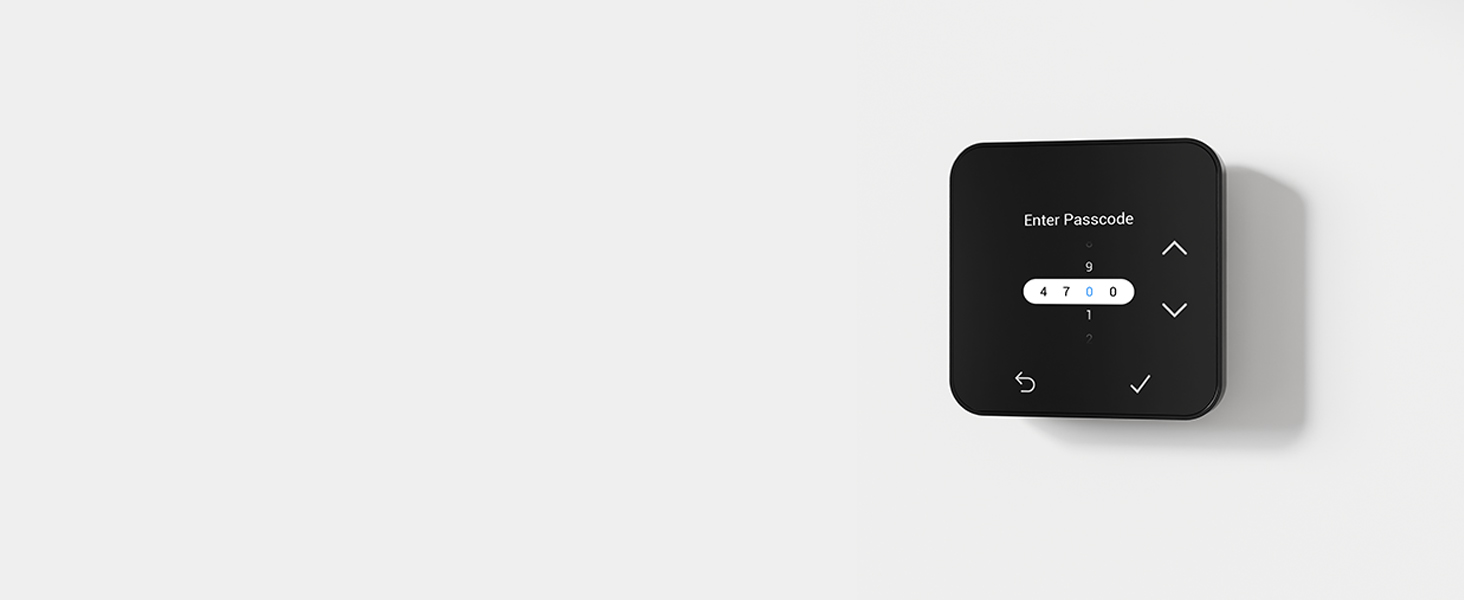
Image Description: The LUX TQ1 Smart Thermostat screen showing a programmed schedule for Wednesday, with time slots and corresponding temperature settings (e.g., 06:00 am 78°/74°, 05:00 pm 74°/76°).
3.5 Keypad Lockout
To prevent unauthorized changes, the TQ1 offers a keypad lockout feature. You can set a passcode to restrict access to thermostat settings directly on the device.

Image Description: The LUX TQ1 Smart Thermostat screen showing an 'Enter Passcode' prompt with a numerical keypad for input, indicating the keypad lockout feature.
4. Maintenance
The LUX TQ1 Smart Thermostat requires minimal maintenance. To ensure optimal performance and accurate readings:
- Cleaning: Gently wipe the screen and exterior with a soft, damp cloth. Avoid abrasive cleaners or solvents.
- Sensor Clearance: Ensure the thermostat's sensors are not obstructed by furniture, curtains, or other objects that could affect temperature readings.
- Software Updates: Keep your smart home hub or app updated to ensure the latest features and security for your Matter-connected devices.
5. Troubleshooting
If you encounter issues with your LUX TQ1 Smart Thermostat, refer to the following common troubleshooting steps:
- Thermostat Not Powering On: Verify that the power to your HVAC system is on at the circuit breaker. Check all wiring connections for security, especially the C-Wire. If no C-Wire is present, ensure an alternative 24V power source or LUX Power Bridge is correctly installed.
- Temperature Discrepancy: If the thermostat's reported temperature differs significantly from other thermometers in the room, ensure the thermostat is not exposed to direct sunlight, drafts, or heat sources (e.g., from internal components if the screen is continuously lit). Allow time for the sensor to stabilize.
- HVAC System Not Responding (e.g., Compressor Not Turning On): Double-check all wiring connections to ensure they match your system type. Confirm the thermostat is set to the correct mode (Heat, Cool, Auto). If issues persist, consult a qualified HVAC technician.
- Connectivity Issues (Wi-Fi/Matter): Ensure your Wi-Fi network is active and within range. Verify your Matter controller (smart speaker/hub) is powered on and connected to the internet. Attempt to re-pair the thermostat through your smart home app if necessary.
- Keypad Lockout: If the keypad is locked, enter your set passcode to regain access. If the passcode is forgotten, refer to the full product manual or LUX support for reset procedures.
6. Product Specifications
| Brand | LUX |
| Model Number | TQ1 Smart Thermostat |
| Product Dimensions | 1.1"D x 3.54"W x 3.54"H |
| Item Weight | 5.9 ounces |
| Color | Black |
| Material | Plastic |
| Power Source | Corded Electric (C-Wire required) |
| Voltage | 24 Volts (DC) |
| Connectivity Technology | Wi-Fi, Matter |
| Connectivity Protocol | Matter, Wi-Fi |
| Controller Type | Amazon Alexa, Android, Apple HomeKit, Google Assistant, iOS |
| Special Features | Auto Changeover, Fan Control, Lockable, Programmable, Temperature Display |
| System Compatibility | Conventional: Up to 2 heat, 2 cool; Heat pump: Up to 3 heat, 2 cool; PTAC: Conventional or Heat pump; Fan coil: Binary output 2-pipe or 4-pipe; Millivolt heating. Not compatible with 120V/240V line voltage systems. |
7. Warranty and Support
For warranty information, technical support, or further assistance, please refer to the official LUX website or contact LUX customer service. Keep your purchase receipt for warranty claims.
Online Resources: Visit the LUX Store on Amazon for additional product information and accessories.


