
1. Introduction
The Amazon Echo Studio (2025 Model) is a smart speaker designed to deliver immersive spatial audio and Dolby Atmos sound. It features a compact design, a built-in smart home hub, and is powered by the AZ3 Pro chip for advanced performance. This device also includes early access to Alexa+, offering a smarter and more proactive AI assistant experience.

Image 1.1: The Amazon Echo Studio (2025 Model) in Glacier White, showcasing its compact, spherical design with control buttons on top.
2. What's in the Box
Before you begin, ensure all items are present in the packaging:
- Echo Studio (2025 release)
- Power adapter (50W)
- Quick start guide
3. Setup
3.1 Initial Power On
- Connect the provided power adapter to the Echo Studio and then to a wall outlet.
- The light ring on your Echo Studio will turn blue, then orange, indicating it is ready for setup.
3.2 Alexa App Installation and Connection
- Download the Alexa app on your mobile device (compatible with Fire OS, Android, and iOS).
- Open the Alexa app and sign in with your Amazon account.
- Follow the on-screen instructions to add a new device. Select "Amazon Echo" then "Echo Studio".
3.3 Wi-Fi Setup
The Alexa app will guide you through connecting your Echo Studio to your Wi-Fi network. The device supports 1x1 Wi-Fi 6E (11a/b/g/n/ac/ax). Amazon Wi-Fi simple setup is available to streamline this process.
3.4 Room Adaptation
After initial setup, Echo Studio analyzes the acoustics of your room to fine-tune playback for optimal sound. This process occurs automatically.
3.5 Pairing for Enhanced Audio
- Multi-Room Music: Play music across multiple Echo devices by grouping them in the Alexa app.
- Home Theater: Pair your Echo Studio with compatible Fire TV devices for an immersive home theater experience. This can be done through the Fire TV settings.
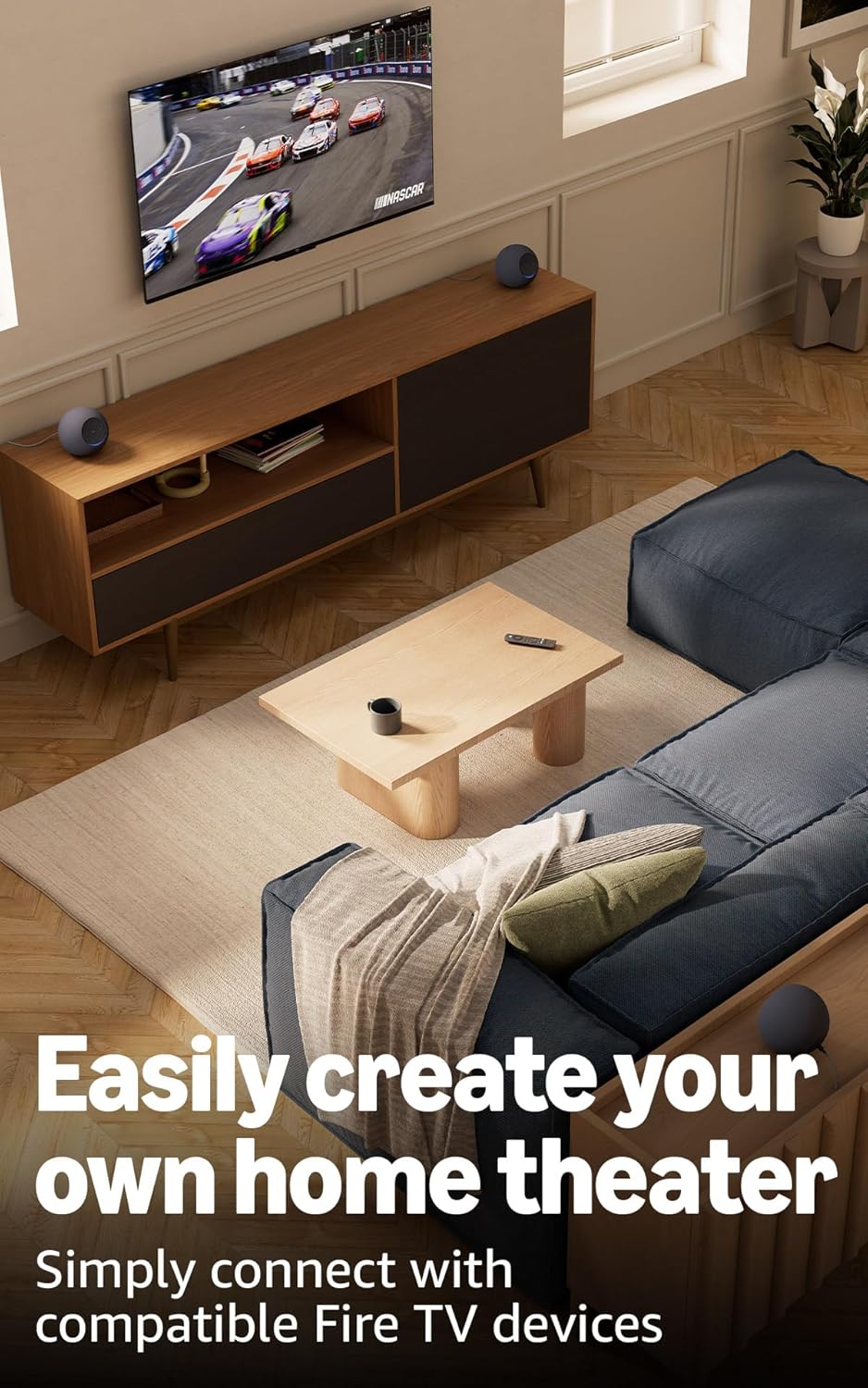
Image 3.1: Two Echo Studio devices positioned to create a home theater setup with a television, demonstrating multi-speaker audio.
4. Operating Your Echo Studio
4.1 Voice Control with Alexa
Your Echo Studio is primarily controlled by voice commands using the wake word "Alexa". Speak clearly and directly to the device.

Image 4.1: A graphic introducing the updated Alexa+ assistant, highlighting its smarter and more proactive capabilities.
4.2 Alexa+ Early Access
This device provides early access to Alexa+. Upon setup, you can upgrade to this enhanced AI assistant for a more natural and conversational experience, capable of handling a wider range of tasks.
4.3 Smart Home Control
The Echo Studio includes a built-in smart home hub supporting Zigbee, Matter, and Thread Border Router protocols. This allows you to connect and control compatible smart lights, locks, and other devices directly without a separate hub.
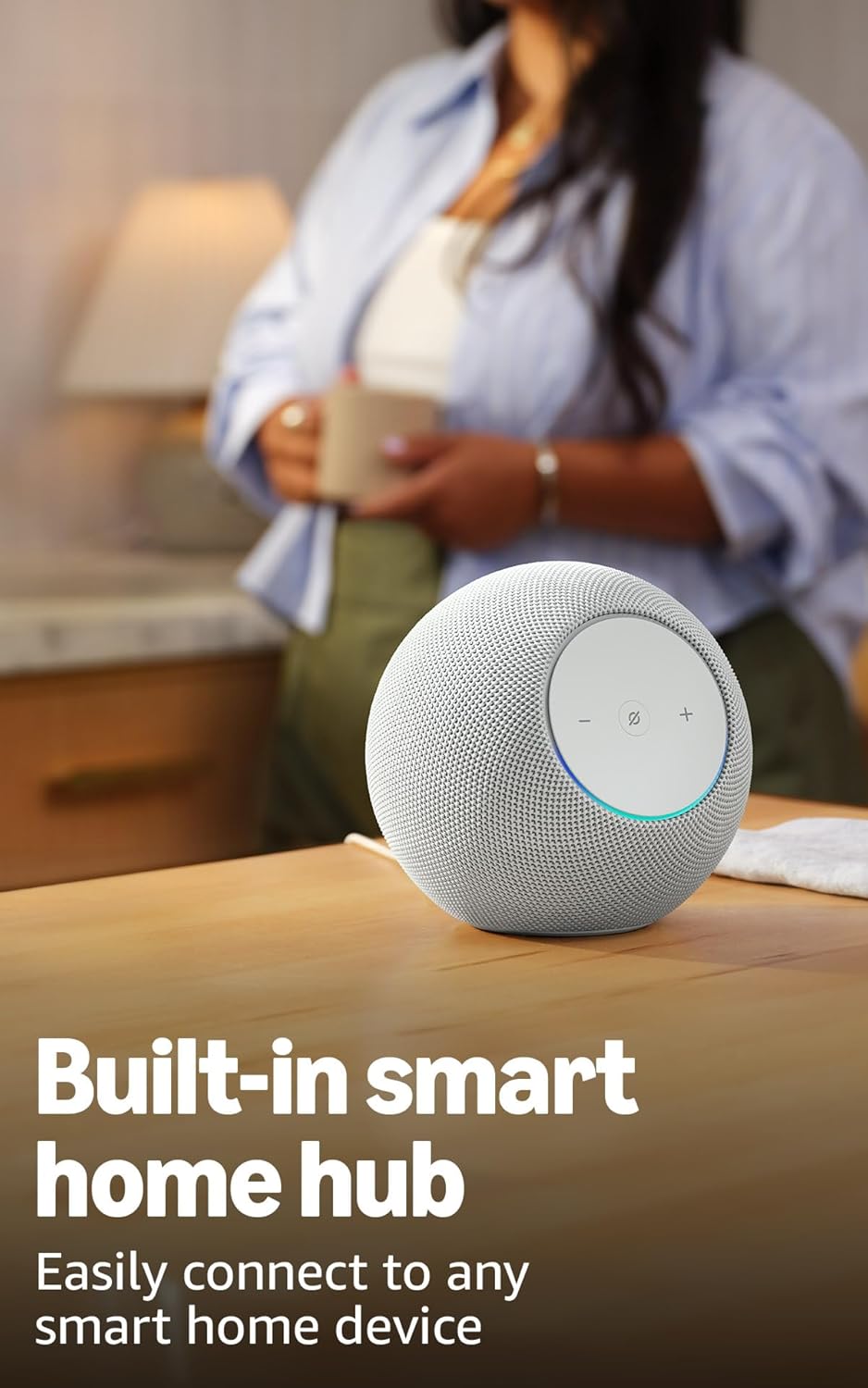
Image 4.2: The Echo Studio on a table, emphasizing its function as a built-in smart home hub for easy device connectivity.
4.4 Bluetooth Connectivity
Echo Studio supports Bluetooth wireless technology/Bluetooth Low Energy 5.3. You can stream audio from your mobile device to Echo Studio (A2DP) or from Echo Studio to a Bluetooth speaker (A2DP). AVRCP is supported for voice control of connected mobile devices. Bluetooth speakers requiring PIN codes are not supported.
4.5 Omnisense Technology
Omnisense technology enables proactive and personalized experiences through features like presence detection, ambient temperature sensing, and accelerometer-based tap gestures. For example, you can activate routines based on temperature changes or detected presence.
4.6 eero Built-in
If you have a compatible eero router, your Echo Studio can extend Wi-Fi coverage. Link your eero and Amazon accounts and manage this feature through the eero mobile application. This feature supports up to 1,000 sq. ft. of additional coverage, speeds up to 100 Mbps, and 10 or fewer connected devices in the 5GHz band.
5. Maintenance
To ensure the longevity and optimal performance of your Echo Studio:
- Keep the device dry and away from direct sunlight or heat sources.
- Clean the exterior with a soft, dry, lint-free cloth. Do not use abrasive cleaners or solvents.
- Ensure the device is placed on a stable surface to prevent accidental falls.
6. Troubleshooting
If you encounter issues with your Echo Studio, consider the following steps:
- No Power: Ensure the power adapter is securely connected to both the device and a working wall outlet.
- No Wi-Fi Connection: Check your router and internet connection. Verify that your Echo Studio is within range of your Wi-Fi network. Re-attempt Wi-Fi setup through the Alexa app.
- Alexa Not Responding: Ensure the microphone is not muted (the light ring will be red if muted). Try saying the wake word more clearly or adjusting your proximity to the device.
- Audio Quality Issues: Confirm the device is placed optimally for room adaptation. Check audio settings in the Alexa app.
- General Issues: Try restarting your Echo Studio by unplugging it from the power outlet for a few seconds and then plugging it back in.
For further assistance, refer to the help section within the Alexa app or visit the Amazon support website.
7. Specifications
| Feature | Detail |
|---|---|
| Size | 6.1”W x 5.6”D x 5.8”H (155mm W x 142.2mm D x 147.3mm H) |
| Weight | 57.56 oz (1632 grams) 3.6 lbs |
| Audio Bandwidth | 30 Hz - 18 kHz (volume 6) |
| Loudspeaker Drivers | 1x 3.75” high excursion woofer, 3x 2.25” full-range drivers |
| Playback Channels | 3.1.1 (left, center, right, height, subwoofer) |
| Audio Processing | Distortion reduction, Lossless High Definition, Automatic Room Adaptation, Amazon Spatial Audio, Dolby Atmos |
| Wi-Fi Connectivity | 1x1 Wi-Fi 6E 11a/b/g/n/ac/ax |
| Bluetooth Connectivity | Bluetooth wireless technology/Bluetooth Low Energy 5.3 (A2DP, AVRCP) |
| Smart Home Hub | Zigbee + Matter + Thread Border Router |
| Processor | AZ3 Pro with AI Accelerator |
| Sensors | Ambient temperature, Ambient light, Presence Detection, Accelerometer for Tap Gestures |
| Omnisense Technology | Custom technology for ambient AI, enabling proactive and personalized experiences |
| eero Built-in | Extends Wi-Fi coverage with compatible eero routers (up to 1,000 sq. ft. additional coverage) |
| Language | Alexa speaks English and Spanish |
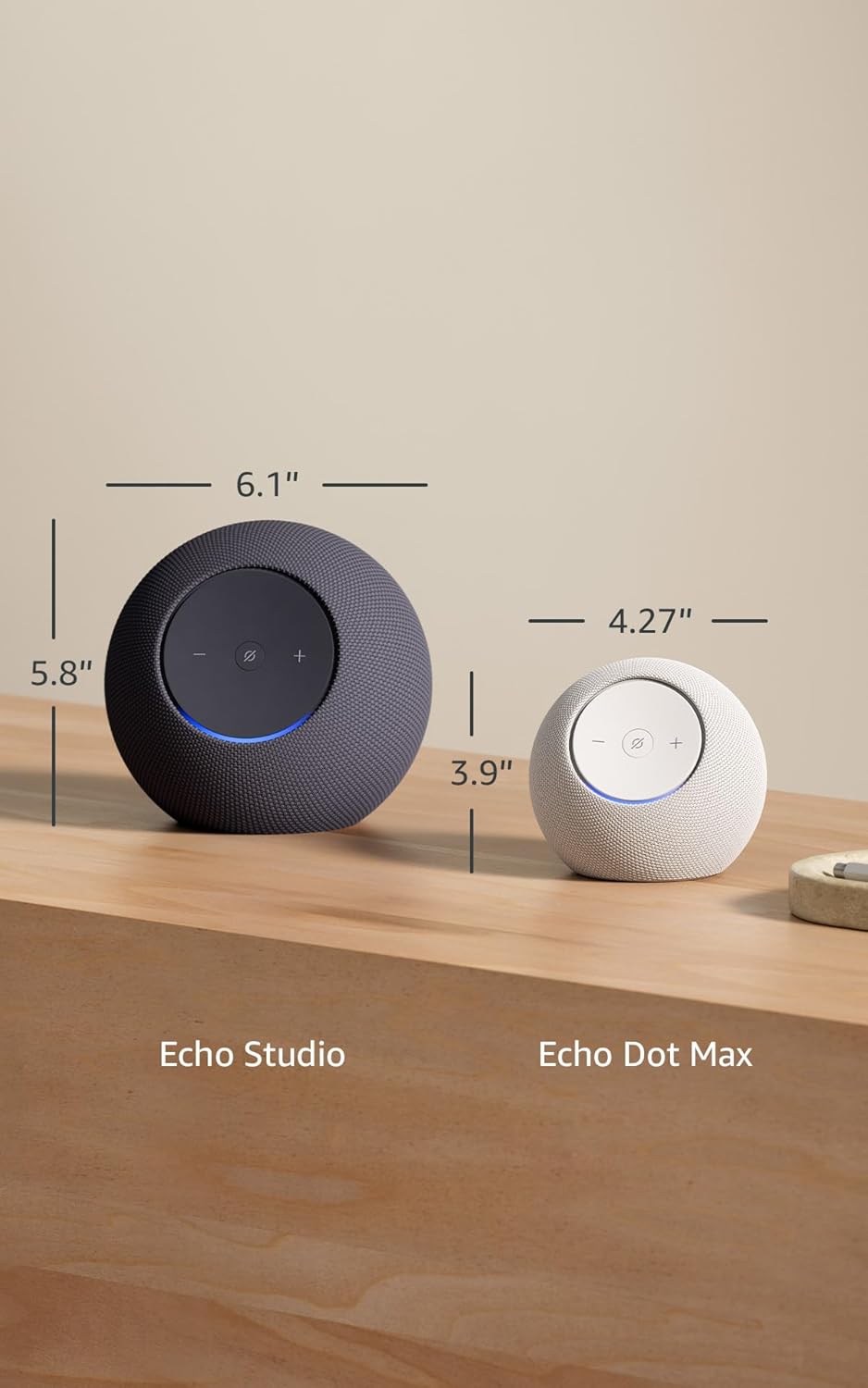
Image 7.1: A visual comparison showing the dimensions of the Echo Studio next to an Echo Dot Max.
8. Safety and Compliance
8.1 Privacy Features
The Echo Studio is designed with multiple layers of privacy controls:
- Microphones Enable/Disable Button: A physical button allows you to electronically disconnect the microphones. When disabled, the light ring will turn red.
- Wake Word Technology: The device only begins recording and sending audio to the cloud after detecting the wake word (e.g., "Alexa").
- Voice Recording Management: You have the ability to view and delete your voice recordings through the Alexa app.

Image 8.1: A close-up view of the Echo Studio's control panel, highlighting the microphone enable/disable button for privacy control.
8.2 Accessibility Features
Alexa offers various accessibility features to personalize your experience. These can be enabled in the Alexa App under Settings → Accessibility:
- Adaptive Listening: Provides more time to finish speaking before Alexa responds.
- Preferred Speaking Rate: Control how fast or slow Alexa speaks (e.g., "Alexa, speak slower").
- Request Sound: Plays an audible tone when you speak to Alexa.
- Kindle Read Aloud: Have Alexa read your Kindle books aloud.
- Notify When Nearby: Plays notification sounds when you are detected near your Echo device.
9. Warranty and Support
Your Echo Studio comes with a 1-year limited warranty and service. Optional 1-year, 2-year, and 3-year extended warranties are available for U.S. customers, sold separately. For detailed warranty terms and conditions, please refer to the documentation provided with your device or visit the Amazon support website.
For customer support, visit the Amazon Help & Customer Service pages or contact Amazon customer service directly.


