
Introduction
This manual provides detailed instructions for the installation, operation, and maintenance of your JBL Stage GT90041 4-Channel Car Amplifier. Please read this manual thoroughly before attempting installation or operation to ensure proper use and to prevent damage to the unit or your vehicle's audio system.
The JBL Stage GT90041 is a compact Class D amplifier designed to deliver accurate and reliable power for complex car audio systems. It features 4 channels, providing up to 130W RMS per channel at 2 ohms.

Image: JBL Stage GT90041 4-Channel Car Amplifier shown with its retail packaging.
What's in the Box
Verify that all items are present in the package:
- 1 x JBL Stage GT90041 Amplifier
- 2 x Spare Fuses
- 2 x High Level Input Cables
- 4 x Mounting Screws with Washers
- 2 x Allen Keys
- 2 x JBL Stickers
- 1 x User Manual (this document)
- 1 x Safety Sheet
Key Features
- Adjustable Bass Equalizer: Allows bass boost from 0dB to 12dB at 45Hz for customized subwoofer and speaker performance.
- OEM Load Detection Compatibility: Works seamlessly with factory head units that require specific resistor loads, eliminating the need for additional modules.
- Crossover Controls: Features switchable filters with 32Hz to 320Hz adjustment range and a 12dB/octave slope for precise audio tuning.
- Compact Design: Engineered for installation in tight spaces within your vehicle.
- Comprehensive On-Board Protection: Integrated circuits protect the amplifier from short circuits, overheating, overvoltage, and low voltage conditions.
- Start/Stop System Compatible: Integrates with vehicles equipped with engine start/stop systems, maintaining consistent audio performance.
- Wide Range Input Sensitivity: Supports speaker level inputs from 1V to 25V RMS and low-level inputs from 200mV to 5V RMS, ensuring compatibility with various audio sources.
Setup and Installation
Proper installation is crucial for optimal performance and safety. If you are unsure about any part of the installation process, consult a qualified professional.
Mounting the Amplifier
Choose a mounting location that is dry, well-ventilated, and protected from direct sunlight and excessive heat. Ensure sufficient space around the amplifier for proper cooling. Use the provided mounting screws and washers to secure the amplifier firmly.

Image: Top view of the JBL Stage GT90041 amplifier, showing its compact design.
Power Connections
Connect the power cables as follows:
- GND (Ground): Connect to a clean, unpainted metal surface of the vehicle chassis. Ensure a secure connection for proper grounding.
- +12V (Power): Connect to the positive terminal of the vehicle's battery via a fuse holder (not supplied, but essential for protection) located within 18 inches (45 cm) of the battery.
- REM (Remote Turn-On): Connect to the remote output of your head unit. This signal turns the amplifier on and off with your car's audio system.

Image: Rear view of the JBL Stage GT90041 amplifier, highlighting the power input terminals (GND, REM, +12V) and speaker output terminals.
Audio Input Connections
The amplifier supports both low-level (RCA) and high-level (speaker wire) inputs.
- Low-Level Input (RCA): Connect RCA cables from your head unit's pre-out outputs to the amplifier's "LINE INPUT" jacks (CH1/CH2, CH3/CH4).
- High-Level Input: If your head unit does not have RCA outputs, use the supplied high-level input cables. Connect the speaker wires from your head unit's speaker outputs to the amplifier's "HIGH INPUT" terminals (CH1/CH2, CH3/CH4).
Speaker Connections
Connect your speakers to the amplifier's "SPEAKER" output terminals. Ensure correct polarity (+ to + and - to -) for each speaker. The amplifier supports 4-channel stereo operation or 2-channel bridged operation for higher power output to subwoofers.
Operating and Adjustments
The JBL Stage GT90041 amplifier features several controls for fine-tuning your audio system.

Image: Top view of the JBL Stage GT90041 amplifier's control panel, detailing input, gain, and crossover settings.
Gain Control (Input Sensitivity)
The "GAIN" control matches the amplifier's input sensitivity to the output level of your head unit. Start with the gain set to minimum. Play a dynamic piece of music through your head unit at about 75% of its maximum volume. Slowly increase the amplifier's gain until you hear distortion, then back it off slightly. This ensures maximum clean output from the amplifier.
Crossover Controls (LPF, HPF, FULL)
The amplifier features independent crossover controls for channels 1/2 and 3/4.
- LPF (Low-Pass Filter): Allows only frequencies below the set point to pass through. Useful for subwoofers. Adjustable from 32Hz to 320Hz.
- HPF (High-Pass Filter): Allows only frequencies above the set point to pass through. Useful for full-range speakers to prevent them from playing low bass. Adjustable from 32Hz to 320Hz.
- FULL: Disables the crossover, allowing all frequencies to pass through.
Adjust the LPF and HPF settings according to your speaker types and desired sound. For example, if using full-range speakers, set the HPF to protect them from very low frequencies. If using a subwoofer, set the LPF to ensure it only reproduces bass.
Bass EQ
The "BASS EQ" control provides a bass boost at 45Hz, adjustable from 0dB to 12dB. Use this to enhance bass response if desired. Start with 0dB and increase gradually to avoid distortion.
Protection Indicators
The amplifier includes protection circuitry. If the amplifier enters protection mode (indicated by a specific LED, typically red), it will shut down to prevent damage. Common causes include:
- Short circuit in speaker wiring.
- Overheating due to insufficient ventilation or excessive load.
- Overvoltage or undervoltage in the power supply.
Refer to the Troubleshooting section for more details.
Maintenance
To ensure long-lasting performance from your JBL Stage GT90041 amplifier, follow these simple maintenance guidelines:
- Cleaning: Periodically wipe the amplifier's exterior with a soft, dry cloth. Avoid using harsh chemicals or abrasive cleaners.
- Ventilation: Ensure that the amplifier's cooling fins are free from dust and debris. Do not obstruct the airflow around the amplifier.
- Connections: Occasionally check all power, ground, and speaker connections to ensure they are secure and free from corrosion. Loose connections can lead to poor performance or damage.
- Fuses: If a fuse blows, replace it only with a fuse of the same type and rating (30A x 2). Using an incorrect fuse can cause damage or fire.
Troubleshooting
If you experience problems with your amplifier, consult this section before contacting support.
No Power / Amplifier Does Not Turn On
- Check the +12V power connection at the battery and amplifier.
- Verify the ground connection is secure and to a clean metal surface.
- Ensure the REM (remote turn-on) wire is connected and receiving +12V when the head unit is on.
- Check the fuses on the amplifier. Replace blown fuses with the correct rating.
No Sound Output
- Confirm all audio input cables (RCA or high-level) are securely connected.
- Check speaker wire connections for proper polarity and secure contact.
- Ensure the head unit is powered on and outputting audio.
- Adjust the amplifier's gain control.
- Check crossover settings; ensure they are not set to filter out all audible frequencies.
Distorted Sound
- Reduce the amplifier's gain control.
- Check the head unit's volume level; it may be too high, causing distortion before reaching the amplifier.
- Verify speaker impedance matches the amplifier's capabilities.
- Inspect speaker wires for shorts or damage.
- Adjust Bass EQ settings; excessive boost can cause distortion.
Amplifier Goes into Protection Mode (Red LED)
- Overheating: Allow the amplifier to cool down. Ensure adequate ventilation around the unit.
- Short Circuit: Disconnect all speaker wires from the amplifier. If the amplifier powers on normally, there is a short in your speaker wiring or a faulty speaker. Inspect wiring and speakers.
- Low/High Voltage: Check your vehicle's battery voltage and charging system. Ensure power and ground connections are secure.
Specifications
Technical specifications for the JBL Stage GT90041 amplifier:
| Feature | Specification |
|---|---|
| Model Number | JBLSTAGEGT90041 |
| Maximum Power | 1480W peak |
| Output Power (RMS @ 4 ohms) | 90Wrms x 4 channels |
| Output Power (RMS @ 2 ohms) | 130Wrms x 4 channels |
| Output Power (RMS Bridged @ 4 ohms) | 260Wrms x 2 channels |
| Frequency Response | 20Hz - 20kHz ±1dB |
| THD+N @ ROP | 1% |
| Input Sensitivity (LOW) | 0.2V - 5V |
| Input Sensitivity (HIGH) | 1V - 25V |
| Variable High/Low Pass Filters | 32Hz - 320Hz |
| Bass Equalizer @ 45Hz | 0 - 12dB variable |
| Operating Voltage | 9V - 16V |
| Fuse Value | 30A x 2 |
| Protections | DCP, OVP, UVP, OCP, OTP |
| Dimensions (L x W x H) | 23.69 x 13.25 x 4.95 cm |
| Item Weight | 1.7 kg |
| Material | Aluminium Plastic |
| Certifications | CE, RoHS |
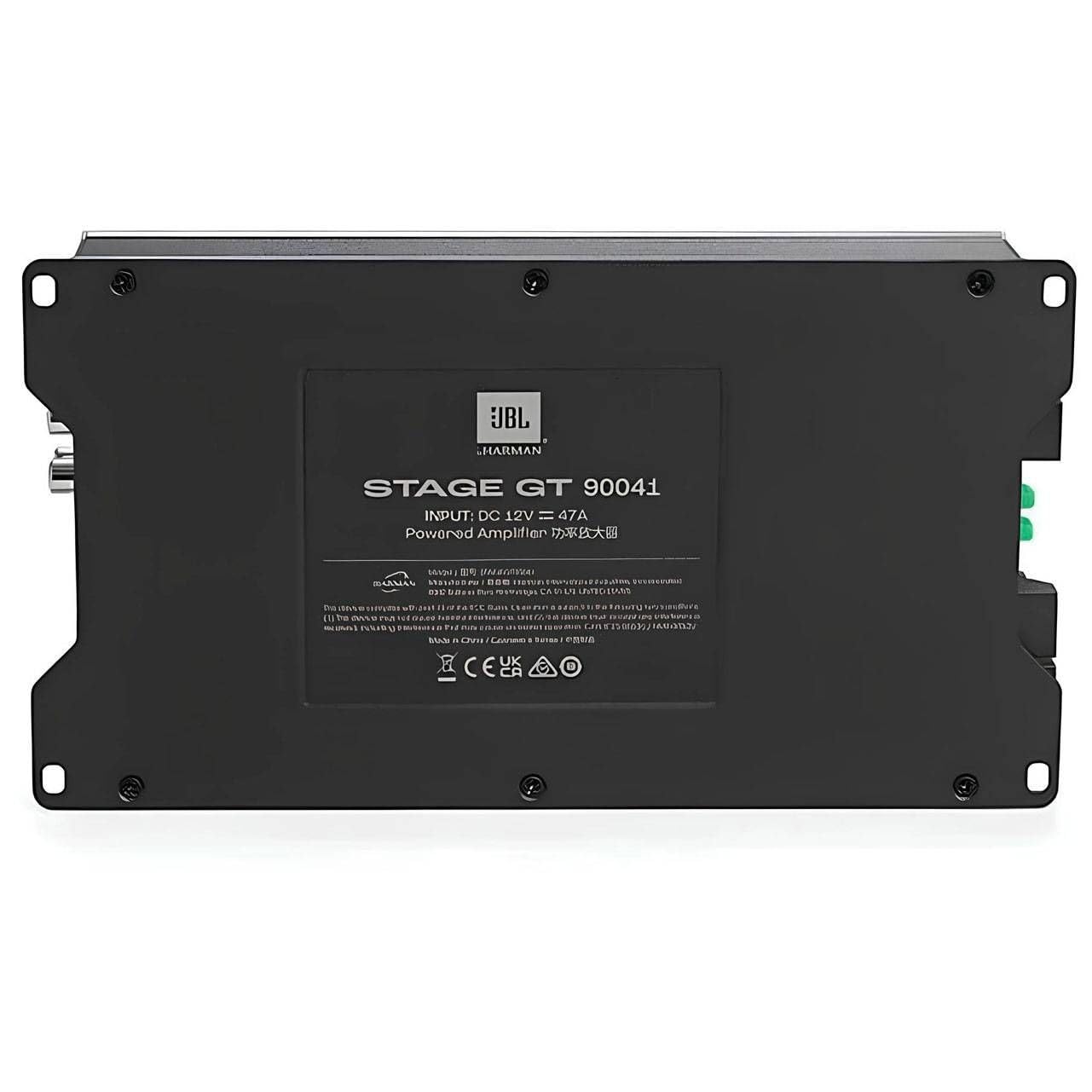
Image: Bottom label of the JBL Stage GT90041 amplifier, displaying model information and input specifications.
Warranty and Support
This JBL product is manufactured by Harman International. The EU Spare Part Availability Duration is 2 years, which typically aligns with the warranty period in many regions. For specific warranty terms and conditions applicable to your region, please refer to the warranty card included with your product or visit the official JBL website.
For technical support, service, or further inquiries, please contact your authorized JBL dealer or visit the official JBL support website. Keep your purchase receipt as proof of purchase for warranty claims.
Manufacturer: Harman International


