Introduction
The DUDUPET 5L Automatic Pet Feeder is designed to provide a convenient and reliable feeding solution for your pets. With its large capacity, programmable feeding schedule, and dual power supply, it ensures your pets are fed on time, every time. This manual provides detailed instructions for setup, operation, and maintenance.
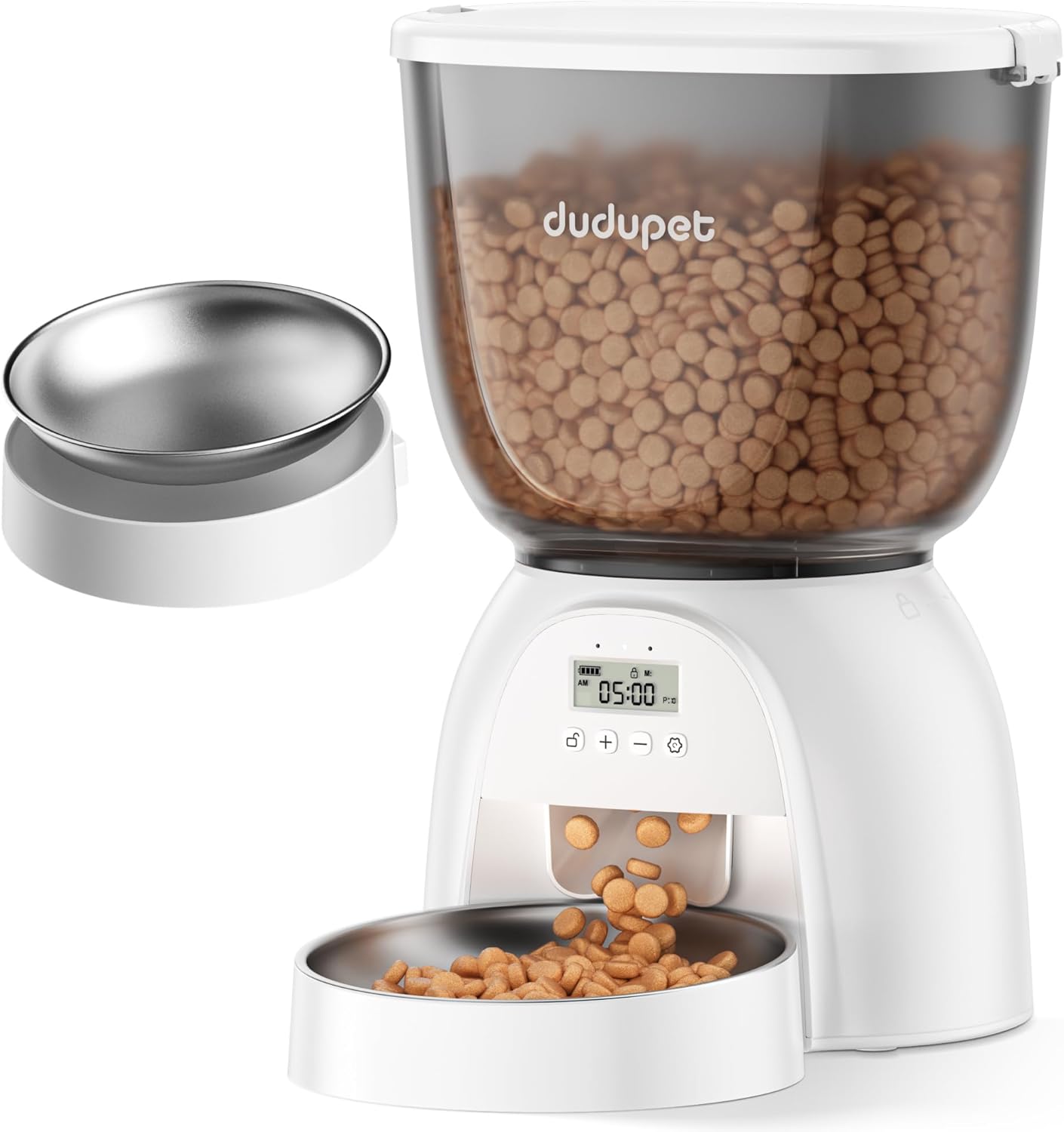
Image: The DUDUPET 5L Automatic Pet Feeder in white with a clear food reservoir filled with kibble, dispensing into a stainless steel bowl.
What's in the Box
Upon unboxing your DUDUPET Automatic Pet Feeder, please ensure all components are present:
- Automatic Pet Feeder Main Unit
- Food Storage Container (5L capacity)
- Stainless Steel Food Bowl
- Rotor/Dispensing Mechanism
- Lid with Desiccant Box
- 5V DC Power Adapter
- Charge Cable
- Desiccant Bag
- User Manual
Video: An overview of the DUDUPET 5L Automatic Cat Feeder, showcasing its components and features.
Setup Instructions
- Insert the Rotating Component: Place the rotor/dispensing mechanism into the main unit. Ensure the slots on the rotor align with the corresponding slots on the base. Rotate the rotor until it is securely locked in place and cannot move. This prevents dispensing failures.
- Assemble the Food Tank: Align the red triangle mark on the food storage container with the red triangle mark on the main unit. Gently press down and rotate clockwise to secure the food tank to the base.
- Install the Food Bowl: Place the stainless steel food bowl into the designated slot at the front of the main unit.
- Add Desiccant: Open the desiccant box located on the underside of the lid. Insert the provided desiccant bag. Close the desiccant box and then securely attach the lid to the food storage container. The desiccant helps keep the food fresh and crispy.
- Power Supply: Connect the 5V DC power adapter to the feeder and plug it into a wall outlet. For uninterrupted operation during power outages, it is recommended to install 3 D-cell batteries (not included) in the battery compartment located at the bottom of the main unit.
- Fill with Dry Food: Open the lid and pour dry kibble into the food storage container. The 5L capacity holds approximately 21 cups of dry food. Recommended kibble sizes are between 0.07 to 0.55 inches (2-15mm). Do not use kibble over 15mm to prevent jamming.

Image: Visual guide for assembling the feeder, including inserting the rotor, attaching the food tank, and installing the lid.
Video: Demonstrates how to set up the DUDUPET Timed Cat Food Dispenser, including assembly and initial programming.
Operating Instructions
Control Panel Overview

Image: The feeder's LCD screen and control buttons, showing indicators for battery, lock, meals, and portions.
Setting the Current Time
- Unlock the Screen: Press and hold the 'Lock/Unlock' button for 3 seconds until you hear a 'beep' and the lock icon unlocks.
- Set Hour: Press and hold the 'Settings' button for 3 seconds until the hour icon starts blinking. Use the '+' and '-' buttons to scroll through numbers to set the hour.
- Set Minute: Press the 'Settings' button again to move to the minute field. Use the '+' and '-' buttons to set the minute.
- Save Time: Press the 'Settings' button to save the current time.
Programming Feeding Schedule
The feeder allows you to program 1-6 meals per day with 1-20 portions each.
- Set Number of Meals: After setting the current time, press the 'Settings' button. The 'MEAL' icon will flash. Use the '+' and '-' buttons to set the desired number of daily feeding meals (M:1 to M:6).
- Set Meal Time: Press the 'Settings' button to set the time for the first meal (M:1). The hour will blink. Use '+' and '-' to adjust the hour, then press 'Settings' to move to minutes and adjust with '+' and '-'.
- Set Portion Size: After setting the meal time, press 'Settings' again. The 'P' (portion) icon will blink. Use '+' and '-' to set the portion size from 1 to 20. (1 portion ≈ 0.62 oz / 3 Tbsp / 0.2 cup for 0.35-0.39 inch kibble).
- Repeat for Additional Meals: Press 'Settings' to move to the next meal (M:2, M:3, etc.) and repeat the time and portion setting process for up to 6 meals.
- Confirm Settings: After setting all desired meals, press and hold the 'Settings' button to confirm and complete all settings.
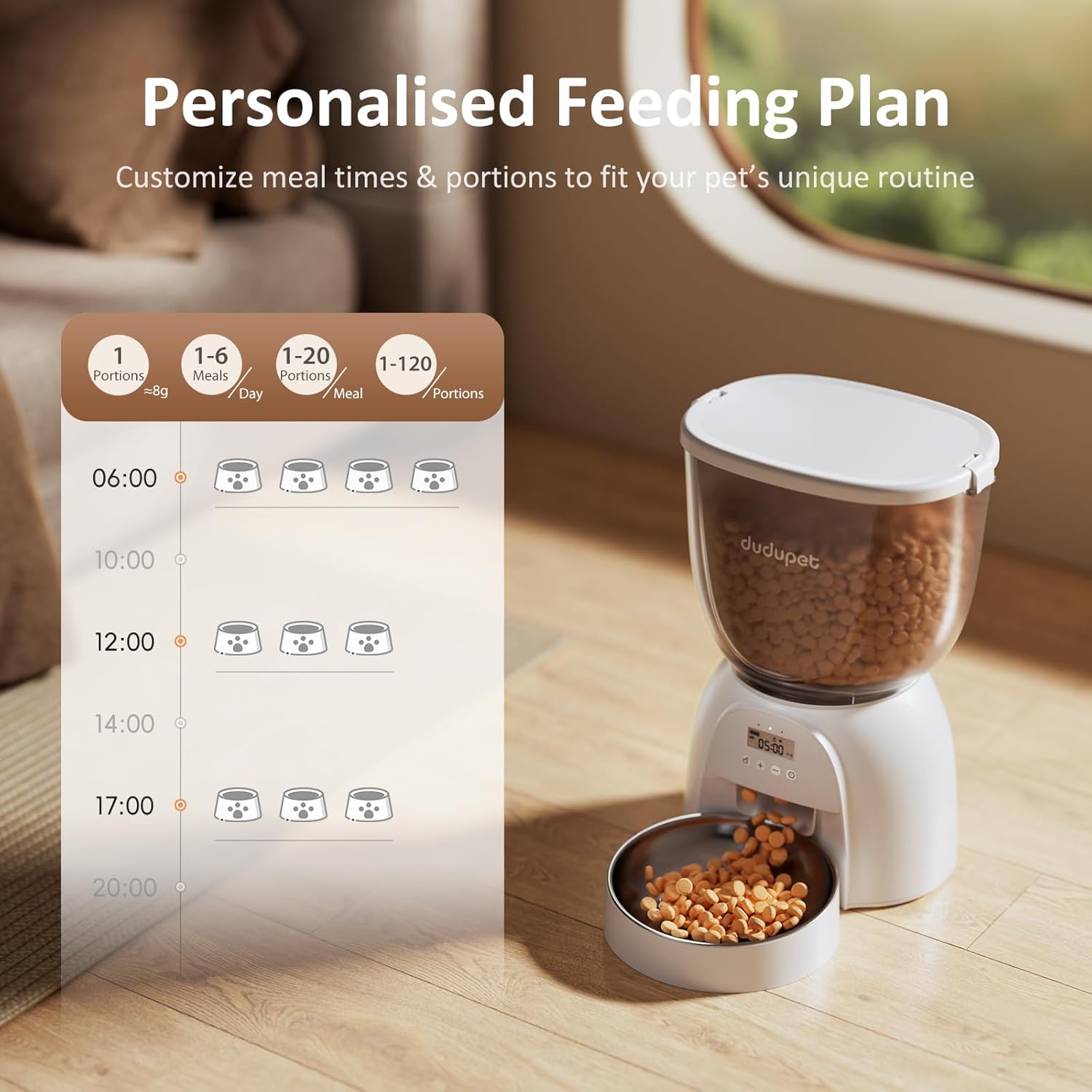
Image: A visual representation of setting a personalized feeding plan on the feeder's display.
Manual Feeding
To manually dispense one portion of food, press both the '+' and '-' buttons simultaneously once. This action does not affect the programmed feeding schedule.
Maintenance
Cleaning Instructions
All food-contact components of the DUDUPET Automatic Pet Feeder are detachable and washable for easy cleaning. This includes the food tank, food bowl, and dispensing rotor.
- Disassemble: Remove the food tank from the main unit by rotating it counter-clockwise. Detach the dispensing rotor and the food bowl.
- Wash Components: Hand wash the food tank, food bowl, and dispensing rotor with mild soap and water. Rinse thoroughly.
- Dry Completely: Ensure all components are completely dry before reassembling to prevent moisture from affecting the kibble.
- Main Unit: The main unit, which contains electronic components, should NOT be washed. Wipe it clean with a dry or slightly damp cloth.

Image: The detachable food tank, bowl, and rotor of the feeder are shown being cleaned under running water in a sink.
Desiccant Replacement
The built-in desiccant box helps keep your pet's food fresh. It is recommended to replace the desiccant bag every 30 days for optimal freshness.
- Access Desiccant Box: Open the lid of the food storage container. The desiccant box is located on the underside of the lid.
- Replace Desiccant: Remove the old desiccant bag and insert a new one.
- Close Lid: Securely close the desiccant box and then the main lid.

Image: The desiccant compartment within the feeder's lid, designed to keep food fresh.
Troubleshooting
- Dispensing Failure: Ensure the rotor is correctly aligned and securely locked in place during assembly. Improper alignment can cause food to not dispense.
- Food Jamming: Use dry kibble within the recommended size range of 0.07 to 0.55 inches (2-15mm). Larger kibble may cause blockages. The anti-jamming dispensing system is designed to minimize this, but proper kibble size is crucial.
- Power Interruption: If the feeder stops working due to a power outage, ensure D-cell batteries are installed for continuous operation.
- Reset to Factory Settings: In lock screen mode, press and hold the '+' and '-' buttons for 6 seconds until you hear a "beep beep". All operation records, feeding plans, and meal counts will be cleared.
Specifications
| Feature | Detail |
|---|---|
| Brand | DUDUPET |
| Model Name | DU-F11K |
| Item Model Number | DU-F11 |
| Capacity | 5 Liters / 21 Cups |
| Recommended Kibble Size | 0.07 to 0.55 inches (2-15mm) |
| Meals Per Day | 1-6 meals |
| Portions Per Meal | 1-20 portions |
| Power Supply | 5V DC Adapter + 3 D-cell batteries (not included) |
| Item Weight | 3.78 pounds |
| Product Dimensions | 8 x 16 x 12 inches |
| Material | Acrylonitrile Butadiene Styrene |
| Care Instructions | Hand Wash Only (detachable parts) |
Warranty and Support
The DUDUPET 5L Automatic Pet Feeder comes with a 1-year warranty from the date of purchase. This warranty covers manufacturing defects and malfunctions under normal use. Please retain your proof of purchase for warranty claims.
For technical support, troubleshooting assistance, or warranty inquiries, please contact DUDUPET customer service through the official channels provided with your product packaging or visit the DUDUPET store on Amazon.


