
Introduction
Thank you for choosing the TITIMO 60-inch Executive L-Shaped Desk. This manual provides essential information for the safe assembly, operation, and maintenance of your new desk. Please read these instructions carefully before beginning assembly and retain them for future reference.
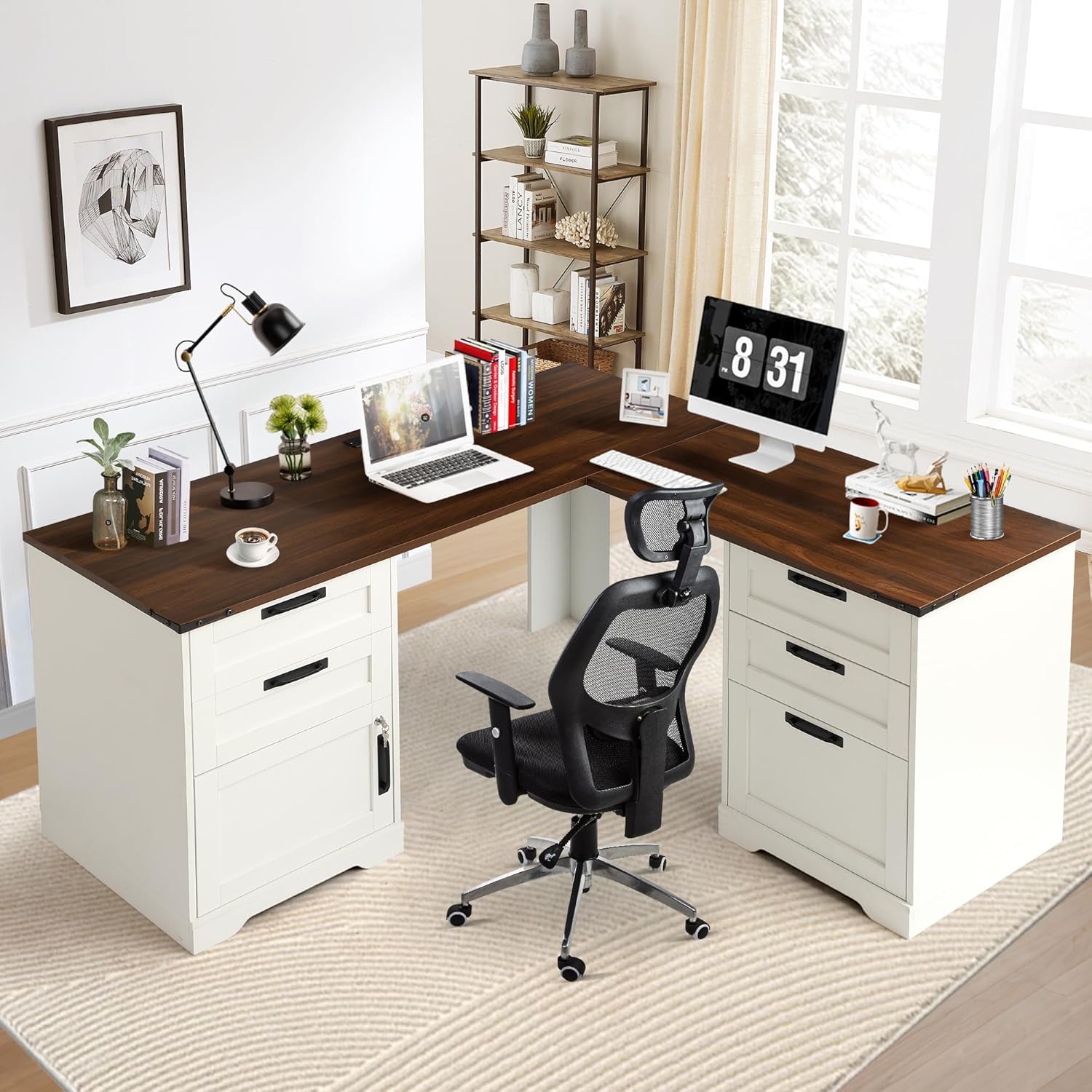
Image: The TITIMO 60-inch Executive L-Shaped Desk, showcasing its spacious design and integrated storage in a modern home office environment.
Safety Information
- Always follow the assembly instructions carefully.
- It is recommended to have multiple people assist with assembly due to the weight of the desk (approximately 158.74 pounds).
- Always use proper lifting techniques to avoid injury.
- Once assembled, ensure the desk is properly anchored to the wall or floor to prevent tipping, if applicable.
- Keep small parts away from children during assembly.
Package Contents
Before assembly, verify that all components are present and undamaged. All parts and accessories are identified with numbered stickers for easy recognition.
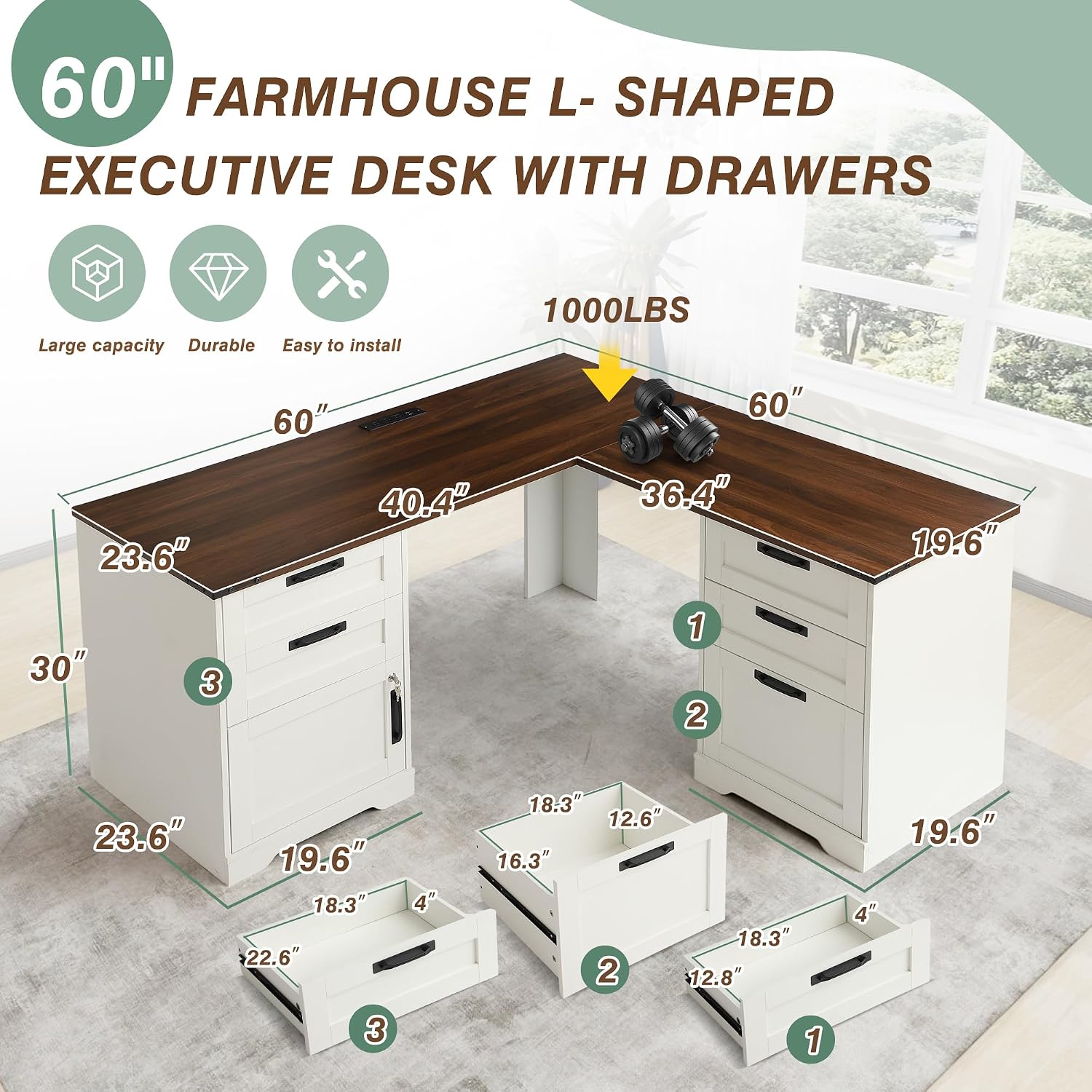
Image: An exploded diagram illustrating the various components and overall dimensions of the TITIMO L-Shaped Desk.
Typical Components Include:
- Desktop panels (L-shaped sections)
- Drawer units (left and right)
- File cabinet components
- Standard drawer components
- Support legs/panels
- Hardware pack (screws, dowels, cam locks, drawer slides, etc.)
- Built-in charging station unit
- Assembly instructions manual
Note: Some small tools may be required for assembly and are not always included. Please refer to the detailed assembly instructions provided in the package.
Setup and Assembly
Assembly of the TITIMO L-Shaped Desk requires careful attention to detail. It is strongly recommended that at least two people participate in the assembly process due to the size and weight of the components.
General Assembly Steps:
- Unpack and Organize: Carefully unpack all components and lay them out on a clean, soft surface to prevent scratches. Identify each part using the numbered stickers.
- Assemble Drawer Units: Follow the specific instructions for assembling the standard drawers and the file cabinet. Ensure drawer slides are installed correctly for smooth operation.
- Assemble File Cabinet: Install the adjustable shelf within the file cabinet. Ensure the door and lock mechanism are correctly fitted.
- Attach Desktop Panels: Secure the L-shaped desktop panels to the assembled drawer units and support legs. Ensure all connections are tight and stable.
- Install Charging Station: Integrate the built-in charging station into the designated desktop cutout. Connect the power cord.
- Final Checks: Verify that all screws are tightened, and the desk is stable. Place the desk in its desired location, ensuring it is level.

Image: The desk with various drawers pulled out, highlighting the full extension drawer slides for easy access to contents.

Image: A detailed view of the adjustable storage cabinet, showing the movable shelf and the security key for the door lock.
For detailed, step-by-step instructions, please refer to the assembly manual included in your product packaging.
Operating Instructions
Using the Built-in Charging Station:
The desk features a convenient built-in charging station to power your electronic devices.
- AC Outlets: The station includes 3 AC outlets (125V/12A) for standard power plugs.
- USB Ports: Two USB ports (5V/2A) are available for charging smartphones, tablets, and other USB-powered devices.
- Power Cord: The charging station is equipped with a 4.9-foot power cord. Plug this cord into a wall outlet to activate the charging features.

Image: A close-up view of the integrated charging station on the desktop, showing the 3 AC outlets and 2 USB ports in use.
Utilizing Storage Features:
The desk offers various storage options to keep your workspace organized.
- Standard Drawers: Three standard drawers provide space for office supplies, stationery, and personal items.
- File Drawer: One dedicated file drawer is designed to accommodate letter-size documents, keeping them neatly organized.
- Adjustable Storage Cabinet: The cabinet features an adjustable shelf, allowing you to customize the storage height for bulkier items. The door includes a lock for securing private documents or valuables.

Image: A detailed view of the three drawers, with the bottom drawer configured as a letter-size file drawer.
Maintenance
- Cleaning: Wipe the desk surfaces with a soft, damp cloth. Avoid harsh chemicals or abrasive cleaners that may damage the finish.
- Spills: Clean up spills immediately to prevent staining or damage to the engineered wood.
- Hardware: Periodically check all screws and fasteners to ensure they remain tight. Retighten as necessary to maintain stability.
- Charging Station: Ensure the charging station is kept dry. Do not expose it to liquids.
Troubleshooting
- Wobbly Desk: Ensure all assembly hardware is securely tightened. Check if the desk is on an even surface; use shims if necessary to level it.
- Drawers Not Sliding Smoothly: Verify that the drawer slides are correctly installed and free of obstructions. Apply a silicone-based lubricant if needed.
- Charging Station Not Working: Check if the power cord is securely plugged into both the desk unit and a functional wall outlet. Test the wall outlet with another device. Ensure no circuit breakers have tripped.
- Missing Parts: If you discover missing parts during assembly, refer to the contact information in the Warranty and Support section.
Specifications
| Feature | Detail |
|---|---|
| Brand | TITIMO |
| Product Dimensions (D x W x H) | 60"D x 60"W x 30"H |
| Color | Brown |
| Style | Contemporary, Farmhouse |
| Base Material | Engineered Wood |
| Top Material Type | Engineered Wood |
| Finish Type | Powder Coated |
| Special Feature | Built-In USB Outlet (3 AC outlets, 2 USB ports) |
| Recommended Uses | Office, Working, Writing, Drafting |
| Item Weight | 158.74 Pounds |
| Model Number | desk with drawers |
| Model Name | corner desk |
| Included Components | Built-in Outlet, Built-in USB Port |
| Shape | L-Shape |
| Desk Design | Executive Desk |
| Number of Drawers | 4 (3 standard, 1 file) |
| Number Of Shelves | 2 (adjustable in cabinet) |
| Number Of Cabinets | 1 (with lock) |
| Required Assembly | Yes |
| Includes All Assembly Tools | No |
Warranty and Support
For warranty information, missing parts, or technical support, please refer to the documentation included with your purchase or contact TITIMO customer service directly. Contact details are typically available on the manufacturer's website or on the product packaging.
Please have your product model number and purchase date ready when contacting support.