
1. Introduction
The Blütezeit Retro-Reflective Photoelectric Sensor (Model: ME-R12M1) is designed to enhance the safety and functionality of automatic swing and sliding gate openers. This sensor utilizes a visible red beam and retro-reflective technology to reliably detect obstructions, ensuring your gate system operates safely and efficiently. It is compatible with all Blütezeit gate motor models and is built for both indoor and outdoor applications.
2. Safety Information
Please read all instructions carefully before installation and operation. Failure to follow these instructions may result in injury or damage to the product.
- Ensure power is disconnected from the gate opener system before performing any installation or maintenance.
- This sensor is a safety device; proper installation and alignment are crucial for its effective operation.
- Do not attempt to modify the sensor or its components.
- Keep children and pets away from the gate area during operation.
- Regularly inspect the sensor and reflector for any damage or obstruction.
3. Package Contents
Verify that all components are present before beginning installation:
- 1 × Photoelectric Sensor
- 1 × Reflector Panel
- 1 × Mounting Bracket
4. Installation and Setup
The Blütezeit Retro-Reflective Photoelectric Sensor is designed for straightforward installation. Follow these steps for optimal performance.
4.1 Mounting the Sensor and Reflector
Mount the sensor and reflector on opposite sides of the gate opening, ensuring they are aligned directly with each other. The sensor should be mounted at a height that allows for detection of typical obstructions (e.g., vehicles, people, pets).

Image 1: Overview of the sensor and reflector setup, showing the red beam connecting them.
The sensor comes with an adjustable mounting bracket, allowing for easy tilt and rotation to achieve precise positioning and alignment. The large anti-vibration reflector ensures stable signal return and resists misalignment due to vibrations.

Image 2: Detailed view of the sensor, reflector, and durable metal mounting bracket.
4.2 Wiring
This sensor features single-side wiring, simplifying the installation process as there is no need for wiring on both sides of the gate opening. Connect the sensor to your Blütezeit gate opener system according to the wiring diagram provided with your gate opener manual. The sensor supports DC 12~24V systems.

Image 3: Illustration highlighting the visible red beam, LED status indicator, and single-side wiring feature.
4.3 Alignment
The sensor emits a clearly visible red light beam, extending up to 40 feet, which greatly assists in quick and accurate alignment. Position the reflector so that the red beam from the sensor hits its center. The dual-color LED indicator on the sensor will provide feedback on alignment status.

Image 4: Close-up of the sensor emitting a red laser guide line, demonstrating ease of alignment.
5. Operation
Once installed and aligned, the sensor continuously monitors the gate opening. When the red beam is interrupted by an obstruction, the sensor sends a signal to the gate opener, triggering a safety response (e.g., stopping or reversing the gate).
5.1 LED Status Indicator
The sensor is equipped with a dual-color LED indicator to provide real-time status feedback:
- Green Light: Indicates the sensor is powered on.
- Red Light: Turns off after correct setup and alignment. If the red light turns on, it indicates the beam is blocked or misaligned, allowing for easy verification of proper operation.

Image 5: Detailed view of the dual-color LED indicator on the sensor.
6. Maintenance
The Blütezeit Photoelectric Sensor is designed for durability and minimal maintenance. Its IP65 rating ensures it is weatherproof and can withstand everyday outdoor conditions like rain and dust.
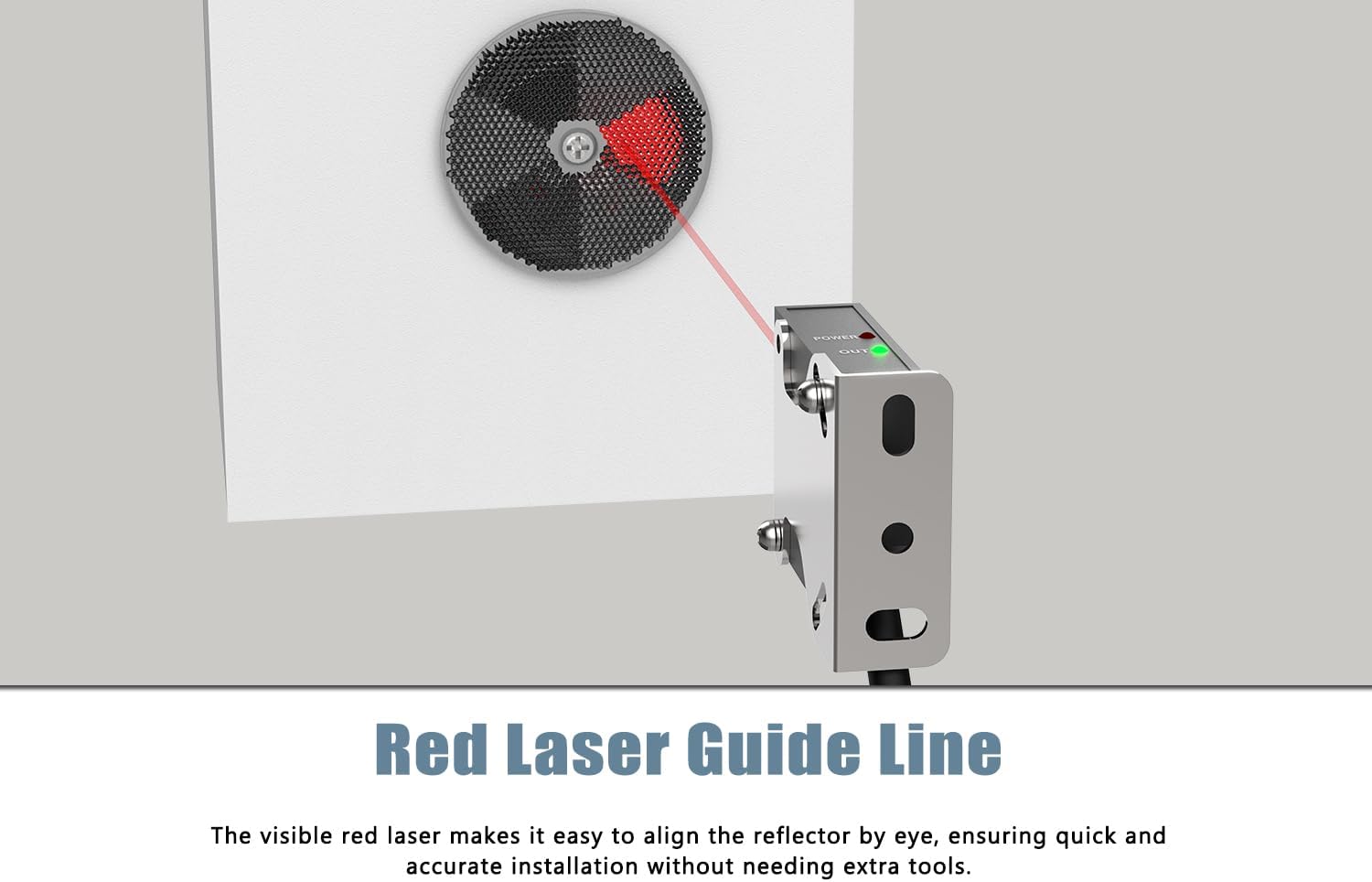
Image 6: Visual representation of the sensor's IP65 waterproof protection against water splashes.
- Periodically clean the sensor lens and reflector panel with a soft, damp cloth to remove any dirt, dust, or debris that may obstruct the beam.
- Check the mounting hardware for tightness and ensure the sensor and reflector remain securely in place and properly aligned.
- Inspect the wiring for any signs of wear or damage.
7. Troubleshooting
| Problem | Possible Cause | Solution |
|---|---|---|
| Sensor not responding / Gate not stopping |
|
|
| Red LED indicator stays on (after initial setup) |
|
|
| No LED activity |
|
|
8. Specifications
| Feature | Detail |
|---|---|
| Brand | Blütezeit |
| Model Number | ME-R12M1 |
| Maximum Range | 40 Feet |
| Power Supply | DC 12~24V |
| Response Time | <2ms |
| IP Rating | IP65 |
| Product Dimensions | 2.4"D x 0.75"W x 2"H |
| Item Weight | 8 ounces |
| Color | Black |
| Included Components | 1 × Photoelectric Sensor; 1 × Reflector Panel; 1 × Mounting Bracket |
9. Warranty and Support
The Blütezeit Retro-Reflective Photoelectric Sensor comes with a 12-month product warranty. Blütezeit also provides lifetime technical support for this product.
For installation advice, wiring assistance, troubleshooting support, or any other inquiries, please contact Blütezeit customer service. Refer to the contact information provided with your purchase or visit the official Blütezeit website.
Additional protection plans may be available for purchase:
- 2-Year Protection Plan
- 3-Year Protection Plan
- Complete Protect (monthly subscription)