
1. Introduction
Thank you for choosing the COSTWAY 155 Pints Commercial Dehumidifier. This manual provides essential information for the safe operation, installation, maintenance, and troubleshooting of your dehumidifier. Please read this manual thoroughly before use and retain it for future reference.
This commercial dehumidifier is designed for effective humidity control in large areas up to 1,900 sq.ft, suitable for crawl spaces, basements, warehouses, and construction sites. It features high-efficiency dehumidification, remote wired control, multiple operating modes, and user-friendly design elements.
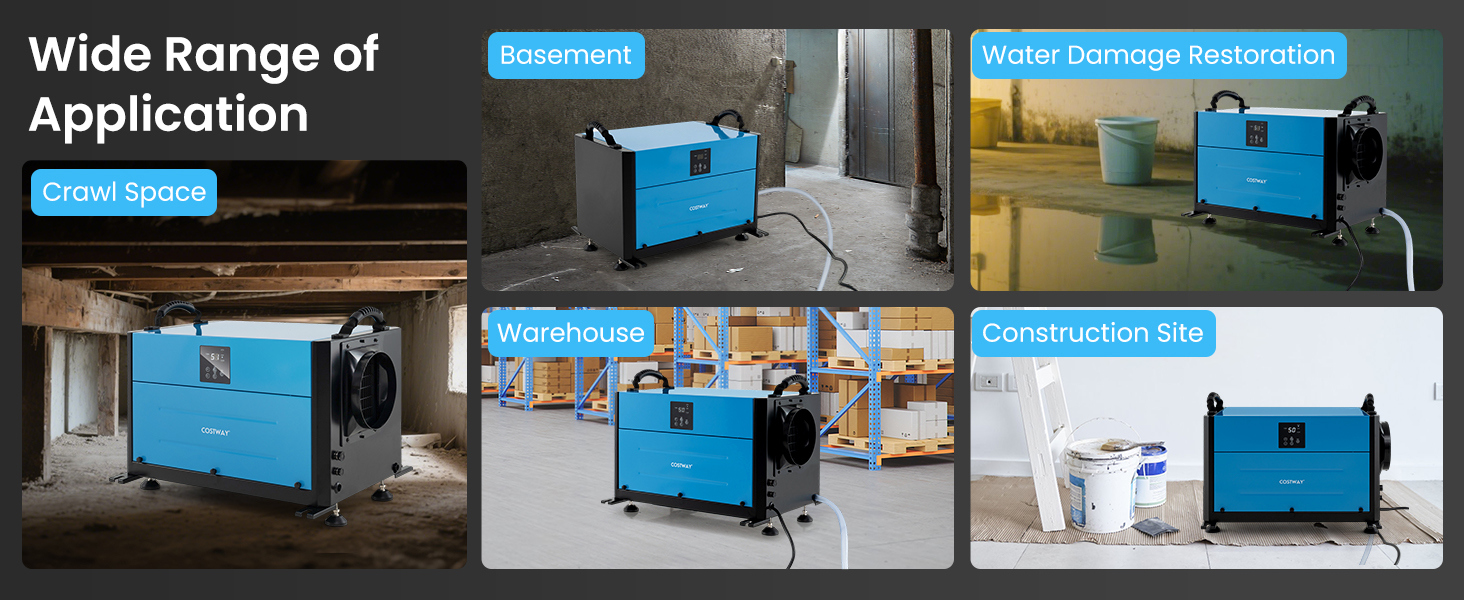
Image: The COSTWAY Commercial Dehumidifier shown in various environments, highlighting its wide range of applications including basements, garages, and crawl spaces.
2. Product Overview
Key Features:
- High Efficient Dehumidification: Capable of removing 155 PPD (Pints Per Day) at 95°F, 90% RH, covering up to 1,900 sq.ft. Adjustable humidity range from 20% to 90%.
- Remote Wired Control: Features a smart control panel with an LED display and a 32.8 ft external connection cable for convenient wall mounting.
- 3 Working Modes & 24H Timer: Includes Auto mode, Continuously Drying mode, and Quiet Sleep mode. A 24-hour timer allows for scheduled operation.
- User-friendly Design: Equipped with an external pump signal cable interface (pump not included), a 9.8 ft drain hose for continuous gravity drainage, auto defrost, memory restart, and a removable & washable mesh filter.
- Compact Size & Optional Installation: Measures 23" x 15" x 14" (L x W x H). Supports both freestanding and hanging installations, with 4 adjustable leveling feet for stability on uneven surfaces.

Image: Front view of the COSTWAY 155 Pints Commercial Dehumidifier in blue, showcasing its compact design.
3. Setup Instructions
3.1 Unpacking
- Carefully remove the dehumidifier from its packaging.
- Inspect the unit for any shipping damage. If damage is found, do not operate and contact customer support.
- Remove all packing materials and accessories.
3.2 Placement and Installation
The dehumidifier offers flexible installation options:
- Freestanding: Place the unit on a stable, level surface. Use the 4 adjustable leveling feet to ensure stability, especially on uneven floors.
- Hanging: The unit can be suspended in crawl spaces or other elevated areas. Ensure proper support and secure mounting.
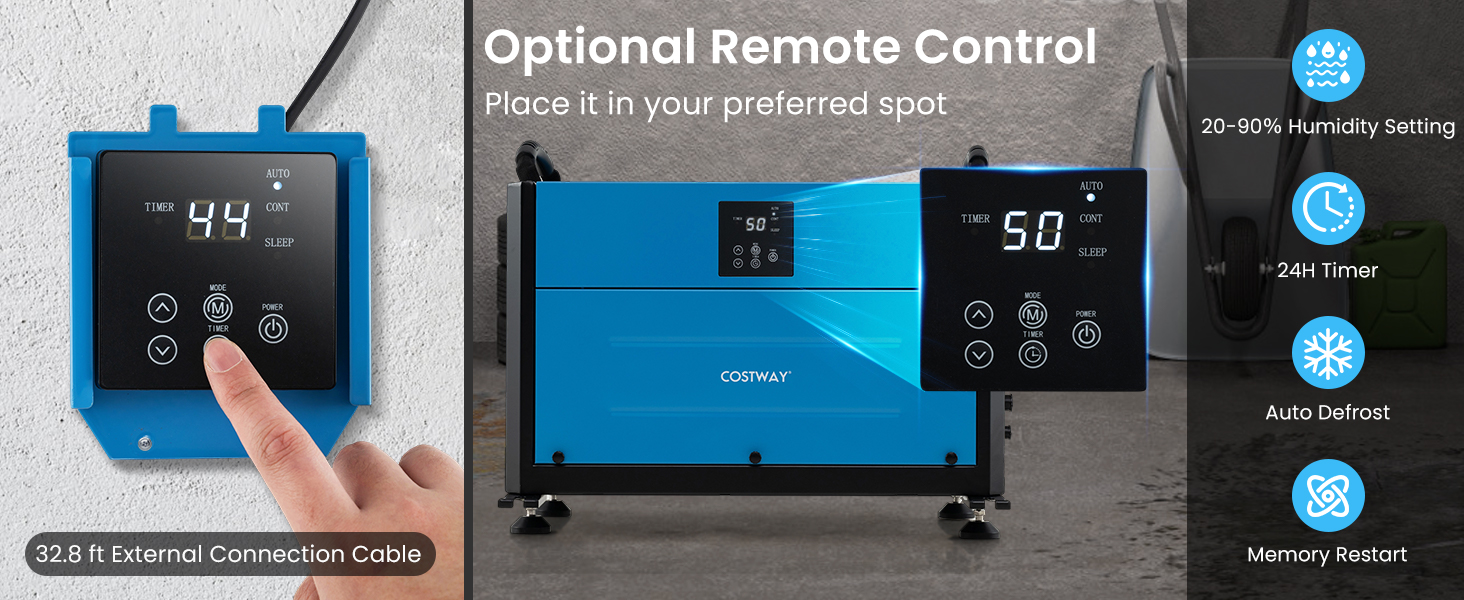
Image: The dehumidifier displayed in both freestanding and hanging configurations, illustrating flexible installation.
3.3 Drainage Options
The dehumidifier supports two drainage methods:
- Gravity Drainage: Connect the included 9.8 ft drain hose to the drainage outlet. Ensure the hose is sloped downwards to allow continuous water flow by gravity to a suitable drain.
- External Pump Drainage: For situations requiring water to be pumped upwards or over longer distances, an external pump (not included) can be connected via the external pump signal cable interface.
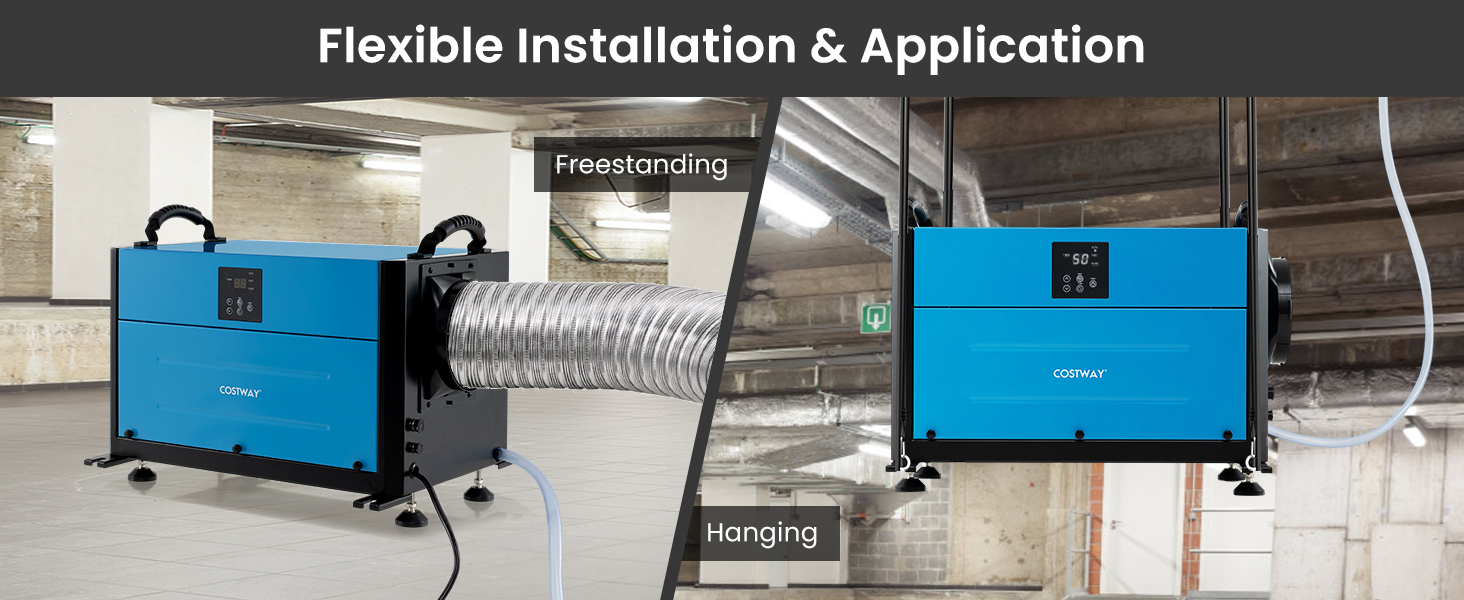
Image: A visual representation of the two drainage methods: pump drainage (pump not included) and gravity drainage using the provided hose.
3.4 Remote Control Panel Installation
The wired control panel can be mounted to a wall for convenient access. Connect the 32.8 ft external connection cable from the dehumidifier to the remote control panel.
4. Operating Instructions
4.1 Control Panel Overview
The control panel features an LED display and buttons for various functions.
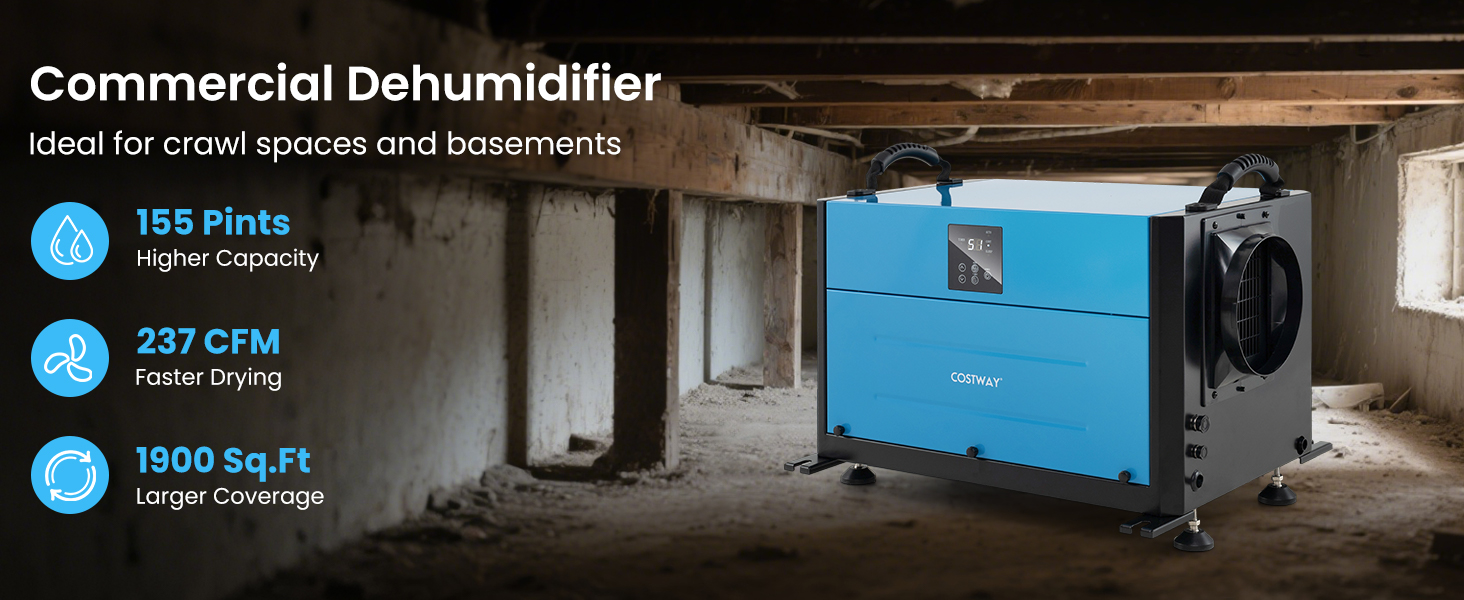
Image: A detailed view of the wired control panel, showing the display and buttons for Timer, Mode, Power, and humidity adjustment.
4.2 Basic Operation
- Power On/Off: Press the POWER button to turn the unit on or off.
- Mode Selection: Press the MODE button to cycle through the available modes: Auto, Continuous, and Sleep.
- Humidity Setting: In Auto mode, use the UP and DOWN arrow buttons to set your desired humidity level (20% to 90% RH). The unit will operate until the set humidity is reached.
- Timer Function: Press the TIMER button to set a 24-hour timer for automatic start or stop. Use the UP and DOWN arrows to adjust the time.
4.3 Special Functions
- Auto Defrost: The unit features an automatic defrost function to prevent ice buildup on the coils, ensuring efficient operation in cooler environments.
- Memory Restart: In case of a power outage, the dehumidifier will automatically restart with the last settings once power is restored.
5. Maintenance
Regular maintenance ensures optimal performance and extends the lifespan of your dehumidifier.
5.1 Cleaning the Air Filter
The dehumidifier is equipped with a removable and washable mesh filter. Clean the filter regularly (e.g., every 2-4 weeks, depending on usage) to maintain airflow and efficiency.
- Turn off and unplug the dehumidifier.
- Locate and remove the mesh filter.
- Wash the filter with warm, soapy water. Rinse thoroughly.
- Allow the filter to air dry completely before reinstalling. Do not use a dryer or direct heat.
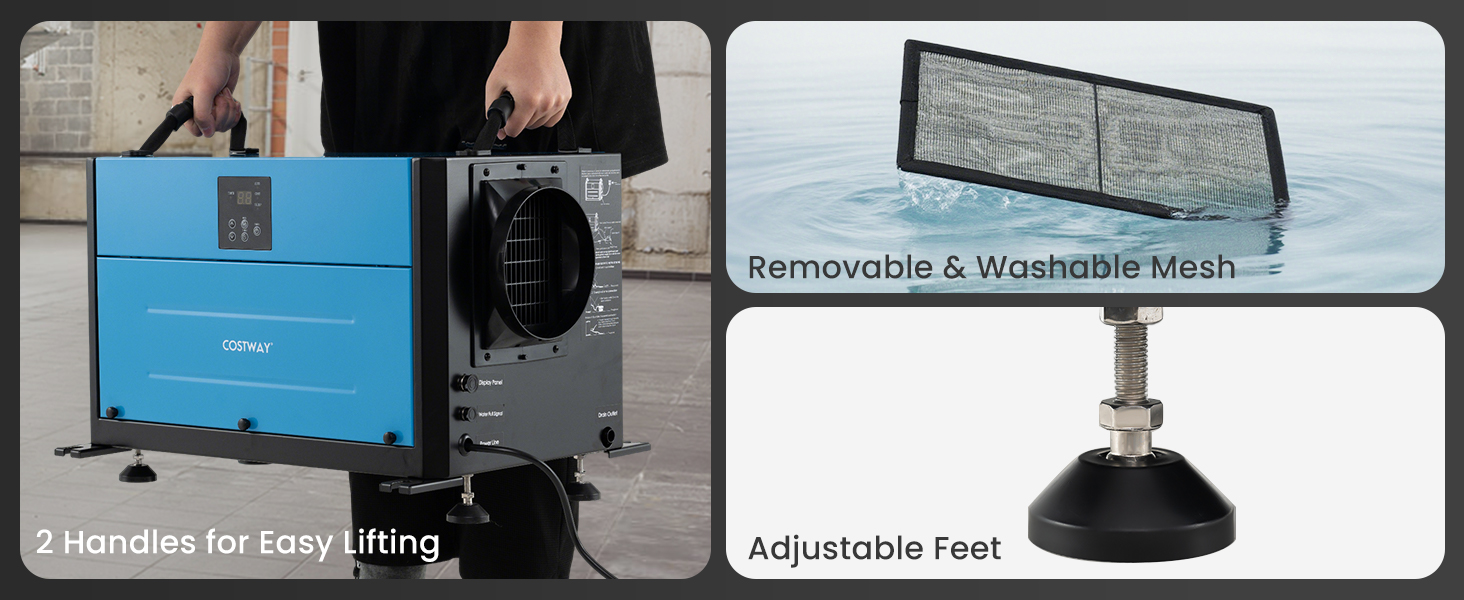
Image: The dehumidifier highlighting its user-friendly features: portable handles for easy lifting, a removable and washable mesh filter, and adjustable leveling feet.
5.2 General Cleaning
Wipe the exterior of the unit with a soft, damp cloth. Do not use harsh chemicals or abrasive cleaners.
6. Troubleshooting
If you encounter issues with your dehumidifier, refer to the following common problems and solutions:
- Unit does not turn on:
- Check if the power cord is securely plugged into a working outlet.
- Ensure the power button is pressed.
- Verify there is no power outage.
- Dehumidifier is not collecting water:
- Check if the humidity setting is higher than the current room humidity. Adjust to a lower setting.
- Ensure the air filter is clean and not obstructed.
- Verify that the room temperature is within the operating range (typically above 41°F / 5°C).
- Check for any kinks or blockages in the drain hose.
- Unit is noisy:
- Ensure the unit is placed on a stable, level surface. Adjust leveling feet if necessary.
- Check for any loose parts or obstructions around the fan.
- Error codes on display:
- Refer to the specific error code in your product's detailed manual (if available) or contact customer support.
If the problem persists after attempting these solutions, please contact COSTWAY customer support.
7. Specifications
| Feature | Specification |
|---|---|
| Power Supply | 115V/60Hz |
| Rated Input Current | 6.6A |
| Max Input Current | 8.3A |
| Max Coverage Area | 1900 Sq.Ft |
| Airflow Rate | 237 CFM |
| Drain Hose Length | 9.8 ft |
| Power Cord Length | 9.2 ft |
| Net Weight | 79.5 lbs |
| Product Dimensions (L x W x H) | 23" x 15" x 14" |
| Dehumidification Capacity (95°F, 90% RH) | 155 Pints/Day |
| Dehumidification Capacity (86°F, 80% RH) | 140 Pints/Day |
| Dehumidification Capacity (80°F, 60% RH) | 80 Pints/Day |
| Dehumidification Capacity (65°F, 60% RH) | 57 Pints/Day |
| Material | Sheet Metal, ABS |
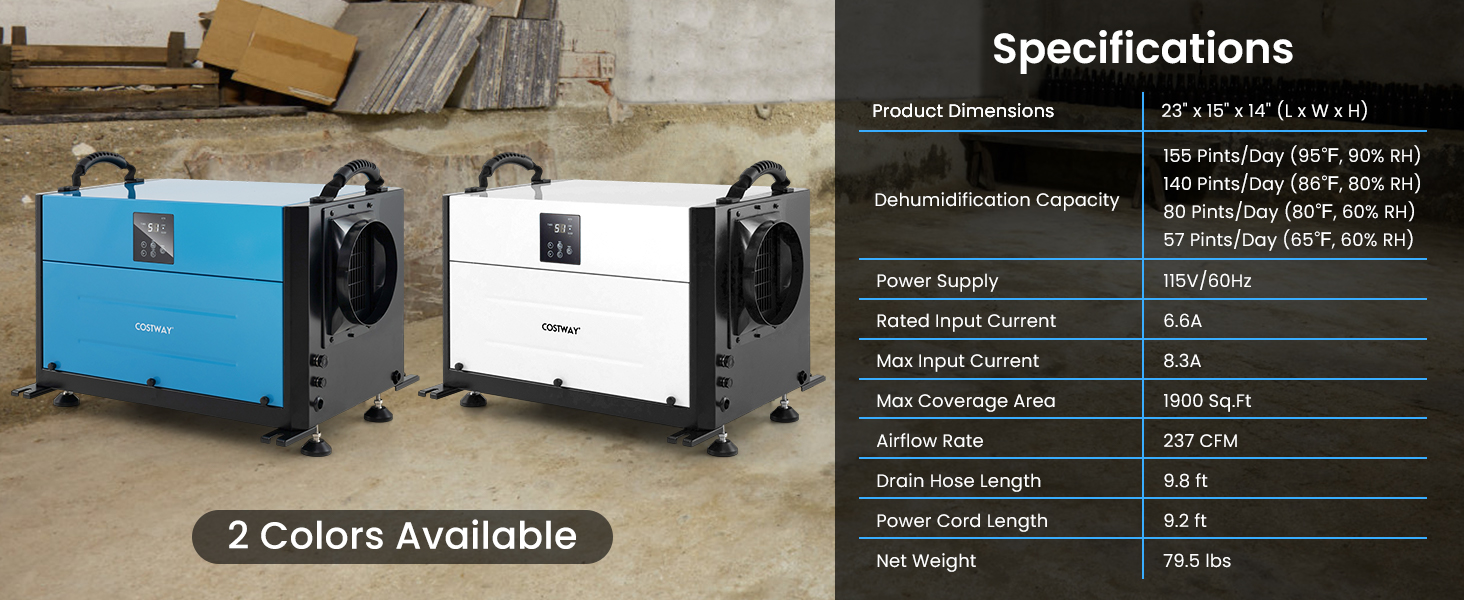
Image: A visual summary of the dehumidifier's specifications, including power supply, dehumidification capacity at various conditions, airflow rate, and physical dimensions.
8. Warranty and Support
For warranty information or technical support, please refer to the warranty card included with your product or visit the official COSTWAY website. You may also contact COSTWAY customer service directly for assistance with product operation, maintenance, or troubleshooting beyond the scope of this manual.


