
1. Introduction
Thank you for choosing the EvoSpark Pro Electromagnetic Rowing Machine, Model 106N. This manual provides essential information for the safe and effective use of your new fitness equipment. Designed for home use, this rowing machine features 32 levels of electromagnetic resistance, app connectivity, and a quiet, smooth operation for a comprehensive full-body workout.

A user demonstrating the EvoSpark Pro Electromagnetic Rowing Machine, highlighting its sleek design and integrated tablet holder.
2. Safety Information
Please read all instructions carefully before using this equipment. Keep this manual for future reference. Failure to follow these instructions may result in injury or damage to the product.
- Consult a Physician: Before starting any exercise program, especially if you have pre-existing health conditions, consult your physician.
- Proper Use: Use the rowing machine only for its intended purpose as described in this manual.
- Weight Capacity: Do not exceed the maximum user weight of 180 kg (400 lbs).
- Clearance: Ensure a minimum clearance of 0.6 meters (2 feet) around the equipment during use.
- Children and Pets: Keep children and pets away from the equipment during operation.
- Inspection: Regularly inspect the machine for loose parts, wear, or damage. Do not use if damaged.
- Stable Surface: Place the rowing machine on a flat, stable surface to prevent tipping.
- Proper Attire: Wear appropriate exercise clothing and athletic shoes. Avoid loose clothing that could get caught in moving parts.
3. Package Contents
Verify that all components are present before beginning assembly:
- EvoSpark Pro Electromagnetic Rowing Machine (main unit)
- User Manual (this document)
- Assembly hardware & tools
4. Assembly Instructions
The EvoSpark Pro Electromagnetic Rowing Machine is designed for quick and stress-free assembly, with most components pre-assembled. Typically, assembly can be completed within 20 minutes.
- Unpack Components: Carefully remove all parts from the packaging and lay them out on a clean, flat surface.
- Attach Stabilizers: Secure the front and rear stabilizers to the main frame using the provided hardware.
- Install Seat: Slide the seat onto the rail, ensuring it moves smoothly.
- Attach Footrests: Secure the footrests to the main frame.
- Connect Console: Connect any necessary cables for the touchscreen display.
- Final Check: Ensure all bolts are tightened and all parts are securely in place before first use.

A woman easily assembling the EvoSpark rowing machine, demonstrating its simplified assembly process with most components pre-assembled, typically completed within 20 minutes.
5. Operating Instructions
5.1. Power On/Off
The rowing machine's display typically activates when you begin rowing or press a button on the console. It will power off automatically after a period of inactivity.
5.2. Resistance Adjustment
Your EvoSpark rowing machine features a high-quality electromagnetic resistance system with 32 precisely adjustable levels. Resistance can be easily adjusted using the dial on the console. Turn the dial to increase or decrease the intensity of your workout, allowing customization from light cardio to intense strength training.

Close-up view of the rowing machine's internal mechanism, illustrating the 32 levels of magnetic resistance and the 12 lbs flywheel for smooth operation.
5.3. Intelligent Touchscreen Display
The modern, intuitive touchscreen replaces traditional LED displays, offering a user-friendly experience. It provides real-time feedback on your workout performance:
- Resistance Level: Current resistance setting.
- Workout Duration: Elapsed time of your exercise session.
- Stroke Rate (SPM): Strokes per minute.
- Total Stroke Count: Cumulative number of strokes.
- 500m Time: Estimated time to row 500 meters.
- Pace: Your current speed.
- Distance: Total distance covered.
- Calorie Consumption: Estimated calories burned.
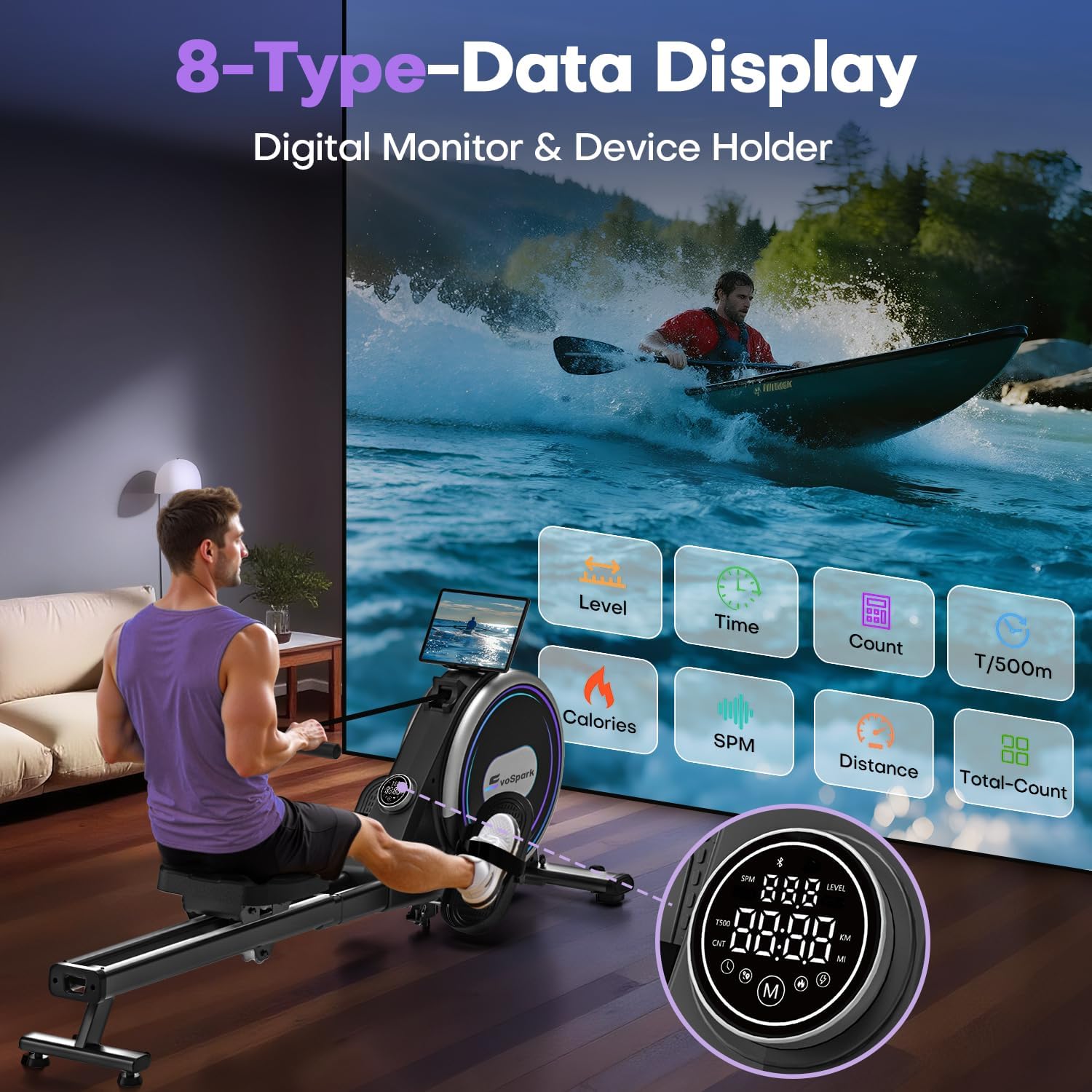
An illustration of the rowing machine's intelligent touchscreen displaying various workout metrics such as resistance level, time, stroke count, 500m split time, calories, strokes per minute, distance, and total stroke count.
5.4. App Connectivity
Enhance your workout experience by connecting your smartphone or mobile device via Bluetooth. The EvoSpark rowing machine is compatible with popular fitness apps like KINOMAP and EXR. These apps allow you to:
- Receive real-time rowing data directly on your device.
- Experience virtual routes on waterways worldwide.
- Participate in professional rowing training sessions.
A device holder is integrated into the machine, allowing you to place your smartphone or tablet for app use or entertainment during your workout.

A user rowing while their smartphone displays a fitness app interface, demonstrating the machine's Bluetooth connectivity with apps like Kinomap and EXR for virtual workouts.
5.5. Basic Rowing Technique
Proper rowing technique is crucial for an effective and safe workout. The rowing stroke consists of four phases:
- The Catch: Knees bent, shins vertical, arms extended forward, back straight, shoulders relaxed.
- The Drive: Push off with your legs, then swing your back, and finally pull with your arms.
- The Finish: Legs extended, back slightly reclined, handle pulled to your lower ribs.
- The Recovery: Extend arms forward, then pivot from the hips, and finally bend your knees to return to the catch position.
6. Storage
The EvoSpark rowing machine is designed with a small footprint and can be stored upright to save space. Equipped with transport wheels, it allows for effortless movement and convenient setup in your workout area.

A visual representation of the rowing machine's robust construction, featuring thickened commercial-grade steel and dual slide rails, supporting a maximum user weight of 180 kg (approximately 400 lbs). This image also implies the machine's sturdy build for easy movement and storage.
7. Maintenance
Regular maintenance ensures the longevity and optimal performance of your rowing machine.
- Cleaning: Wipe down the machine with a damp cloth after each use to remove sweat and dust. Avoid abrasive cleaners.
- Inspection: Periodically check all bolts, nuts, and moving parts for tightness and wear. Tighten any loose fasteners.
- Rail Cleaning: Keep the slide rails clean and free of debris to ensure smooth seat movement.
- Belt/Flywheel: The silent belt and flywheel system requires minimal maintenance. Ensure no foreign objects obstruct their movement.
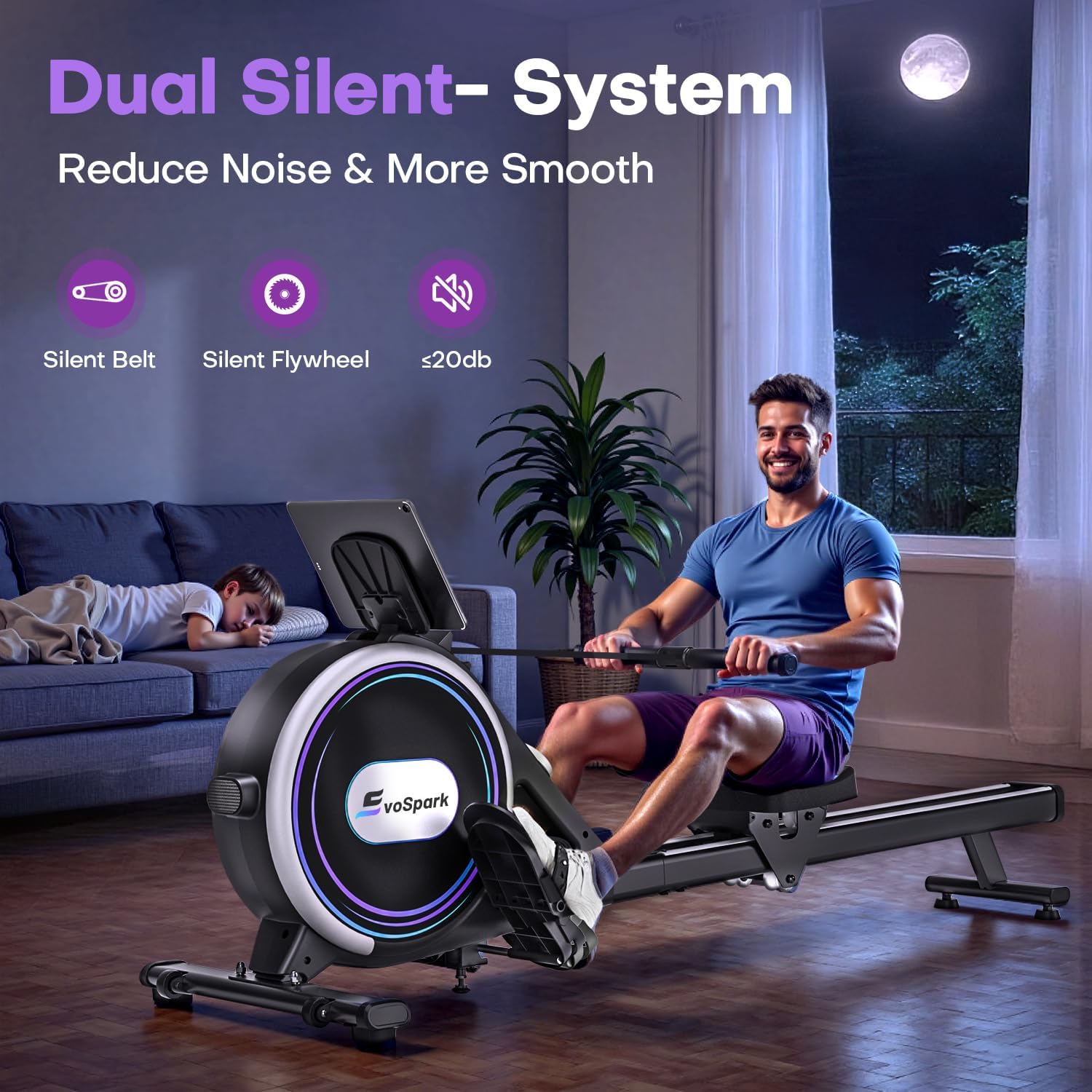
A user exercising on the EvoSpark rowing machine in a home setting, emphasizing its ultra-quiet operation (below 20dB) due to its silent belt and flywheel, allowing for use without disturbing others. Proper maintenance helps maintain this quiet operation.
8. Troubleshooting
If you encounter any issues with your EvoSpark rowing machine, refer to the following common problems and solutions:
- No Display/Display Not Working:
- Ensure all cable connections to the console are secure.
- If using an app, the digital monitor may be disabled. Disconnect the app to reactivate the display.
- Resistance Not Changing:
- Verify the resistance adjustment dial is functioning correctly.
- Check for any obstructions in the electromagnetic resistance mechanism.
- Unusual Noise During Operation:
- Inspect the seat rollers and slide rails for debris or damage. Clean if necessary.
- Check for any loose bolts or connections on the frame.
- Seat Not Sliding Smoothly:
- Clean the slide rails thoroughly.
- Inspect the seat rollers for wear or damage.
If these steps do not resolve the issue, please contact customer service.
9. Specifications
| Feature | Specification |
|---|---|
| Model Name | Rowing Machine 106N |
| Resistance Mechanism | Magnetic |
| Resistance Levels | 32 (Electromagnetic) |
| Display Type | Touchscreen |
| Data Displayed | Calories Burned, Distance, Speed, Stroke Count, Time, Resistance Level, 500m Time, Pace |
| Frame Material | Alloy Steel |
| Product Dimensions (L x W x H) | 162 x 52 x 63 cm (63.8 x 20.5 x 24.8 inches) |
| Item Weight | 21.5 kg (47.4 lbs) |
| Maximum User Weight | 180 kg (400 lbs) |
| Special Features | Adjustable Electromagnetic Resistance, Digital Monitor (App connection disables display), Easy Assembly, Ergonomic Design, Transport Wheels, App Compatible (KINOMAP, EXR) |
10. Warranty and Customer Support
EvoSpark provides a 12-month component replacement service for your rowing machine. If you have any questions, concerns, or require assistance, please contact our customer service team.
How to Contact Customer Service:
- Log in to your Amazon account.
- Navigate to 'Your Orders'.
- Find your EvoSpark Rowing Machine order.
- Click on the seller's name (EvoSpark Fitness).
- Click 'Ask a question'.