
1. Introduction
This manual provides detailed instructions for the operation and maintenance of your Retevis MateTalk P64 Digital Two-Way Radio. Designed for reliable and secure communication, the P64 is suitable for various professional environments, including hotels, schools, and warehouses. Please read this manual thoroughly before using your radio to ensure optimal performance and safety.
2. Key Features
- Dual-Mode Communication: Supports both digital and analog modes, ensuring compatibility with existing radio systems.
- Flexible Call Management: Enhances teamwork and operational efficiency with single, group, and all-call functions.
- Advanced Security: Protects communications with ARC4, AES128, and AES256 encryption technologies.
- Digital Audio Quality: Provides clear and audible communication, even in noisy environments, with advanced noise reduction and anti-interference features.
- Extended Battery Life: Features a 1200mAh battery, offering over 12 hours of usage and more than 46 hours of standby time, with convenient Type-C charging.
- IP54 Water Resistance: Designed to resist accidental splashes and light moisture, maintaining functionality in various conditions.
- Channel Lock: Secures communication channels, preventing accidental changes and ensuring uninterrupted connectivity.
- Emergency Alarm: Integrated alarm function allows for quick response in critical situations.
- Low Battery Alert: Notifies users when the battery is low, ensuring timely recharging and continuous communication.
- Customizable Power Saving: Adjustable power-saving modes via computer settings to extend battery life based on operational needs.
3. Package Contents
Upon unpacking your Retevis MateTalk P64, please verify that all items listed below are present and in good condition:

The package includes two MateTalk P64 walkie-talkies, two batteries, two belt clips, two Type-C charging cables, one data cable, two straps, and a user manual.
- 2 x Retevis MateTalk P64 Two-Way Radios
- 2 x 1200mAh Lithium-ion Batteries
- 2 x Belt Clips
- 2 x Type-C Charging Cables
- 1 x Data Cable (for programming)
- 2 x Hand Straps
- 1 x User Manual (this document)
4. Product Overview
Familiarize yourself with the various parts and controls of your Retevis MateTalk P64 radio.

An annotated diagram highlighting the key components of the Retevis MateTalk P64 radio, including controls and ports.

The radio features customizable side keys (Side Key 1 and Side Key 2) for personalized functions.
Controls and Ports:
- Power/Volume Knob: Turn clockwise to power on and increase volume; counter-clockwise to decrease volume and power off.
- Antenna: For transmitting and receiving signals.
- Channel Knob: Rotate to select desired communication channel.
- Speaker: Outputs audio.
- Microphone: For voice input.
- PTT (Push-to-Talk) Button: Press and hold to transmit, release to receive.
- Side Key 1 & 2: Programmable function keys. Refer to programming software for customization.
- Type-C Charging Port: For charging the radio.
- Earphone/Microphone Jack (K-type 2-pin connector): For connecting external audio accessories.
5. Setup and Assembly
5.1 Attaching the Battery
- Align the battery with the grooves on the back of the radio.
- Slide the battery upwards until it clicks into place.
- To remove, push the battery release latch and slide the battery downwards.
5.2 Attaching the Antenna
- Screw the antenna into the connector on the top of the radio clockwise until it is firm.
- Do not overtighten.
5.3 Attaching the Belt Clip
- Align the belt clip with the screw holes on the back of the radio.
- Secure it with the provided screws.
6. Basic Operation
6.1 Power On/Off and Volume Adjustment
- To power on, rotate the Power/Volume knob clockwise until you hear a click. The radio will emit a power-on tone.
- Continue rotating clockwise to increase volume, and counter-clockwise to decrease volume.
- To power off, rotate the Power/Volume knob counter-clockwise until you hear a click.
6.2 Channel Selection
- Rotate the Channel knob to select the desired communication channel (1-16).
- Ensure all radios in your group are on the same channel for communication.
6.3 Transmitting and Receiving
- To transmit, press and hold the PTT (Push-to-Talk) button. Speak clearly into the microphone.
- Release the PTT button to stop transmitting and return to receive mode.
- The radio will automatically receive signals when not transmitting.
7. Advanced Features
7.1 Dual-Mode Communication (Digital & Analog)

The Retevis MateTalk P64 radio supports both digital and analog communication modes, ensuring compatibility with various radio systems.
The P64 radio can operate in both digital and analog modes. This allows for seamless integration with existing analog systems while also providing the benefits of digital communication, such as clearer audio and enhanced features. Mode switching is typically configured via programming software.
7.2 Call Management (Single, Group, All-Call)
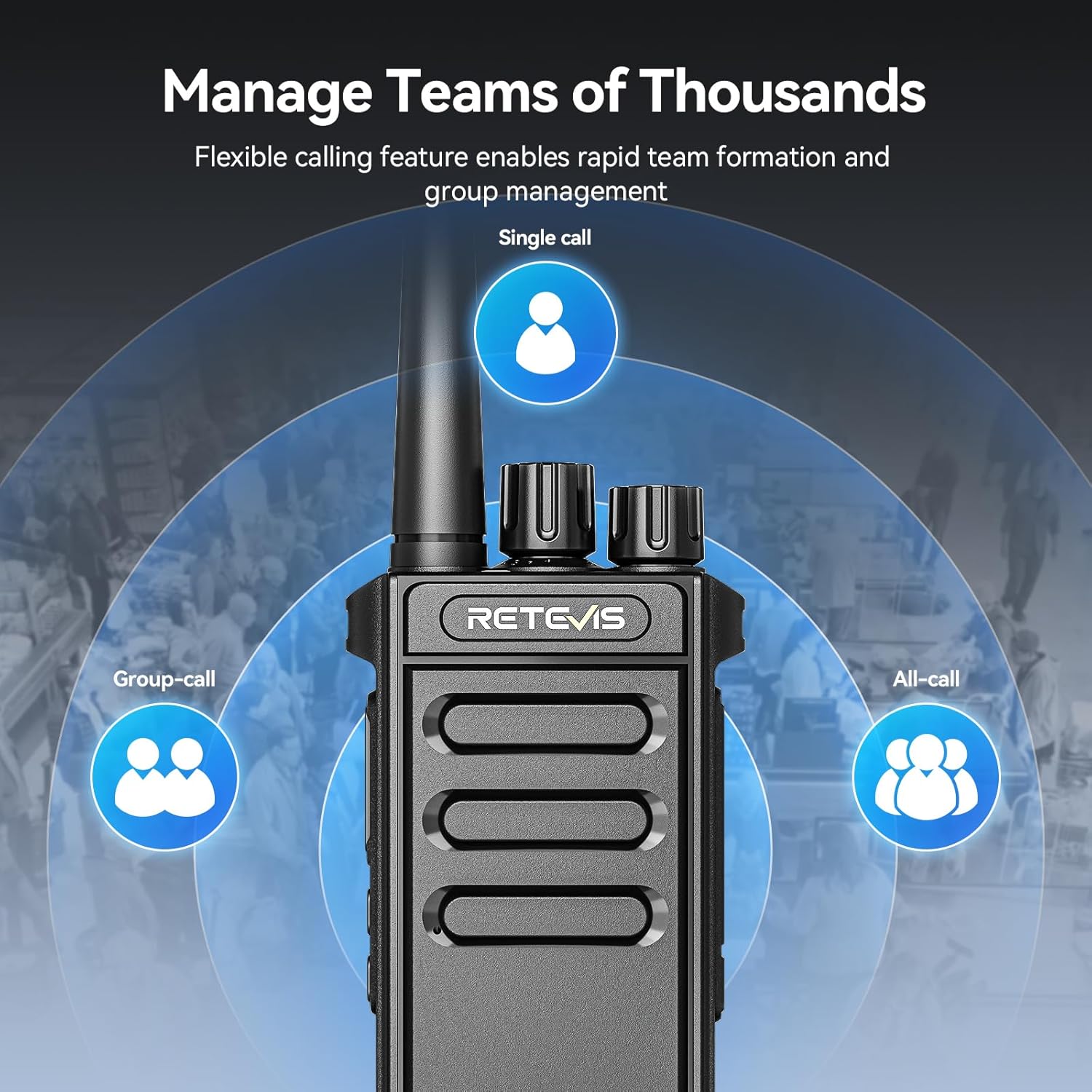
The radio's flexible calling features enable efficient team management through single, group, and all-call functions.
The radio supports various call types to facilitate efficient team communication:
- Single Call: Direct communication with a specific radio.
- Group Call: Communication with a predefined group of radios.
- All Call: Broadcast message to all radios within range.
These features are typically configured using the programming software.
7.3 Security Features

The Retevis MateTalk P64 offers three secure communication options: ARC4, AES128, and AES256, protecting your conversations.
The P64 incorporates advanced encryption standards (ARC4, AES128, AES256) to protect your communications from unauthorized interception. These settings are configured via the programming software.
7.4 VOX Function
VOX (Voice Operated Exchange) allows you to transmit by speaking into the microphone without pressing the PTT button. This feature is useful for hands-free operation and can be enabled/disabled and adjusted for sensitivity via the programming software.
7.5 Emergency Alarm

An integrated emergency alarm allows for quick response in critical situations.
The emergency alarm function can be activated in critical situations to alert other radios. This feature is typically assigned to one of the programmable side keys.
8. Charging and Battery Life

The Retevis MateTalk P64 features a 1200mAh battery, offering over 12 hours of usage and 46+ hours of standby time, with convenient Type-C charging.

The low battery alert ensures continuous communication by prompting timely recharging.

Customizable power-saving modes extend battery life, adjustable via computer settings.
The Retevis MateTalk P64 is equipped with a 1200mAh Lithium-ion battery, providing reliable power for extended periods.
8.1 Charging the Battery
- Connect the Type-C charging cable to the radio's Type-C port or place the radio in the charging base.
- Connect the other end of the cable to a compatible USB power adapter (not included) or plug the charging base into a power outlet.
- The charging indicator light will typically show red while charging and turn green when fully charged.
- A full charge usually takes approximately 3-4 hours.
8.2 Battery Life
A fully charged battery provides over 12 hours of typical usage and more than 46 hours of standby time. Actual battery life may vary depending on usage patterns and environmental conditions.
8.3 Low Battery Alert
When the battery level is low, the radio will emit an audible alert and/or display a visual indicator. Recharge the battery promptly to avoid interruption of communication.
9. Maintenance
9.1 General Care
- Clean the radio's surface with a soft, damp cloth. Do not use harsh chemicals or abrasive cleaners.
- Keep the radio dry. If it gets wet, wipe it dry immediately.
- Avoid exposing the radio to extreme temperatures, direct sunlight, or dusty environments.
- Do not disassemble the radio; this will void the warranty.
9.2 IP54 Water Resistance

The IP54 rating ensures the radio is resistant to accidental splashes and light moisture.
The P64 radio has an IP54 rating, meaning it is protected from limited dust ingress and water splashes from any direction. While it can withstand light rain or splashes, it is not designed for submersion in water.
10. Troubleshooting
| Problem | Possible Cause | Solution |
|---|---|---|
| Radio does not power on | Battery is depleted or not properly installed. | Charge the battery or re-install it correctly. |
| Cannot transmit or receive | Incorrect channel selected; out of range; antenna loose. | Verify channel settings; move closer to other radios/repeater; check antenna connection. |
| Poor audio quality | Low battery; interference; radio too far apart. | Charge battery; move away from sources of interference; reduce distance between radios. |
| Side keys not functioning as expected | Keys are not programmed or programmed incorrectly. | Use programming software to configure side key functions. |
11. Specifications

The compact size (110x59x31mm, antenna excluded) and light weight (158g) of the Retevis MateTalk P64 make it highly portable.
| Specification | Detail |
|---|---|
| Brand | Retevis |
| Item Model Number | MateTalk P64 |
| Special Features | Digital and Analog Modes, Information Protection, Noise Reduction and Anti-interference |
| Impedance | 50 ohms |
| Compatible Devices | Repeater |
| Battery Composition | Lithium-ion |
| Rechargeable Battery | Yes |
| Number of Batteries | 2 (12V - included) |
| Number of Channels | 16 |
| Voltage | 3.7 Volts |
| Product Dimensions | 3.3D x 5.5W x 16.5H cm |
| Item Weight | 706 Grams |
| Included Components | 2 x MateTalk P64 walkie-talkie + 1 x Programming Cable |
| International Protection Rating | IP54 |
| Manufacturer | Retevis |
| Country of Origin | China |
| Date First Available | May 30, 2025 |
12. Warranty and Support
Retevis offers a 2-year warranty for the radio body and a 1-year warranty for accessories. Additionally, a 30-day no-reason return policy is provided. Beyond the warranty period, maintenance services are available, with buyers responsible for associated costs.
For any inquiries or support, please contact Retevis customer service via Amazon. We aim to respond within 12 hours.
Note: Product specifications and features are subject to change without prior notice.


