
1. Introduction
Thank you for choosing the CROSSIO 20 Inch Wall Mount Fan. This manual provides essential information for the safe installation, operation, and maintenance of your new fan. Please read these instructions thoroughly before use and retain them for future reference.
2. Safety Information
- Ensure the power supply matches the fan's voltage requirements.
- Always disconnect power before installation, cleaning, or maintenance.
- Mount the fan securely to a structural support to prevent falling.
- Keep fingers and other objects away from moving fan blades.
- Do not operate the fan with a damaged cord or plug.
- This fan is rated for indoor use. Avoid exposure to direct water or extreme weather conditions.
3. Package Contents
Verify that all components are present before beginning installation.
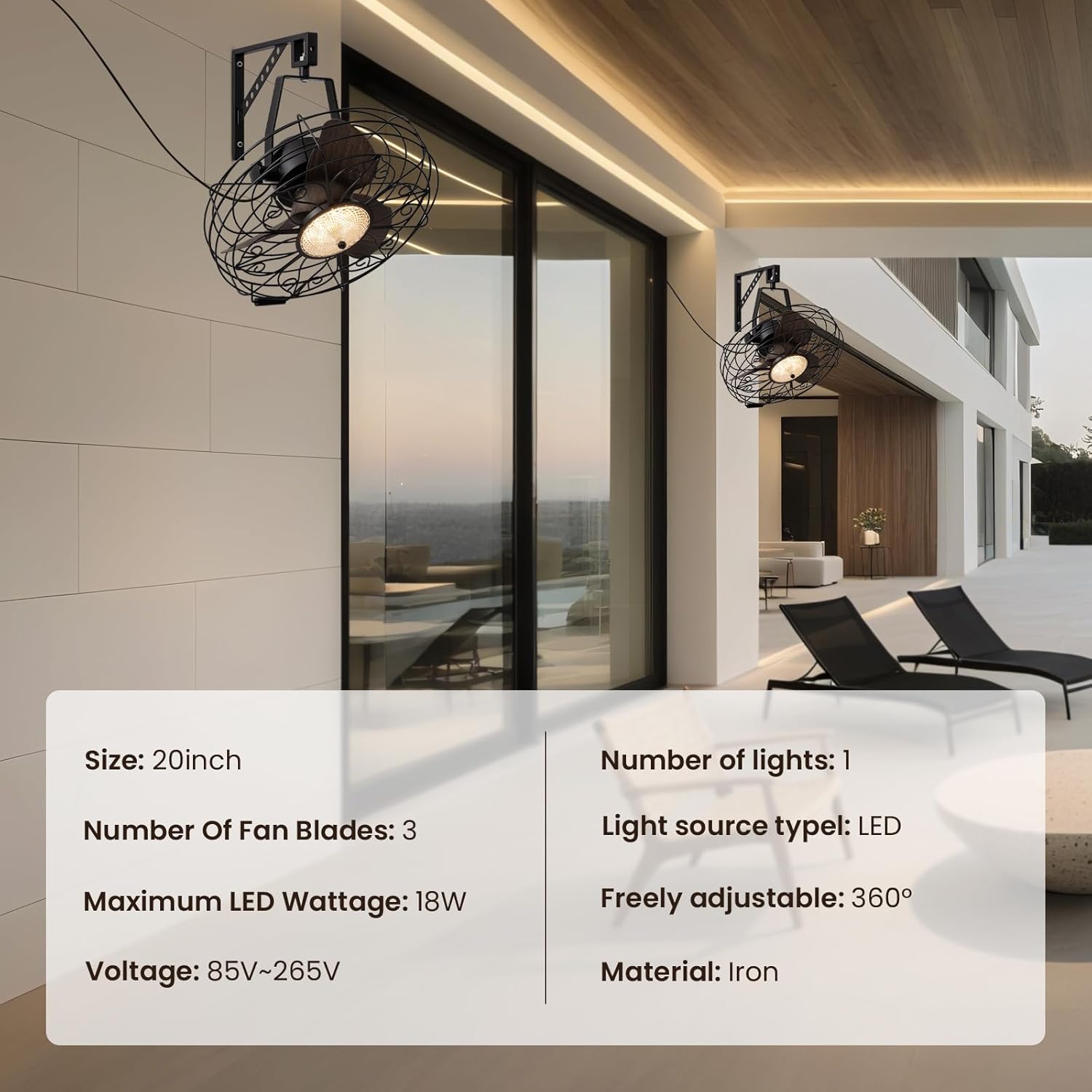
Image: Main product view showing the fan, remote control, and mounting hardware.
- Wall Mount Fan Unit
- Mounting Bracket
- Remote Control
- Installation Hardware (screws, anchors)
- User Manual (this document)
4. Setup and Installation
Follow these steps to properly install your wall mount fan.
4.1. Mounting the Bracket
Select a suitable location on a sturdy wall, preferably into a wall stud. Use the mounting bracket as a template to mark drill holes. Drill pilot holes and secure the bracket using the provided screws and anchors.
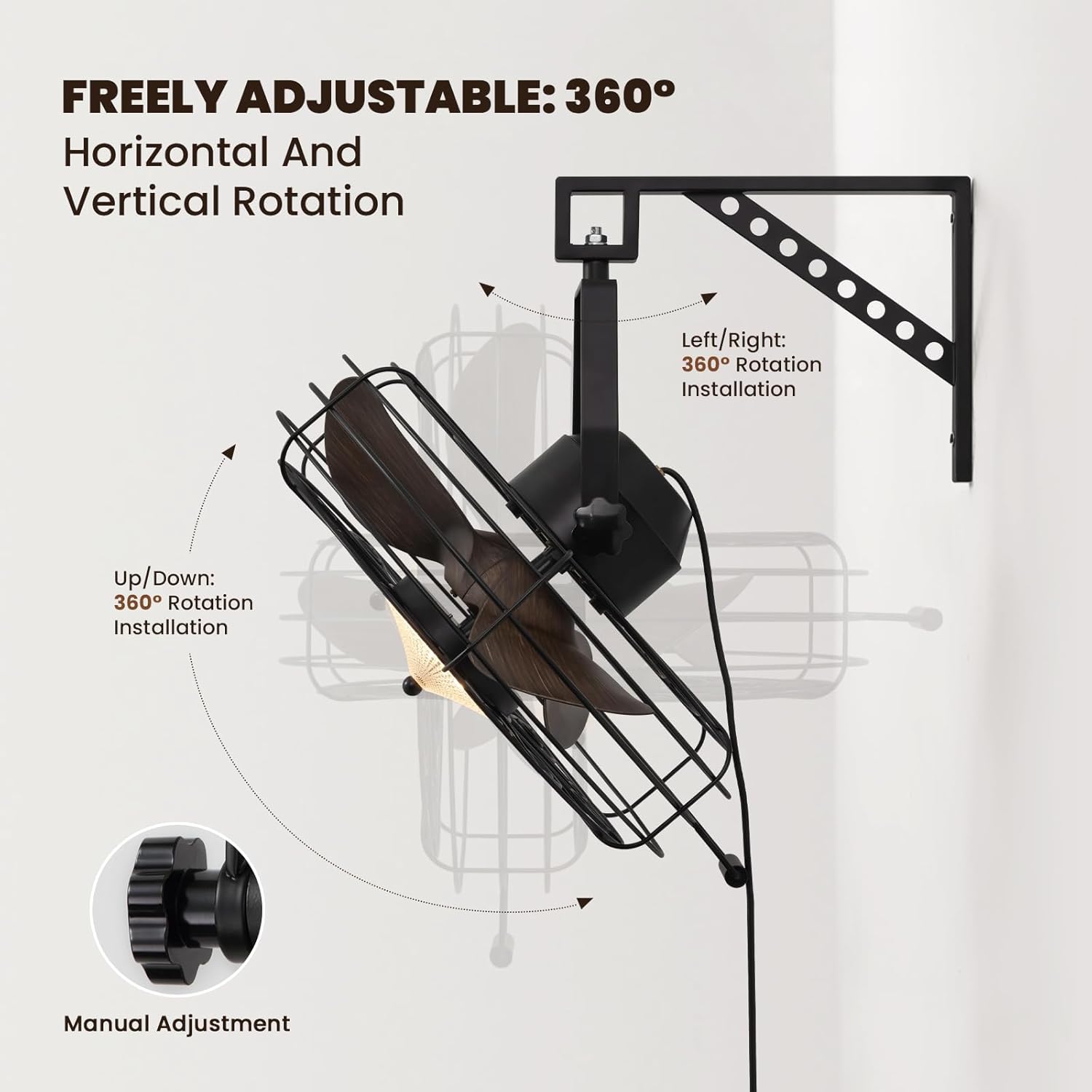
Image: The fan mounted on a wall, highlighting its 360° adjustable rotation.
4.2. Assembling the Fan Unit
Attach the fan unit to the mounted bracket. Ensure all connections are secure. The fan offers 360° manual adjustment for both vertical and horizontal rotation. Adjust the angle as desired and tighten the coupling knobs to secure its position.
4.3. Electrical Connection
Plug the fan's power cord into a standard electrical outlet. For hardwired installations, consult a qualified electrician.
4.4. Installation Video Guide
Video: Detailed installation instructions for the 20'' Wall Mount Fan.
Video: General wall mount fan installation guide, demonstrating common steps.
5. Operating Instructions
Your fan can be operated using the included remote control or a compatible smart app.
5.1. Remote Control Operation
The remote control allows full functionality from a distance.
- Power On/Off: Press the power button to turn the fan and light on or off.
- Fan Speed: Select from 6 speed settings (1-6) to adjust airflow intensity.
- Light Control: Adjust light brightness (10-100%) and choose between three color temperatures: Warm (3000K), Natural (4500K), and Cool (6000K).
- Reversible Mode: Switch between downward cooling airflow for summer and upward warm air circulation for winter.
- Timer Function: Set the fan to automatically shut off after 1, 4, or 8 hours.

Image: Illustration of the three light color modes available.
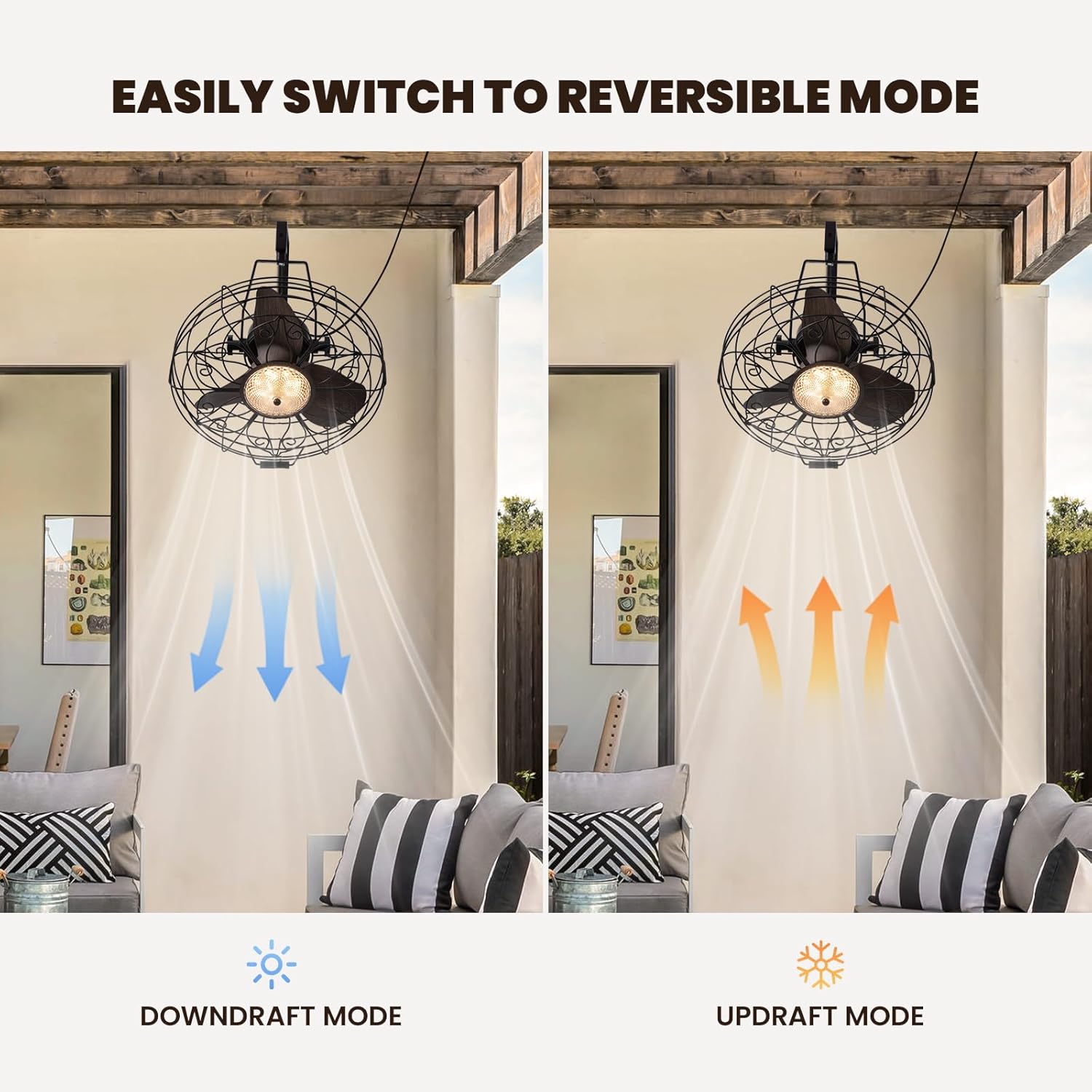
Image: Visual representation of the fan's reversible downdraft and updraft modes.

Image: Depiction of the fan's 6-speed settings, suitable for various environments.
5.2. Smart App Control
Download the compatible smart app to control your fan from your smartphone. The app provides additional features and convenience for managing fan speeds, light settings, and scheduling.
6. Maintenance
Regular maintenance ensures optimal performance and longevity of your fan.
- Cleaning: Wipe the fan blades and housing with a soft, damp cloth. Do not use abrasive cleaners or solvents.
- Inspection: Periodically check all mounting hardware for tightness.
- Lubrication: The fan motor is permanently lubricated and does not require additional oiling.
7. Troubleshooting
If you encounter issues with your fan, refer to the following common problems and solutions:
- Fan Not Operating: Check if the power cord is securely plugged in and the wall switch (if applicable) is on. Ensure the remote control batteries are functional.
- Light Not Working: Verify power connection. If using the app, ensure proper pairing.
- Excessive Noise: Ensure all screws and mounting hardware are tightened. Check if fan blades are free from obstruction.
8. Specifications
| Brand | CROSSIO |
| Model Name | CFL-1227-01 |
| Size | 20inch |
| Product Dimensions | 21.25"D x 19.68"W x 22.44"H |
| Item Weight | 18.29 pounds |
| Color | Black |
| Power Source | DC |
| Wattage | 18 watts |
| Noise Level | 35 Decibels |
| Number of Power Levels | 6 |
| Control Method | App, Remote |
| Indoor/Outdoor Usage | Indoor |

Image: Diagram showing the dimensions of the fan unit.
9. Warranty and Support
Your CROSSIO Wall Mount Fan comes with a standard manufacturer's warranty. For warranty claims, technical support, or replacement parts, please contact the seller or refer to the contact information provided with your purchase documentation. Keep your proof of purchase for warranty validation.