
Katomi LED-1000
Katomi DMX 1000W Fog Machine User Manual
Model: LED-1000
1. Introduction
This manual provides detailed instructions for the safe and effective operation, setup, maintenance, and troubleshooting of your Katomi DMX 1000W Fog Machine. Please read this manual thoroughly before using the product to ensure proper function and to prevent damage or injury.
2. Safety Information
Always observe the following safety precautions:
- Ensure the fog machine is placed on a stable, level surface.
- Do not block ventilation openings.
- Use only water-based fog fluid specifically designed for fog machines. Using other liquids may cause damage or create a fire hazard.
- Do not touch the nozzle during operation or immediately after use, as it becomes very hot.
- Keep the machine away from flammable materials.
- Do not operate the machine if the power cord is damaged.
- Keep out of reach of children and pets.
- Ensure adequate ventilation in the area of operation.
- Disconnect from power before cleaning or servicing.
3. Package Contents
Verify that all items are present in the package:
- Katomi DMX 1000W Fog Machine (LED-1000)
- Wireless Remote Control
- Wired Remote Control (often included, inferred)
- Power Cable
- User Manual (this document)
4. Product Overview
Familiarize yourself with the components of your fog machine.

Image: Front and rear view of the Katomi DMX 1000W Fog Machine with labeled components including LED lights, fog outlet, fluid tank, ON/OFF switch, fuse, power cord jack, DIP switches, DMX IN, and DMX OUT ports.
- LED Lights: Integrated RGB LEDs for colored fog effects.
- Fog Outlet: Where fog is emitted.
- Fluid Tank: Reservoir for fog fluid.
- ON/OFF Switch: Main power control.
- Fuse: Safety component to protect the circuit.
- Power Cord Jack: Connection point for the power cable.
- DIP/ON Switches: Used for DMX address setting.
- DMX512 IN/OUT: Ports for connecting to a DMX controller.
- Handle: For easy transport.
5. Setup Instructions
Follow these steps for initial setup:
- Unpack and Position: Carefully remove the fog machine from its packaging. Place it on a flat, stable, and heat-resistant surface. Ensure there is adequate space around the machine for ventilation.
- Install Handle: If the handle is not pre-installed, attach it securely using the provided hardware.
- Fill Fluid Tank: Unscrew the cap of the fluid tank and carefully pour high-quality, water-based fog fluid into the tank. Do not overfill; observe the MAX fill line. Securely replace the cap.
- Connect Power: Insert the power cord into the Power Cord Jack on the back of the machine, then plug the other end into a grounded electrical outlet.
- Power On: Flip the ON/OFF switch to the 'ON' position. The machine will begin to warm up. The warm-up time is approximately 2-3 minutes. An indicator light (if present) will illuminate when ready.

Image: Visual guide showing the steps for setting up the fog machine, including installing the handle, plugging in the power cord, pouring fog fluid, turning on the switch, checking fluid capacity, and pressing the remote button to spray fog.
6. Operating Instructions
6.1. Wireless Remote Control
Once the machine has warmed up and the ready indicator is lit, you can operate it using the wireless remote control.

Image: The Katomi DMX 1000W Fog Machine shown with its wireless remote control and power cable.
- Press the designated fog button on the remote to emit fog.
- The remote may also have buttons to control the integrated RGB LED lights (Red, Green, Blue).
- The wireless remote typically has an operating range of up to 32.8 feet (approx. 10 meters).
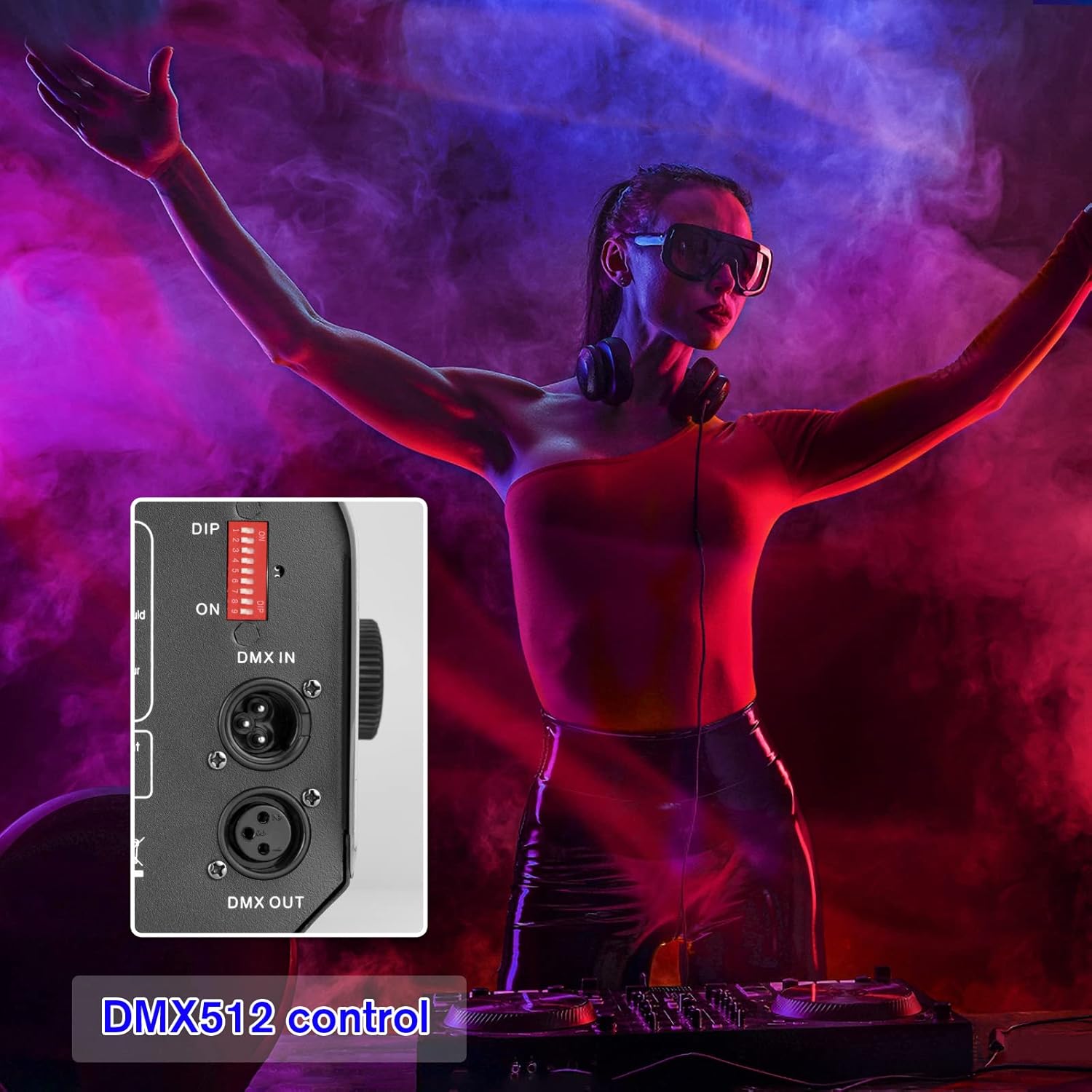
6.2. DMX512 Control
For advanced control and integration with professional lighting systems, use the DMX512 protocol.

Image: A detailed view of the DMX IN and DMX OUT ports, along with the DIP switches used for setting the DMX address on the fog machine.
- Set DMX Address: Use the DIP switches on the back of the machine to set the desired DMX starting address. Refer to a DMX address chart for specific switch combinations.
- Connect DMX Cable: Connect a DMX cable from your DMX controller to the DMX IN port on the fog machine. If linking multiple DMX devices, connect from DMX OUT to the next device's DMX IN.
- Control Channels: Consult your DMX controller's manual and the fog machine's DMX channel assignment (typically one channel for fog output, and additional channels for RGB LED control).
6.3. RGB LED Lighting
The integrated RGB LED lights enhance the fog effect with color.

Red Fog

Green Fog
Blue Fog
The LED lights can be controlled via the wireless remote or a DMX controller, allowing you to select various colors (Red, Green, Blue, and combinations) to match your event's atmosphere.
7. Maintenance
Regular maintenance ensures the longevity and optimal performance of your fog machine.
- Cleaning: Periodically clean the exterior of the machine with a soft, dry cloth. Do not use abrasive cleaners or solvents.
- Fluid Tank: After each use, if storing for an extended period, empty any remaining fog fluid from the tank. For best results, run a small amount of distilled water through the machine to clear the pump and heater coil.
- Nozzle: Ensure the fog nozzle is clear of any blockages. If residue builds up, gently clean it with a small brush or cotton swab.
- Storage: Store the machine in a cool, dry place, away from direct sunlight and extreme temperatures.
8. Troubleshooting
If you encounter issues, refer to the following common problems and solutions:
| Problem | Possible Cause | Solution |
|---|---|---|
| No fog output | No power; insufficient fluid; machine not warmed up; clogged nozzle; pump malfunction. | Check power connection; fill fluid tank; wait for warm-up indicator; clean nozzle; contact support if pump issue suspected. |
| Weak fog output | Low fluid level; improper fluid type; partial nozzle blockage. | Refill fluid; ensure correct fog fluid is used; clean nozzle. |
| Remote control not working | Remote battery dead; remote out of range; receiver issue. | Replace remote battery; operate within range; check remote receiver connection. |
| LED lights not working | LED control setting; internal wiring issue. | Check remote/DMX settings for LED control; contact support. |
| Machine smells burnt | Overheating; incorrect fluid; internal component issue. | Immediately power off and unplug. Allow to cool. Ensure correct fluid. Do not use if smell persists; contact support. |
If the problem persists after attempting these solutions, please contact customer support.
9. Specifications
Key technical specifications for the Katomi DMX 1000W Fog Machine:

Image: Dimensions of the fog machine (7.8 inch width, 5.1 inch height, 12.9 inch depth) and a table listing current voltage, power, tank capacity, spray distance, RC distance, and warm-up time.
| Feature | Specification |
|---|---|
| Model | LED-1000 |
| Power | 1000W |
| Voltage | AC110V 50/60Hz |
| Tank Capacity | 40.6 Oz (approx. 1.2 Liters) |
| Spray Distance | 16.4 ft (approx. 5 meters) |
| Remote Control Distance | 32.8 ft (approx. 10 meters) |
| Warm-up Time | 2-3 minutes |
| Dimensions (L x W x H) | 12.9 x 7.8 x 5.1 inches (approx.) |
| Weight | 8.51 pounds (approx. 3.86 kg) |
10. Warranty and Support
This product comes with a manufacturer's warranty. Please refer to the warranty card included in your package for specific terms and conditions. For technical support, troubleshooting assistance beyond this manual, or warranty claims, please contact Katomi customer service through the retailer where the product was purchased or visit the official Katomi website.
Related documentsLED-1000

Ask a question about this manual
Ask about setup, troubleshooting, compatibility, parts, safety, or missing instructions. Manuals+ will review the question and use this page’s manual context to help answer it.