
1. Introduction
Thank you for choosing the Fafeicy High-Speed Portable Jet Blower. This compact and powerful device is designed for efficient cleaning and drying across various applications. Please read this manual thoroughly before operating the device to ensure safe and optimal performance.
Product Overview
The Fafeicy Jet Blower is a versatile tool featuring a high-speed motor capable of reaching up to 300,000 RPM, delivering a powerful airflow for quick drying and effective dust removal. Its robust construction and efficient charging capabilities make it suitable for both household and outdoor use.

Image 1.1: The Fafeicy High-Speed Portable Jet Blower, showcasing its compact and ergonomic design.
Package Contents
- 1 x Fafeicy Jet Blower
- 1 x USB Type-C Charging Cable
- 1 x Storage Box
2. Safety Instructions
To prevent injury or damage to the device, please observe the following safety precautions:
- Do not point the blower directly at people or animals.
- Keep the device away from water and moisture.
- Do not operate the device in explosive atmospheres, such as in the presence of flammable liquids, gases, or dust.
- Keep hands, hair, and loose clothing away from moving parts.
- Use only the provided charging cable or a compatible Type-C PD QC 15W charger.
- Do not attempt to disassemble or modify the device.
- Store the device in a cool, dry place when not in use.
- Keep out of reach of children.
3. Setup and Charging
Initial Charge
Before first use, fully charge the jet blower. The device features a Type-C charging port and supports 15W PD QC fast charging for quick and efficient power replenishment.
- Connect the provided USB Type-C charging cable to the charging port on the device.
- Connect the other end of the cable to a compatible USB power adapter (not included).
- The charging indicator (if present) will show the charging status. Refer to the device's visual cues for full charge indication.

Image 3.1: Side view of the jet blower, highlighting the Type-C charging port and power button.
4. Operation
Powering On/Off
To power on the device, press and hold the power button. To power off, press and hold the power button again.
Speed Control
The jet blower features a 3-speed control function, allowing you to adjust the airflow intensity according to your needs. Press the speed control button (usually the same as the power button or a separate button) to cycle through the available speeds.
- Low Speed: Suitable for delicate tasks or extended use.
- Medium Speed: Balanced power for general cleaning.
- High Speed: Maximum power for stubborn dust or quick drying.
Applications
The Fafeicy Jet Blower is suitable for a wide range of applications:
- Cleaning outdoor equipment and vehicles.
- Dusting computers, keyboards, and other electronics.
- Drying surfaces quickly.
- Assisting with outdoor fires or barbecues.
- Removing pet hair from furniture.
- Cleaning plants and hard-to-reach areas.

Image 4.1: Using the jet blower to clean dust from a computer keyboard.
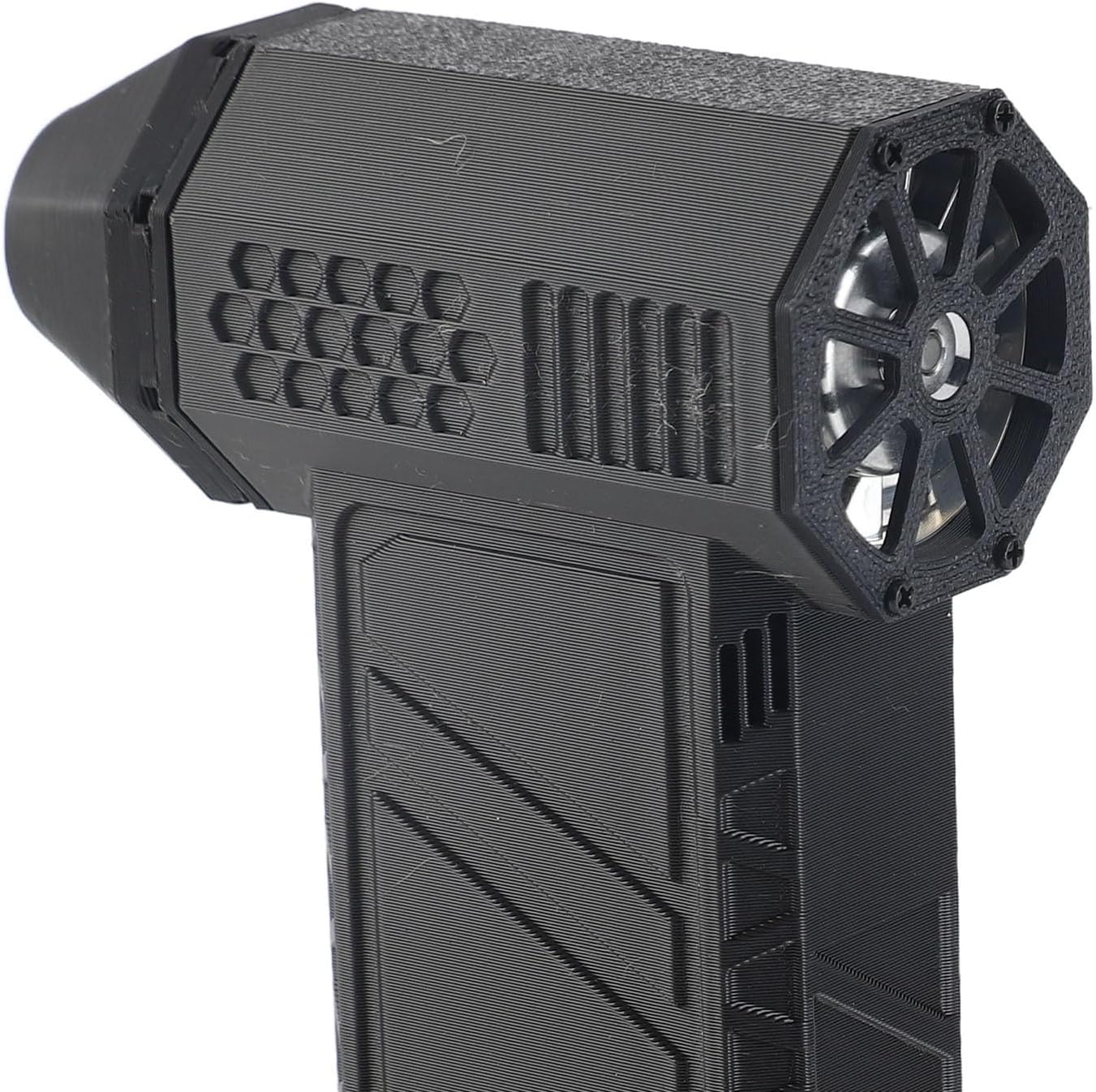
Image 4.2: The blower effectively removing dust from the interior of a computer case.

Image 4.3: The jet blower being used to assist in starting or maintaining an outdoor flame or barbecue.
5. Maintenance
Cleaning the Device
Regular cleaning ensures optimal performance and extends the lifespan of your jet blower.
- Ensure the device is turned off and unplugged before cleaning.
- Wipe the exterior of the device with a soft, dry cloth.
- Do not use abrasive cleaners or solvents.
- Periodically check the air intake and outlet for any obstructions and gently remove them if present.
Storage
When not in use, store the jet blower in its storage box in a cool, dry place, away from direct sunlight and extreme temperatures.
6. Troubleshooting
If you encounter issues with your Fafeicy Jet Blower, refer to the following common problems and solutions:
| Problem | Possible Cause | Solution |
|---|---|---|
| Device does not turn on. | Low battery or no charge. | Charge the device fully using the Type-C cable. |
| Weak airflow. | Low battery, obstructed air intake/outlet. | Recharge the device. Check and clear any obstructions from the air vents. |
| Device overheats. | Prolonged use at maximum speed, blocked vents. | Allow the device to cool down. Ensure air vents are clear. Reduce operating time at high speeds. |
| Charging is slow. | Non-compatible charger, faulty cable. | Ensure you are using a 15W PD QC compatible charger and the original Type-C cable. |
If the problem persists, please contact customer support.
7. Specifications
| Item Type | Jet Blower |
| Material | Aluminum Alloy, Electronic Components |
| Maximum Power | 180 W |
| Maximum Speed | 300,000 RPM |
| Maximum Current | 30 A |
| Speed Control Mode | 3-Speed Control Function |
| Duration (Max Gear) | 15-20 minutes |
| Interface | Type-C, supports QC15W Fast Charging |
| Battery Type | Built-in 16000 mAh Lithium Battery |
| Product Dimensions | 19.99 x 14 x 4.98 cm |
| Product Weight | 339 g |
| Model Number | Fafeicy01w5ik89se |
8. Warranty Information
Fafeicy products are manufactured to high-quality standards. This product comes with a standard manufacturer's warranty against defects in materials and workmanship from the date of purchase. Please retain your proof of purchase for warranty claims. The warranty does not cover damage caused by misuse, accident, unauthorized modification, or normal wear and tear.
9. Customer Support
For further assistance, technical support, or warranty inquiries, please visit the official Fafeicy store or contact our customer service team.