
1. Product Overview
The NOCO XGrid X30 is a high-performance 30W USB-C charger designed for efficient power delivery. It incorporates advanced fast charging protocols including Power Delivery (PD 3.0), Quick Charge (QC 4.0+), and PPS, ensuring optimal charging speed for a wide range of USB-C devices. Built with Gallium Nitride (GaN) technology, the X30 offers a compact and portable design with foldable plugs, making it suitable for various environments.
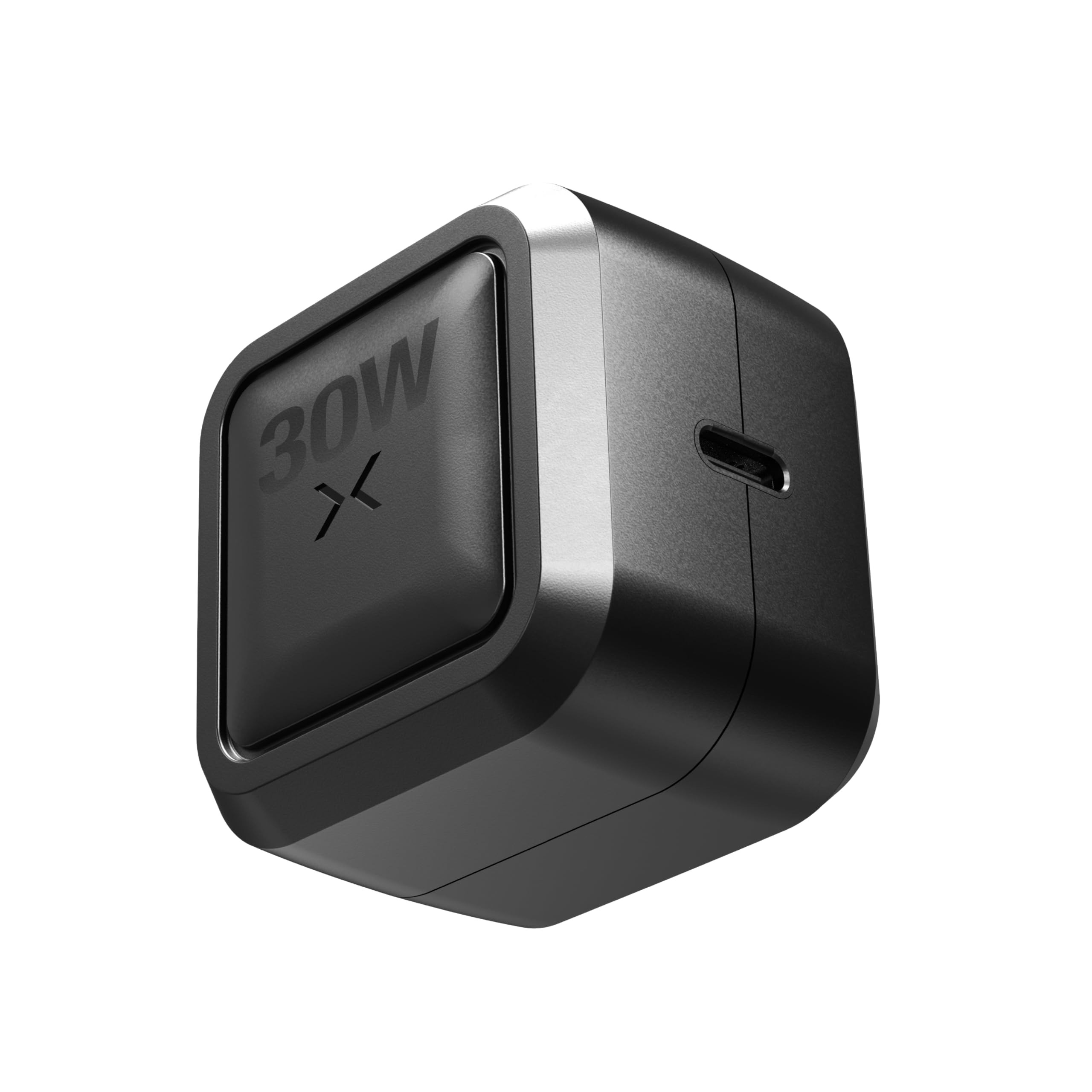
Image: The NOCO XGrid X30 30W USB-C Charger, showcasing its compact design.
2. What's in the Box
Upon opening the package, you will find the following items:
- 1 x NOCO XGrid X30 30W USB-C Charger
- 1 x Warranty Guide

Image: The NOCO XGrid X30 charger connected to a smartphone, illustrating its use.
3. Setup Instructions
- Unfold the Prongs: Gently pull out the foldable wall prongs from the charger body until they lock into place.
- Connect USB-C Cable: Insert a compatible USB-C charging cable (not included) into the USB-C port on the charger. For optimal performance, use a USB-C cable rated for at least 30 watts.
- Plug into Power Outlet: Insert the charger into a standard 100-240V AC wall outlet.
- Connect to Device: Connect the other end of the USB-C cable to your device to begin charging.
4. Operating Instructions
The XGrid X30 charger is designed for straightforward operation:
- Automatic Device Detection: The charger automatically detects the connected device and delivers the optimal power output up to 30W, utilizing Power Delivery (PD 3.0), Quick Charge (QC 4.0+), and PPS protocols.
- Single Port Efficiency: The single USB-C port provides dedicated 30W power, ensuring consistent and fast charging for one device at a time.
- Universal Compatibility: The X30 is compatible with a wide range of USB-C powered devices, including laptops (e.g., Apple MacBook, Dell, Lenovo), smartphones (e.g., Apple iPhone, Samsung Galaxy, Google Pixel), tablets (e.g., Apple iPad, Samsung Galaxy Tab), gaming consoles, VR headsets, earbuds, headphones, smartwatches, fitness trackers, cameras, portable speakers, drones, and power banks.

Image: The NOCO XGrid X30 charger demonstrating its universal compatibility with multiple device types.
5. Safety Features
The NOCO XGrid X30 is engineered with intelligent safeguards to protect your devices and ensure safe charging:
- Overcharging Protection: Prevents damage to your device's battery by stopping charging once it reaches full capacity.
- Overheating Protection: Actively monitors and adjusts power output to prevent the charger and connected devices from overheating.
- Power Surge Protection: Shields devices from sudden spikes in electrical current.
- UL Listed: The charger is UL certified, indicating it meets stringent safety standards.

Image: Visual representation of the XGrid X30's internal safeguards, highlighting overcharge protection.
6. Maintenance
To ensure the longevity and optimal performance of your NOCO XGrid X30 charger, follow these maintenance guidelines:
- Cleaning: Disconnect the charger from the power outlet before cleaning. Use a soft, dry cloth to wipe the exterior. Avoid using harsh chemicals, solvents, or abrasive cleaners.
- Storage: Store the charger in a cool, dry place away from direct sunlight and moisture when not in use. The foldable prongs allow for compact storage.
- Temperature: This product is designed to operate in ambient temperatures between 0°C to 40°C (32°F to 104°F). Do not use or store outside this temperature range.
- Handling: Avoid dropping the charger or subjecting it to strong impacts.

Image: The NOCO XGrid X30's compact design with foldable plugs, highlighting its travel-friendly nature.
7. Troubleshooting
If you encounter issues with your NOCO XGrid X30 charger, refer to the following common problems and solutions:
- Device Not Charging:
- Ensure the charger is securely plugged into a live wall outlet.
- Verify that the USB-C cable is properly connected to both the charger and your device.
- Try using a different USB-C cable to rule out cable malfunction.
- Test the charger with a different device to confirm charger functionality.
- Slow Charging:
- Ensure you are using a high-quality USB-C cable rated for at least 30 watts. Lower-rated cables may result in slower charging speeds.
- Confirm your device supports fast charging protocols (PD 3.0, QC 4.0+, PPS) to utilize the charger's full capabilities.
- Close any power-intensive applications running on your device during charging.
- Charger Feels Warm:
- It is normal for the charger to become warm during operation, especially during fast charging. If it becomes excessively hot, disconnect it immediately and contact support.
- Ensure adequate ventilation around the product and do not cover it.
8. Specifications
Detailed technical specifications for the NOCO XGrid X30 charger:
| Feature | Specification |
|---|---|
| Model Number | X30B |
| Brand | NOCO |
| Wattage | 30 watts |
| Connector Type | USB Type C |
| Total USB Ports | 1 |
| Input Voltage | 100-240 Volts |
| Output Current | 1.5 Amps |
| Output Voltage | 5 Volts (Dynamic) |
| Special Features | 30W Pure Power, Dynamic Power Sharing, Folding Plug, GaN Architecture, PD 3.0, QC 4.0+, PPS Compatibility |
| Color | Black |
| Material | Plastic |
| Item Weight | 0.16 Kilograms |
| Certifications | UL Listed, CSA, ETL, FCC |
| Power Plug Type | Type A - 2 pin (North American), Foldable |

Image: The NOCO XGrid X30B charger.
9. Warranty and Support
The NOCO XGrid X30 30W USB-C Charger comes with a 3-year limited warranty. This warranty covers defects in materials and workmanship under normal use.
For detailed warranty terms and conditions, please refer to the 'Warranty Guide' included in your product packaging. If you require technical assistance or have questions regarding your product, please visit the official NOCO support website or contact their customer service.
Important Safety Warning: Read and understand all safety information before using this product. Failure to follow these safety instructions may result in electrical shock, fire, resulting in serious injury, death, or property damage.


