
Varstrom VD03-CAN Display
Varstrom VD03 E-Bike Display User Manual
Model: VD03-CAN Display
1. Introduction
This manual provides detailed instructions for the installation, operation, maintenance, and troubleshooting of your Varstrom VD03 E-Bike Display. The VD03 is a compact 1.5-inch LED screen designed for BAFANG CAN Bus mid-motors, offering essential cycling data and enhanced control for your e-bike conversion kit.
2. Package Contents
Upon opening the package, please verify that all components are present and in good condition:
- 1 x Varstrom VD03 E-Bike Display
- 1 x User Manual

Image: Contents of the Varstrom VD03 E-Bike Display package, showing the display unit and the included user manual.
3. Compatibility
The Varstrom VD03 display is specifically designed for Bafang motors utilizing the CAN protocol. It is compatible with the latest 2025 CAN protocol updated Bafang mid-motors, including:
- BBS01B
- BBS02B
- BBSHD
It also supports Bafang mid-motor systems such as:
- M200
- M400
- M420
- M500
- M510
- M600
- M620
- M625
- M325
- M225
Important: This display is NOT compatible with BAFANG UART protocol motors. If you are unsure about compatibility, please contact Varstrom support before purchase.

Image: Visual representation of compatible Bafang CAN protocol mid and hub motors, highlighting the correct triangular 5-pin connector.
4. Setup and Installation
Follow these steps to properly install your VD03 E-Bike Display:
- Mounting the Display: The VD03 display is designed for standard handlebars with a diameter of 22.2 mm. Position the display on your handlebar in a location that provides clear visibility and easy access to the buttons. Secure it firmly using the integrated clamp.
- Connecting to the Motor: Locate the 5PIN male triangular connector on the VD03 display cable. Connect this to the corresponding female port on your Bafang CAN protocol motor system. Ensure the connection is secure and fully seated to prevent water ingress and ensure proper communication.

Image: The Varstrom VD03 E-Bike Display, showcasing its compact design and the distinctive 5-pin triangular connector for secure attachment to the e-bike system.

Image: A detailed view of the Varstrom VD03 E-Bike Display, highlighting its sleek form factor and the integrated handlebar clamp.
5. Operating Instructions
The VD03 display provides clear and easy-to-read data for an optimal riding experience. Here's how to operate it:
5.1 Display Functions
The 1.5-inch high-definition LED display shows key cycling information:
- Real-time Speed: Displays your current riding speed.
- Battery Level Graphic: Indicates the remaining battery charge.
- Gear Display: Shows the current Pedal Assist System (PAS) level.
- Headlight Indicator: Illuminates when the e-bike's headlights are active.
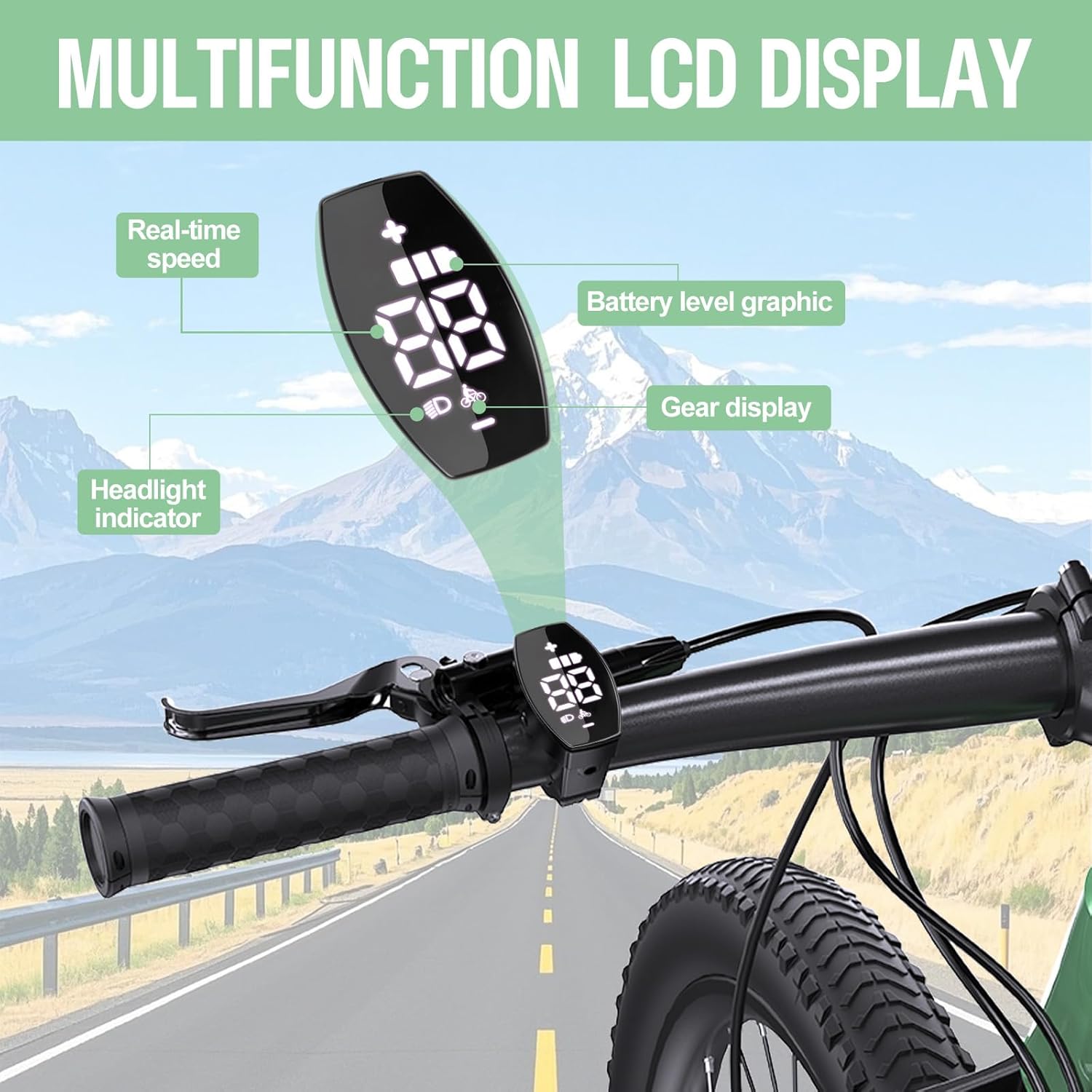
Image: An illustration of the VD03 display mounted on a handlebar, pointing out the real-time speed, battery level graphic, gear display, and headlight indicator.
5.2 PAS Levels
The display supports adjustable PAS levels of 0-3, 0-5, or 0-9, allowing you to select the desired level of motor assistance.
5.3 APP Support (BIKEGO+)
The VD03 display supports the “BIKEGO+” APP, which enables advanced functions:
- Resetting Total Mileage: Use the app to reset the accumulated distance.
- Quick Unlock: The app can facilitate quick unlocking of the display.
- Basic Cycling Information: View additional data and settings.
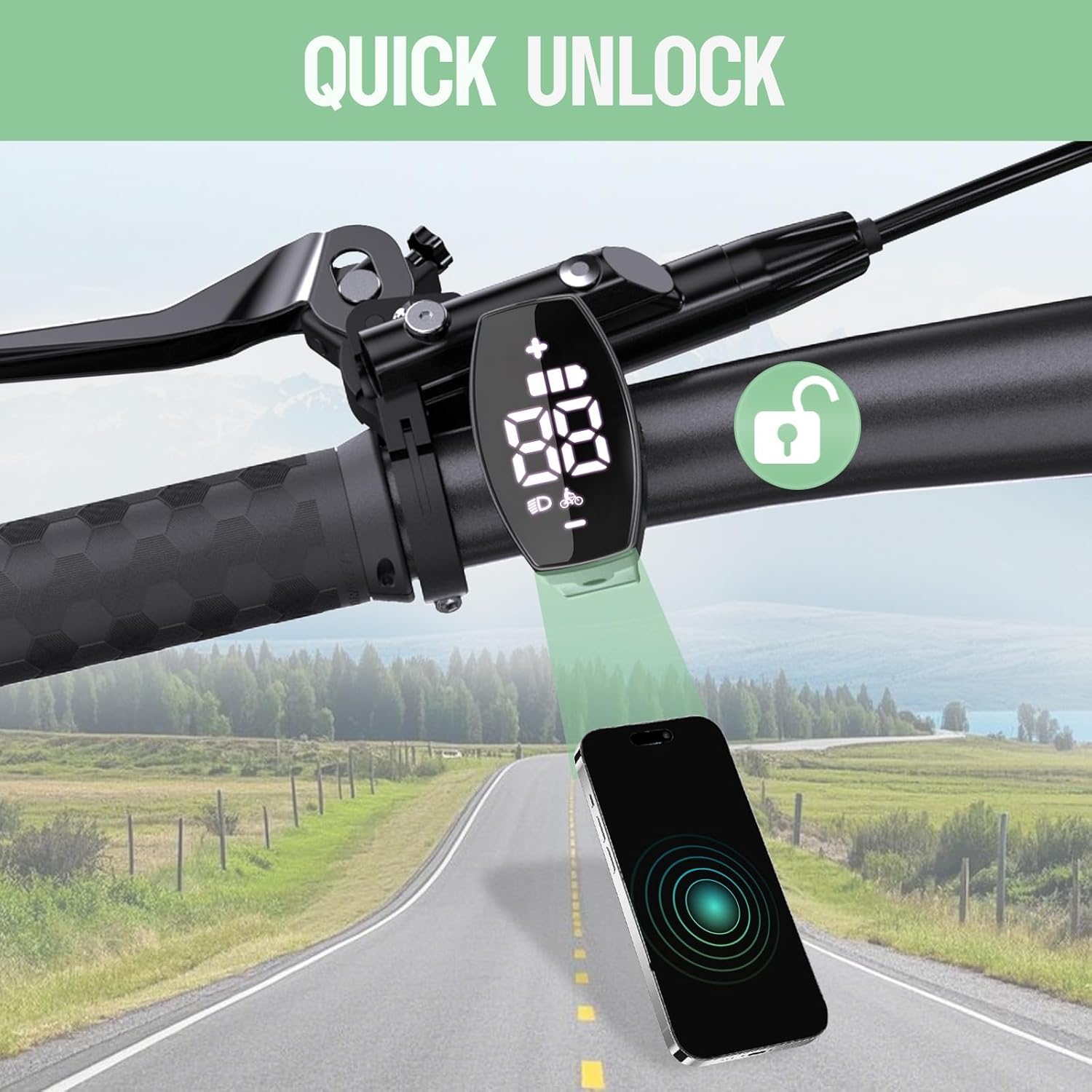
Image: The VD03 display on a handlebar, illustrating its quick unlock capability via a smartphone application.
5.4 Additional Features
- Auto Shutdown: The display will automatically shut down after a period of inactivity to conserve battery.
- Adjustable Wheel Size: Allows for accurate speed and distance readings across different wheel sizes.
- Advanced Password: The default advanced password is 2020.

Image: A graphic detailing the high-tech features of the VD03 display, such as adjustable PAS levels, 22.2mm holder size, 1.5-inch LED screen, password protection, and English language support.
6. Maintenance
To ensure the longevity and optimal performance of your VD03 display, follow these maintenance guidelines:
- Cleaning: Wipe the display screen and body with a soft, damp cloth. Avoid using abrasive cleaners or solvents that could damage the surface.
- Water Resistance: The display has an IPX7-rated waterproof structure, providing protection against water immersion up to 1 meter for 30 minutes. However, it is recommended to avoid using it in extreme weather conditions or prolonged submersion.
- Storage: When not in use for extended periods, store the display in a dry, cool place within the specified storage temperature range (-30°C to 80°C).
7. Troubleshooting
If you encounter issues with your VD03 display, please refer to the following common problems and solutions:
- Display Does Not Power On:
- Check all cable connections, especially the 5PIN triangular connector, to ensure they are securely seated.
- Verify that your e-bike battery is charged and properly connected to the motor system.
- Incorrect Speed/Distance Readings:
- Ensure the wheel size setting in the display or associated app is correctly configured for your e-bike.
- Display Freezes or Malfunctions:
- Try turning off your e-bike system and then restarting it.
- If the issue persists, contact Varstrom technical support.
For more complex issues or problems not listed here, please refer to the support section.
8. Specifications
Detailed technical specifications for the Varstrom VD03 E-Bike Display:

Image: A comprehensive diagram illustrating the dimensions and key technical specifications of the VD03 display.
| Feature | Detail |
|---|---|
| Screen Size | 1.5" LED (17mm x 34mm) |
| Holder Diameter | 22.2 mm (0.87 inches) |
| Communication Protocol | CAN BUS |
| Connector Type | Triangular 5-PIN Male |
| Voltage Compatibility | 12V/24V/36V/48V/52V/60V |
| PAS Levels | 0-3 / 0-5 / 0-9 (Optional) |
| Speed Limit | 0 km/h ~ 99 km/h |
| USB Port | No |
| Dimensions (L*W*H) | 26mm * 45mm * 48mm (1.02" * 1.77" * 1.88") |
| Cable Length | 200 mm (7.87 inches) |
| Waterproof Rating | IP67 |
| Operating Temperature | -20°C ~ +70°C |
| Storage Temperature | -30°C ~ +80°C |
| Material | ABS and PC |
9. Warranty Information
Varstrom provides the following warranty for the VD03 E-Bike Display:
- Display Warranty: A 6-month warranty is provided specifically for the display unit.
- Return Policy: 30 days return period from the date of purchase.
- Repair/Replacement: 365 days repair or replacement policy for manufacturing defects.
Please retain your proof of purchase for warranty claims.
10. Customer Support
For any technical assistance, questions, or concerns regarding your Varstrom VD03 E-Bike Display, please contact our dedicated support team:
- Our technical team in the US provides expert support and solutions.
- We offer ongoing technical support beyond the warranty period to ensure long-term reliability and performance.
For additional resources and detailed instructions, you may refer to the official PDF manual:
Related documentsVD03-CAN Display


Ask a question about this manual
Ask about setup, troubleshooting, compatibility, parts, safety, or missing instructions. Manuals+ will review the question and use this page’s manual context to help answer it.