1. Introduction
Thank you for choosing the KIDSNEED Non-invasive Mole & Wart Removal Laser Pen and Dark Spot and Acne Pencil. This innovative dual-action device is designed to help you address various skin concerns, including moles, warts, dark spots, and acne, with a non-invasive approach. Please read this manual thoroughly before first use to ensure safe and effective operation.

Image 1.1: KIDSNEED Laser Pen and Acne Pencil with its packaging.
2. Safety Information
WARNING: This device is intended for cosmetic use. Consult a dermatologist or medical professional before use, especially if you have pre-existing skin conditions, sensitive skin, or are unsure about the nature of your skin blemishes.
- Do not use on open wounds, infected areas, or areas with active inflammation.
- Avoid direct contact with eyes. Wear protective eyewear if necessary.
- Perform a patch test on a small, inconspicuous area of skin before full application to check for adverse reactions.
- Keep out of reach of children. Adult supervision is required if used by minors.
- Discontinue use immediately if irritation, excessive redness, pain, or any other adverse reaction occurs and consult a medical professional.
- Statements regarding this product have not been evaluated by the FDA and are not intended to diagnose, treat, cure, or prevent any disease or health condition.
3. Product Overview
The KIDSNEED device features a dual-action design, combining a laser pen for mole and wart removal and an acne pencil for dark spots and blemishes.
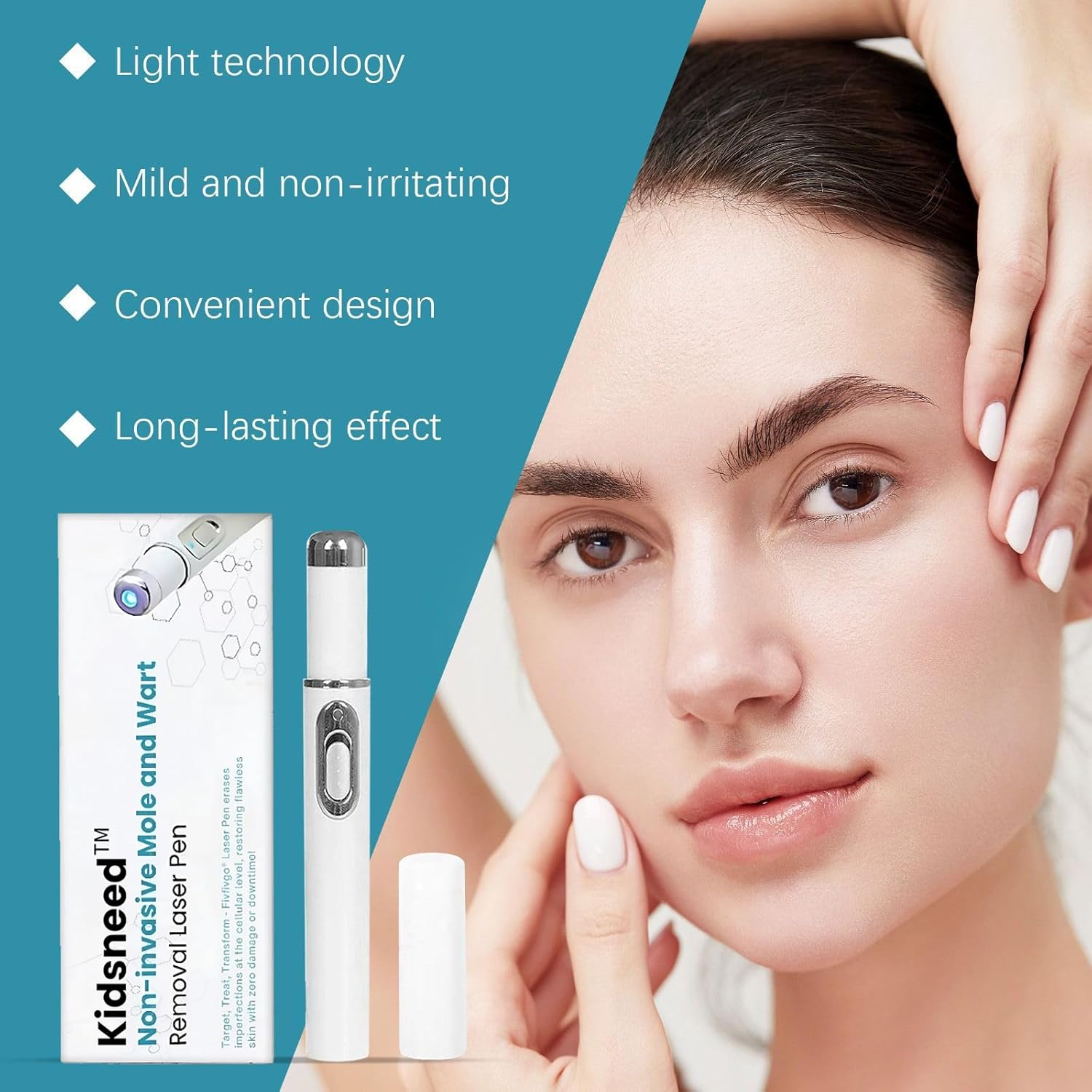
Image 3.1: Key features of the KIDSNEED device.
Components:
- Laser Pen: Main body with laser emitter and control button.
- Acne Pencil: Integrated or separate component for serum application.
- Protective Cap: For the laser pen tip.
- Battery Compartment: For power source (AA battery).
4. Setup
- Unpack: Carefully remove all components from the packaging.
- Battery Installation: Locate the battery compartment (typically at the base of the pen). Insert one (1) AA battery, ensuring correct polarity (+/-). Close the compartment securely.
- Initial Cleaning: Before first use, gently wipe the device's exterior with a clean, dry cloth. Do not immerse in water.
5. Operating Instructions
5.1. Using the Mole & Wart Removal Laser Pen

Image 5.1: Illustration of laser technology targeting skin imperfections.
- Cleanse Skin: Ensure the target area is clean and dry before application.
- Positioning: Hold the laser pen at a 90-degree angle directly over the mole or wart.
- Application: Gently press the activation button to pulse the laser for 1 to 3 seconds. Avoid prolonged contact.
- Repeat: For optimal results, repeat this process every 7 days as needed. Observe the area for changes.

Image 5.2: Examples of effective mole, wart, and skin tag removal.
5.2. Using the Dark Spot and Acne Pencil
- Prepare: Ensure the target area is clean and dry.
- Dispense Serum: Twist the base of the acne pencil to dispense a small amount of serum.
- Apply: Dab the serum directly onto dark spots or acne.
- Frequency: Use daily for optimal brightening and healing.

Image 5.3: The device offers an ultimate solution for various skin problems.
6. Maintenance
- Cleaning: After each use, gently wipe the tip of the laser pen and the acne pencil applicator with a clean, dry, soft cloth. Do not use abrasive cleaners or immerse the device in water.
- Storage: Store the device in a cool, dry place, away from direct sunlight and extreme temperatures. Keep the protective cap on the laser pen when not in use.
- Battery Replacement: Replace the AA battery when the device's performance diminishes or it fails to power on.
7. Troubleshooting
| Problem | Possible Cause | Solution |
|---|---|---|
| Device does not turn on. | Battery is dead or incorrectly installed. | Check battery polarity. Replace with a fresh AA battery. |
| No visible effect after use. | Incorrect application technique or insufficient frequency. | Ensure proper angle and duration for laser pen. Use acne pencil daily. Results may vary and take time. |
| Skin irritation or redness. | Overuse, sensitive skin, or allergic reaction. | Discontinue use immediately. Consult a medical professional if symptoms persist. Perform a patch test before resuming. |
| Acne pencil serum not dispensing. | Not twisted enough or air bubble. | Twist the base multiple times until serum appears. Tap gently to dislodge any air bubbles. |
8. Specifications
- Product Name: KIDSNEED Non-invasive Mole & Wart Removal Laser Pen, Dark Spot and Acne Pencil
- Model: Not specified (Generic)
- Power Source: 1 x AA Battery (not included)
- Color: White
- Item Form: Pen
- Manufacturer: FST
- Country of Origin: China
9. Warranty and Support
Information regarding specific warranty terms or dedicated customer support contact details is not provided with this product. For any issues or inquiries, please refer to the retailer or point of purchase for assistance.


