
MINISO MS191
Contents
MINISO MS191 AI Translator Earbuds User Manual
Model: MS191
Introduction
The MINISO MS191 AI Translator Earbuds are designed to provide seamless communication and high-quality audio. These 3-in-1 earbuds combine real-time translation, clear HD calls, and premium sound, making them ideal for travel, business, and daily use. With support for 135 languages and advanced AI technology, the MS191 offers quick and accurate translation.

Image: The MS191 AI Translator Earbuds in their charging case, highlighting key features such as a 0.5-second response time, support for 150 languages, and 98% translation accuracy.
What's in the Box
Please check the package contents to ensure all items are present:
- MINISO MS191 AI Translator Earbuds (Left and Right)
- Charging Case
- USB-C Charging Cable
- User Manual

Image: A visual representation of the MINISO MS191 product package contents, including the earbuds, charging case, USB-C cable, and the user manual.
Setup Guide
1. Downloading the Saymi App
The MINISO MS191 earbuds require the Saymi application for translation functionalities. The app is available for free download and does not require a subscription.
- Search for "Saymi" in your device's app store (Google Play Store for Android or Apple App Store for iOS).
- Download and install the application.
- Open the Saymi app and complete the registration process.

Image: A smartphone displaying the Saymi application's main interface, which provides access to various intelligent translation tools and modes.
2. Pairing the Earbuds
Follow these steps to connect your MS191 earbuds to your smartphone or other Bluetooth-enabled device:
- Ensure the earbuds are charged and placed in the charging case.
- Open the charging case lid. The earbuds will enter pairing mode.
- On your device, go to Bluetooth settings and turn Bluetooth on.
- Select "MINISO-MS191" from the list of available devices.
- Once connected, open the Saymi app to finalize the connection and access translation features.

Image: A smartphone displaying its Bluetooth settings, showing the "MINISO-MS191" device as connected, illustrating the quick and easy pairing process.
Operating Instructions
Earbud Controls
The MS191 earbuds feature touch controls for various functions:
- Single Tap: Play/Pause music, Answer/End call.
- Double Tap (Right Earbud): Increase Volume.
- Double Tap (Left Earbud): Decrease Volume.
- Long Press: Activate Voice Assistant, Receive Call.
- Triple Tap (Left Earbud): Previous Song.
- Triple Tap (Right Earbud): Next Song.
Translation Modes
The Saymi app offers multiple translation modes to suit different situations:
- Hands-Free Mode: Provides real-time conversation flow, ideal for natural dialogue.
- Touch Control Mode: Allows single-earbud operation for quick translations.
- Photo Translation: Capture text from images (e.g., menus, signs) for instant translation.
- AI Chat Mode: Functions as a natural dialogue assistant.
- Meeting Mode: Facilitates multilingual group discussions.
- Hybrid Mode: Allows simultaneous music listening and translation.
- Voice Notes: Automatically transcribes memos.
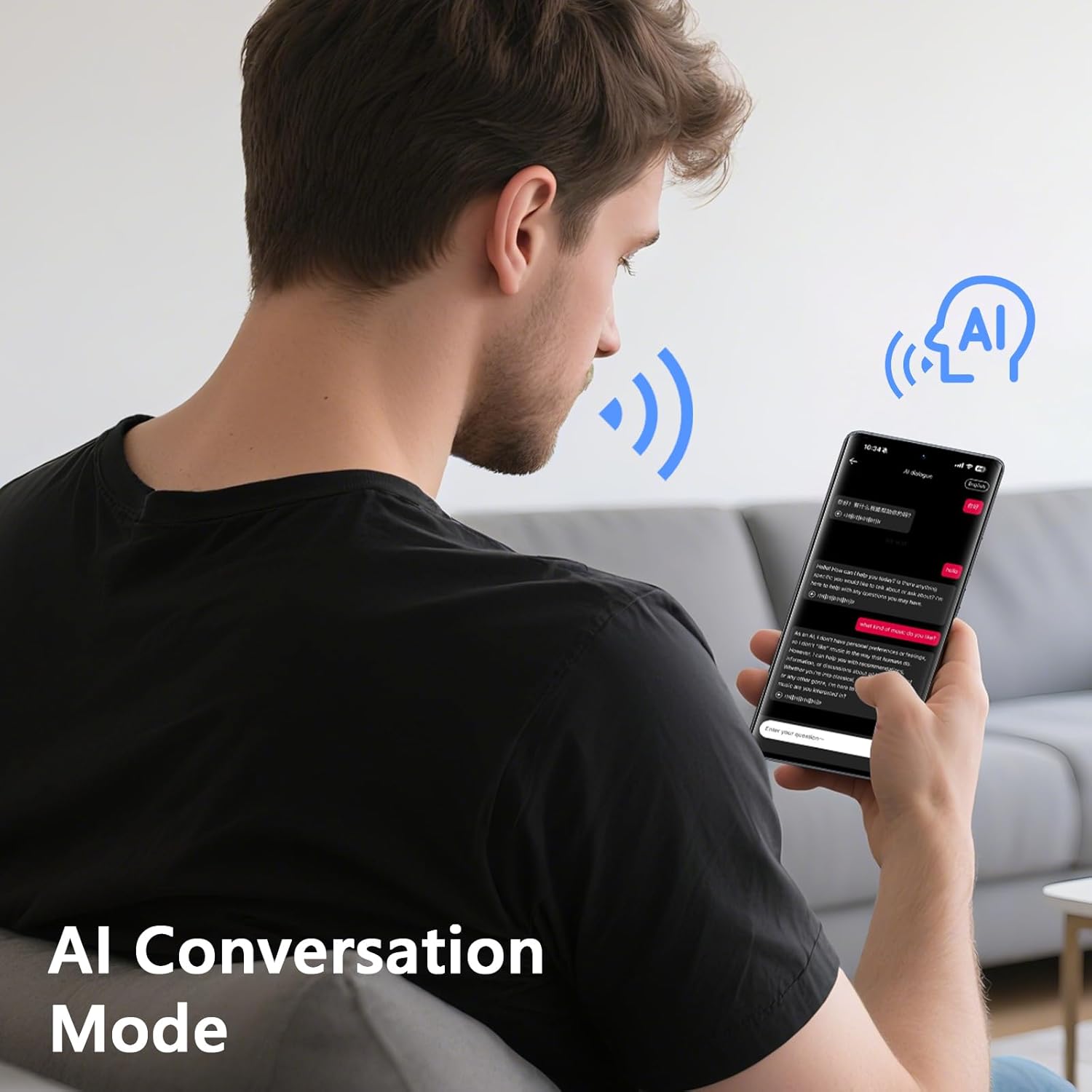
Image: A user engaging with the AI Conversation Mode, demonstrating how the earbuds facilitate real-time translated dialogue displayed on a smartphone.
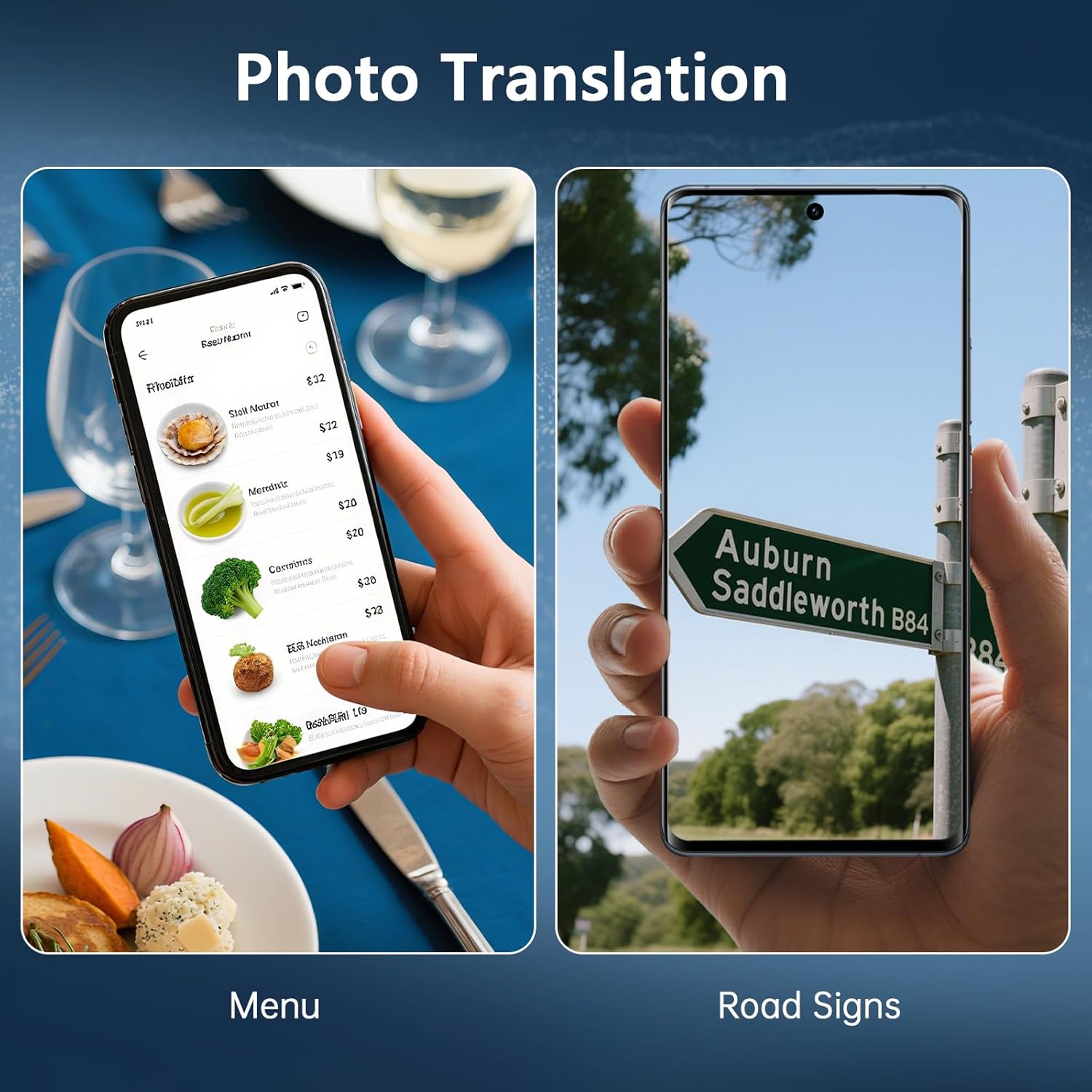
Image: Illustrations of the Photo Translation feature, showing its application for translating text from a restaurant menu and a road sign.
Language Support
The MS191 earbuds support real-time translation in 135 languages, including but not limited to:

Image: A comprehensive list of 150 languages supported by the earbuds for translation, demonstrating its wide linguistic coverage.
This extensive language support ensures effective communication across various global contexts.
Applications
The MINISO MS191 earbuds are versatile and can be used in numerous scenarios:
- Work: Facilitate international business meetings and collaborations.
- Travel: Navigate foreign countries with ease, ask for directions, and understand local conversations.
- Education: Assist in lectures or learning new languages.
- Daily Life: Enhance communication in diverse environments.

Image: A collage depicting various practical applications of the earbuds, including professional work settings, seeking directions, attending lectures, and during travel.
Maintenance and Care
To ensure the longevity and optimal performance of your MINISO MS191 earbuds, follow these maintenance guidelines:
- Cleaning: Regularly wipe the earbuds and charging case with a soft, dry, lint-free cloth. Do not use abrasive cleaners or solvents.
- Storage: Store the earbuds in their charging case when not in use to protect them from dust and damage.
- Charging: Use the provided USB-C cable for charging. Avoid using damaged cables or chargers.
- Water Exposure: While the earbuds may have some resistance, avoid prolonged exposure to water or extreme humidity. Dry them thoroughly if they get wet.

Image: The earbuds and charging case are shown with water droplets, illustrating their design for durability and resistance to splashes.
Troubleshooting
If you encounter issues with your MINISO MS191 earbuds, refer to the following common solutions:
- Earbuds not pairing:
- Ensure Bluetooth is enabled on your device.
- Make sure the earbuds are charged.
- Place the earbuds back in the case, close the lid, wait a few seconds, then open it again to re-enter pairing mode.
- Try forgetting the device in your phone's Bluetooth settings and re-pairing.
- No sound or poor audio quality:
- Check the volume level on both your device and the earbuds.
- Ensure the earbuds are properly seated in your ears.
- Clean any debris from the earbud speakers.
- Move closer to your connected device to avoid interference.
- Translation not working or inaccurate:
- Ensure you have an active internet connection, as translation requires online processing.
- Verify that the Saymi app is open and connected to the earbuds.
- Check the selected source and target languages in the app.
- Speak clearly and at a moderate pace.
- Update the Saymi app to the latest version.
- Earbuds not charging:
- Ensure the charging cable is securely connected to both the case and a power source.
- Check if the charging indicator light on the case is active.
- Try a different USB-C cable or power adapter.
- Clean the charging contacts on both the earbuds and the case.
Specifications
| Model Number | MS191 |
| Brand | MINISO |
| Connectivity Technology | Wireless (Bluetooth 6.0) |
| Form Factor | True Wireless Earbuds |
| Battery Type | Lithium-polymer |
| Battery Life | Up to 50 hours (with charging case) |
| Translation Languages | 135 languages |
| Translation Response Time | Less than 0.5 seconds |
| Translation Accuracy | 98% |
| Color | MS191 Black |
| ASIN | B0FB8Z66X6 |

Image: A detailed view of the Bluetooth 6.0 chip, highlighting the advanced wireless connectivity technology integrated into the earbuds.
Warranty and Support
Manufacturer's Warranty
The MINISO MS191 AI Translator Earbuds come with a 1-year manufacturer's warranty from the date of purchase. This warranty covers defects in materials and workmanship under normal use. It does not cover damage caused by misuse, accidents, unauthorized modifications, or normal wear and tear.
Customer Support
For any questions, technical assistance, or warranty claims, please contact our dedicated support team. You can find contact information on the official MINISO website or through your purchase platform.
Please have your product model number (MS191) and proof of purchase ready when contacting support.
Documents and downloads
Ask a question about this manual
Ask about setup, troubleshooting, compatibility, parts, safety, or missing instructions. Manuals+ will review the question and use this page’s manual context to help answer it.