1. Introduction and Overview
The FiiO ECHO MINI is a portable MP3 player designed to combine vintage aesthetics with modern audio technology. It features a classic tape player design, a dynamic retro user interface, and robust audio capabilities including dual DACs and support for various audio formats. This manual provides essential information for setting up, operating, maintaining, and troubleshooting your ECHO MINI.

Figure 1.1: FiiO ECHO MINI MP3 Player (Black II)
Key features include:
- IPS full-view color screen with retro-inspired dynamic UI.
- Classic button controls for intuitive navigation.
- Bluetooth 5.3 with SBC codec support for wireless audio.
- 8GB built-in memory, expandable up to 256GB via microSD card.
- Support for a wide range of audio formats: DSD, WAV, FLAC, APE, MP3, M4A, OGG.
- Dual high-end HiFi DACs for powerful audio output (up to 250mW).
- 15-hour long battery life from an 1100mAh battery.
2. Setup
2.1 Package Contents
Before you begin, please verify that all items are present in the package:
- FiiO ECHO MINI Player
- USB Cable
- Quick Start Guide
- Warranty Card
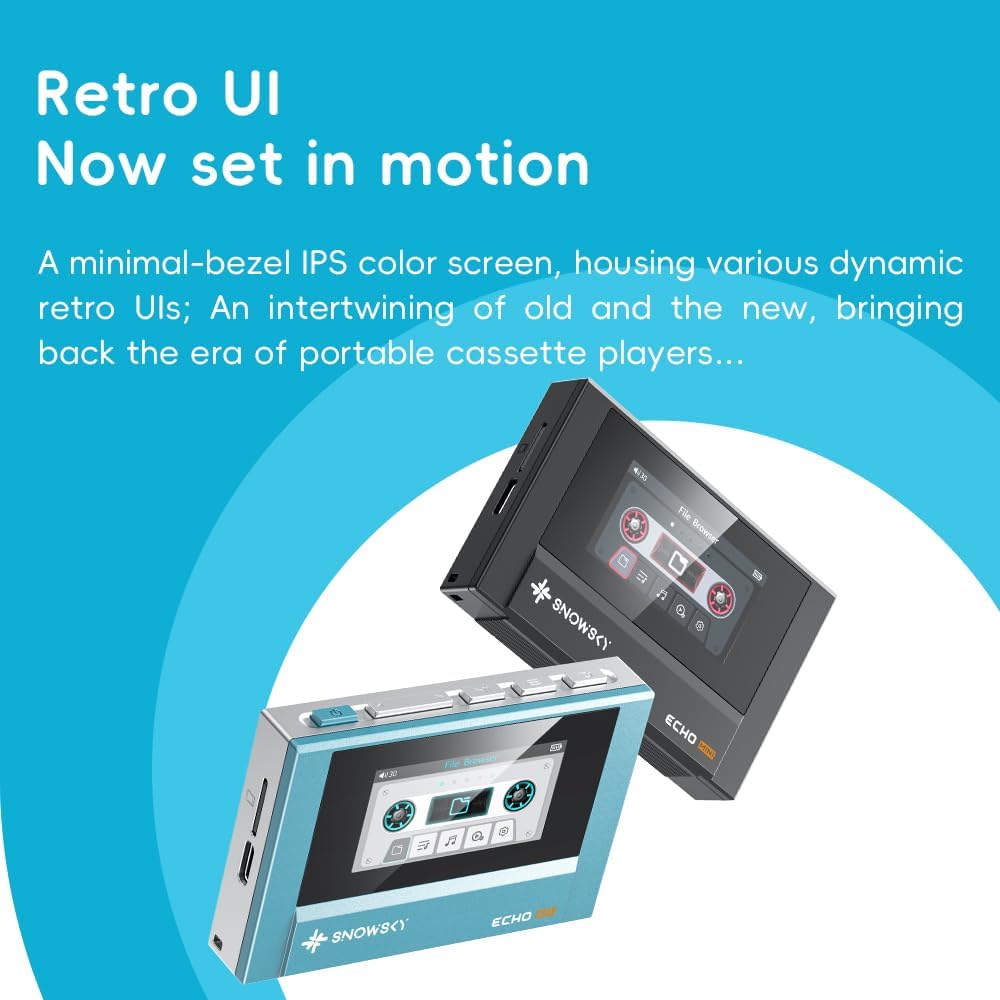
Figure 2.1: Package Contents
2.2 Charging the Device
The ECHO MINI comes with an included 9V battery. Before first use, it is recommended to fully charge the device. Connect the provided USB cable to the ECHO MINI's charging port and plug the other end into a USB power adapter (not included) or a computer's USB port. The charging indicator will show the charging status.
2.3 Inserting a MicroSD Card
The ECHO MINI supports microSD card expansion up to 256GB. To insert a microSD card:
- Locate the microSD card slot on the side of the device.
- Gently insert the microSD card into the slot with the gold contacts facing down until it clicks into place.
- To remove, gently push the card in again until it springs out.

Figure 2.2: MicroSD Card Insertion
3. Operating Instructions
3.1 Power On/Off
- To Power On: Press and hold the power button (usually located on the top or side) for a few seconds until the screen lights up.
- To Power Off: Press and hold the power button until a power-off prompt appears, then confirm.
3.2 Basic Navigation
The ECHO MINI features classic button controls. Use the directional buttons to navigate through menus and select options. The central button typically acts as a confirmation or play/pause button.
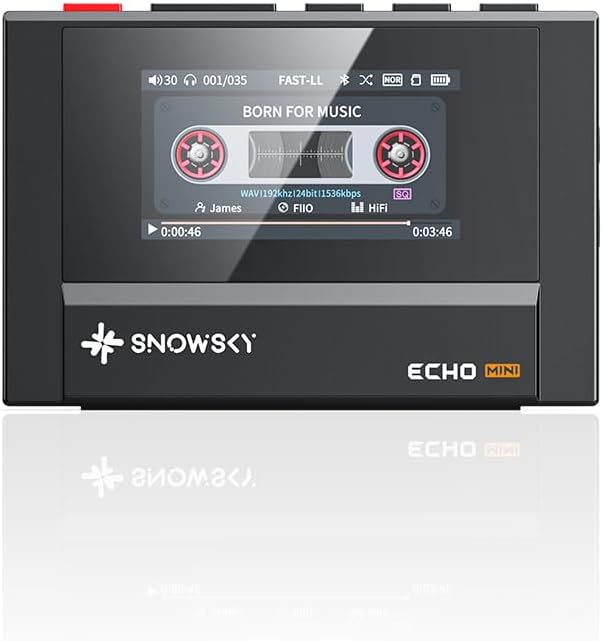
Figure 3.1: Front View and Controls
3.3 Playing Music
After transferring music files to the device's internal storage or microSD card, you can browse and play them through the music library interface. The ECHO MINI supports a wide array of audio formats, ensuring broad compatibility for your music collection.

Figure 3.2: Supported Audio Formats
3.4 Bluetooth Connectivity
The ECHO MINI features Bluetooth 5.3 for wireless audio streaming to headphones or speakers.
- Navigate to the Bluetooth settings menu on your ECHO MINI.
- Enable Bluetooth and set the device to pairing mode.
- On your Bluetooth headphones or speaker, enable pairing mode.
- Select your device from the list of available devices on the ECHO MINI to connect.

Figure 3.3: Bluetooth Connectivity
3.5 User Interface (UI)
The ECHO MINI features a dynamic retro UI, designed to evoke the feel of classic cassette players while providing modern functionality. The minimal-bezel IPS color screen displays various dynamic retro UIs, blending old and new.
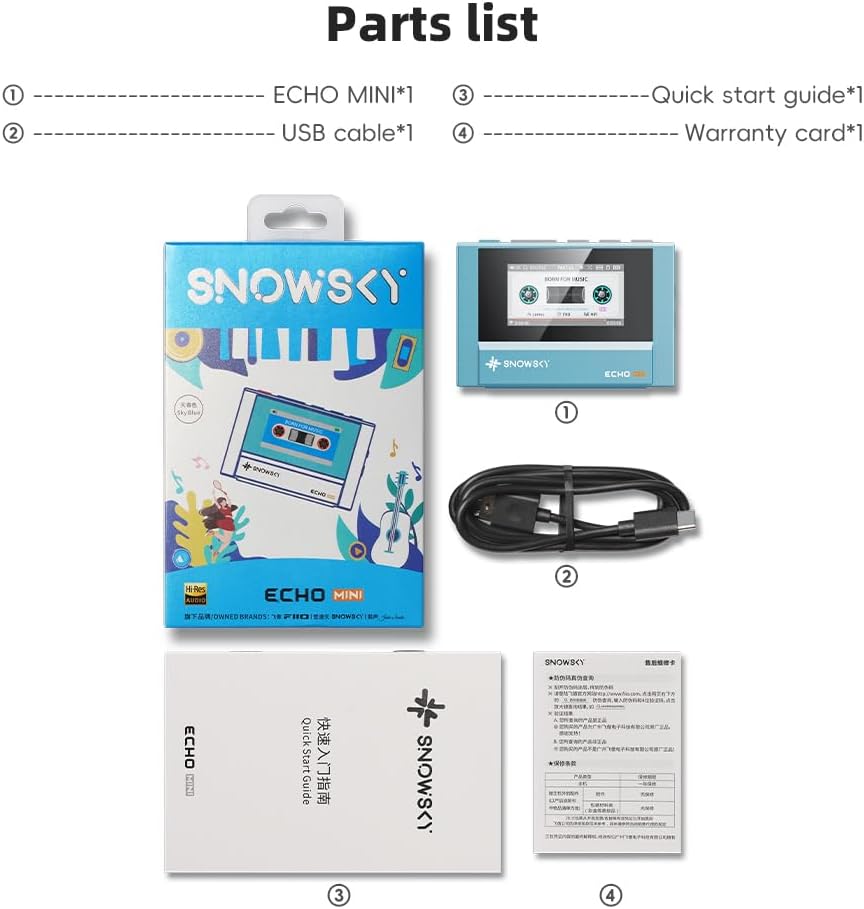
Figure 3.4: Retro UI in Motion
4. Maintenance
- Cleaning: Use a soft, dry cloth to clean the device. Avoid using liquid cleaners or abrasive materials.
- Storage: Store the ECHO MINI in a cool, dry place away from direct sunlight and extreme temperatures.
- Battery Care: To prolong battery life, avoid fully discharging the device frequently. Charge it regularly, even if not in use for extended periods.
- Avoid Drops: Protect the device from physical shocks and drops to prevent internal damage.
5. Troubleshooting
5.1 Device Does Not Power On
- Ensure the battery is charged. Connect the device to a power source and try again.
- If the device is unresponsive, try performing a hard reset (refer to the Quick Start Guide for specific instructions, if available).
5.2 No Sound Output
- Check the volume level on the device and connected headphones/speakers.
- Ensure headphones are properly connected to the 3.5mm or 4.4mm output jacks.
- If using Bluetooth, ensure the device is correctly paired and connected to the audio output device.
- Verify that the audio files are not corrupted and are in a supported format.
5.3 Cannot Connect via Bluetooth
- Ensure Bluetooth is enabled on both the ECHO MINI and the receiving device.
- Make sure both devices are in pairing mode and within range.
- Forget the device on both ends and attempt to re-pair.
- Ensure no other devices are interfering with the Bluetooth signal.
6. Specifications
| Feature | Specification |
|---|---|
| Model Name | ECHO MINI |
| Brand | FiiO |
| Connectivity Technology | Aux, Bluetooth |
| Memory Storage Capacity | 8 GB (expandable up to 256 GB via Micro SD) |
| Screen Size | 1.99 Inches |
| Color | Black II |
| Item Weight | 5.9 ounces |
| Package Dimensions | 6.02 x 3.7 x 1.73 inches |
| Batteries | 1 9V batteries required (included) |
| Special Feature | Hi-Res Audio |
| Compatible Devices | Headphone |
| Media Type | Micro SD |
| Included Components | Cable |
7. Warranty and Support
FiiO provides quality products and services. For detailed warranty information, please refer to the warranty card included in your product package or visit the official FiiO website. Keep your proof of purchase for warranty claims.
For further assistance or technical support, please contact FiiO customer service through their official channels or visit the FiiO Store on Amazon.


