
Retevis FC9274B
Retevis ANC Noise Canceling Behind-the-Head Walkie Talkie Headset
Model: FC9274B
Brand: Retevis
Introduction
This manual provides comprehensive instructions for the Retevis ANC Noise Canceling Behind-the-Head Walkie Talkie Headset, Model FC9274B. This headset is designed for clear communication in noisy environments, featuring active noise cancellation, a transparent mode, and dual Push-To-Talk (PTT) buttons. Please read this manual thoroughly before using the product to ensure proper operation and maintenance.

Image: Retevis ANC Noise Canceling Behind-the-Head Walkie Talkie Headset.
Package Contents
Verify that all items are present in the package:
- 1 x Retevis EHK016 ANC Headphone
- 1 x K 2-Pin Jack PTT cable
- 1 x Storage Pouch
- 1 x User Manual

Image: Contents of the product package.
Setup
1. Battery Installation
The headset requires two AA batteries (not included) for the Active Noise Cancellation (ANC) and Transparent Mode functions. Locate the battery compartment on one of the earcups and insert the batteries according to the polarity indicators.

Image: Close-up of the battery compartment on the earcup.
2. Connecting to a Two-Way Radio
The headset uses a standard Kenwood 2-Pin connector for compatibility with various two-way radios. Ensure the connector is fully inserted into your radio's audio port to establish a secure connection for both audio and Push-To-Talk (PTT) functionality.
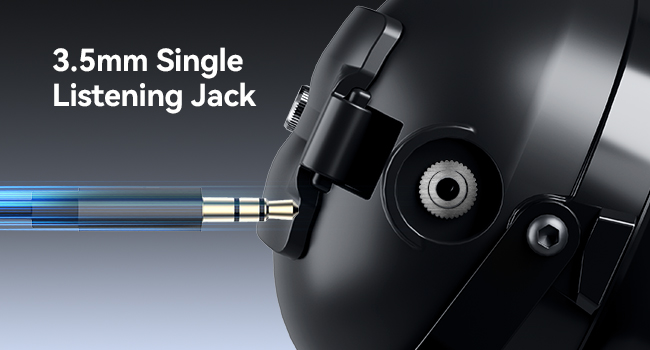
Image: K 2-Pin connector for connecting to a two-way radio.
3. Adjusting the Headset
Adjust the head strap and headband for a comfortable and secure fit. The headband is adjustable up to 30cm, accommodating head widths between 145-165mm. The clamp force is designed to be between 8-14N for stability without excessive pressure.

Image: Details on adjustable head strap and comfortable ear pads.
4. Microphone Positioning
The gooseneck microphone features a 260° swivel and bend design, allowing for flexible positioning. Adjust the microphone close to your mouth for optimal voice pickup.

Image: Illustration of the 260° rotatable microphone.
5. Wearing Details Introduction Video
Video: This video demonstrates how to properly wear and adjust the headset for optimal comfort and functionality.
Operating Instructions
1. Active Noise Cancellation (ANC)
The headset features Active Noise Cancellation to reduce ambient noise. Press the ANC on/off switch located on the earcup to activate or deactivate this function. When activated, the headset's internal and external microphones work with an ANC chipset to neutralize sound waves, providing a quieter listening experience.

Image: Explanation of Active Noise Cancellation (ANC) technology.
2. Transparent Mode
To hear your surroundings without removing the headset, activate Transparent Mode. Long-press the ANC button to switch to Transparent Mode. This allows external sounds to pass through, enhancing situational awareness.
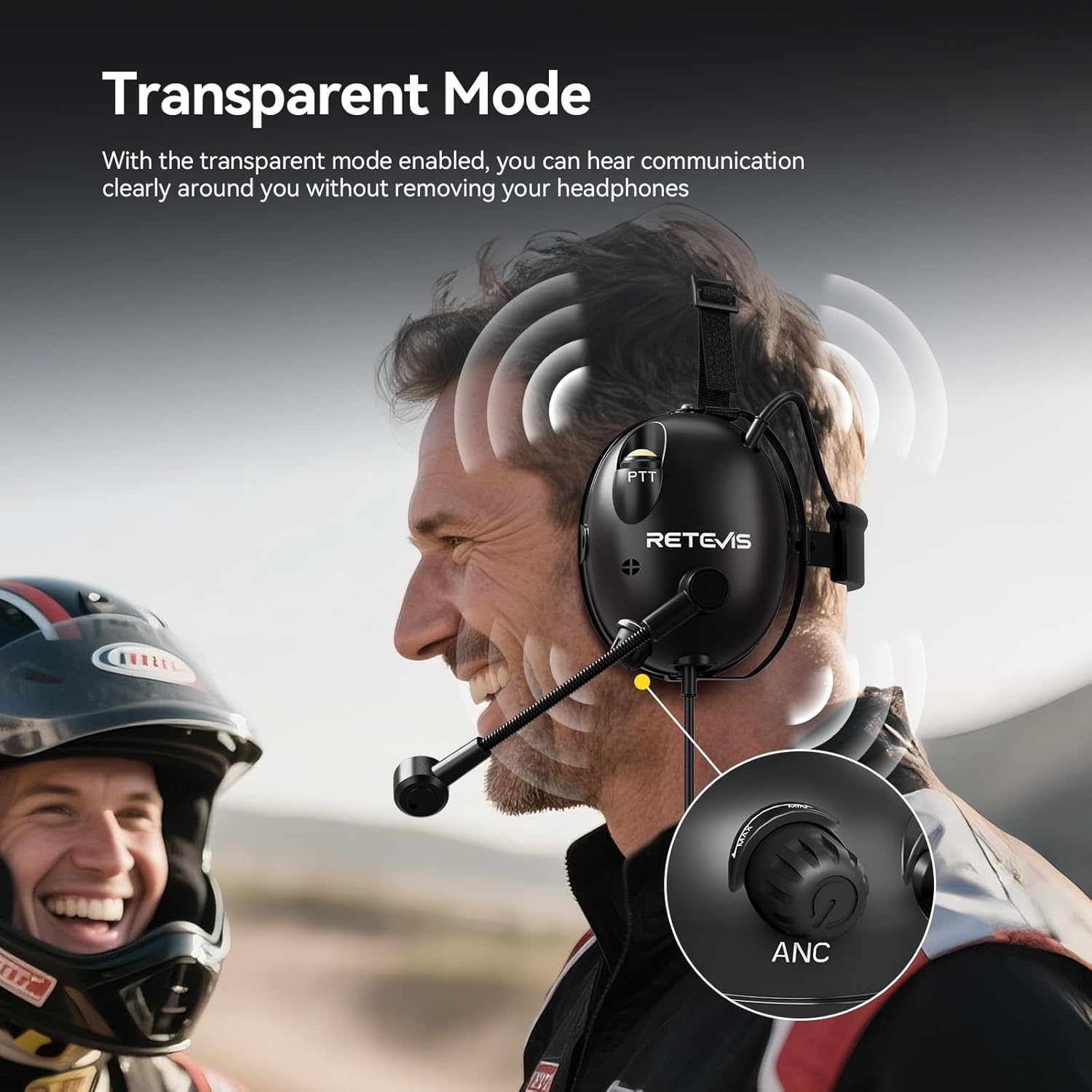
Image: Diagram showing Transparent Mode functionality.
3. Volume Adjustment
Adjust the listening volume using the volume adjustment knob located on the earcup. Rotate the knob to increase or decrease the audio level to your preference.
4. Push-To-Talk (PTT) Buttons
The headset features dual PTT buttons for flexible communication:
- Earcup PTT Button: Located on the side of the earcup for easy access.
- Cable PTT Button: An additional PTT button is integrated into the headset cable.
Press and hold either PTT button to transmit, and release to listen.
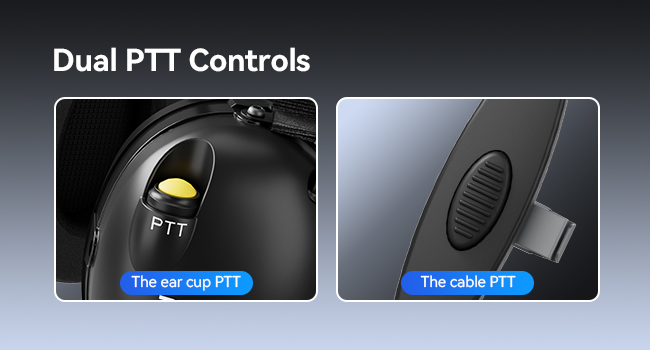
Image: Details of the dual PTT controls on the headset.
5. Operation Tips Video
Video: This video provides useful tips for operating the walkie-talkie headset, including ANC and PTT functions.
Maintenance
To ensure the longevity and optimal performance of your Retevis headset, follow these maintenance guidelines:
- Cleaning: Wipe the headset surfaces with a soft, damp cloth. Avoid using harsh chemicals or abrasive cleaners. Ensure no moisture enters the electronic components.
- Storage: Store the headset in a cool, dry place, away from direct sunlight and extreme temperatures. Use the provided storage pouch to protect it from dust and scratches.
- Battery Care: Remove AA batteries if the headset will not be used for an extended period to prevent leakage and damage.
- Cable Care: Avoid sharp bends or excessive pulling on the coiled cable to prevent internal wire damage.
Troubleshooting
If you encounter issues with your headset, refer to the following common problems and solutions:
| Problem | Possible Cause | Solution |
|---|---|---|
| No audio from headset | Loose connection to radio; radio volume too low; headset volume too low. | Ensure K 2-Pin connector is fully inserted. Increase radio and headset volume. |
| PTT not transmitting | Loose connection; PTT button not fully pressed. | Verify K 2-Pin connector is fully seated. Press PTT button firmly. |
| ANC/Transparent Mode not working | No batteries or low batteries; feature not activated. | Install fresh AA batteries. Press the ANC button to activate. Long-press for Transparent Mode. |
| Headset feels uncomfortable | Improper adjustment. | Adjust the head strap and headband for a looser or tighter fit as needed. Ensure earcups are properly positioned. |
Specifications
- Model Name: EHK016
- Item Model Number: FC9274B
- Connectivity Technology: Wired
- Headphones Jack: Kenwood 2 Pin
- Compatible Devices: Retevis RT21/RT22/RT68/RT68H/H-777H/RA89/RA79/P1/P2/A1/EZTalk 2/RT68H/RB26H/RB66P/C2/C62/C22/RT68B/RB58, Baofeng UV-5R 5RM BF-888S, pxton Arcshell AR-5, Kenwood, Samcom two-way radios, etc.
- Style: Behind ANC Noise Canceling
- Noise Control: Active Noise Cancellation
- Material: Metal, Rubber
- Item Weight: 1.3 pounds
- Water Resistance Level: Not Water Resistant
- Control Method: Push Button
- Ear Placement: Over Ear
- Earpiece Shape: In-ear (referring to internal speakers)
- Manufacturer: Retevis
Warranty and Support
For warranty information or technical support, please contact Retevis Direct, the manufacturer. Keep your purchase receipt for any warranty claims. Protection plans may be available for extended coverage; refer to your retailer for details.
Related documentsFC9274B

Ask a question about this manual
Ask about setup, troubleshooting, compatibility, parts, safety, or missing instructions. Manuals+ will review the question and use this page’s manual context to help answer it.