
Introduction
Thank you for choosing the TIMU M10 Portable Bluetooth Speaker. This manual provides essential information for setting up, operating, and maintaining your speaker. Please read it carefully before use to ensure optimal performance and longevity of your device.
Product Overview
Key Features
- Powerful 30W Audio: Delivers clear, rich sound with deep bass, natural mids, and crisp highs.
- IPX7 Waterproof: Fully submersible in water up to 1.2 meters for 28 minutes, making it ideal for outdoor use.
- Extended Playtime: Up to 30 hours of battery life on a single 3-hour charge (at 30% volume with RGB lights off).
- TWS Wireless Pairing: Connect two M10 speakers for an immersive stereo sound experience.
- Bluetooth 5.4: Ensures stable and fast connection up to 20 meters.
- Multiple Connectivity Options: Supports Bluetooth, AUX-in, and TF card playback.
- Dynamic RGB Lighting: Features three RGB light zones with five adjustable modes (Rhythm, Rainbow, Breath, Gradient, Off) and over 200 color variations.
- 3 EQ Modes: Customize your audio experience with Bass, Popular, and Vocal equalization modes.
What's in the Box
- 1 x TIMU M10 Bluetooth Speaker
- 1 x USB Charging Cable
- 1 x AUX Connection Cable
- 1 x Nylon Braided Lanyard

Image: The TIMU M10 speaker, charging cable, AUX cable, and lanyard laid out on a grey surface.
Setup
Initial Charge
Before first use, fully charge the speaker. Connect the provided USB charging cable to the speaker's Type-C port and a compatible USB power adapter (not included). The charging indicator will show the charging status.
Powering On/Off
- To Power On: Press and hold the power button for 2-3 seconds until the indicator lights up.
- To Power Off: Press and hold the power button for 2-3 seconds until the indicator turns off.
Operating Instructions
Bluetooth Pairing
- Ensure the speaker is powered on and in Bluetooth pairing mode (the Bluetooth indicator will flash).
- On your device (smartphone, tablet, computer), enable Bluetooth and search for available devices.
- Select "TIMU M10" from the list.
- Once connected, the Bluetooth indicator will stop flashing and remain solid.

Image: The TIMU M10 speaker demonstrating multiple connectivity options including phone, tablet, PC, and TV, with a TF card slot also visible.
TWS (True Wireless Stereo) Pairing
To achieve a stereo sound experience, you can pair two TIMU M10 speakers together.
- Ensure both TIMU M10 speakers are powered on and not connected to any other Bluetooth device.
- On one speaker, press the TWS button (often indicated by a double arrow or similar icon). The speaker will enter TWS pairing mode.
- The two speakers will automatically connect to each other. Once connected, you will hear an audible confirmation, and the TWS indicator will light up.
- Now, connect your device to one of the speakers via Bluetooth as described above. Both speakers will play audio in stereo.
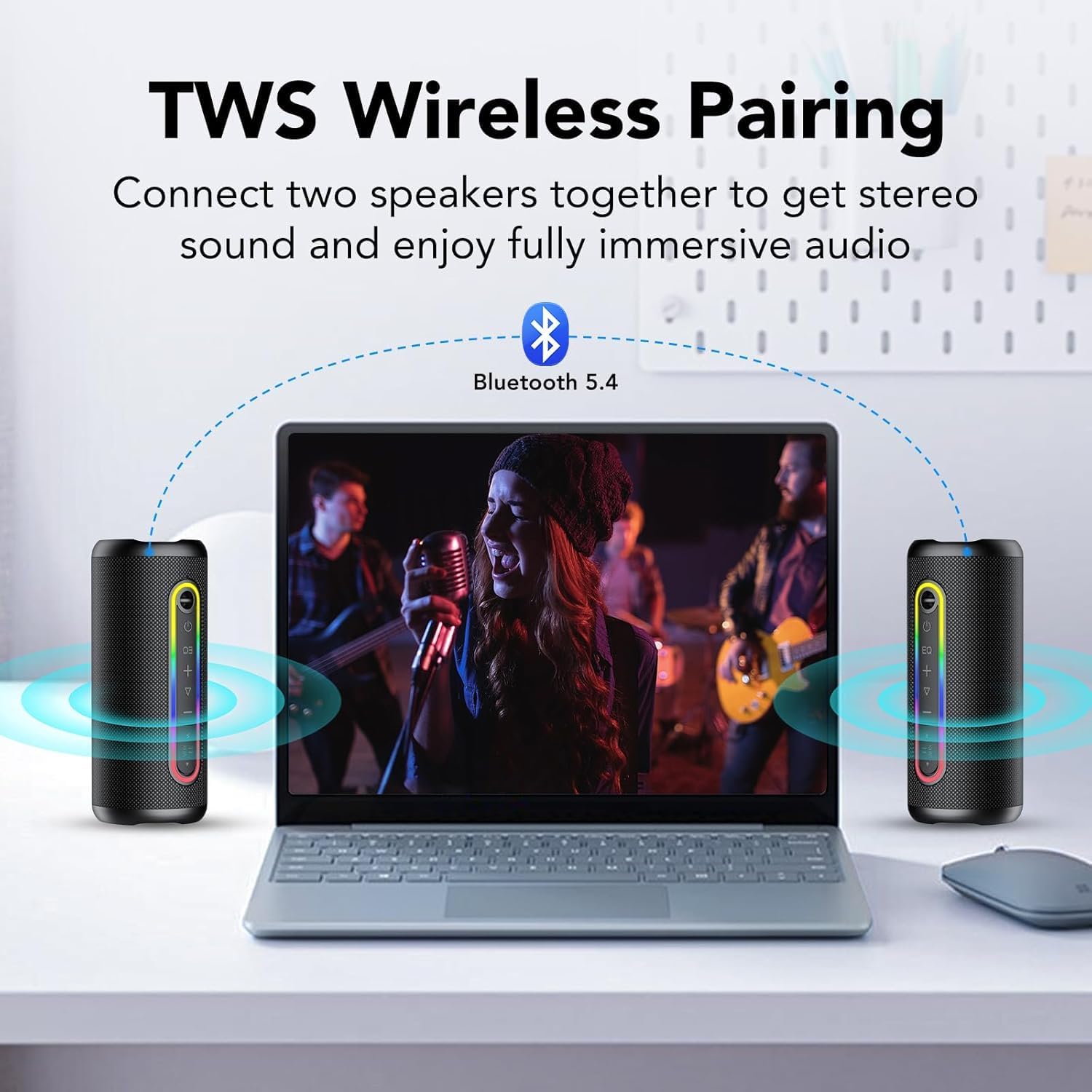
Image: Two TIMU M10 speakers wirelessly connected to a laptop, illustrating the TWS pairing feature for stereo sound.
EQ Modes
The speaker features three EQ modes to optimize your listening experience:
- Bass: Enhances low frequencies for a powerful bass sound.
- Popular: A balanced sound profile suitable for most music genres.
- Vocal: Optimizes mid-range frequencies for clearer vocals.
To switch between EQ modes, press the EQ button on the speaker. The speaker will indicate the current mode.

Image: The TIMU M10 speaker highlighting its 'Loud Bass Sound' and the three available EQ modes: Bass, Popular, and Vocal.
RGB Lighting Control
The speaker features dynamic RGB lighting with multiple modes.
- To cycle through light modes: Press the light button once.
- To turn off lights: Press the light button twice quickly.
AUX-in Mode
Connect an external audio device using the provided 3.5mm AUX cable. The speaker will automatically switch to AUX mode. Volume control will be managed by both the speaker and the connected device.
TF Card Playback
Insert a TF (Micro SD) card loaded with audio files into the designated slot. The speaker will automatically detect the card and begin playback. Use the speaker's controls to manage playback (play/pause, skip tracks).
Charging
The TIMU M10 speaker is equipped with a 4000 mAh rechargeable lithium-ion battery. A full charge takes approximately 3 hours and provides up to 30 hours of playback (at 30% volume with RGB lights off).
- Connect the USB charging cable to the speaker's Type-C port and a 5V/2A (or higher) USB power adapter.
- The charging indicator will illuminate during charging and turn off when fully charged.

Image: The TIMU M10 speaker highlighting its 24-hour playtime and Type-C fast charging capability. A note indicates this playtime is achieved at 30% volume with lighting effects off.
Maintenance
- Clean the speaker with a soft, dry cloth. Do not use abrasive cleaners or solvents.
- Ensure the charging port cover is securely closed when near water to maintain IPX7 waterproofing.
- Store the speaker in a cool, dry place away from direct sunlight and extreme temperatures.
- Avoid dropping the speaker or subjecting it to strong impacts, despite its robust design.

Image: The TIMU M10 speaker partially submerged in splashing water, illustrating its IPX7 waterproof feature.
Troubleshooting
| Problem | Possible Cause | Solution |
|---|---|---|
| Speaker does not power on. | Low battery. | Charge the speaker for at least 30 minutes. |
| Cannot pair via Bluetooth. | Speaker is not in pairing mode or already connected to another device. | Ensure the speaker is in pairing mode (flashing indicator). Disconnect from other devices if necessary. Restart both speaker and device. |
| No sound or low volume. | Volume too low on speaker or connected device. Incorrect input mode. | Increase volume on both speaker and connected device. Check if the correct input mode (Bluetooth, AUX, TF) is selected. |
| TWS pairing fails. | Speakers are too far apart or already connected to other devices. | Ensure both speakers are close to each other and not connected to any other Bluetooth device. Restart both speakers and try TWS pairing again. |
| RGB lights not working. | Lights are turned off or battery is very low. | Press the light button to cycle modes. Charge the speaker if the battery is low. |
Specifications
| Brand | TIMU |
| Model Name | M10 |
| Speaker Output Power | 30 Watts |
| Connectivity Technology | Bluetooth 5.4, AUX, TF Card |
| Bluetooth Range | Up to 20 meters (65 feet) |
| Water Resistance Level | IPX7 (Waterproof) |
| Battery Capacity | 4000 mAh |
| Battery Life | Up to 30 hours (at 30% volume, lights off) |
| Charging Time | Approximately 3 hours |
| Audio Output Mode | Surround |
| Speaker Driver Size | 55 Millimeters |
| Control Method | Button |
| Color | Black |
Warranty & Support
Warranty Information
The TIMU M10 Portable Bluetooth Speaker comes with a 2-year limited warranty from the date of purchase. This warranty covers manufacturing defects and workmanship under normal use. It does not cover damage caused by misuse, accidents, unauthorized modifications, or normal wear and tear.
Customer Support
If you encounter any issues or have questions regarding your TIMU M10 speaker, please contact the seller or TIMU customer support through the platform where you purchased the product. Please have your order number and product model (M10) ready for faster assistance.