Important Safety Instructions
When using an electrical appliance, basic precautions should always be observed, including the following:
- Read all instructions before using this vacuum cleaner.
- Always turn off the appliance before connecting or disconnecting the hose, nozzles, or other accessories.
- Do not use outdoors or on wet surfaces.
- Do not allow to be used as a toy. Close attention is necessary when used by or near children.
- Use only as described in this manual. Use only manufacturer’s recommended attachments.
- Do not handle plug or vacuum cleaner with wet hands.
- Do not put any object into openings. Do not use with any opening blocked; keep free of dust, lint, hair, and anything that may reduce airflow.
- Keep hair, loose clothing, fingers, and all parts of body away from openings and moving parts.
- Do not pick up anything that is burning or smoking, such as cigarettes, matches, or hot ashes.
- Do not use to pick up flammable or combustible liquids, such as gasoline, or use in areas where they may be present.
- Do not pick up toxic material (e.g., chlorine bleach, ammonia cleaner).
- Do not use without dust cup and/or filters in place.
- Turn off all controls before unplugging.
- Use extra care when cleaning on stairs.
- Store the appliance indoors. Put away after use to prevent accidents.
What's in the Box
Your Shark PowerPro Reveal Plus Cordless Vacuum includes the following components:
- Main Handheld Vacuum Unit
- Wand
- PowerFins Floor Nozzle with FloorDetect Technology
- Removable Lithium-Ion Battery
- Battery Charger
- 8-inch Crevice Tool
- Upholstery Tool
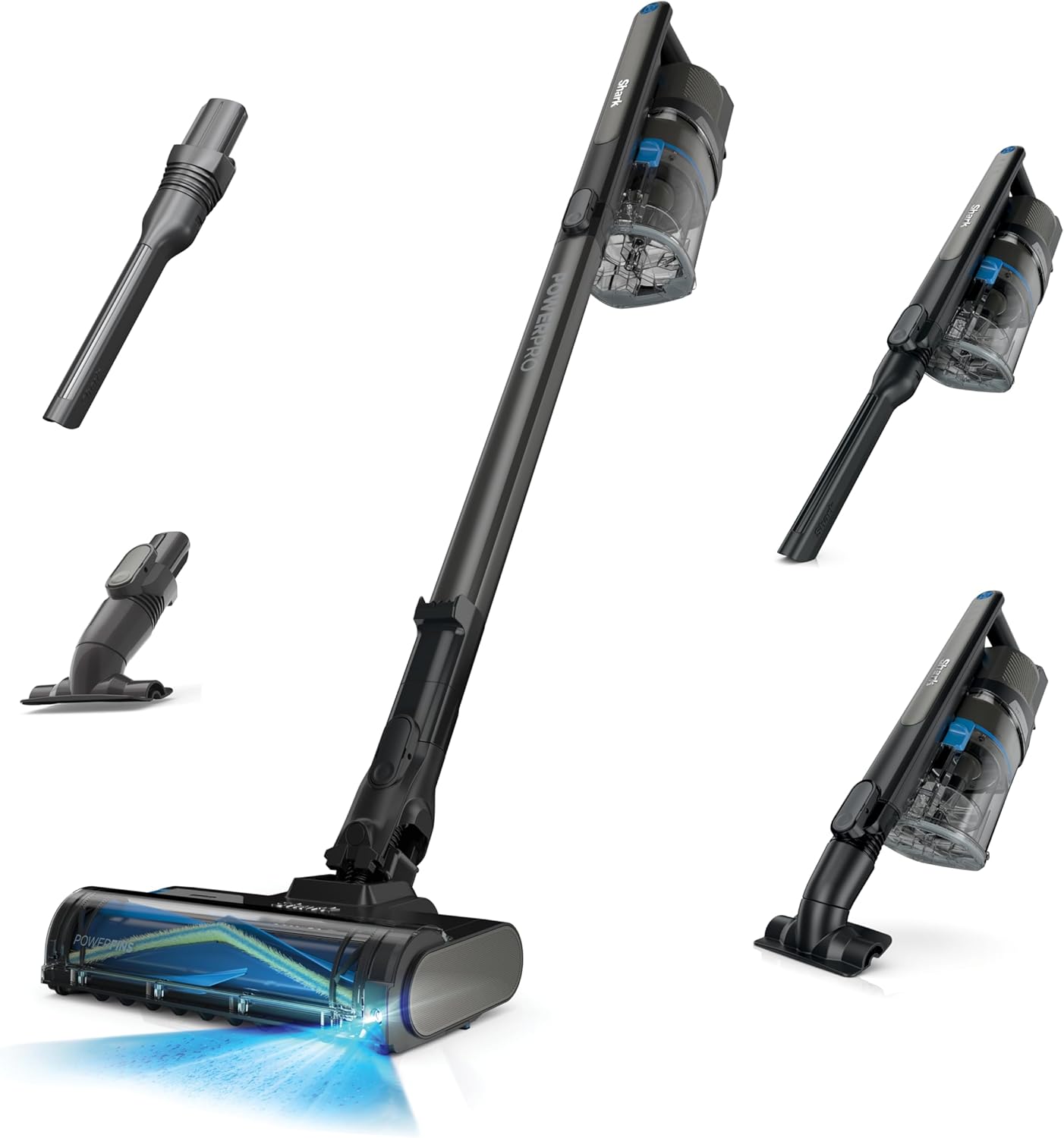
Image: The Shark PowerPro Reveal Plus Cordless Vacuum shown with its main components: the handheld unit, wand, floor nozzle, crevice tool, and upholstery tool.
Assembly and Setup
Follow these steps to assemble your vacuum cleaner:
- Insert the wand into the PowerFins floor nozzle until it clicks securely into place.
- Insert the handheld vacuum unit into the top of the wand until it clicks securely into place.
- Ensure all connections are firm before use.
Charging the Battery
The removable Lithium-Ion battery can be charged while attached to the vacuum or separately. Connect the charger to the battery port and plug it into a wall outlet. A full charge typically takes approximately 3 hours. The battery indicator lights will show charging status.
Image: The Shark PowerPro Reveal Plus Cordless Vacuum fully assembled and ready for use.
Operating the Vacuum
Power On/Off and Mode Selection
Press the power button on the handheld unit to turn the vacuum on or off. The vacuum features FloorDetect Technology, which automatically adjusts brushroll speed based on the floor type (hard floor or carpet) for optimized cleaning performance. No manual mode switching is required.
Dirt-Reveal Technology and LED Headlights
The integrated LED headlights on the floor nozzle illuminate hidden dust and debris, ensuring no spot is missed during cleaning, especially in dimly lit areas.
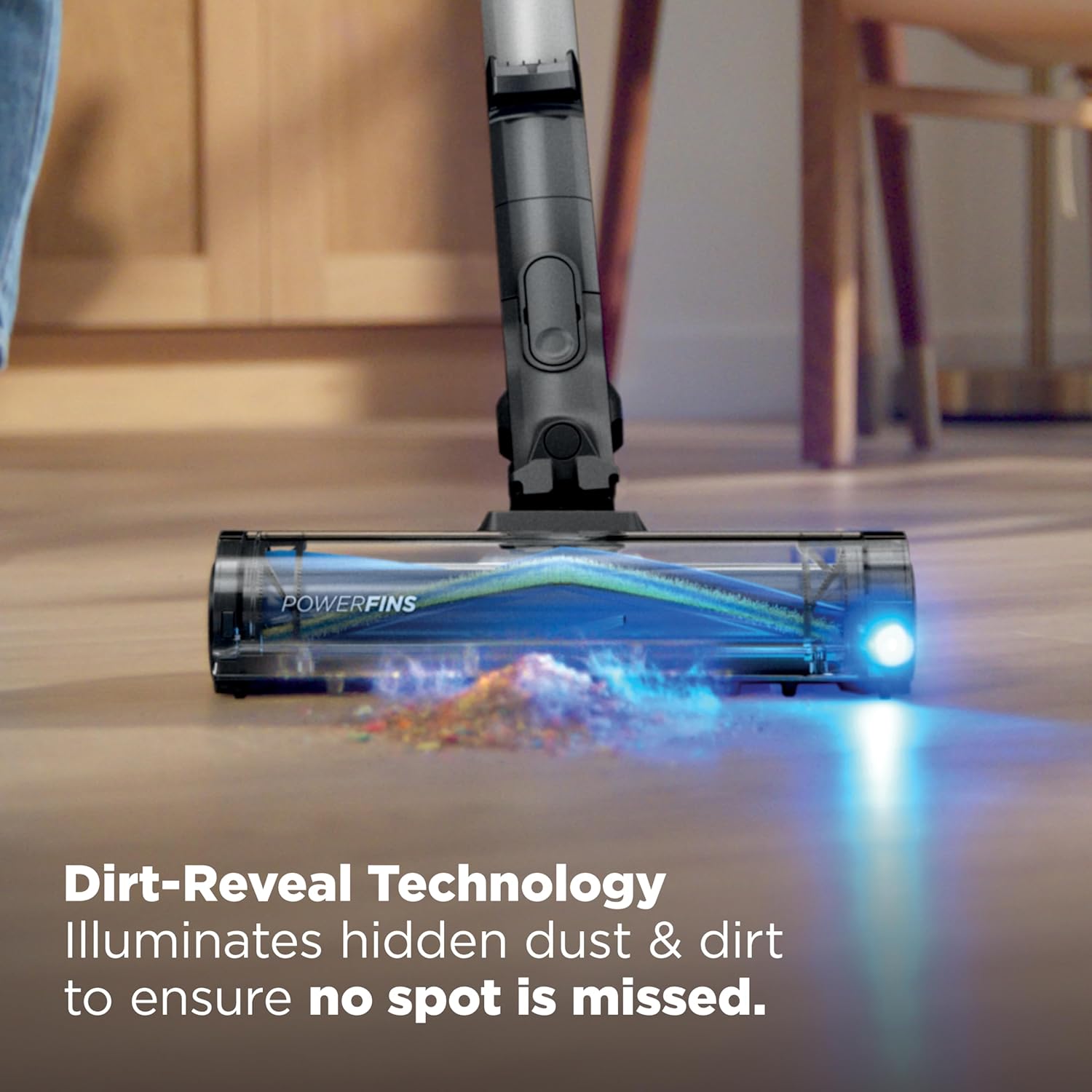
Image: The vacuum's LED headlights revealing hidden dust and dirt on a hard floor surface.
FloorDetect Technology
This technology automatically senses the floor type and adjusts the brushroll speed to provide optimal cleaning on both hard floors and carpets without the need to change nozzles or settings.
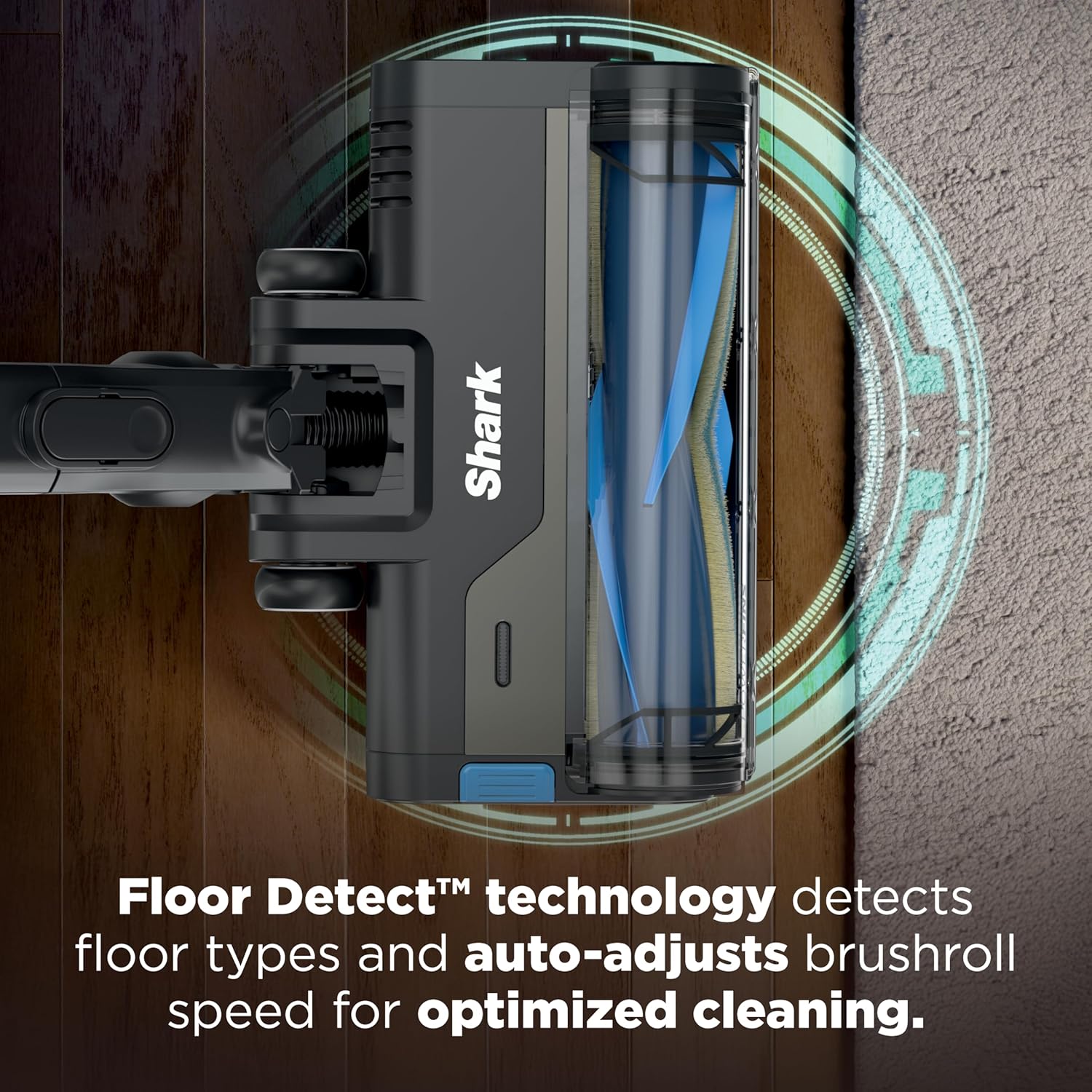
Image: An overhead view illustrating the FloorDetect technology adapting to both hard floor and carpet surfaces.

Image: The vacuum seamlessly moving from a hard floor to a carpeted area, demonstrating its multi-surface capability.
Using as a Handheld Vacuum and Attachments
To convert the unit into a handheld vacuum, press the release button to detach the handheld unit from the wand. You can then attach the 8-inch Crevice Tool or Upholstery Tool directly to the handheld unit for targeted cleaning.
- Upholstery Tool: Ideal for removing pet hair and debris from furniture, cushions, and other upholstered surfaces.
- 8-inch Crevice Tool: Perfect for cleaning tight spaces, corners, edges, and hard-to-reach areas like between couch cushions or along baseboards.

Image: A person using the upholstery tool attachment to clean pet hair from a sofa.
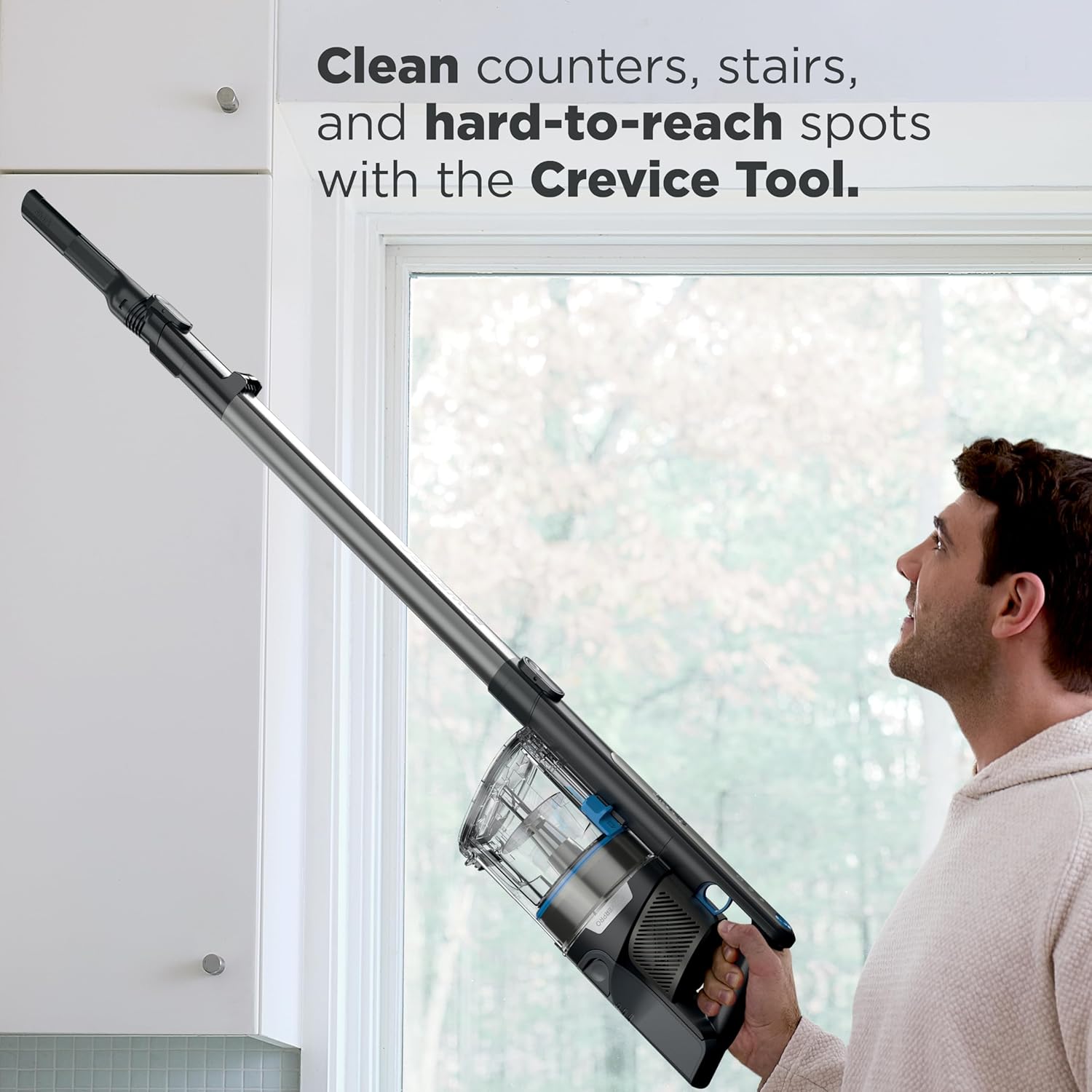
Image: A person using the crevice tool attached to the wand to clean high, hard-to-reach areas like cabinet tops.
Maintenance
Emptying the Dust Cup
Empty the dust cup after each use or when debris reaches the MAX fill line. To empty, detach the handheld unit, position it over a trash bin, and slide the CleanTouch Dirt Ejector button to release the bottom flap. This allows for effortless debris disposal without direct contact.

Image: A hand operating the CleanTouch Dirt Ejector to empty collected debris from the dust cup into a trash bin.
Cleaning Filters
Regularly clean the pre-motor and post-motor (HEPA) filters to maintain optimal suction and filtration performance. Rinse pre-motor filters with cold water at least once a month and the HEPA filter once a year. Allow all filters to air-dry completely for at least 24 hours before reinstalling.
The Anti-Allergen Complete Seal system, combined with the HEPA filter, traps over 99.97% of dust and allergens, preventing them from re-entering the air.

Image: An illustration showing the vacuum's HEPA filtration system capturing dust, allergens, and microscopic particles.
Cleaning the PowerFins Brushroll
The PowerFins brushroll is designed for self-cleaning to prevent hair wrap. Periodically inspect the brushroll for any debris or blockages and remove them as necessary. The unique design ensures continuous contact with floors for deep cleaning.

Image: A visual comparison highlighting how the PowerFins brushroll design prevents hair wrap compared to traditional bristle brushrolls.
Troubleshooting
| Problem | Possible Cause | Solution |
|---|---|---|
| Vacuum not turning on | Battery not charged or not properly inserted. | Ensure battery is fully charged and securely clicked into place. |
| Loss of suction | Dust cup full, filters clogged, or blockage in nozzle/hose. | Empty dust cup. Clean pre-motor and HEPA filters. Check for and clear any blockages. |
| Brushroll not spinning | Obstruction in brushroll, or floor nozzle not properly connected. | Remove any hair or debris from the brushroll. Ensure the floor nozzle is securely attached to the wand. |
| Battery not charging | Charger not properly connected, or battery issue. | Verify charger is securely plugged into both the battery and a working wall outlet. Contact customer support if issue persists. |
Specifications
- Model: IZ376H
- Brand: Shark
- Power: 181 Watts
- Battery Type: Lithium-Ion
- Battery Life: Up to 40 minutes (in standard handvac mode)
- Charging Time: Approximately 3 hours
- Dust Cup Capacity: 0.79 Quarts
- Filter Type: HEPA Filter
- Weight: 7.03 pounds
- Dimensions (L x W x H): 13.5" x 10.4" x 44.68"
- Color: Charcoal
Warranty and Support
Warranty Information
This Shark product is covered by a limited warranty. For specific warranty terms and conditions, please refer to the warranty card included with your product packaging or visit the official Shark website. Keep your purchase receipt as proof of purchase.
Customer Support
For assistance with product assembly, operation, maintenance, or troubleshooting, please contact Shark Customer Service. You can find contact information, FAQs, and additional resources on the official Shark website.
Website: www.sharkclean.com