
Introduction
This manual provides detailed instructions for the setup, operation, and maintenance of your BMAX B7APro Mini PC. Please read this manual thoroughly before using the product to ensure proper functionality and longevity.
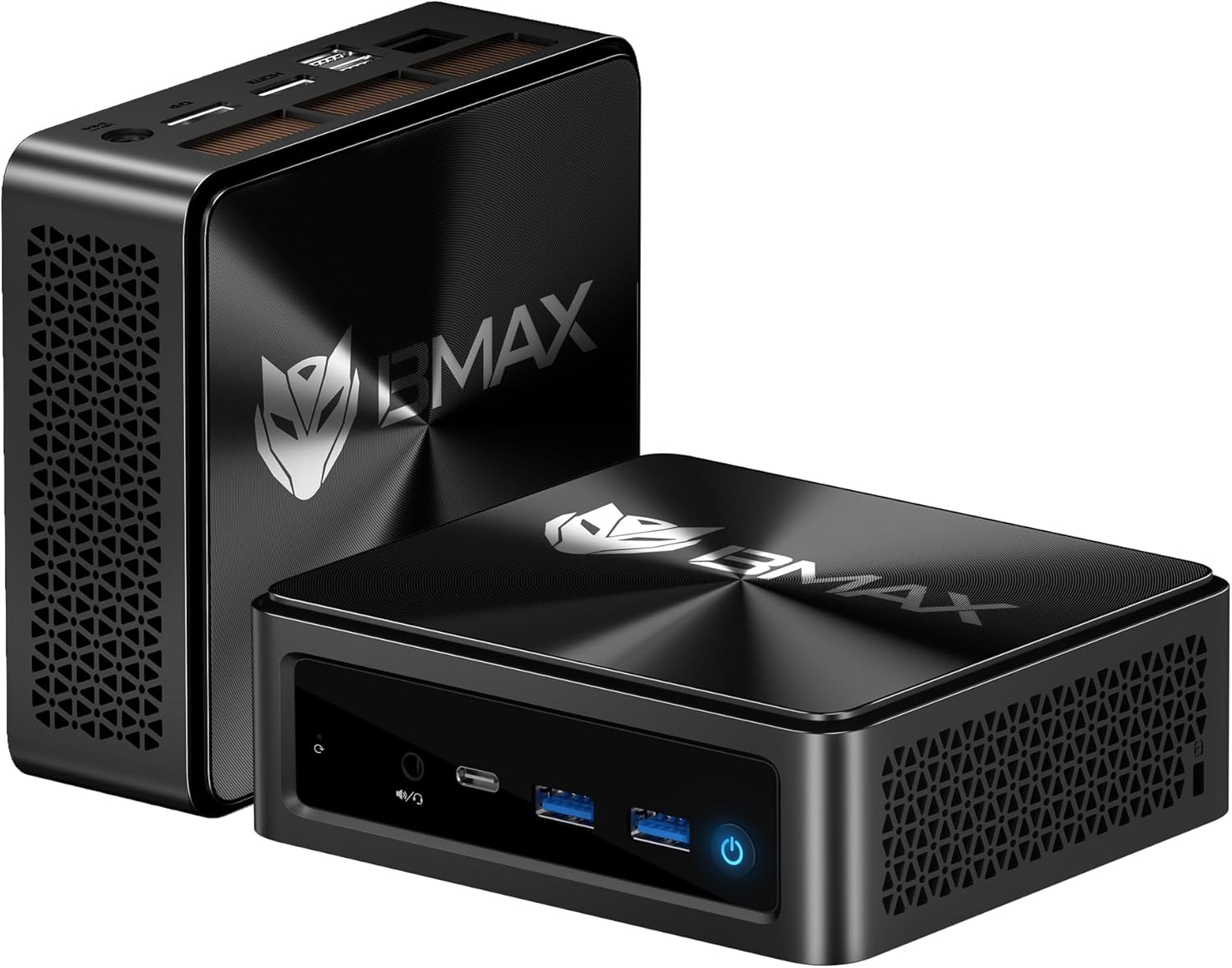
Image: The BMAX B7APro Mini PC, showcasing its compact design and front ports.
Package Contents
Verify that all items are present in the package:
- BMAX B7APro Mini PC Unit
- Power Adapter
- HDMI Cable
- VESA Mount
- User Manual / Warranty Card

Image: Illustration of the BMAX B7APro Mini PC and its included accessories.
Setup Instructions
- Connect Peripherals: Connect your keyboard, mouse, and other USB devices to the available USB ports (USB 3.2 Gen2 x2, USB 2.0 x2).
- Connect Display: Connect your monitor(s) using the HDMI 2.1, DisplayPort 1.4, or the full-function Type-C port. The device supports up to three displays simultaneously.
- Connect to Network: For wired internet, connect an Ethernet cable to the RJ45 LAN port. For wireless, the device supports Wi-Fi 6.
- Connect Power: Plug the power adapter into the DC19V/3.42A port on the Mini PC, then plug the adapter into a power outlet.
- Power On: Press the power button located on the front of the device.

Image: Diagram illustrating the various ports on the BMAX B7APro Mini PC for connecting peripherals.
Operating Instructions
Power On/Off
- To Power On: Press the power button once.
- To Shut Down: Click the Start menu in Windows, then select Power > Shut down. Alternatively, press and hold the power button for 4 seconds to force a shutdown (use only when necessary).
Windows 11 Pro
Your BMAX B7APro Mini PC comes pre-installed with Windows 11 Pro (64-bit) and supports 13 languages. Follow the on-screen instructions for initial Windows setup.
Multi-Display Setup
The Mini PC supports up to three 4K@60Hz displays via HDMI 2.1, DisplayPort 1.4, and the full-function Type-C port. Connect your monitors and configure display settings within Windows to extend or duplicate your desktop.

Image: A BMAX B7APro Mini PC setup demonstrating multi-monitor capabilities for enhanced productivity.
Connectivity
- Wi-Fi 6 (802.11ax): Provides high-speed, low-latency wireless connectivity for streaming, online meetings, and large file transfers.
- Bluetooth 5.2: For stable connections with wireless peripherals such as keyboards, mice, and speakers.
- RJ45 Gigabit Ethernet: For reliable wired network connections.
Maintenance
- Cleaning: Regularly clean the exterior of the Mini PC with a soft, dry cloth. Do not use liquid cleaners or aerosols.
- Ventilation: Ensure that the ventilation openings are not obstructed to prevent overheating. The device features a dual copper pipe heat pipe and smart fan for efficient cooling.
- Software Updates: Keep your operating system and drivers updated to ensure optimal performance and security.
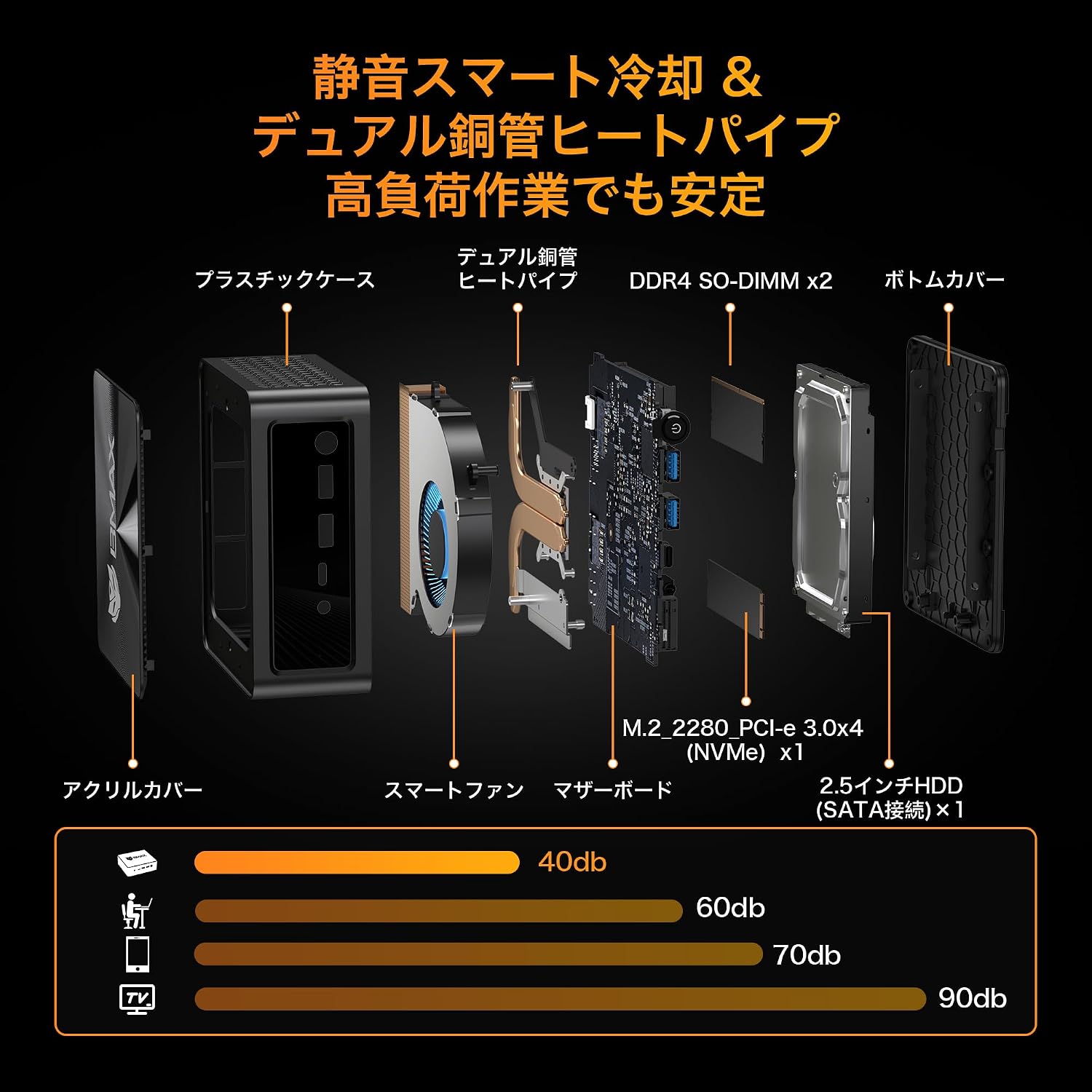
Image: Exploded view of the BMAX B7APro Mini PC, highlighting the dual copper pipe heat pipe and smart fan cooling system.
Troubleshooting
Smart Recovery Function
The BMAX B7APro includes a Smart Recovery function to restore the system to its factory default state in case of software issues or for a clean reset.
- Power on the Mini PC.
- Repeatedly press the F9 key immediately after powering on until the dedicated recovery screen appears.
- Select "Factory Reset" and follow the on-screen prompts to restore the system.

Image: Screenshot of the Smart Recovery interface, showing options for factory reset.
General Issues
- No Power: Ensure the power adapter is securely connected to both the Mini PC and a working power outlet.
- No Display: Check all display cable connections. Ensure the monitor is powered on and set to the correct input source. Try a different display port or cable.
- Slow Performance: Close unnecessary applications. Check for background processes. Ensure sufficient free storage space. Consider upgrading RAM if frequently running memory-intensive tasks (supports up to 64GB DDR4).
Specifications
| Brand | BMAX |
| Model | B7APro |
| CPU | AMD Ryzen 5 7430U (6 Cores, 12 Threads, up to 4.3GHz) |
| GPU | AMD Radeon Graphics |
| RAM | 16GB DDR4 (Expandable up to 64GB) |
| Storage | 512GB NVMe SSD (M.2 PCIe 3.0x4) + 2.5-inch HDD bay (up to 2TB) |
| Operating System | Windows 11 Pro (64-bit) |
| Connectivity | Wi-Fi 6, Bluetooth 5.2, RJ45 Gigabit Ethernet |
| Ports | USB 3.2 Gen2 x2, USB 2.0 x2, HDMI 2.1, DisplayPort 1.4, Full-function Type-C, 3.5mm Audio Jack, DC Power Input |
| Video Output | 4K@60Hz (HDMI, DP, Type-C), Triple Display Support |
| Dimensions | 126 x 112 x 52 mm |
| Weight | 410 g |
Warranty and Support
The BMAX B7APro Mini PC is PSE certified, ensuring product safety. BMAX provides domestic support for any issues you may encounter.
- Warranty: Please refer to the included warranty card for specific terms and conditions.
- Technical Support: For technical assistance, please contact BMAX customer support through the official channels provided with your product or on the BMAX website.


