1. Product Overview
The PoolMr Cordless Robotic Pool Cleaner is designed for efficient and autonomous cleaning of both above-ground and in-ground pools. It features a powerful suction system and a dual-layer filtration mechanism to effectively remove various types of debris.
- Powerful 40W Strong Suction: Equipped with a 1-inch suction port and a 3000GPH water purification system, this cleaner removes significantly more debris, leaves, and sand compared to conventional models.
- Dual-Layer Cleaning System: Combines a 180µm mesh for larger debris (leaves, twigs) and a cotton sponge layer for fine particles (sand, silt), enhancing cleaning efficiency by 50%.
- Long 120-Minute Runtime: A robust battery provides up to 120 minutes of operation, covering areas up to 1614 sq. ft. on a single charge.
- Exceptional Barrier-Crossing Ability: Capable of navigating 0.2-inch wrinkles and drains, and climbing slopes up to 15°. Regular cleaning of the unit is recommended for optimal performance.
- Debris Backflow Stopping System: An upgraded water outlet system ensures captured debris remains inside the unit during removal, with quick water drainage in seconds.

Figure 1: The PoolMr Cordless Robotic Pool Cleaner, designed for efficient pool maintenance.
2. Package Contents
Verify that all items listed below are included in your package:
- PoolMr Rayfish Robotic Pool Cleaner (x1)
- User Manual (x1)
- Power Adapter (x1)
- Retrieval Hook (x1)
Video 1: Unboxing and package contents of the PoolMr Robotic Pool Cleaner.
3. Setup
Before first use, ensure the robotic pool cleaner is fully charged. Attach the retrieval hook to a standard pool brush or net pole for easy retrieval after cleaning.
Video 2: Demonstration of how to install and prepare the robotic pool cleaner for use.
4. Charging
To charge the unit, locate the charging port on the side of the cleaner. Connect the provided power adapter. The LED indicator will show the charging status:
- Red: Low Battery
- Flashing: Charging
- Blue: Charging Complete
A full charge typically takes approximately 2.5 hours.

Figure 2: The robotic pool cleaner connected to its charger, showing the LED indicator for charging status.
5. Operation
Once fully charged, place the cleaner into the pool. Ensure it is fully submerged before activating. Press the power button to begin the cleaning cycle. The cleaner features smart navigation to optimize its cleaning path.
- Smart Auto Parking: When the battery is low, the cleaner will automatically move towards the pool side for easy retrieval.
- Enhanced Edge Cleaning: The cleaner will pause for a few seconds when it hits a wall to intensify cleaning along the pool edges.

Figure 3: Placing the robotic pool cleaner into the pool for operation.
Video 3: The robotic pool cleaner operating and pausing at the poolside for enhanced suction.
6. Cleaning & Maintenance
After each cleaning cycle, it is essential to clean the filter tray to maintain optimal performance. The debris backflow stopping system ensures all captured debris remains within the unit until emptied.
- Use the retrieval hook to carefully pull the cleaner out of the pool.
- Allow excess water to drain from the unit back into the pool.
- Open the top cover and remove the filter tray.
- Rinse the filter tray thoroughly with a hose to remove all debris.
- Reassemble the filter tray and cover.
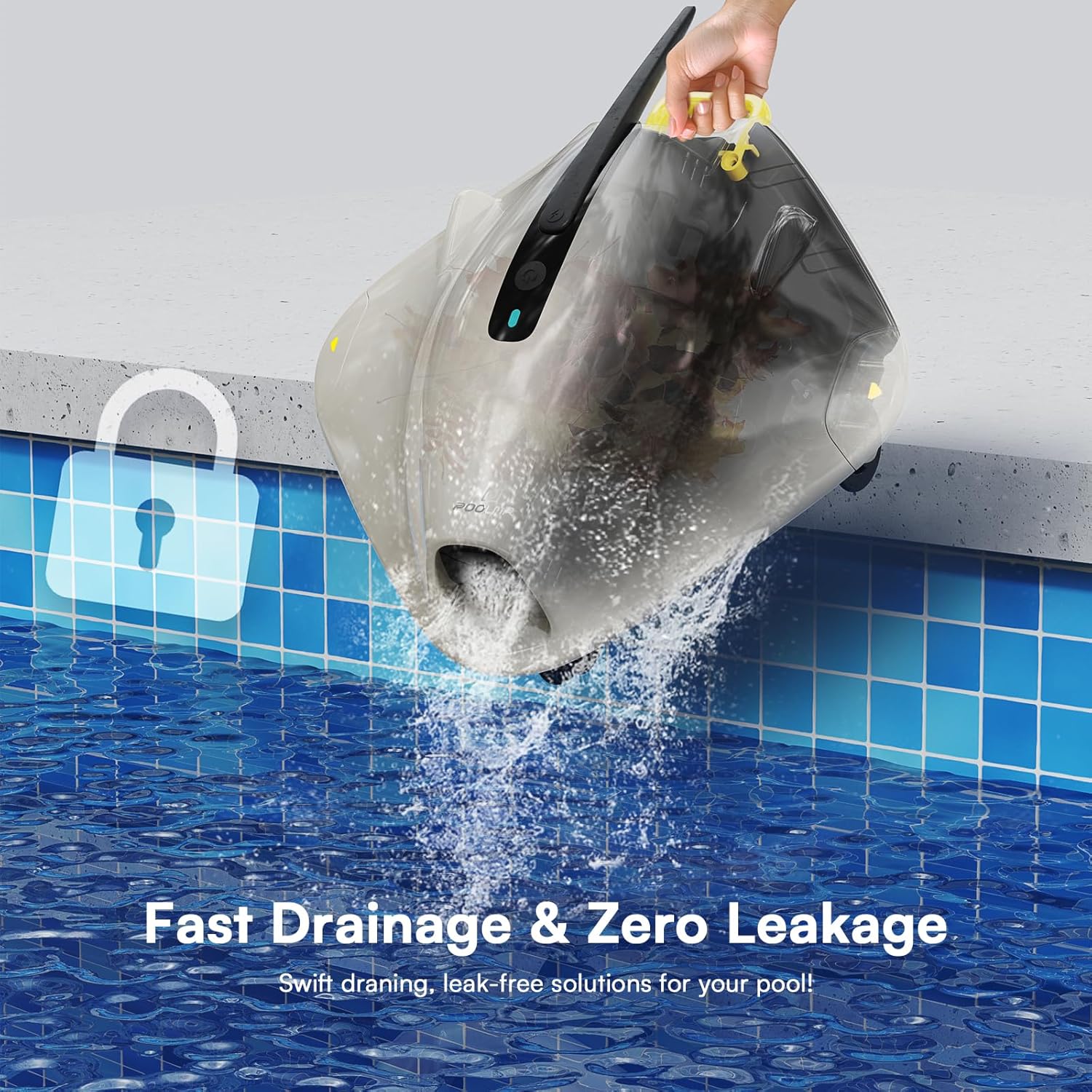
Figure 4: The robotic pool cleaner draining water quickly upon retrieval from the pool.
Video 4: Demonstration of how to easily clean the filter basket of the robotic pool cleaner.
7. Specifications
| Feature | Detail |
|---|---|
| Brand | PoolMr |
| Model Number | PoolMr |
| Product Dimensions | 14.96 x 7.08 x 14.96 inches |
| Item Weight | 9.68 pounds |
| Number of Batteries | 1 Lithium Ion batteries required. (included) |
| Number of Lithium-ion Cells | 6 |
| Battery Weight | 305.3 Grams |
| Lithium Battery Energy Content | 55.5 Watt Hours |
| Material | Plastic |
| Color | Black |
8. Troubleshooting
- Unit not turning on or charging: Ensure the power adapter is correctly connected and the charging port is dry. Check the LED indicator for charging status. If the unit is completely unresponsive, contact customer support.
- Reduced cleaning performance: Clean the dual-layer filter system thoroughly. Accumulated debris can reduce suction power. Ensure the unit is fully charged before operation.
- Unit getting stuck or not moving correctly: Verify that the pool surface is suitable for robotic cleaners (vinyl liner, fiberglass, concrete, cobbles). While the unit can cross small wrinkles and climb gentle slopes, excessive unevenness may impede movement. Clean the unit regularly as debris accumulation can affect mobility.
- Damage to pool liner: Ensure the pool cleaner is used according to instructions and is suitable for your specific pool liner type. If concerns arise, discontinue use and contact customer support.
9. Warranty & Support
The PoolMr Cordless Robotic Pool Cleaner comes with a manufacturer's warranty. For detailed warranty information, product support, or to purchase replacement parts, please refer to the contact information provided in your product packaging or visit the official PoolMr website.
For further assistance, please contact PoolMr customer service.

