
Introduction
This manual provides detailed instructions for the assembly, operation, and maintenance of your GAOMON Twin Bed Frame with Upholstered Adjustable Headboard and Smart LED lighting. Please read this manual thoroughly before beginning assembly or use to ensure proper function and safety.
Safety Information
WARNING:
- Do not load more than 650 lbs (295 kg) onto the bed frame.
- Exercise caution around sharp edges and metal legs during assembly and use.
- Always follow the assembly instructions carefully to prevent instability or collapse.
- Keep all tools and small parts out of reach of children during assembly.
- Ensure all connections are securely tightened before use.
Package Contents
Before assembly, verify that all components are present and undamaged. Refer to the included parts list in your packaging. Typically, the package includes:
- Headboard components
- Side rails and footboard
- Wood slats and support beams
- Legs and hardware kit (screws, bolts, Allen wrench)
- LED light strip and controller
- Instruction manual
Assembly Instructions
Assembly is designed to be straightforward. It is recommended to assemble the bed frame with two people. Ensure you have ample space and all parts are laid out before starting.
- Unpack Components: Carefully remove all parts from the packaging and place them on a clean, soft surface to prevent scratches.
- Attach Legs: Securely attach the bed legs to the headboard, footboard, and side rails using the provided hardware.
- Assemble Headboard: Connect the headboard sections if necessary, ensuring the upholstered petal design is correctly oriented.
- Connect Side Rails: Attach the side rails to the headboard and footboard using the designated bolts and nuts. Ensure all connections are tight.
- Install Center Support: Place the center support beam(s) and any additional support legs as indicated in the detailed diagram.
- Lay Wood Slats: Position the wood slats across the bed frame. Many slats feature Velcro strips for secure attachment to the frame and noise reduction. Ensure they are evenly spaced and firmly in place.
- Install LED Strip: Carefully attach the LED light strip to the designated area on the headboard. Connect the LED strip to the controller and power adapter.
- Final Check: Verify all screws and bolts are tightened. The bed frame is now ready for a mattress (not included). No box spring is required.
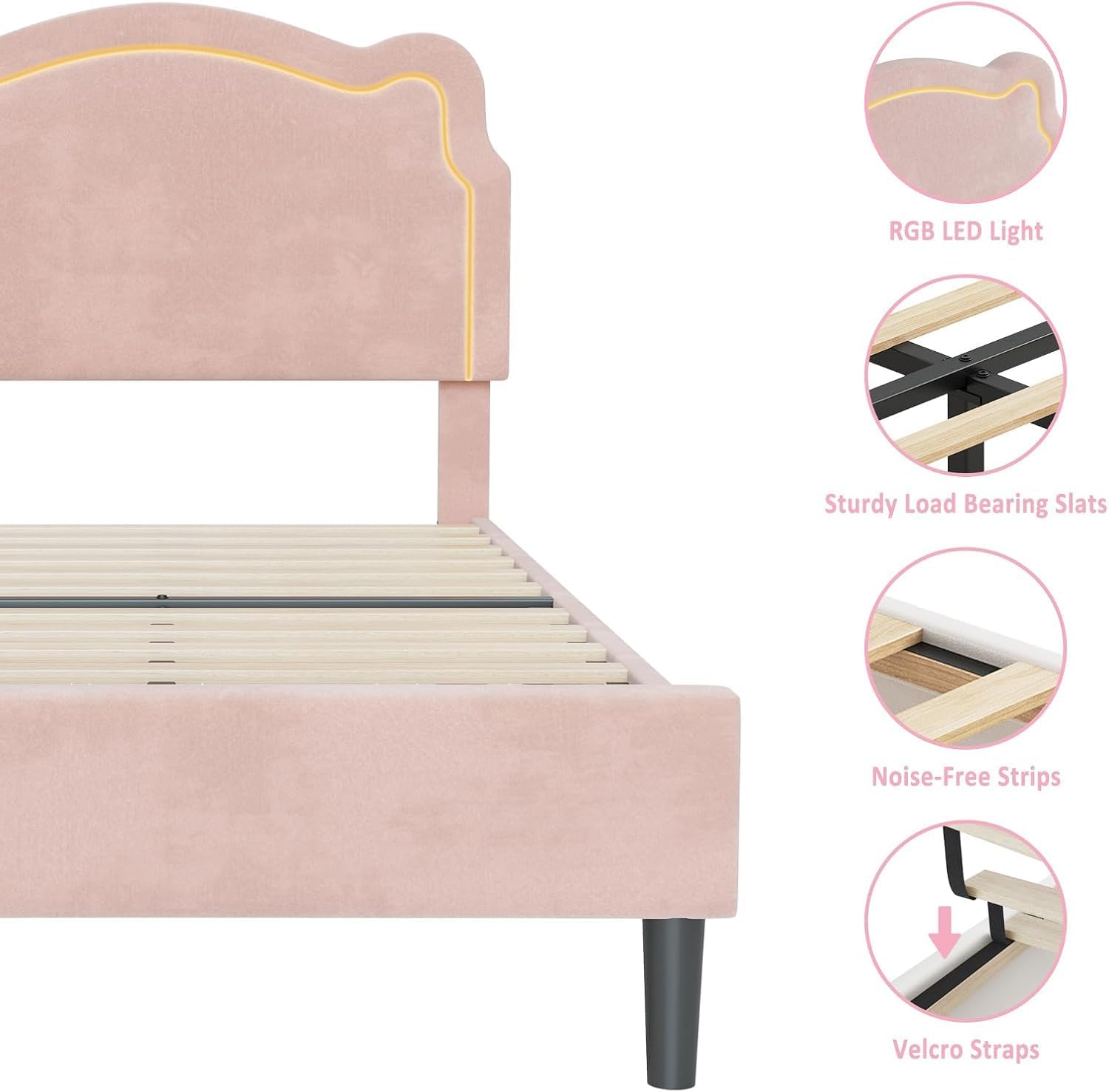
Image: Key features of the bed frame, including RGB LED light, sturdy load-bearing slats, noise-free strips, and Velcro straps for secure and quiet mattress support.
Operating Instructions
A. Smart RGB LED Lighting System
The integrated LED light strips offer extensive customization via a remote control or a smartphone application. Ensure the LED strip is properly connected to its power source.
- Power On/Off: Use the remote control or app to turn the LED lights on or off.
- Color Selection: Choose from over 16 million colors. Use the color wheel or preset color options in the app/remote.
- Lighting Effects: Select from over 20 dynamic lighting effects, including flash, wave, and fade. Adjust brightness and speed.
- Music Mode: In music mode, the LED lights will synchronize and flash with the rhythm of music played through your device or detected by the microphone.
- Mic Mode: The lights respond to ambient sounds detected by the microphone on your phone or the controller.
- Timing Function: Set schedules for the LED lights to turn on or off automatically at specific times.

Image: Smartphone app interface for selecting multiple LED colors.

Image: Smartphone app interface for controlling LED lights in music mode.

Image: Smartphone app interface for setting the timing function of LED lights.

Image: Smartphone app interface for controlling LED lights in microphone mode.
B. Adjustable Headboard
The upholstered headboard can be adjusted in height to accommodate various mattress thicknesses. The adjustable range is typically from 42.5 inches to 46.1 inches. To adjust, loosen the bolts connecting the headboard to the side rails, slide the headboard to the desired height, and re-tighten the bolts securely.
Maintenance
Regular maintenance helps prolong the life and appearance of your bed frame.
- Cleaning: For the velvet upholstery, gently vacuum with a brush attachment to remove dust. For spills, blot immediately with a clean, dry cloth. Do not use harsh chemicals.
- Frame Care: Wipe down the frame and legs with a damp cloth as needed. Avoid abrasive cleaners.
- Hardware Check: Periodically check all bolts and screws to ensure they remain tight. Re-tighten if necessary to maintain stability.
- LED Care: Ensure the LED strip and controller are kept dry. Do not attempt to repair damaged LED components; contact customer support.
Troubleshooting
If you encounter issues with your bed frame, refer to the following common problems and solutions:
- Bed Frame is Wobbly:
Solution: Check all bolts and screws. Ensure they are fully tightened. Verify that all legs are making even contact with the floor. - Squeaking Noises:
Solution: Ensure all slats are properly seated and secured. Check that the noise-free strips are correctly installed between the slats and the frame. Re-tighten all hardware. - LED Lights Not Working:
Solution: Check if the power adapter is securely plugged into a working outlet and the LED controller. Ensure the LED strip is properly connected to the controller. Try replacing the remote control battery if applicable. - LED Lights Not Responding to App/Remote:
Solution: Ensure Bluetooth is enabled on your device and the app is connected to the LED controller. For the remote, ensure it has fresh batteries and is pointed correctly at the receiver.
Specifications
| Brand | GAOMON |
| Model Number | GM-BF-PHO_15JXCTXCbA |
| Size | Twin |
| Product Dimensions | 39"L x 78"W x 46"H |
| Material | Engineered Wood, Velvet Upholstery |
| Color | Pink |
| Special Feature | LED Lighting, Adjustable Headboard |
| Weight Capacity | Up to 650 lbs |
| Recommended Mattress Thickness | 10''-12'' |
| Assembly Required | Yes |
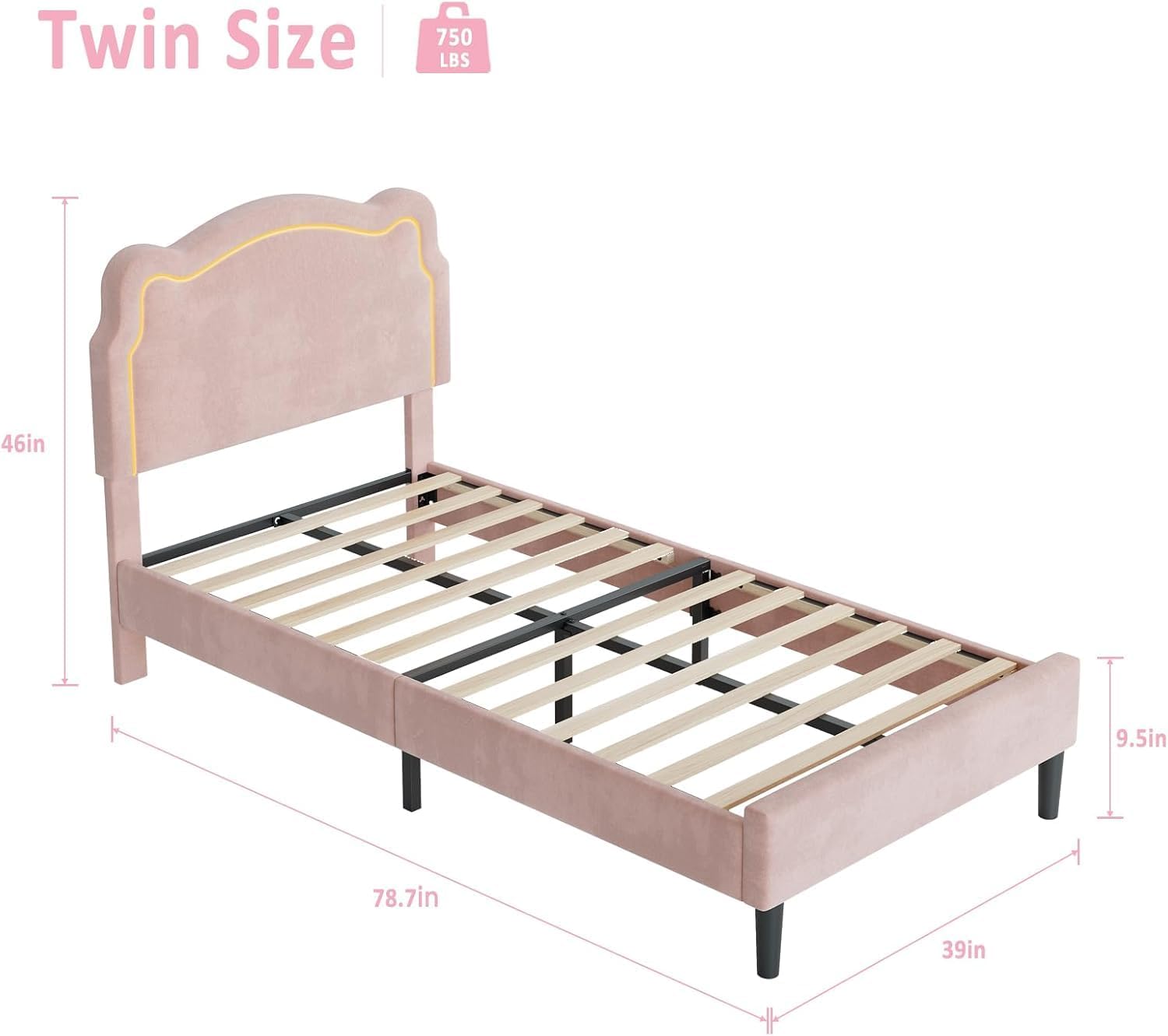
Image: Dimensional overview of the Twin Bed Frame.
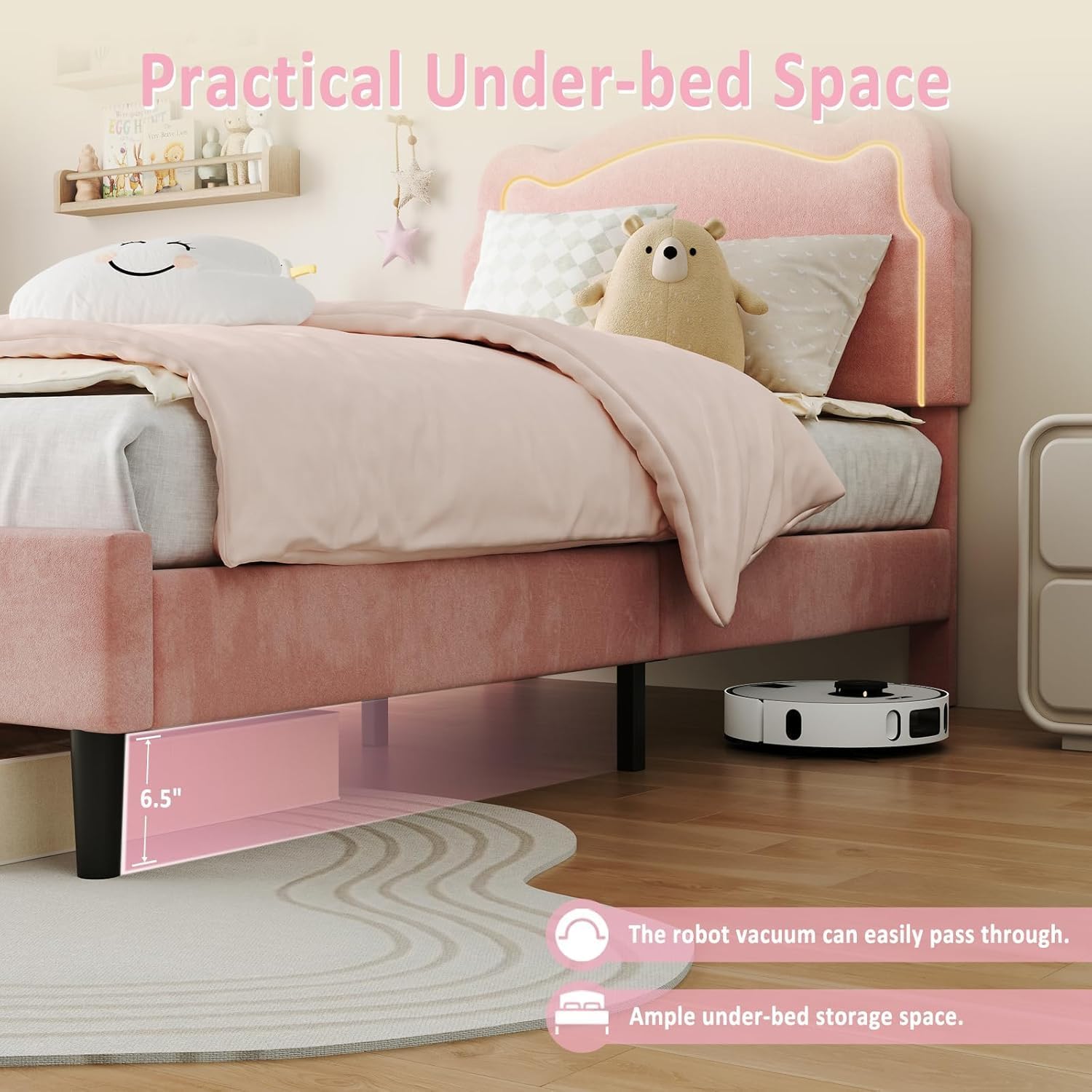
Image: Illustration of the practical under-bed space, showing 6.5 inches of clearance.
Warranty and Support
For warranty information or technical support, please refer to the contact details provided with your purchase documentation or visit the official GAOMON website. Keep your purchase receipt for warranty claims.