
1. Introduction
Thank you for choosing the AMZCHEF 1800W Single Induction Cooktop. This intelligent countertop induction cooker is designed for efficient and precise cooking, featuring touch controls, multi-level firepower adjustment, a timer, and essential safety protections. Please read this manual thoroughly before use to ensure safe and optimal operation of your new appliance.
2. Safety Information
- Ensure the cooktop is placed on a stable, flat, and heat-resistant surface.
- Do not block the ventilation openings on the appliance.
- Use only compatible cookware made of magnetic materials. Refer to the 'Compatible Cookware' section for details.
- The cooktop surface may remain hot after cooking due to residual heat from the cookware. Avoid touching the hot surface immediately after use.
- Keep children away from the appliance during operation and when it is cooling down. Utilize the Child Lock function for added safety.
- Do not immerse the appliance in water or any other liquid.
- In case of overheating, the cooktop will automatically shut off. Allow it to cool down before resuming operation.
3. Product Features
- High Power: 1800W for rapid heating.
- Intelligent Touch Control: User-friendly interface for easy operation.
- Multi-Level Firepower: 20 power levels (90W-1800W) and 20 temperature levels (120°F-465°F) for precise cooking.
- Long Timer: Adjustable timer from 1 to 239 minutes.
- Safety Protections: Includes overheating protection and a child lock.
- Easy to Clean: Durable ceramic glass surface.
- Compact Design: Product Dimensions: 13"D x 10"W x 1.5"H.
4. Setup
- Unpacking: Carefully remove the cooktop and all packaging materials. Retain packaging for future storage or transport.
- Placement: Place the induction cooktop on a dry, stable, and heat-resistant surface. Ensure there is adequate ventilation around the appliance. Do not place it near heat sources or on metal surfaces.
- Power Connection: Plug the power cord into a standard 120V electrical outlet.
5. Operating Instructions
5.1 Compatible Cookware
Induction cooktops require cookware made of ferromagnetic materials. To test if your cookware is compatible, hold a magnet to the bottom of the pot or pan. If the magnet sticks, the cookware is suitable for induction cooking.

Figure 1: This diagram visually explains which types of cookware are suitable for the AMZCHEF Induction Cooktop. Compatible materials include Magnetic Stainless Steel, Iron pot, Cast Iron, and Enameled Steel. Incompatible materials are Copper, Ceramic, Aluminium, and Glass, indicated by a red 'X'.
Compatible Materials:
- Magnetic Stainless Steel
- Iron Pot
- Cast Iron
- Enameled Steel
Incompatible Materials:
- Copper
- Ceramic
- Aluminium
- Glass
5.2 Control Panel Overview

Figure 2: A close-up view of the AMZCHEF Induction Cooktop's control panel. Key features are labeled: 'Cooking zone' indicates the heating area, 'Timer' for setting cooking duration, 'Child Lock' for safety, 'Down/Up' buttons for adjusting settings, 'Mode Selection (Power/Temp)' for choosing between power and temperature control, and 'Power ON/OFF' button.
5.3 Basic Operation
- Power On/Off: Press the ON/OFF button to turn the cooktop on or off.
- Function Selection: After turning on, place compatible cookware on the cooking zone. Press the Function button to cycle between Power (W) and Temperature (°F) modes.
- Adjusting Levels: Use the Up (+) and Down (-) buttons to adjust the power level (90W-1800W) or temperature (120°F-465°F).
- Timer Setting: Press the Timer button, then use the Up (+) and Down (-) buttons to set the desired cooking time (1-239 minutes). The cooktop will automatically shut off when the timer expires.
- Child Lock: Press and hold the Lock button for a few seconds to activate or deactivate the child lock. This prevents accidental changes to settings.

Figure 3: A close-up of a hand interacting with the touch control panel of the AMZCHEF Induction Cooktop. The digital display shows '465F', indicating the temperature setting, and various function icons are visible.
6. Cleaning and Maintenance
- Always ensure the cooktop is unplugged and completely cool before cleaning.
- Wipe the ceramic glass surface with a soft, damp cloth and mild detergent.
- Do not use abrasive cleaners, scouring pads, or harsh chemicals, as these can scratch or damage the surface.
- For stubborn stains, use a ceramic cooktop cleaner specifically designed for glass surfaces.
- Clean the ventilation openings regularly to prevent dust buildup, which can affect performance.
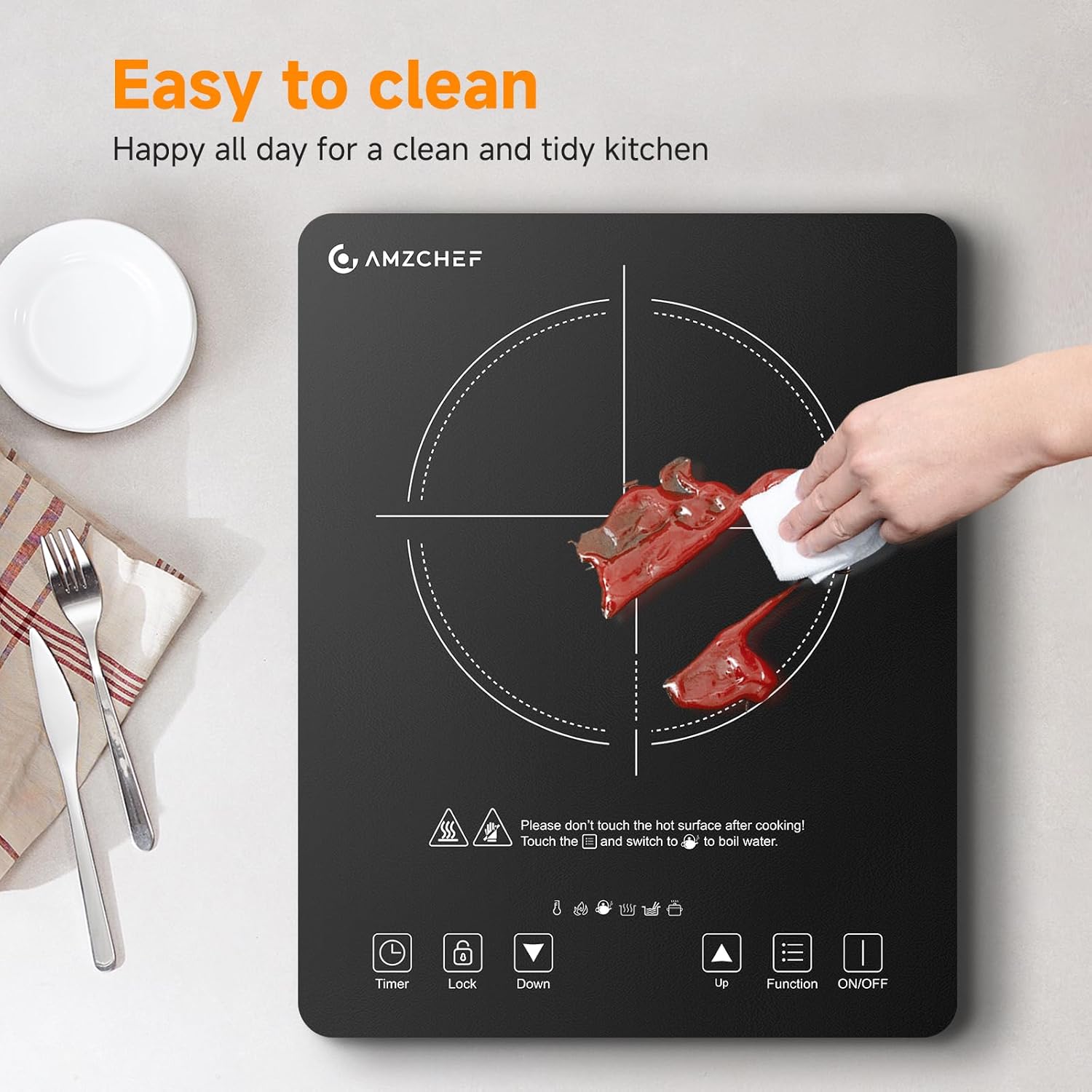
Figure 4: The image shows a hand wiping the black ceramic glass surface of the AMZCHEF Induction Cooktop with a cloth, emphasizing its easy-to-clean design for a tidy kitchen.
7. Troubleshooting
| Problem | Possible Cause | Solution |
|---|---|---|
| Cooktop does not turn on | No power supply; Power cord not properly plugged in. | Check power outlet; Ensure power cord is securely plugged in. |
| Beeping sound / Error code displayed | Incompatible cookware; No cookware on the cooking zone; Cookware not centered. | Use compatible cookware; Place cookware on the cooking zone; Center the cookware. |
| Cooktop shuts off during operation | Overheating protection activated; Timer expired. | Allow cooktop to cool down; Check timer settings. |
| Uneven heating | Cookware base is not flat; Cookware is too small or too large for the zone. | Use cookware with a flat base; Ensure cookware size is appropriate for the cooking zone. |
8. Specifications
- Brand: AMZCHEF
- Model: UL-HL-B5-T-BK
- Power: 1800W
- Voltage: 120 Volts
- Heating Elements: 1
- Controls Type: Touch
- Material: Ceramic Glass
- Color: Black
- Product Dimensions: 13"D x 10"W x 1.5"H
9. Additional Product Views
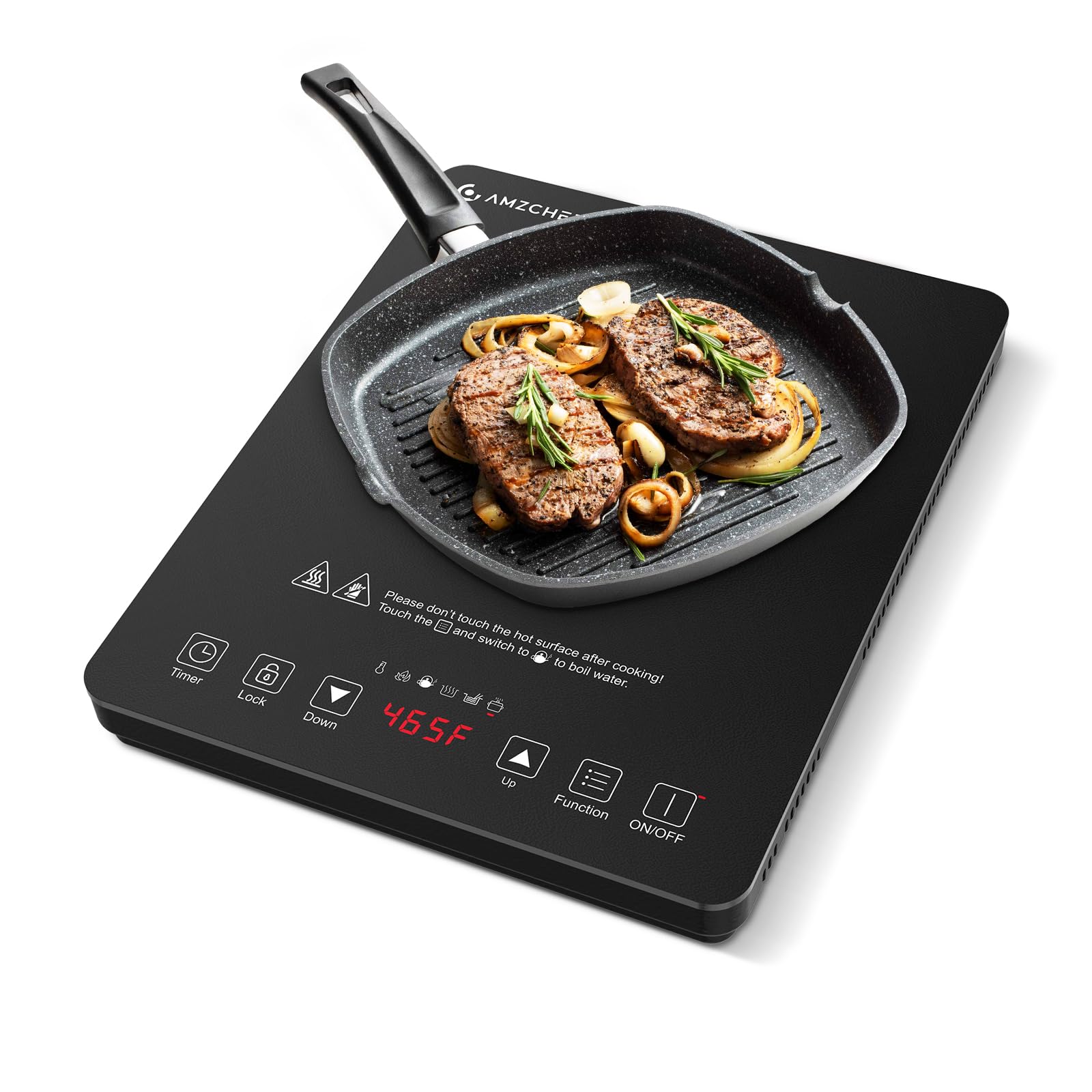
Figure 5: This image displays the AMZCHEF 1800W Induction Cooktop from a top-down perspective, highlighting its compact dimensions. The cooktop measures 280mm (11.02 inches) in width and 350mm (13.78 inches) in length, with a height of 45mm (1.78 inches). It features a sleek black ceramic glass surface with touch controls.

Figure 6: The image illustrates the AMZCHEF Induction Cooktop in use, with a pan of pasta cooking. It highlights the 20 available temperature levels, ranging from 120°F to 465°F, and 20 power levels, from 90W to 1800W, allowing for precise control over various cooking requirements.

Figure 7: This image presents a collage of various cooked dishes, demonstrating the versatility of the AMZCHEF Induction Cooktop. Text overlays highlight its key features: 1800W High Power, 20 Power Levels (90W-1800W), 20 Temperature Levels (120°F-465°F), and a Long Timer (1-239 minutes).

Figure 8: This image shows a person cooking on the AMZCHEF Induction Cooktop placed on a kitchen countertop. A frying pan is on the cooktop, and the person is stirring its contents, illustrating the product in a typical use scenario.