
1. Product Overview
The KDD RGB Headphone and Controller Stand is designed to organize your gaming accessories while adding an aesthetic touch with its customizable RGB lighting. It features storage for one headphone and two controllers, along with integrated cable management.

Figure 1: KDD RGB Headphone and Controller Stand in use.
Key Features:
- RGB Light Modes & Memory Function: Offers 9 lighting effects, including 7-color fast flashing, 7-color breathing light, and single-color modes (red, green, blue, purple, light blue, yellow, white). A long press of the button turns off the light and activates memory mode, retaining your preferred color setting.
- Stable & Anti-Slip Design: Equipped with a stable base and 4 non-slip rubber pads to prevent accidental movement and protect your desktop. Soft protective rubber on the hooks prevents scratches to your devices.
- Practical 3-in-1 Storage: Designed to hold one headphone and two controllers simultaneously. Controller hooks are foldable when not in use. Features a cable slot for headphone cables and a cable organizer on the base to prevent tangles.
- Universal Compatibility: Compatible with most controllers and headsets. Plug-and-play functionality, no drivers required for WinXP/7/8/10, Linux, Mac, and other operating systems.
- Safe Operation: Includes a built-in button to connect or cut off all circuitry and power supply for convenience and safety.
2. Setup Instructions
2.1 Assembly
The KDD RGB Headphone and Controller Stand is designed for quick and easy assembly, typically taking around 30 seconds.
- Carefully remove all components from the packaging.
- Attach the main headphone arch to the base unit. Ensure it clicks securely into place.
- Unfold the controller hangers on either side of the arch if they are in the folded position.
- Place the detachable cable organizer into its designated slot on the base.
Video 1: Assembly and overview of the KDD RGB Headphone and Controller Stand.
2.2 Power Connection
Connect the stand to a power source using the provided USB cable. The stand is plug-and-play and does not require any additional drivers.
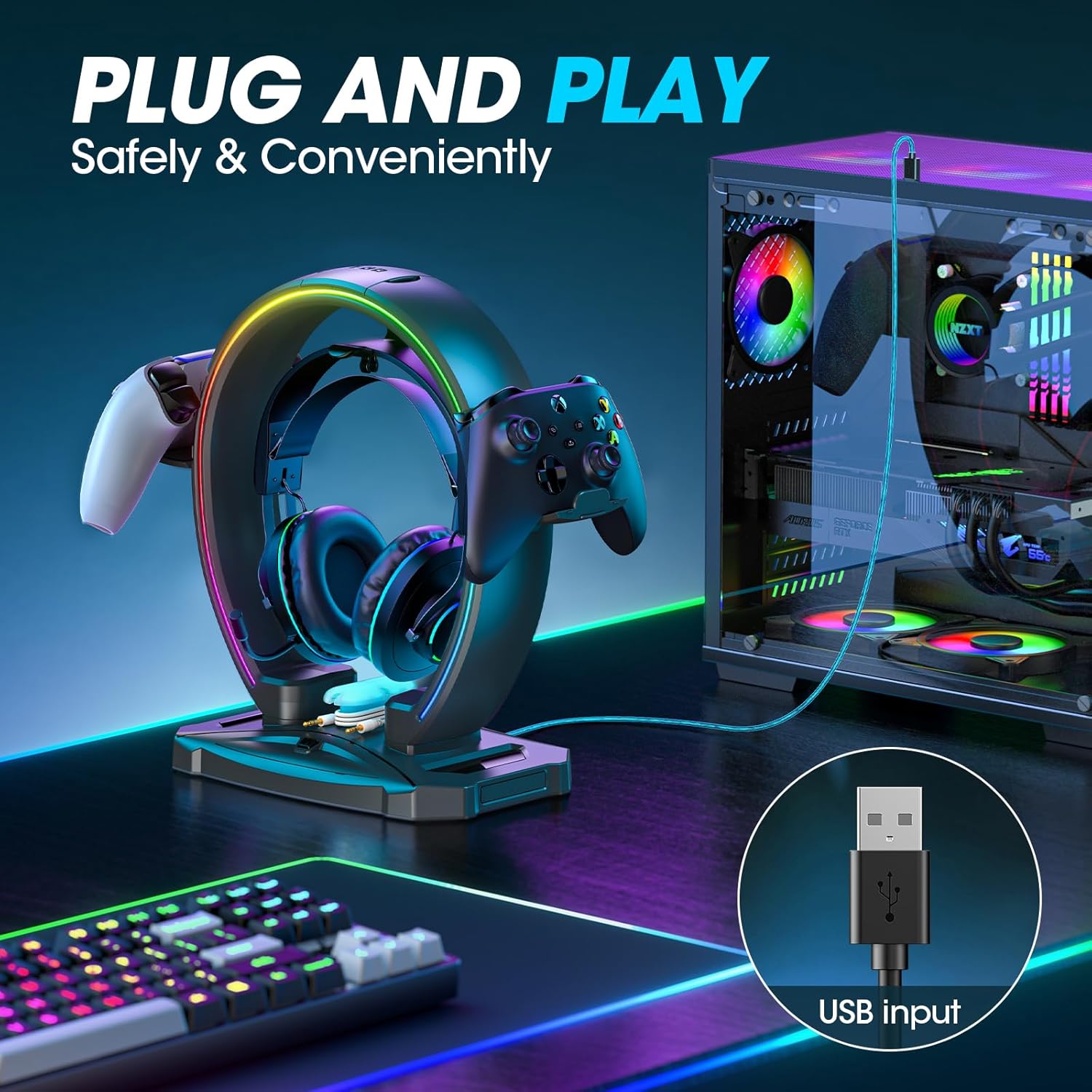
Figure 2: USB power connection for the stand.
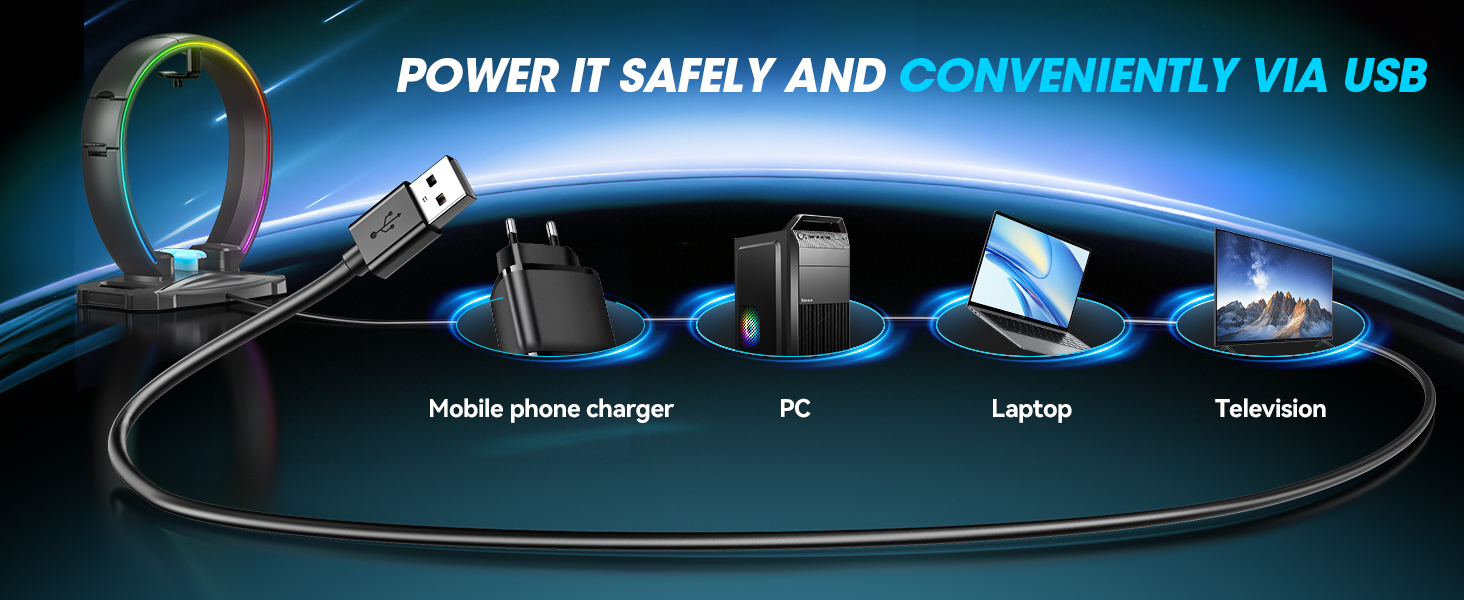
Figure 3: Various USB power sources compatible with the stand.
3. Operating Instructions
3.1 RGB Lighting Modes
The stand features 9 distinct RGB lighting modes. To cycle through these modes, press the dedicated button located on the base of the stand.
- Short Press: Cycles through 7 single-color modes (red, green, blue, purple, light blue, yellow, white), 7-color fast flashing, and 7-color breathing light.
- Long Press (2 seconds): Turns off the lighting. The stand will remember the last selected color/mode when turned back on.

Figure 4: Visual representation of the RGB lighting effects.
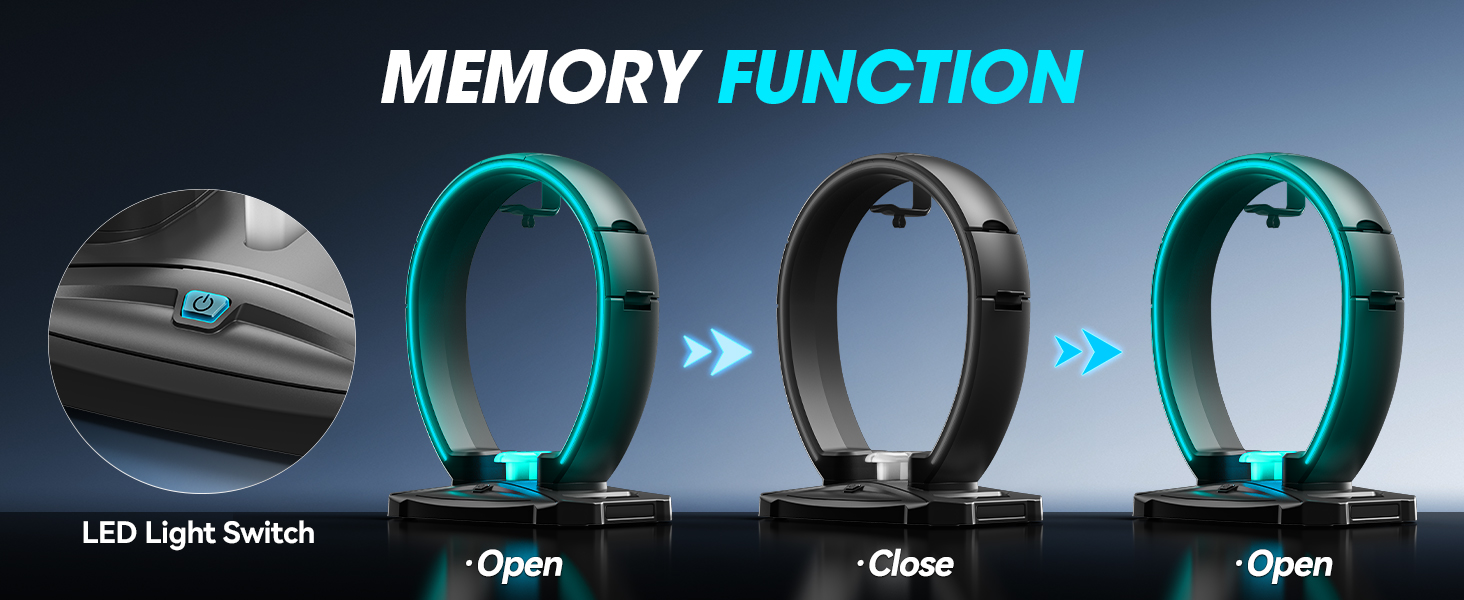
Figure 5: How to use the memory function for RGB lighting.
3.2 Headphone and Controller Placement
The stand is designed to securely hold your headphones and controllers, keeping your desk tidy.
- Headphones: Hang your headphones on the central hook. The design allows for two headphones to be stored, one on the central hook and another on the top arch.
- Controllers: Utilize the foldable hangers on either side of the stand to securely place your gaming controllers.
- Cable Management: Use the integrated cable slot for your headphone cable and the detachable cable organizer on the base to manage other cables, preventing tangles.
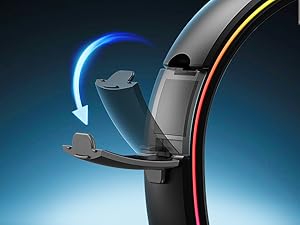
Figure 6: Detail of the foldable controller hanger.
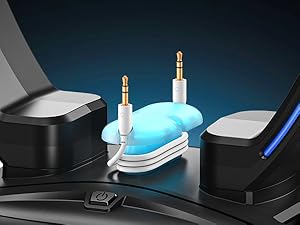
Figure 7: The detachable cable organizer for tidying cables.
4. Maintenance
To ensure the longevity and optimal appearance of your KDD RGB Headphone and Controller Stand, follow these simple maintenance guidelines:
- Cleaning: Use a soft, dry cloth to wipe down the stand. Avoid abrasive cleaners or solvents, as these can damage the finish and electronic components.
- Dust Removal: Regularly dust the stand, especially around the lighting elements and connection ports, to prevent buildup.
- Cable Care: Ensure cables are not excessively bent or strained when organized to prevent damage.
5. Troubleshooting
If you encounter any issues with your KDD RGB Headphone and Controller Stand, please refer to the following common solutions:
- Lights Not Turning On:
- Ensure the USB cable is securely connected to both the stand and a functioning power source.
- Try a different USB port or power adapter.
- Press the power button on the base to cycle through modes or turn the unit on.
- Lights Not Changing Modes:
- Ensure you are performing a short press on the button to cycle through modes. A long press activates the memory function or turns off the lights.
- Stand is Unstable:
- Ensure the main headphone arch is fully and securely attached to the base.
- Verify that the stand is placed on a flat, stable surface.
If the issue persists, please contact KDD customer support for further assistance.
6. Specifications
| Feature | Detail |
|---|---|
| Brand | KDD |
| Model | KDD-792 |
| Color | Black |
| Package Dimensions | 11.46 x 10.08 x 3.35 inches |
| Item Weight | 1.69 pounds |
| Compatible Devices | Headphones, Gaming Controllers |
| Power Source | USB (Plug and Play) |
| Lighting Modes | 9 RGB modes (7 static colors, 2 dynamic effects) with memory function |
7. Warranty and Support
KDD products are manufactured with quality and reliability in mind. For any warranty claims or technical support, please refer to the contact information provided with your product packaging or visit the official KDD website.
For additional information or assistance, you may contact KDD customer service via email at Contact@KDDservice.com or visit their official website at www.kddservice.com.


