Introduction
This manual provides comprehensive instructions for the setup, operation, maintenance, and troubleshooting of your RAWM ES21 Wireless Gaming Mouse. Please read this manual thoroughly before using the product to ensure optimal performance and longevity.

Image: Top view of the RAWM ES21 Wireless Gaming Mouse in white, showing the left and right click buttons, scroll wheel, and a small indicator light.
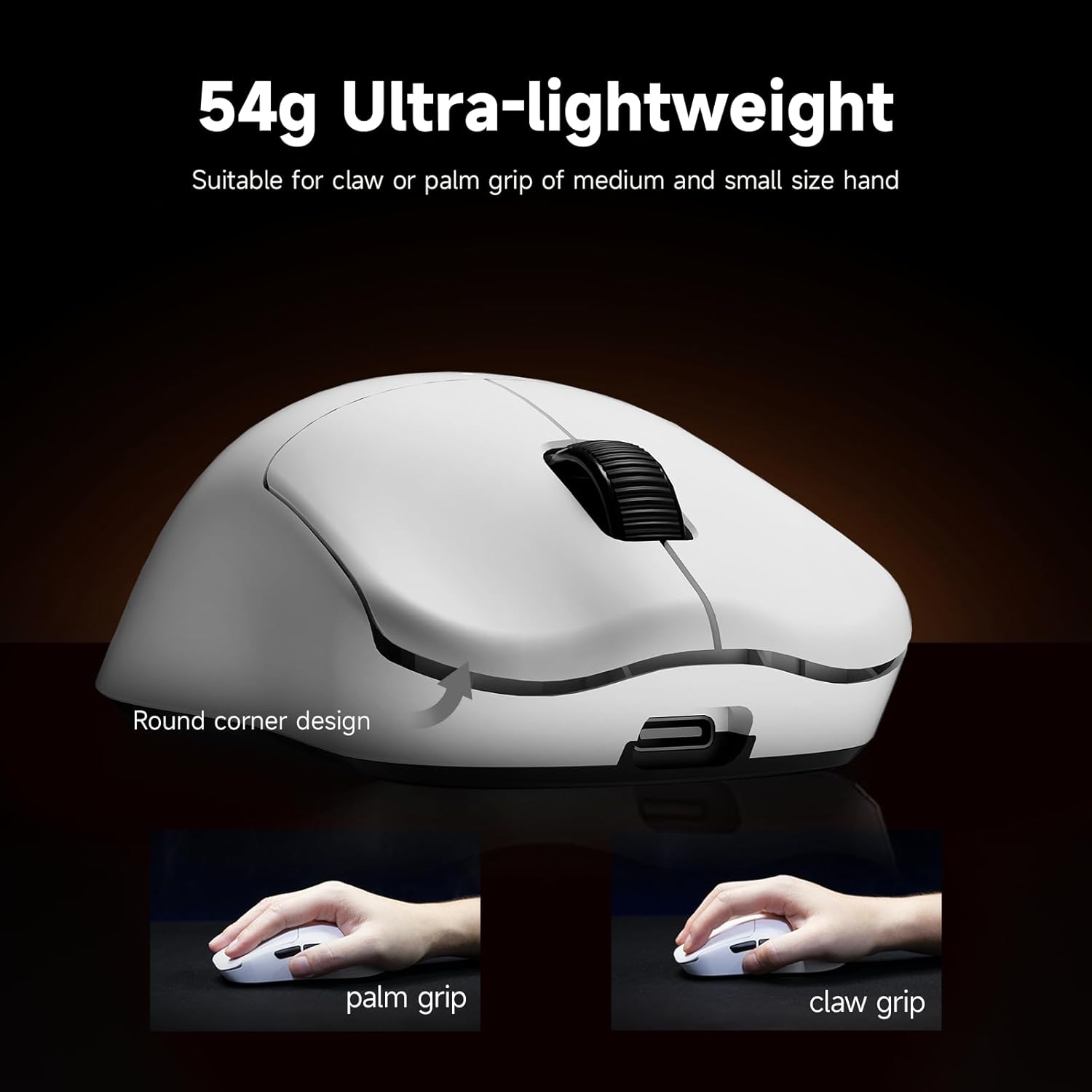
Image: The RAWM ES21 mouse highlighting its 54g ultra-lightweight design, suitable for claw or palm grip for medium and small hands, with a round corner design.
Package Contents
Verify that all items are present in the package:
- RAWM ES21 Wireless Gaming Mouse
- USB Receiver (2.4G)
- USB Type-C Charging Cable
- User Manual (this document)
Setup
1. Charging the Mouse
Before initial use, fully charge the mouse using the provided USB Type-C cable. Connect the Type-C end to the mouse and the USB-A end to a powered USB port on your computer or a USB wall adapter. The indicator light will show charging status.
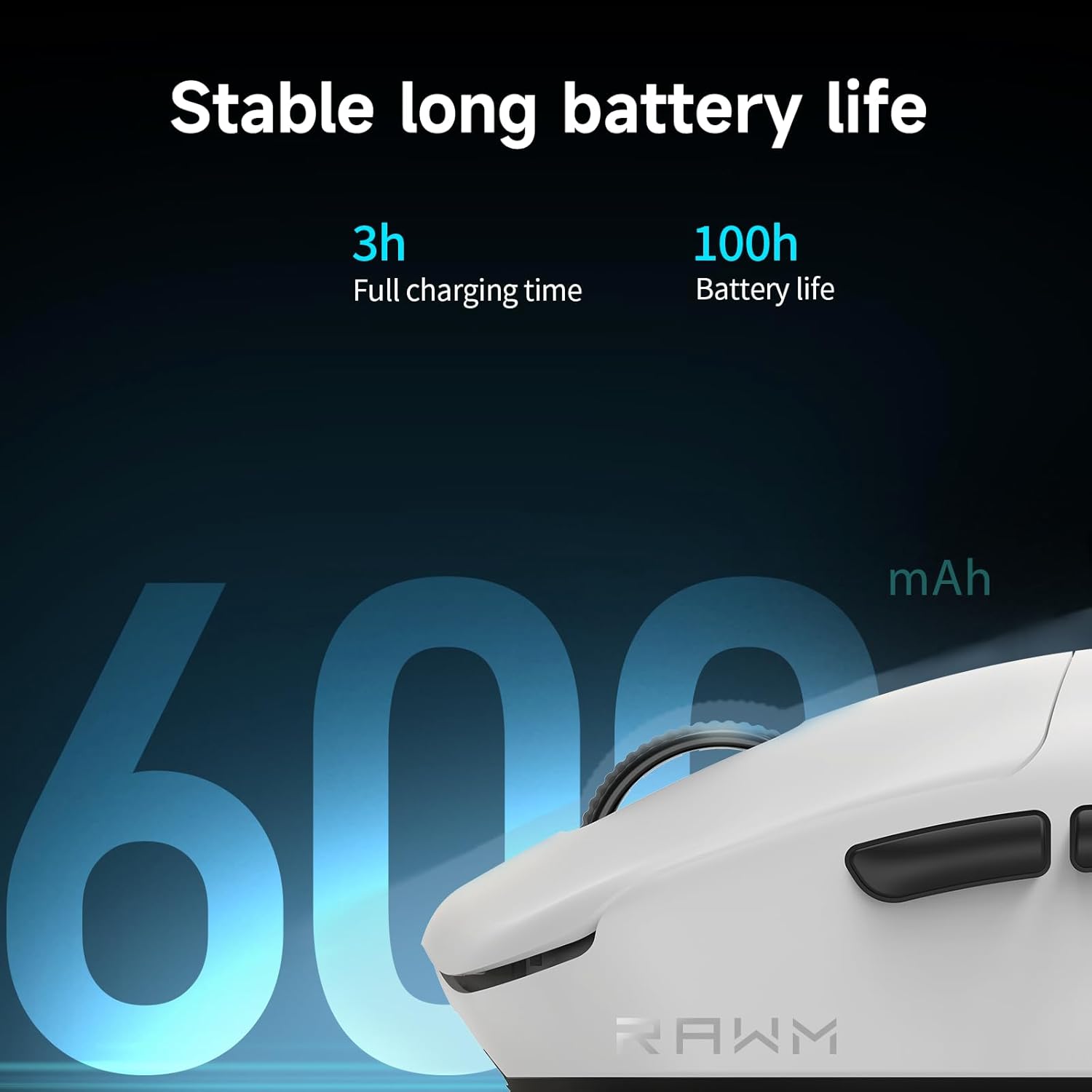
Image: Close-up of the RAWM ES21 mouse showing the Type-C charging port and indicating 3 hours for full charge and 100 hours of battery life.
2. Connecting the Mouse
The RAWM ES21 supports three connection modes: 2.4G Wireless, Bluetooth 5.3, and Wired.
- 2.4G Wireless Mode:
- Locate the USB receiver stored in the compartment on the underside of the mouse.
- Plug the USB receiver into an available USB port on your computer.
- Turn on the mouse using the ON/OFF switch located on the bottom.
- The mouse should automatically connect.
- Bluetooth 5.3 Mode:
- Ensure the mouse is turned on and in Bluetooth pairing mode (refer to the operating section for mode switching).
- On your computer, open Bluetooth settings and search for new devices.
- Select "RAWM ES21" from the list of available devices to pair.
- Wired Mode:
- Connect the USB Type-C cable to the mouse and the USB-A end to your computer.
- The mouse will function as a wired mouse and charge simultaneously.

Image: Diagram showing the top, bottom, and side views of the RAWM ES21 mouse with dimensions and labels for Left Button, Middle Button, Right Button, Type-C Port, DPI Switch, ON/OFF Position, Receiver Organiser, Forward Button, and Backward Button.
3. Software Installation (RAWM HUB)
For advanced customization, including DPI settings, button remapping, and macro creation, download the RAWM HUB software from the official RAWM website. The software is a web-based driver, ensuring easy access and updates.
Operating Instructions
1. Button Functions
- Left Button: Primary click function.
- Right Button: Secondary click function.
- Middle Button (Scroll Wheel Click): Default function varies by application.
- Forward Button (Side): Navigates forward in web browsers or file explorers.
- Backward Button (Side): Navigates backward in web browsers or file explorers.
- DPI Switch (Bottom): Cycles through preset DPI levels.

Image: Side view of the RAWM ES21 mouse highlighting the Left Overhang Antenna Design, which improves antenna power and anti-interference ability for a clear airspace environment.
2. DPI Adjustment
The RAWM ES21 features an on-the-fly adjustable DPI range from 50 to 26000 DPI. You can cycle through default DPI stages using the DPI switch on the bottom of the mouse. For precise 1-DPI step adjustments and X/Y axis separation, use the RAWM HUB software.

Image: Screenshot of the RAWM HUB software interface showing sensitivity settings for DPI (X and Y values separately, 50-30000 range) and polling rate (50-1000Hz).
3. Polling Rate
The mouse supports a polling rate of up to 8000Hz, providing ultra-high responsiveness. The default polling rate is 1000Hz. You can adjust this setting via the RAWM HUB software.
4. Programmable Buttons and R-plus Key
The 6 programmable buttons can be customized using the RAWM HUB software. The R-plus key feature allows you to assign an additional function to any key, which activates when the R-plus key is pressed simultaneously with another button.

Image: Screenshot of the RAWM HUB software interface for button mapping, showing options for Key, Macro, and Function assignments, including the R-plus Key feature and onboard configuration slots.
5. Advanced Settings (RAWM HUB)
The RAWM HUB software offers various advanced settings to fine-tune your mouse performance:
- Performance Modes: Office, LP (Low Power), HP (High Performance).
- Glass Mode: Optimizes tracking for glass surfaces.
- Gaming+ Mode: Enhances performance for high FPS gaming (20000+ fps in static).
- Lift-Off Distance (LOD): Adjusts the height at which the mouse stops tracking when lifted.
- Angle Snapping: Corrects pointer offset during mouse movement.
- Ripple Control: Eliminates wave-like jitter of the high-speed pointer.
- Sleep Time: Configures idle time before the mouse enters sleep mode to conserve power.
- Angle Tuning: Adjusts the angle between the mouse's horizontal direction and the pointer's horizontal direction.
- Key Delay: Increases key delay time to improve key stability.

Image: Screenshot of the RAWM HUB software interface showing advanced settings including Performance Mode, Sleep Time, Lift-Off Distance (LOD), Angle Tuning, Angle Snapping, Ripple Control, and Key Delay.
You can also set different DPI, polling rate, and angle tuning values for specific games and applications, allowing for automatic switching based on the active program.

Image: Screenshot of the RAWM HUB software interface demonstrating how to set different DPI, polling rate, and angle tuning for specific games and applications.
Maintenance
1. Cleaning
To maintain optimal performance and hygiene, regularly clean your mouse. Use a soft, dry cloth to wipe the surface. For stubborn dirt, a slightly damp cloth with mild soap can be used, ensuring no liquid enters the mouse. Avoid abrasive cleaners or solvents.
The mouse features a skin-like coating for a comfortable touch and is stain-resistant and anti-slip, simplifying cleaning.

Image: Close-up of the RAWM ES21 mouse highlighting its skin-like coating for comfortable, stain-resistant, and anti-slip use.
2. PTFE Feet Care
The mouse is equipped with large, 100% virgin-grade PTFE feet for smooth gliding. Keep the PTFE feet clean and free of debris to ensure consistent performance. Avoid scratching or damaging them, as this can affect glide quality.
Troubleshooting
- Mouse not responding:
- Ensure the mouse is turned on.
- Check battery level and charge if necessary.
- For 2.4G wireless, ensure the USB receiver is securely plugged in and try a different USB port.
- For Bluetooth, ensure the mouse is paired and Bluetooth is enabled on your computer.
- Try connecting in wired mode to rule out wireless issues.
- Inconsistent tracking or cursor lag:
- Clean the optical sensor on the bottom of the mouse.
- Ensure your mouse pad or surface is clean and suitable for optical mice.
- Check for interference in wireless mode (other 2.4GHz devices).
- Adjust DPI settings in RAWM HUB.
- Consider using "Glass Mode" in RAWM HUB if tracking on glass.
- Buttons not working or double-clicking:
- Ensure the RAWM HUB software is up to date.
- Reset button assignments in the RAWM HUB software to default.
- Short battery life:
- Ensure the mouse is fully charged (3 hours for full charge).
- Adjust "Sleep Time" settings in RAWM HUB to conserve power when idle.
- Lowering the polling rate can extend battery life.
Specifications
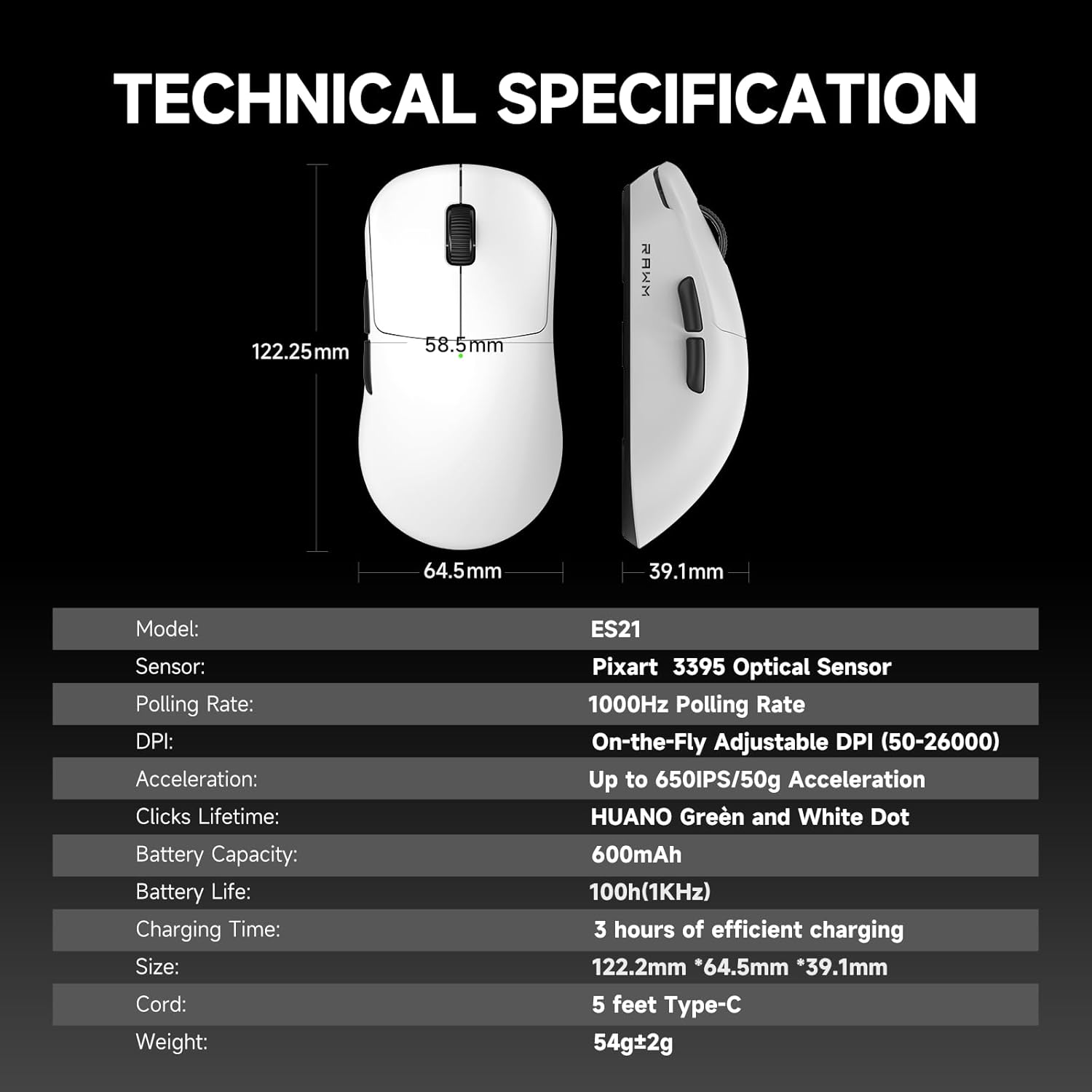
Image: Table detailing the technical specifications of the RAWM ES21 mouse.
| Feature | Detail |
|---|---|
| Model | ES21 |
| Sensor | Pixart PAW 3395 Optical Sensor |
| Polling Rate | 1000Hz (Adjustable up to 8000Hz via software) |
| DPI | On-the-Fly Adjustable (50-26000 DPI) |
| Acceleration | Up to 650 IPS / 50G Acceleration |
| Clicks Lifetime | HUANO Green and White Dot switches (100 million clicks) |
| Battery Capacity | 600mAh |
| Battery Life | 100h (at 1KHz polling rate) |
| Charging Time | 3 hours for efficient charging |
| Size | 122.2mm x 64.5mm x 39.1mm |
| Cord | 5 feet Type-C |
| Weight | 54g ± 2g |
| Connectivity Technology | USB (Wired), 2.4G Wireless, Bluetooth 5.3 |
| Special Feature | Ultra-Lightweight, Programmable Buttons, PTFE Feet, Skin-like Coating |

Image: Overview of RAWM ES21 features including Nordic 52840 chip, PAW3395 sensor, HUANO switches, 26000 DPI, 8000Hz polling rate, 54g weight, skin-friendly coating, RAWM HUB, and TTC encoder.

Image: Exploded diagram of the RAWM ES21 mouse, showing internal components like the lightweight material case, engineering curved keys, TTC Gold Wheel, Lithium Battery, and PAW3395 sensors.

Image: Close-up showing the PAW3395 sensor with details on 650 IPS Max Tracking Speed, 26000 DPI, and 50G Max Acceleration.

Image: Close-up of the HUANO Green and White Dot switches, highlighting their crisp texture, moderate triggering force, quick rebound, and 100 million click lifespan.
Warranty and Support
RAWM products are covered by a limited warranty. For specific warranty terms and conditions, please refer to the warranty card included with your product or visit the official RAWM website. Keep your proof of purchase for warranty claims.
For technical support, troubleshooting assistance, or inquiries about your RAWM ES21 Wireless Gaming Mouse, please contact RAWM customer service through their official website or the contact information provided in your product packaging.