
Introduction
Thank you for choosing the MOOKA KJ102 HEPA Air Purifier. This manual provides essential information for the safe and efficient operation of your new air purifier. Please read it thoroughly before use and keep it for future reference.
The MOOKA KJ102 Air Purifier is designed to improve indoor air quality in large rooms up to 1300 sq ft. It features a unique 4D air intake filtration technology, allowing for versatile placement either upright or laid flat. The unit includes a high-efficiency 3-stage filtration system with a washable pre-filter, H13 HEPA filter, and activated carbon pellets to effectively remove airborne particles, odors, and VOCs. Enjoy quiet operation, adjustable fan speeds, a timer, night light, and an essential oil diffuser for a personalized experience.
Key Features
- Unique 4D Air Intake Design: Allows for powerful purification whether the unit is placed upright or laid flat. The top cover can be personalized with stickers.
- 360° Front Air Intake & Powerful Purification: Efficiently captures airborne pollutants like pollen, pet hair, dander, and dust. Cleans large rooms up to 1300 sq ft per hour, ideal for living rooms, bedrooms, basements, and homes with pets.
- Washable Pre-Filter: High-efficiency 3-stage filtration system captures particles as small as 0.3 microns. The washable pre-filter extends the life of the H13 HEPA filter. Activated carbon pellets absorb odors, fumes, and VOCs.
- Quiet Operation & Timer: Features 4 adjustable fan speeds. Sleep mode operates as low as 15 dB. Includes a flexible timer (2, 4, 6, or 8 hours) and a switchable night light, perfect for undisturbed sleep.
- Essential Oil Diffuser: Add your favorite essential oil to the aromatherapy pad on top of the home pet air purifiers to fill the room with a pleasant scent.
- Filter Replacement Reminder: Alerts you when it's time to replace the filter (every 3–6 months) to ensure optimal purification.
- Safety Certifications: ETL, DOE, FCC certified, and CARB Compliant. No ozone release, no UV light, and includes a child lock for family safety.
Setup Instructions
- Unboxing: Carefully remove the air purifier and all accessories from the packaging.
- Filter Installation: The filter comes pre-installed but is sealed in plastic. Open the filter compartment, remove the plastic wrapping from the filter, and re-insert it.
- Placement: Place the air purifier on a flat, stable surface. It can be used upright or laid flat. Ensure there is adequate space around the air inlets and outlets for optimal airflow.
- Power Connection: Connect the power adapter to the air purifier and then plug it into a standard electrical outlet.
Video: Unboxing the MOOKA KJ102 Air Purifier and its contents.

Image: A person installing the filter into the MOOKA KJ102 Air Purifier. The filter is a rectangular block with a white fibrous pre-filter layer.
Video: Demonstrates how to replace the filter in the MOOKA KJ102 Air Purifier, including removing the cover, taking out the old filter, unwrapping a new filter, and re-inserting it.
Image: The air purifier positioned horizontally on a shelf, demonstrating its versatile placement options.

Image: The air purifier positioned vertically on a bookshelf, blending seamlessly with home decor.
Operating Instructions
The control panel is located on the top surface of the air purifier. It features touch-sensitive buttons for various functions.
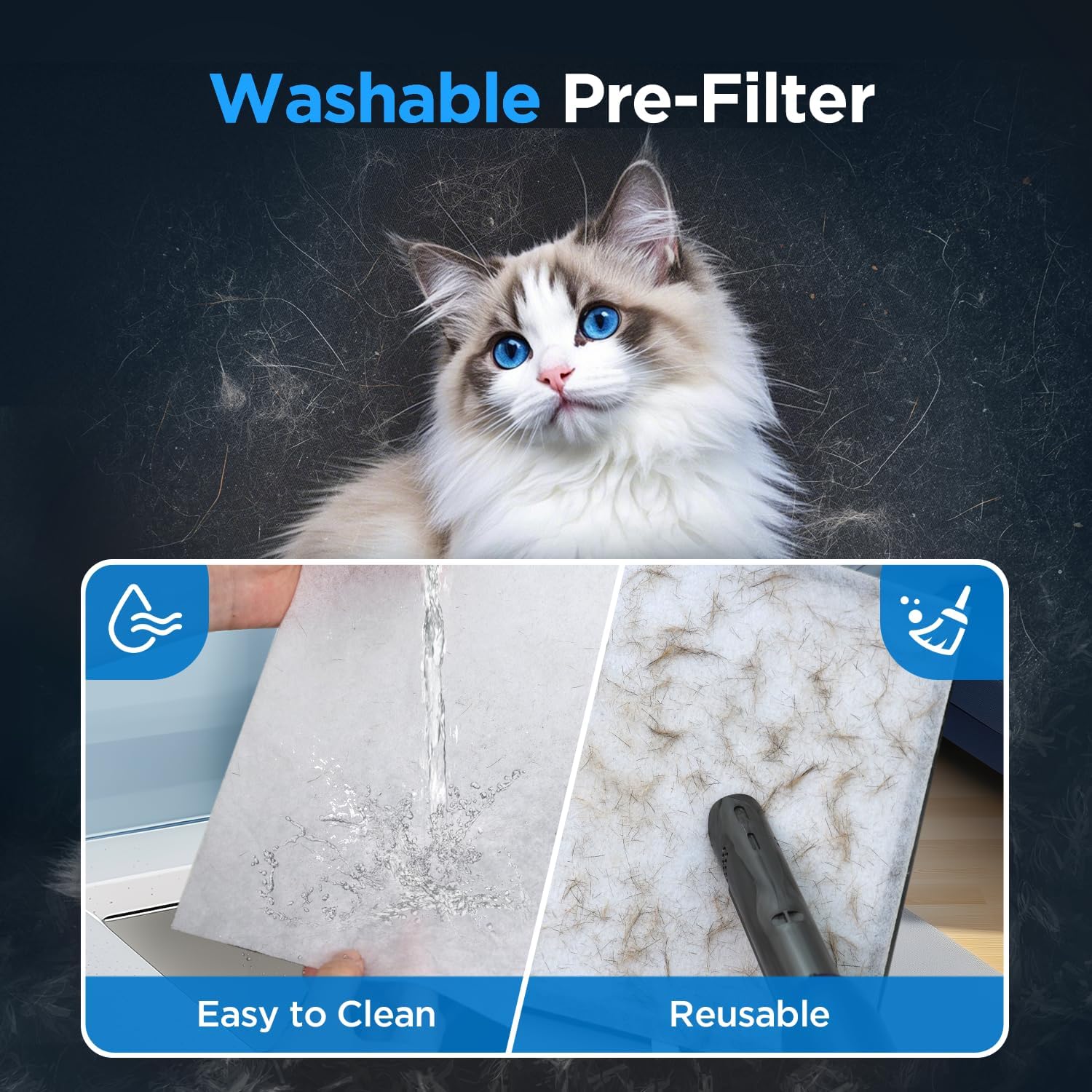
Image: The control panel of the air purifier, showing the various touch buttons and indicator lights.
Power On/Off
Press the Power button to turn the unit on or off. The indicator light will illuminate when the unit is active.
Adjusting Fan Speed
Press the Speed button to cycle through the 4 available fan speeds: 1 (low), 2 (medium), 3 (high), and Sleep Mode. Sleep Mode operates at the lowest noise level (15 dB) for quiet operation.
Setting the Timer
Press the Timer button to set the operating duration. You can choose between 2, 4, 6, or 8 hours. The unit will automatically turn off after the selected time.
Night Light Function
Press the Light/Reset button once to turn the night light on or off. This feature provides a soft ambient glow.
Child Lock
To activate the Child Lock, press and hold the Child Lock (3s) button for 3 seconds. This will disable all other buttons to prevent accidental changes. To deactivate, press and hold the button again for 3 seconds.

Image: The child lock feature is highlighted, showing its importance for households with children or pets.
Essential Oil Diffuser
To use the essential oil diffuser, open the small compartment on the top of the unit. Add a few drops of your favorite essential oil to the aromatherapy pad. Close the compartment. For best results, moisten the pad with more essential oil during the first use and run the fan at a higher speed initially to help disperse the fragrance.

Image: The essential oil diffuser feature, showing how to add essential oils for aromatherapy.
Maintenance
Cleaning the Washable Pre-Filter
The pre-filter can be cleaned to extend the life of the main HEPA filter. Regularly check the pre-filter for accumulated dust and debris.
- Turn off and unplug the air purifier.
- Open the filter compartment.
- Carefully remove the pre-filter.
- Clean the pre-filter using a vacuum cleaner or rinse it with water. Ensure it is completely dry before re-installing.
- Re-install the pre-filter and close the compartment.

Image: Demonstrates the easy cleaning process for the washable pre-filter using water or a vacuum.
Filter Replacement
The air purifier has a filter replacement reminder. When the filter indicator light illuminates, it's time to replace the H13 HEPA filter. Replace the filter every 3-6 months, depending on usage and air quality.
- Turn off and unplug the air purifier.
- Open the filter compartment and remove the old filter.
- Insert a new official MOOKA replacement filter (Search for B0FB3NZ4GP).
- Close the filter compartment.
- Reset Filter Indicator: Press and hold the Light/Reset button for 3 seconds until the light flashes to reset the filter replacement reminder.

Image: The filter replacement reminder light on the control panel.
Video: Demonstrates how to replace the filter in the MOOKA KJ102 Air Purifier, including removing the cover, taking out the old filter, unwrapping a new filter, and re-inserting it.
Troubleshooting
| Problem | Possible Cause | Solution |
|---|---|---|
| Unit does not turn on | Not plugged in; Power outage; Power button not pressed. | Ensure the unit is properly plugged into a working outlet. Check the power supply. Press the Power button. |
| Weak airflow | Filters are dirty; Obstruction in air inlets/outlets. | Clean or replace filters. Ensure no objects are blocking the air inlets or outlets. |
| Unusual noise | Unit not on a flat surface; Obstruction in fan; Loose filter. | Place the unit on a stable, flat surface. Check for and remove any obstructions. Ensure filters are securely installed. |
| Filter indicator light remains on after replacement | Filter reset not performed. | Press and hold the Light/Reset button for 3 seconds to reset the indicator. |
| No fragrance from diffuser | Aromatherapy pad is dry; Insufficient essential oil. | Add more essential oil to the pad. Ensure the pad is moist, especially during first use. |
Specifications
| Feature | Detail |
|---|---|
| Product Dimensions | 5.1"D x 9.2"W x 11.8"H |
| Item Weight | 5.2 Pounds |
| Item Model Number | KJ102 |
| Power Source | AC |
| Control Method | Touch |
| Filter Type | HEPA |
| Floor Area Coverage | Up to 1300 Square Feet per hour |
| Noise Level | As low as 15 Decibels (Sleep Mode) |
| Particle Retention Size | 0.3 Micrometer |
| Contaminant Filtration Capability | Dust, odors, pet dander, pet hair, pollen, volatile organic compounds (VOCs) |
| Special Features | Washable Pre-filter, 4 Timer and Fan Speed, Child Lock, Filter Reminder, Sleep Mode, Fragrance Sponge |
| Certifications | ETL, DOE, FCC certified, CARB Compliant |
Warranty and Support
The MOOKA KJ102 Air Purifier is ETL, DOE, FCC certified, and CARB Compliant for California indoor air quality standards, ensuring safety and quality. No ozone release and no UV light are used.
If you have any questions or require assistance with your MOOKA KJ102 Air Purifier, please contact MOOKA customer support. Contact information can typically be found on the product packaging or the official MOOKA website.


