
1. Introduction
The CHOICEMMED MD300CN310 FingerTip Pulse Oximeter is a portable, non-invasive device intended for spot-checking of oxygen saturation of arterial hemoglobin (SpO2) and pulse rate. It is suitable for use in home environments, medical facilities, and during sports activities. This manual provides essential information for the safe and effective operation of the device.
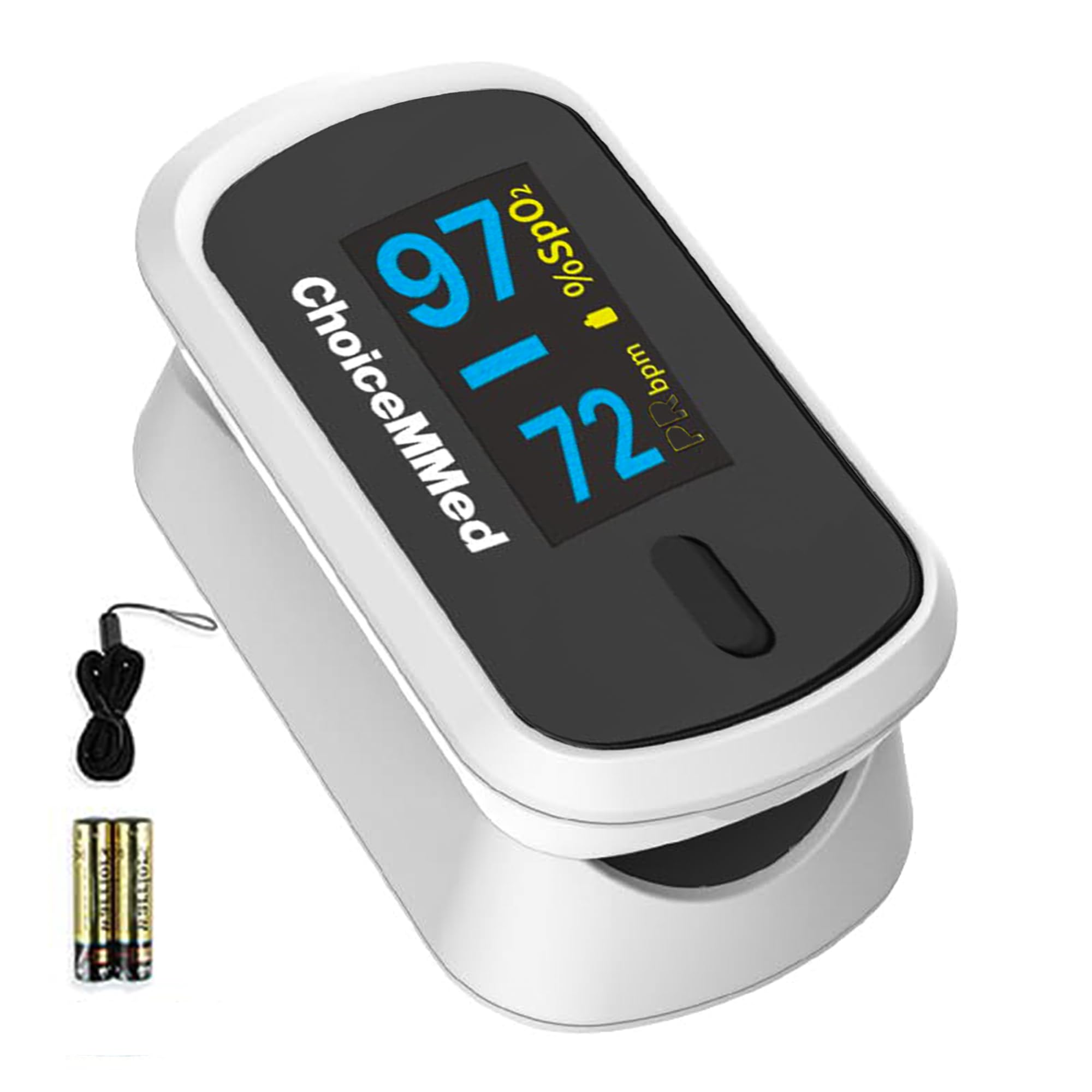
Image 1.1: The CHOICEMMED MD300CN310 FingerTip Pulse Oximeter.
2. Safety Information
- Consult your physician before using this device for medical diagnosis.
- Do not use the oximeter in an MRI or CT environment.
- Do not use the oximeter in environments containing flammable anesthetics or other flammable materials.
- The oximeter is not intended for continuous monitoring.
- Keep the device out of reach of children and pets.
- Dispose of batteries according to local regulations.
3. Product Overview
The MD300CN310 features a compact design with an OLED display for clear readings. It measures blood oxygen saturation (SpO2) and pulse rate (PRbpm).
3.1 Components
- Pulse Oximeter Unit
- 1 Lanyard
- 2 AAA Batteries
- User Manual (this document)
3.2 Device Features

Image 3.1: Key features of the MD300CN310 Pulse Oximeter, including OLED screen and battery saving.
- OLED Display: Provides clear, dual-color readings of SpO2 and pulse rate.
- One-Button Operation: Simple to use.
- Automatic Power-Off: Device turns off automatically after 8 seconds of inactivity to conserve battery.
- Low Battery Indicator: Alerts when batteries need replacement.
- Hypoallergenic Finger Chamber: Made of medical-grade silicone for comfort and safety.

Image 3.2: The display shows Oxygen Saturation (SpO2), Pulse Rate (PRbpm), and a Pulse Bar Graph.
4. Setup
4.1 Battery Installation
- Open the battery cover on the back of the device.
- Insert two AAA batteries into the battery compartment, ensuring correct polarity (+ and -).
- Close the battery cover securely.
4.2 Attaching the Lanyard
Thread the thin end of the lanyard through the loop hole on the oximeter. Then, thread the thicker end of the lanyard through the thin loop and pull to secure it. This allows for convenient carrying.

Image 4.1: The oximeter can be worn with the included lanyard for portability.
5. Operating Instructions
- Insert one finger into the rubber opening of the oximeter with the nail surface upward.
- Press the power button on the front panel to turn on the oximeter.
- Keep your hand still during the measurement. Do not shake your finger.
- The readings for SpO2 and pulse rate will appear on the display within a few seconds.
- The device will automatically power off after 8 seconds if no finger is detected.

Image 5.1: Proper placement of the finger in the oximeter for accurate readings.
5.1 Understanding the Display
- SpO2: Displays the percentage of oxygen saturation in the blood. Normal values typically range from 95% to 100%.
- PRbpm: Displays the pulse rate in beats per minute.
- Pulse Bar Graph: Indicates the strength of the pulse signal.
6. Maintenance
6.1 Cleaning the Oximeter
- Clean the surface of the oximeter with a soft cloth dampened with medical alcohol (70% ethanol or isopropanol).
- Do not immerse the device in water or any other cleaning solution.
- Ensure the device is completely dry before reuse.
6.2 Storage
- Store the oximeter in a cool, dry place away from direct sunlight.
- Remove batteries if the device will not be used for an extended period to prevent leakage.
7. Troubleshooting
| Problem | Possible Cause | Solution |
|---|---|---|
| No display after power-on | Batteries are dead or incorrectly inserted. | Replace batteries or reinsert them with correct polarity. |
| Display shows "Finger Out" or similar error | Finger not properly inserted or too small/large. | Reinsert finger correctly, ensuring it covers the sensor. Use a different finger if necessary. |
| Readings are unstable or inaccurate | Movement during measurement, cold finger, nail polish, or strong ambient light. | Remain still, warm your finger, remove nail polish, or move to a less brightly lit area. |
8. Specifications
| Feature | Detail |
|---|---|
| Brand | CHOICEMMED |
| Model Name | MD300CN310 |
| Display Type | OLED |
| Measurement Parameters | SpO2, Pulse Rate |
| Power Source | 2 x AAA Batteries (included) |
| Battery Life | Approximately 40 Hours |
| Product Dimensions | 6L x 3W x 3H Centimeters |
| Item Weight | 180 g |
| Automatic Shut-off | Yes, after 8 seconds of inactivity |
| Country of Origin | China |
9. Warranty and Support
For warranty information or technical support, please refer to the documentation included with your purchase or contact CHOICEMMED customer service. Keep your purchase receipt as proof of purchase.
Manufacturer: Choicemmed


