
Introduction
This manual provides detailed instructions for the setup, operation, and maintenance of your LYNCAST LumeCube 300 Smart Projector. Please read this manual thoroughly before using the product to ensure optimal performance and safety.
Important Safety Information
- Do not look directly into the projector lens when the lamp is on.
- Ensure proper ventilation to prevent overheating.
- Keep the projector away from water or other liquids.
- Use only the provided power adapter.
- Avoid placing the projector on unstable surfaces.
Package Contents
Verify that all items are present in the package:
- LYNCAST LumeCube 300 Smart Projector
- Remote Control
- Power Cable
- HDMI Cable
- User Manual
- Cleaning Kit
- Adapter (Power Adapter)

Image: LYNCAST LumeCube 300 Projector and included accessories, including the remote, power cable, HDMI cable, and cleaning tools.
Video: An unboxing video demonstrating the contents of the LYNCAST LumeCube 300 projector package, including the projector, remote, cables, and cleaning accessories.
Product Overview
Front View
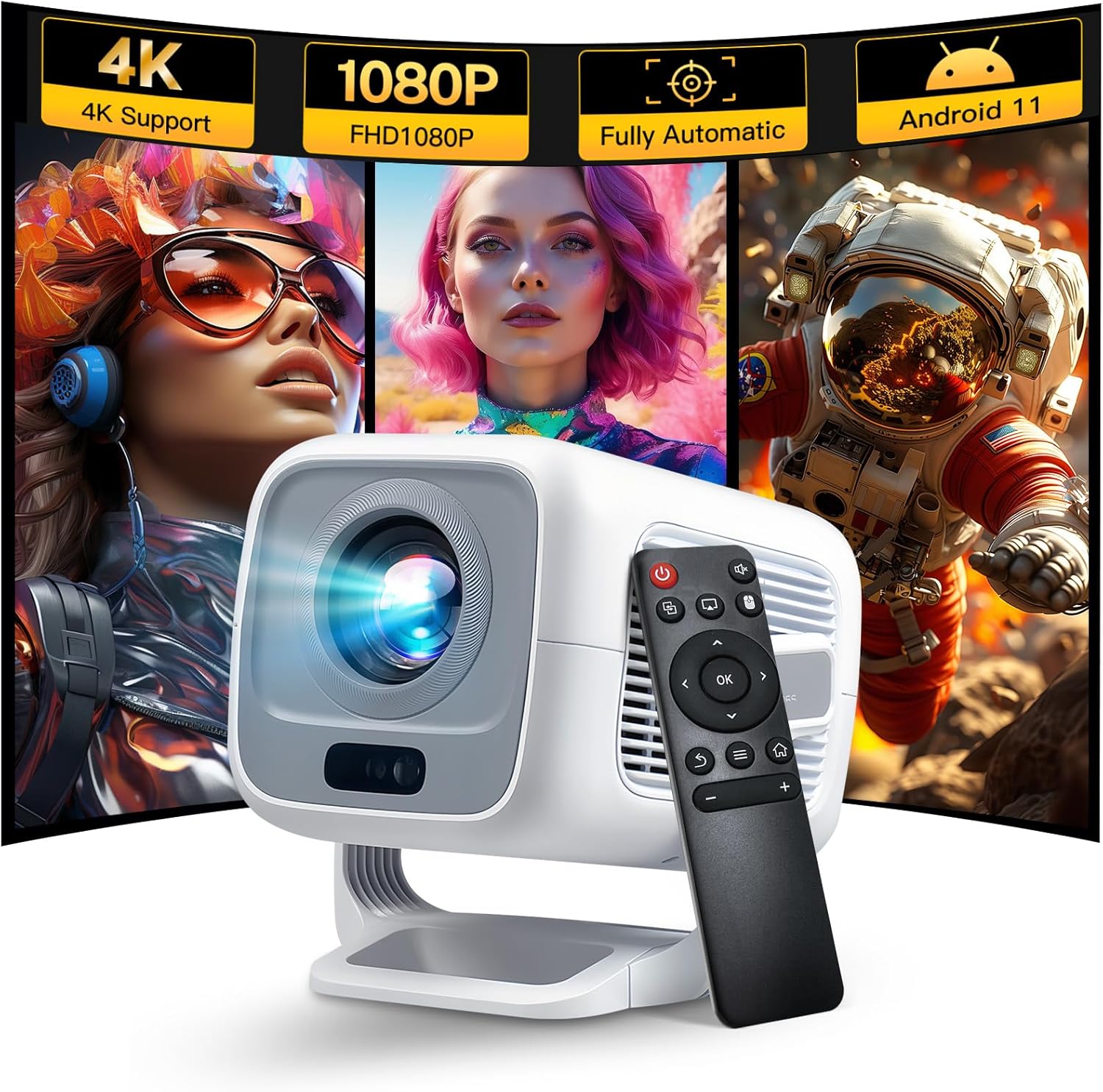
Image: Front view of the LYNCAST LumeCube 300 projector, highlighting the lens and the compact design.
Rear Panel Connections

Image: Rear view of the LYNCAST LumeCube 300 projector, showing the power input, HDMI port, USB ports, and audio jack.
- Power Input: Connect the power cable here.
- HDMI Port: For connecting external devices like gaming consoles, laptops, or Blu-ray players.
- USB Ports: For connecting USB flash drives or external hard drives (FAT32/NTFS format, max 512GB).
- Audio Jack (3.5mm): For connecting external headphones or speakers.
Setup Guide
1. Power Connection
Connect the provided power cable to the projector's power input port and then to a power outlet. The projector will indicate power status.
2. Initial Power On
Press the power button on the projector or the remote control to turn on the device. The system will boot up, displaying the main interface.
3. Focus Adjustment
The LumeCube 300 features automatic focus. If manual adjustment is needed, use the focus dial on the projector or the dedicated auto-focus button on the remote control for a clear image.
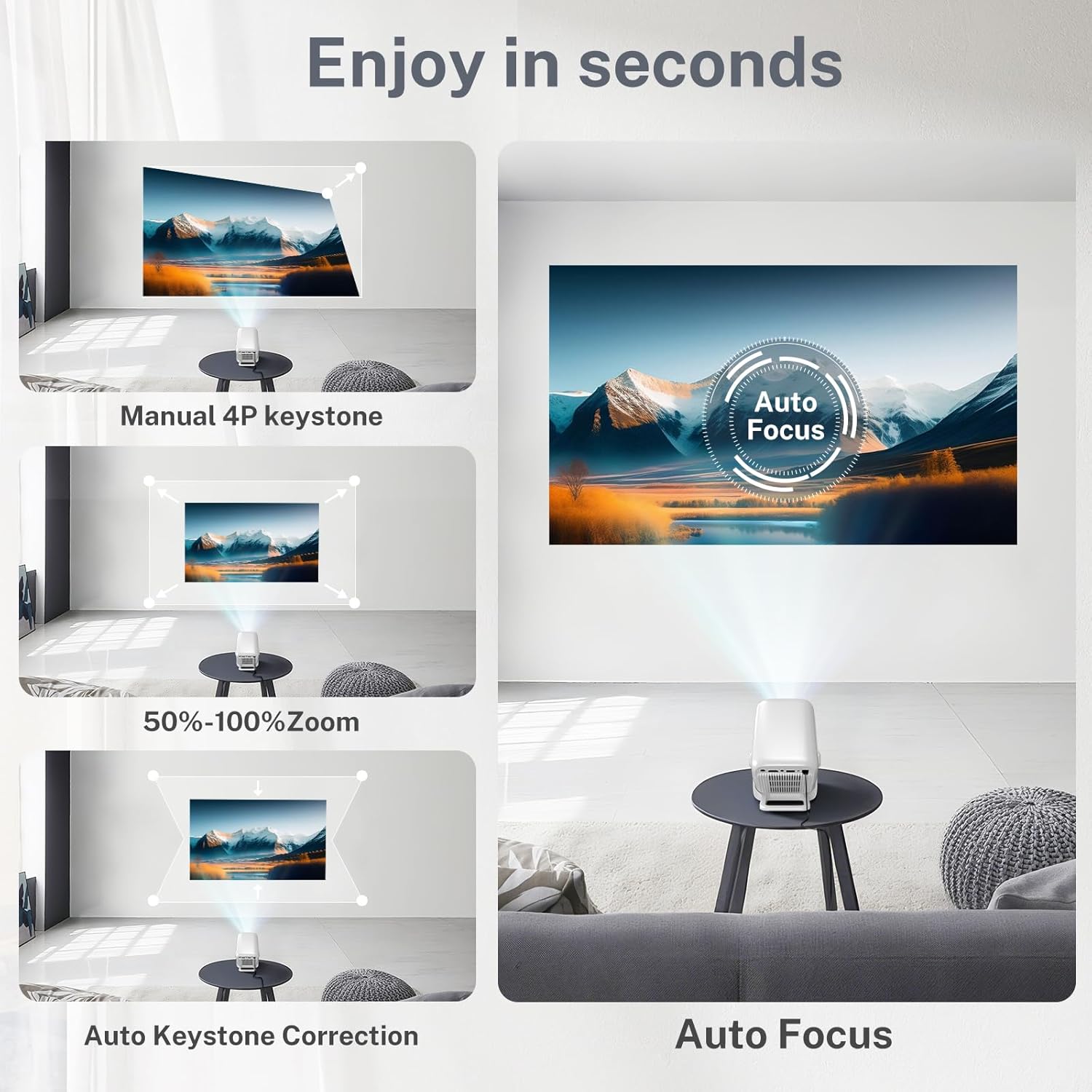
Image: Visual representation of the auto-focus and keystone correction features of the LYNCAST LumeCube 300 projector.
Video: Demonstration of the projector's TOF sensorless auto-adjustment for real-time focus and keystone correction.
4. Keystone Correction
The projector supports automatic ±30° vertical keystone correction. Manual ±45° adjustment is also available through the settings menu to ensure a perfectly rectangular image from various projection angles.
5. Placement Options
The LumeCube 300 features a 270° adjustable stand, allowing for versatile placement on a desktop, table, or even for ceiling and wall projection without an extra stand.

Image: The LYNCAST LumeCube 300 projector demonstrating its 270-degree adjustable stand for flexible projection angles.
Operating Instructions
1. Navigation with Remote Control
Use the provided remote control to navigate the projector's interface. The directional buttons allow you to move between options, and the 'OK' button confirms selections.
2. Built-in Streaming Applications
The projector comes with pre-installed streaming applications such as Netflix, YouTube, and access to an App Store. Connect to Wi-Fi to access these services.

Image: The LYNCAST LumeCube 300 projector displaying its home screen with various built-in streaming applications like Netflix and YouTube.

Image: A family enjoying a movie projected onto a large screen by the LYNCAST LumeCube 300, showcasing its home theater capabilities.
3. Connectivity Options
- Wi-Fi 6: Supports dual-band 2.4G and 5G networks for stable internet connection. Access network settings to connect to your home Wi-Fi.
- Bluetooth 5.4: Connect external Bluetooth speakers or headphones for enhanced audio. Access Bluetooth settings to pair devices.
- HDMI Input: Connect gaming consoles, laptops, TV boxes, or Blu-ray players using an HDMI cable. Select the HDMI input source from the main menu.
- USB Input: Insert USB flash drives or external hard drives into the USB port to play media files. Supported file types include AVI, DAT, FLV, MP4, MKV, MOV, MPEG, MPG for video; AAC, APE, DTS, FLAC, M4A, M4R, MP3, OGG, WAV for audio; and JPEG, PNG for images.
- Screen Mirroring: For iOS/Android devices, use the "ScreenCast" or "ScreenShare" app on the projector. Ensure both your device and the projector are on the same Wi-Fi network. An HDMI adapter cable (included) may be required for direct phone/tablet connection.
4. Display Settings
Adjust display settings such as zoom (up to 70%) and aspect ratios (4:3/16:9) through the settings menu to fit your projection space.
Maintenance
- Lens Cleaning: Use the provided cleaning kit or a soft, lint-free cloth to gently clean the projector lens. Avoid abrasive materials that could scratch the lens.
- Ventilation: Ensure the projector's ventilation openings are clear and unobstructed to prevent overheating.
- Storage: When not in use, store the projector in a cool, dry place, protected from dust and direct sunlight.
Troubleshooting
- Blurry Image: Adjust the focus using the focus dial or the auto-focus button on the remote. Ensure the projection surface is flat and the projector is within optimal distance.
- No Signal via HDMI: Verify the HDMI cable is securely connected to both the projector and the source device. Ensure the correct HDMI input source is selected on the projector.
- No Sound: Check the volume settings on both the projector and any connected external audio devices. Ensure Bluetooth speakers are properly paired or wired connections are secure.
- Wi-Fi Connection Issues: Confirm the Wi-Fi password is correct and the projector is within range of your router. Try restarting both the projector and your router.
Specifications
| Feature | Detail |
|---|---|
| Brand | LYNCAST |
| Model Name | LumeCube 300 |
| Model Number | X3AQ |
| Native Resolution | 1920 x 1080 (Native 1080P Full HD) |
| 4K Support | Yes |
| Brightness | 600 ANSI Lumens |
| Image Contrast Ratio | 15000:1 Pixels |
| Display Technology | LCD |
| Aspect Ratio | 16:9 (Supports 4:3) |
| Connectivity | 3.5mm Jack, Bluetooth 5.4, HDMI, USB, Wi-Fi 6 (2.4G/5G) |
| Special Features | Native 1080P, 4K Support, Auto Focus & Keystone, Built-In Speaker, WiFi 6 & Bluetooth 5.4, 270° Adjustable Stand |
| Built-in Speaker | Yes (Hi-Fi Stereo, Dolby Sound) |
| Noise Level | 30 Decibels |
| Product Dimensions | 10 x 10 x 17 cm; 635 g |
| Power Source | AC (48 watts) |
| Mounting Type | Tabletop Mount, Ceiling Mount, Wall Mount, Floor Mount |
Warranty and Support
The LYNCAST LumeCube 300 Smart Projector comes with a 2-Year Warranty and a 1-Year Free Replacement policy. For any support inquiries or warranty claims, please contact LYNCAST customer service.

