
Introduction
This manual provides comprehensive instructions for the installation, operation, maintenance, and troubleshooting of your Veise Fingerprint Smart Front Door Lock with Handle Set. Please read this manual thoroughly before installation and use to ensure proper function and security.
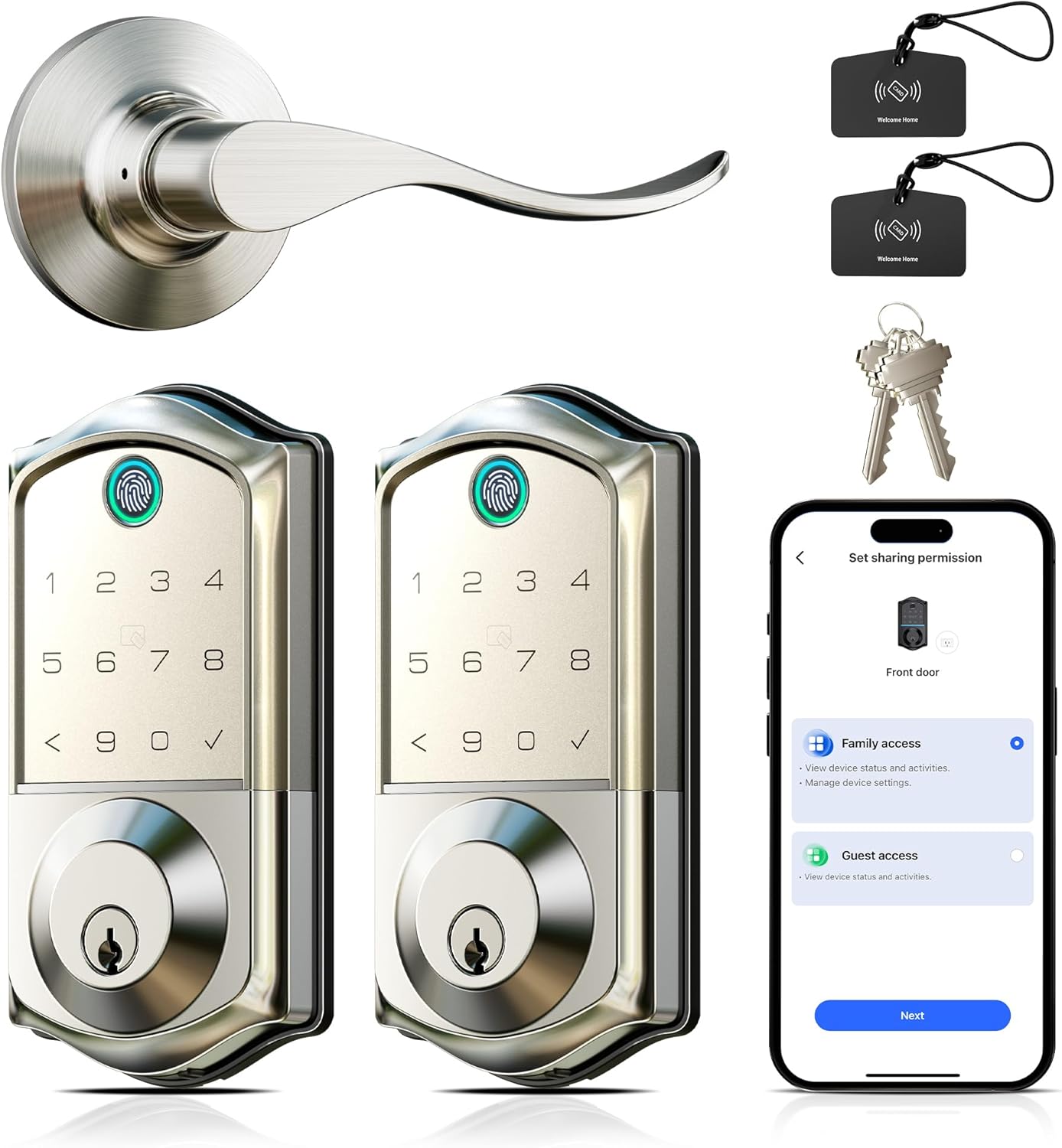
Image: The complete Veise Fingerprint Smart Front Door Lock with Handle Set, including the exterior and interior lock units, door handle, two key fobs, and two physical keys.
Setup and Installation
Before beginning installation, ensure your door meets the required dimensions for proper fitment of the Veise Smart Lock.
Door Measurement Requirements
- Hole Diameter: 1-1/2" or 2-1/8" (38mm or 54mm)
- Minimum Distance between holes: 1-5/8" (40mm)
- Backset: 2-3/8" or 2-3/4" (60mm or 70mm)
- Door Thickness: 1-3/8" to 2" (35mm to 50mm)

Image: A detailed diagram illustrating the necessary door dimensions and hole placements for compatibility with the Veise Smart Lock. It highlights measurements for hole diameter, minimum distance, backset, and door thickness.
Installation Steps (General)
- Verify door compatibility using the measurements above.
- Install the latch and strike plate into the door frame.
- Mount the exterior assembly, ensuring the spindle passes through the latch.
- Install the interior mounting plate.
- Connect the cable from the exterior assembly to the interior assembly.
- Secure the interior assembly to the mounting plate.
- Install batteries and the battery cover.
- Perform initial setup and calibration as per the app instructions.
Operating Instructions
The Veise Smart Lock offers multiple methods for unlocking and locking your door, providing flexibility and convenience.
Unlock and Lock Options
- Fingerprint: Register your fingerprints through the KK Home App for quick, keyless entry.
- Password (Keypad): Use the integrated keypad to enter a pre-set numerical code.
- KK Home App Control: Remotely unlock/lock your door, manage access, and generate temporary codes via the smartphone application.
- Fobs: Utilize the provided RFID fobs for tap-to-unlock functionality.
- Traditional Keys: For manual override, use the physical keys provided.
KK Home App Control
The KK Home App allows for comprehensive management of your smart lock. Features include:
- Remote access management.
- Generation of temporary access codes for guests.
- Sharing digital keys with trusted users.
- Local access tracking and event logs.
- Voice announcements in English, Spanish, and French.

Image: A smartphone displaying the KK Home App, illustrating how to grant and manage access for family members and guests, along with icons representing various app control features.
Automatic Locking and Quick Secure Features
The lock can be configured for automatic locking after a set period (10-180 seconds). Additionally, you can quickly secure the door:
- Auto Lock: Configurable delay from 10 to 180 seconds.
- Manual Lock (Keypad): Press and hold any key on the keypad for 2 seconds.
- Fingerprint Lock: A quick 0.2-second fingerprint scan can also initiate locking.

Image: Visual representation of the Veise Smart Lock's quick security features, showing the auto-lock timer, the action of pressing a keypad key for 2 seconds to lock, and a 0.2-second fingerprint scan for locking.
Smart Guest Access
Manage guest access efficiently through the KK Home App:
- Offline Access Sharing: Grant access even when not connected to the internet.
- Dynamic User Management: Easily add, modify, or remove user permissions.
- Remote Temporary Codes: Generate time-sensitive access codes for visitors.
- Smart Event Tracking: Monitor lock activity and access history.

Image: Multiple smartphone screens displaying the KK Home App's guest access features, such as setting sharing permissions for family and guests, generating a one-time PIN code with an effective time, and a list of shared users.
Maintenance
To ensure the longevity and optimal performance of your Veise Smart Lock, follow these maintenance guidelines:
- Cleaning: Wipe the lock's exterior with a soft, dry cloth. Avoid abrasive cleaners or solvents that could damage the finish or electronic components.
- Battery Replacement: Replace batteries promptly when the low battery indicator appears. Use high-quality alkaline batteries.
- Firmware Updates: Regularly check the KK Home App for available firmware updates to ensure your lock has the latest features and security enhancements.
- Door Alignment: Ensure your door and frame remain properly aligned. Misalignment can cause undue stress on the lock mechanism.
Troubleshooting
Here are solutions to common issues you might encounter with your Veise Smart Lock:
- Lock Not Responding: Check battery levels. If batteries are depleted, use the emergency Type-C charging port or the physical key for access.
- Fingerprint Not Recognized: Ensure your finger is clean and dry. Re-register your fingerprint in the app if issues persist.
- Keypad Not Working: Verify that the keypad is clean. If the issue continues, try replacing the batteries.
- App Connectivity Issues: Ensure your smartphone's Bluetooth is enabled and you are within range of the lock. Restart the app or your phone if necessary.
- Emergency Charging: The lock features an emergency Type-C charging port to provide temporary power if batteries die, ensuring you are never locked out.

Image: A visual overview of the Veise Smart Lock's advanced features, including its reversible lever design, extended battery life of over 10 months, a convenient Type-C emergency charging port, support for three voice prompt languages, and robust triple password protection.
Specifications
| Model | B0FB382YBG |
| Brand | Veise |
| Style | Veise Fingerprint Smart Front Door Lock Set |
| Security Encryption | AES-128 for biometric data |
| Weather Rating | IP55 (withstands extreme weather) |
| Emergency Power | Type-C Charging Port |
| Battery Life | 10+ Months (estimated) |
| Voice Prompts | English, Spanish, French |
| Date First Available | May 26, 2025 |
Warranty and Support
Veise is committed to providing reliable products and excellent customer service.
- Warranty: Your Veise Smart Lock is covered by a 1-year warranty from the date of purchase.
- Online Support: Lifetime online support is available for all Veise products.
- Customer Service Hours: Our customer service team is available Monday-Friday, 9 AM–5 PM PST.
- Email Support: 24/7 email support is available for after-sales assistance.
- Contact Information: For support, please refer to the contact details provided with your product packaging or visit the official Veise website.