
Introduction
Thank you for choosing the Mirightone Queen Loft Bed with Desk and RGB Light. This manual provides essential information for the safe assembly, operation, and maintenance of your new loft bed. Please read these instructions thoroughly before beginning assembly and retain them for future reference.

Image: Overall view of the Mirightone Queen Loft Bed with integrated desk and RGB lighting.
Safety Information
Adherence to the following safety guidelines is crucial for preventing injury and ensuring the longevity of your product:
- Weight Capacity: Do not exceed the maximum weight capacity of 350 pounds (158 kg) on the top bunk.
- Assembly: Always follow the assembly instructions carefully. Incorrect assembly can lead to instability and potential hazards. It is recommended that two adults assemble this product.
- Anti-Tipping: Utilize the provided Anti-Tipping Nails to securely fasten the bed to the wall for enhanced safety and stability.
- Small Parts: Keep all small parts and hardware out of reach of children during assembly to prevent choking hazards.
- Sharp Edges: Exercise caution around metal components during assembly and use to avoid sharp edges.
- LED Lights: Do not leave the RGB LED lights on for extended periods unattended to prevent potential overheating.
- Mattress: Ensure the mattress used is compatible with a Queen size bed frame and fits securely within the guardrails. Mattress is not included.
Package Contents
Your Mirightone Queen Loft Bed will be delivered in two separate boxes. Please ensure both boxes have arrived before beginning assembly. Verify all components against the included parts list in your physical instruction manual.

Image: Product dimensions and indication of two-box delivery.
Typical components include:
- Metal Bed Frame Components
- Desk Surface
- Staircase Shelves
- Guardrails
- Metal Slats
- RGB LED Light Strip with Remote Control
- Integrated Charging Station (2 USB ports, 2 AC outlets)
- Assembly Hardware (screws, bolts, Allen wrench)
- Installation Manual
- Anti-Tipping Nails
Assembly Instructions
1. Preparation
- Clear Area: Choose a spacious, clear area for assembly.
- Unpack: Carefully unpack all components and lay them out. Compare them with the parts list in your physical manual.
- Tools: Ensure you have the necessary tools. An electric drill (not included) can expedite assembly, but an Allen wrench is provided.
- Assistance: Assembly is significantly easier and safer with two adults.
2. Step-by-Step Assembly
Refer to the detailed, numbered instructions and diagrams in the physical installation manual included with your product. The general sequence involves:
- Assemble the main bed frame structure.
- Attach the desk and support beams.
- Construct and integrate the staircase shelves.
- Install the metal slats for mattress support.
- Secure the guardrails.
- Install the RGB LED light strip and charging station.
- Fasten the bed to the wall using the anti-tipping hardware.
Important: Pay close attention to the orientation of each piece as depicted in the diagrams to avoid reassembly.
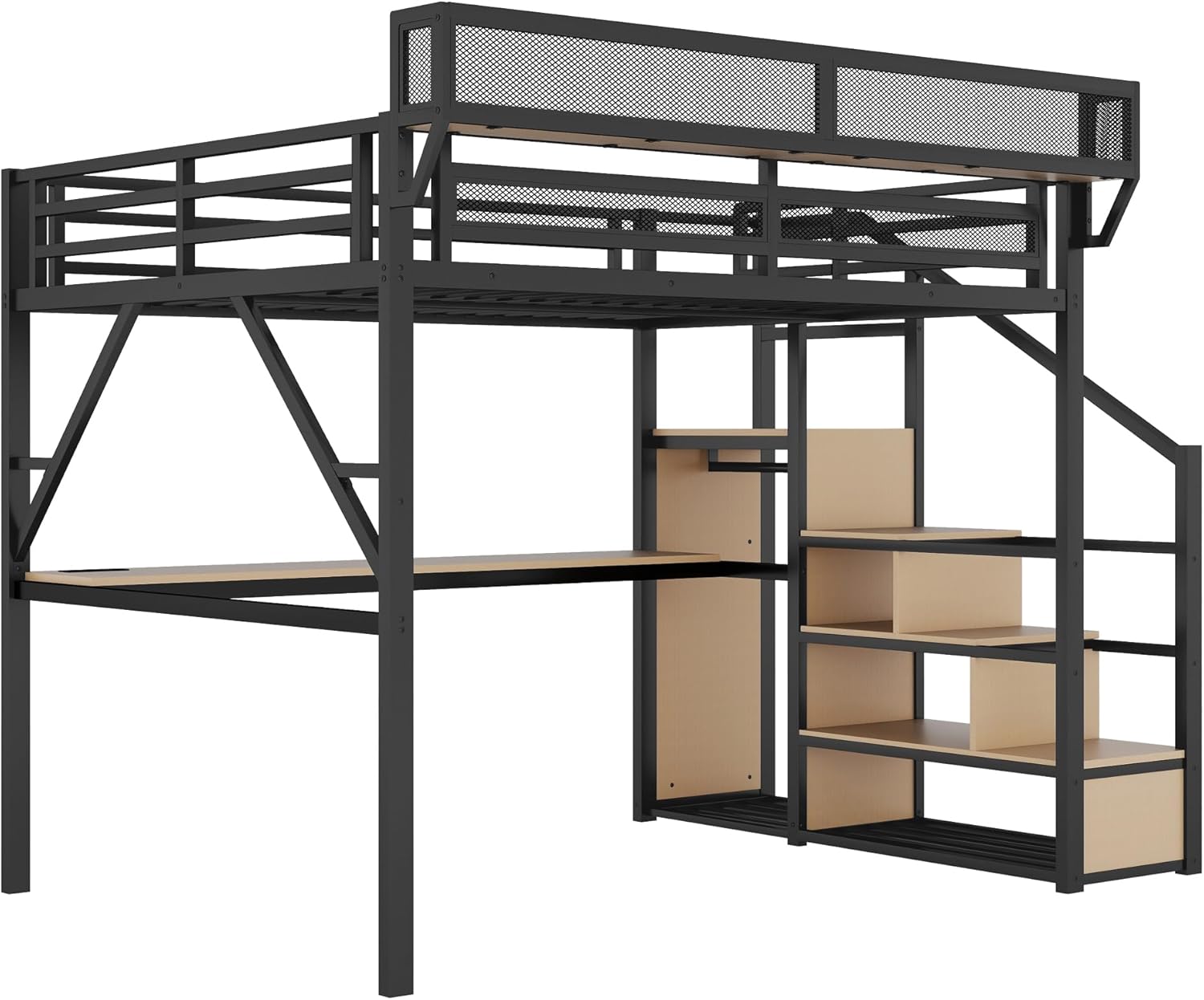
Image: Side view illustrating the bed's structure, including the desk and staircase.
Operating Instructions
1. RGB LED Lighting
The integrated RGB LED light strip offers customizable ambiance for your loft bed area.
- Remote Control: Use the provided remote control to power the lights on/off, change between 16 dynamic colors, adjust brightness, and select various lighting modes.
- App Control: Download the free companion app (refer to your physical manual for QR code or app store details) to control the lights via Bluetooth. The app allows for advanced features such as music/voice synchronization and setting timers.
- Placement: The LED strip is typically installed under the bed frame, illuminating the desk area.

Image: Loft bed with LED lights and remote control for mood enhancement.

Image: RGB LED light remote control.
2. Integrated Charging Station
The loft bed includes a built-in charging station for convenience.
- Power Connection: Ensure the charging station's power cord is securely plugged into a functional wall outlet.
- USB Ports: Two 5V/2A USB ports are available for charging compatible devices such as smartphones and tablets.
- AC Outlets: Two 120V/12A AC outlets are provided for powering laptops, monitors, or other electronic devices.
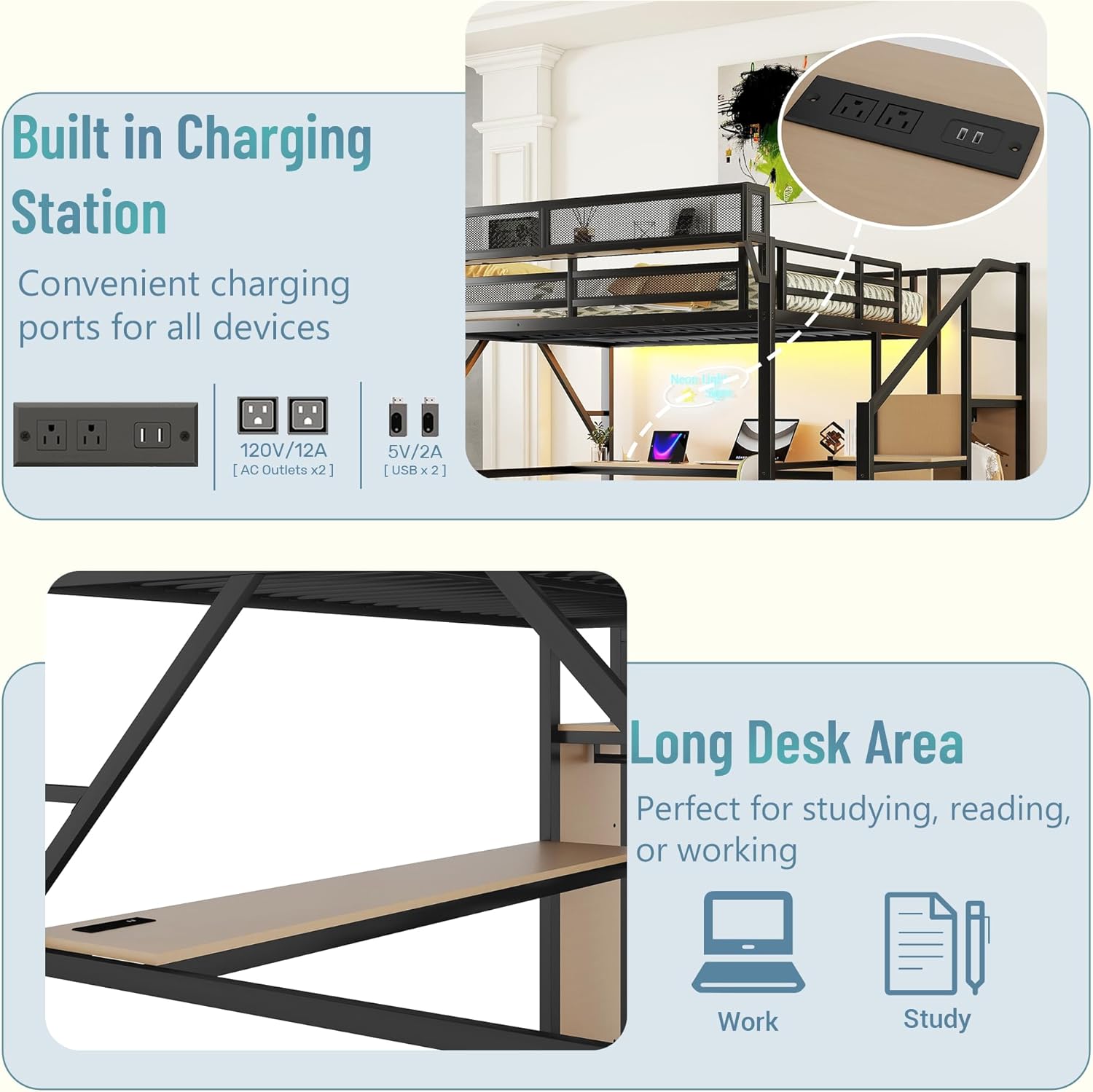
Image: Built-in charging station with USB ports and AC outlets.

Image: Detailed view of the charging station ports.
Maintenance
Regular maintenance helps preserve the condition and functionality of your loft bed.
- Cleaning: Wipe the metal frame and desk surfaces with a damp cloth, then dry immediately with a clean, dry cloth. Avoid abrasive cleaners or harsh chemicals.
- Hardware Check: Periodically inspect all bolts, screws, and connections to ensure they are tight. Retighten as necessary to maintain structural integrity.
- LED Lights: Ensure the LED strip and remote control are kept dry and free from dust.
- Charging Station: Keep the charging ports clean and free of debris. Do not force plugs into the outlets.
Troubleshooting
If you encounter issues with your Mirightone Queen Loft Bed, consider the following:
- Instability/Wobbling:
- Ensure all bolts and screws are fully tightened.
- Verify that the bed is placed on a level surface.
- Confirm the anti-tipping hardware is correctly installed and secured to the wall.
- Missing or Damaged Parts:
- Carefully re-check both delivery boxes and all packaging materials.
- Contact customer support with your purchase details and a description of the missing/damaged part.
- LED Lights Not Working:
- Check if the power adapter is securely plugged into an outlet and the LED strip.
- Replace the remote control battery if necessary.
- Ensure there are no obstructions between the remote and the LED receiver.
- Charging Station Not Functioning:
- Verify the charging station's power cord is fully inserted into a working wall outlet.
- Test the outlet with another device to confirm it has power.
- Ensure devices are properly connected to the USB ports or AC outlets.
Specifications
| Brand | Mirightone |
| Model Number | 24 |
| Size | Queen |
| Product Dimensions | 99.4"L x 63.4"W x 73.4"H |
| Color | Black With Desk |
| Material | Metal (Powder Coated Finish) |
| Item Weight | 178.2 pounds |
| Weight Capacity (Top Bunk) | 350 pounds |
| Special Features | Charging Station, LED Lighting, No Box Spring Needed, Space Saving, Stairs |
| Charging Station | 2 USB ports (5V/2A), 2 AC outlets (120V/12A) |
| Under-bed Clearance | 54" (under desk) |

Image: Detail of the robust metal frame construction.
Customer Support
For any questions, concerns, or assistance with your Mirightone Queen Loft Bed, please do not hesitate to contact our customer service team. We are committed to providing prompt and helpful support.
- Contact Information: Refer to the contact details provided in your product packaging or on the Mirightone official website.
- Response Time: Expect detailed solutions within 7-24 hours.
- Warranty: Information regarding product warranty and any available extended protection plans can be found with your purchase documentation.