
Introduction
Welcome to your new TRIUMPHKEY Gaming Desk. This desk is designed for gamers and general use, offering a stable and functional workspace. It features a carbon fiber textured surface, a stable Z-frame, a headphone hook, and cable management to enhance your experience.
For a detailed installation guide, please refer to the official Installation Manual (PDF).
Safety Information
- Maximum Load Capacity: The desk has a maximum recommended weight capacity of 100 kg (220 lbs). Do not exceed this limit to prevent instability or tipping.
- Heavy Objects: Exercise caution when placing heavy objects on the desk to ensure even weight distribution.
- Stability: Ensure the desk is placed on a flat, level surface. Adjust the leveling feet as needed to prevent wobbling.
Setup Instructions
The TRIUMPHKEY Gaming Desk is designed for straightforward assembly, typically completed within 30 minutes. All necessary tools, including a screwdriver and screw kit, are provided with your purchase. One person is recommended for assembly.
- Unpack Components: Carefully remove all parts from the packaging and verify against the included parts list.
- Assemble Frame: Attach the Z-shaped legs to the support beams using the provided screws. Ensure all connections are secure but do not overtighten initially.
- Attach Desktop: Place the carbon fiber desktop onto the assembled frame. Align the pre-drilled holes and secure the desktop with the remaining screws.
- Install Accessories: Attach the headphone hook and cable management grommets as desired.
- Final Tightening & Leveling: Once all components are in place, fully tighten all screws. Adjust the leveling feet at the base of the legs to ensure the desk is stable and does not wobble.

Operating Instructions
Your TRIUMPHKEY Gaming Desk is designed with several features to optimize your gaming or work environment:
- Carbon Fiber Textured Surface: The desktop features a durable carbon fiber texture that is resistant to scratches and easy to clean, providing a smooth and responsive surface for your mouse.
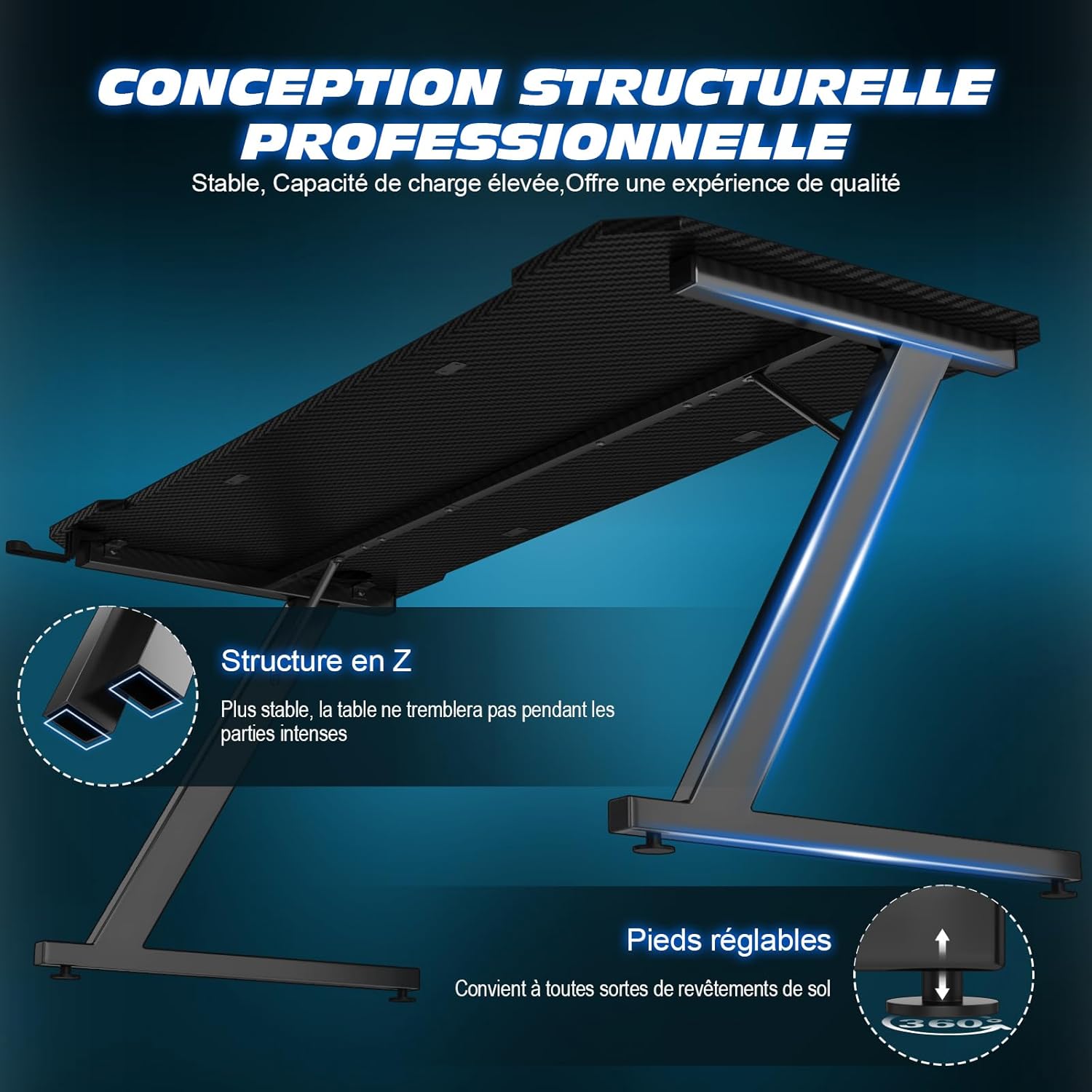
- Stable Z-Frame Design: The unique Z-shaped leg structure provides enhanced support and reduces shaking, ensuring stability even during intense gaming sessions.
- Headphone Hook: Utilize the integrated headphone hook to keep your headset conveniently stored and within easy reach, freeing up desktop space.
- Cable Management System: The desk includes grommets for effective cable management, helping to organize power cables and other wires for a tidy and clutter-free workspace.
- Adjustable Feet: The adjustable feet at the base of the legs allow you to fine-tune the desk's height and level it on uneven floor surfaces, ensuring maximum stability.


Maintenance
- Cleaning: To clean the desk surface, simply wipe it with a dry cloth. For stubborn marks, a slightly damp cloth can be used, followed by drying.
- Avoid Harsh Cleaners: Do not use harsh chemicals, abrasive cleaners, or solvents, as these can damage the carbon fiber finish and other materials.
- Regular Checks: Periodically check all screws and connections to ensure they remain tight and secure. Retighten if necessary to maintain desk stability.
Troubleshooting
- Desk Instability/Wobbling:
- Ensure all assembly screws are fully tightened.
- Verify that the desk is placed on a flat, level surface. Adjust the leveling feet at the bottom of the legs to compensate for uneven floors.
- Assembly Difficulties:
- Refer to the detailed installation manual included with your product.
- If issues persist, contact TRIUMPHKEY customer support for assistance.
Specifications
| Attribute | Detail |
|---|---|
| Brand | TRIUMPHKEY |
| Model Number | Z0BK |
| Dimensions (D x W x H) | 50P x 80l x 75H centimeters (50D x 80W x 75H cm) |
| Weight | 10 Kilograms |
| Maximum Load Capacity | 100 Kilograms |
| Desktop Material | Carbon Fiber |
| Frame Material | Alloy Steel |
| Color | Black |
| Special Features | Carbon fiber surface, headphone hook, cable management, adjustable feet |
| Assembly Required | Yes |
| Tools Included | Yes |
Warranty & Support
Warranty: This TRIUMPHKEY Gaming Desk comes with a limited warranty. Please refer to the warranty documentation included with your purchase for specific terms, conditions, and duration of coverage.
Customer Support: For any questions, assistance with assembly, troubleshooting, or product support, please contact TRIUMPHKEY customer service. Contact details can typically be found on the product packaging, the official TRIUMPHKEY website, or through your point of purchase.