1. Introduction
The Bestguarder Wireless Alarm System Kit (Model SY007Plus) is designed to provide reliable motion detection and alerts for various outdoor applications, including hunting, property surveillance, and security. This system features a long-range receiver and multiple motion sensor detectors, offering comprehensive coverage and real-time notifications.

Image: Overview of the Bestguarder Wireless Alarm System Kit, showing five motion sensors and one receiver unit.
2. Package Contents
Verify that all components are present in your package:
- 1 x Receiver Unit
- 5 x Motion Detector Sensors (labeled NO.1, 2, 3, 4, 5)
- 5 x Mounting Belts
- 1 x User Manual
- 1 x Card Needle (for battery compartment)

Image: All components included in the Bestguarder Wireless Alarm System Kit, laid out for inspection.
3. Product Specifications
| Feature | Detail |
|---|---|
| Brand | Bestguarder |
| Model Number | SY007Plus |
| Color | Camouflage |
| Power Source | Battery Powered (Batteries not included) |
| Connectivity Technology | Wireless |
| Item Dimensions (L x W x H) | 5.5 x 1.57 x 3.9 inches |
| Item Weight | 2.2 Pounds |
| Maximum Wireless Range | 300 Meters (in open space) |
| Detector Sensing Distance | Up to 15 Meters |
| Detector Infrared Angle | 70 degrees |
| Water Resistance | IP66 Waterproof |

Image: Technical drawing showing the dimensions of the receiver and a single motion detector.
4. Setup Guide
4.1. Battery Installation
Both the receiver and the detectors require batteries (not included). Refer to the markings on the devices for correct battery type (typically AAA for detectors).
- Locate the battery compartment on the back of each detector and the receiver.
- Use the provided card needle or a small tool to open the battery cover.
- Insert the batteries, ensuring correct polarity (+/-).
- Securely close the battery cover.

Image: Detailed view of a motion detector, highlighting the battery compartment and control switches.
4.2. Pairing Detectors with Receiver
The detectors are pre-paired with the receiver. If re-pairing is necessary, follow the instructions in the included user manual for the specific pairing procedure.
4.3. Mounting Detectors
The detectors are designed for outdoor use and can be mounted on trees, posts, or other stable surfaces using the provided mounting belts.
- Choose a location where the detector has a clear line of sight to the area you wish to monitor. Avoid placing it directly facing strong sunlight or heat sources.
- Secure the detector using the mounting belt, ensuring it is firmly attached and stable.
- Adjust the detector's angle to optimize the detection range and minimize false alarms from swaying branches or small animals. The detector features a 90-degree rotating antenna for optimal signal reception.

Image: A motion detector mounted on a tree, illustrating its adjustable angle for optimal coverage.

Image: A motion detector with water droplets, demonstrating its IP66 waterproof design for outdoor use.
5. Operating Instructions
5.1. Powering On/Off
Locate the ON/OFF switch on both the receiver and each detector. Slide the switch to the 'ON' position to activate the devices. Slide to 'OFF' when not in use to conserve battery life.
5.2. Detection and Alerts
When a motion detector senses movement within its range (up to 15 meters), it will send a signal to the receiver. The receiver will then alert you through one or a combination of the following methods:
- Sound Alarm: An audible alert will sound.
- Vibration Alarm: The receiver will vibrate.
- LED Light Alarm: An indicator light on the receiver will illuminate, corresponding to the triggered detector (1-5).
The system is designed for fast and effective sensing, with a triggered time of 0.5 seconds.
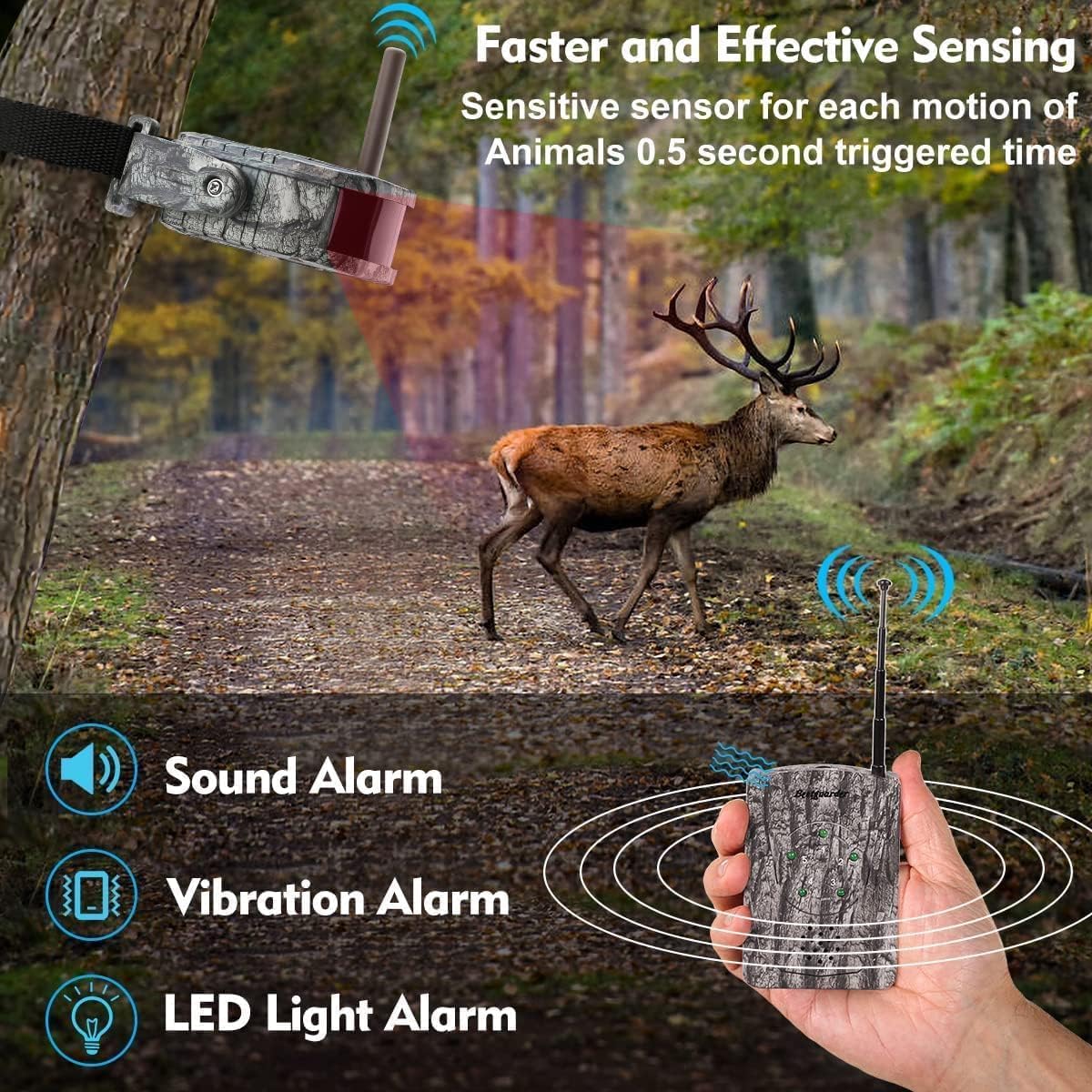
Image: Illustration of a deer triggering a motion sensor, demonstrating the receiver's various alert methods: sound, vibration, and LED light.
5.3. Adjusting Settings
- Volume Control: Use the adjustable volume switch on the receiver to set the desired alert volume.
- Headphone Jack: The receiver includes an earphone jack for private monitoring.
5.4. Coverage and Application
The system offers a wide coverage area. The receiver can be paired with up to 5 detectors, allowing for comprehensive monitoring of an area up to 300 meters in open space. The detectors have a 70-degree infrared angle and can detect movement up to 12 meters away.
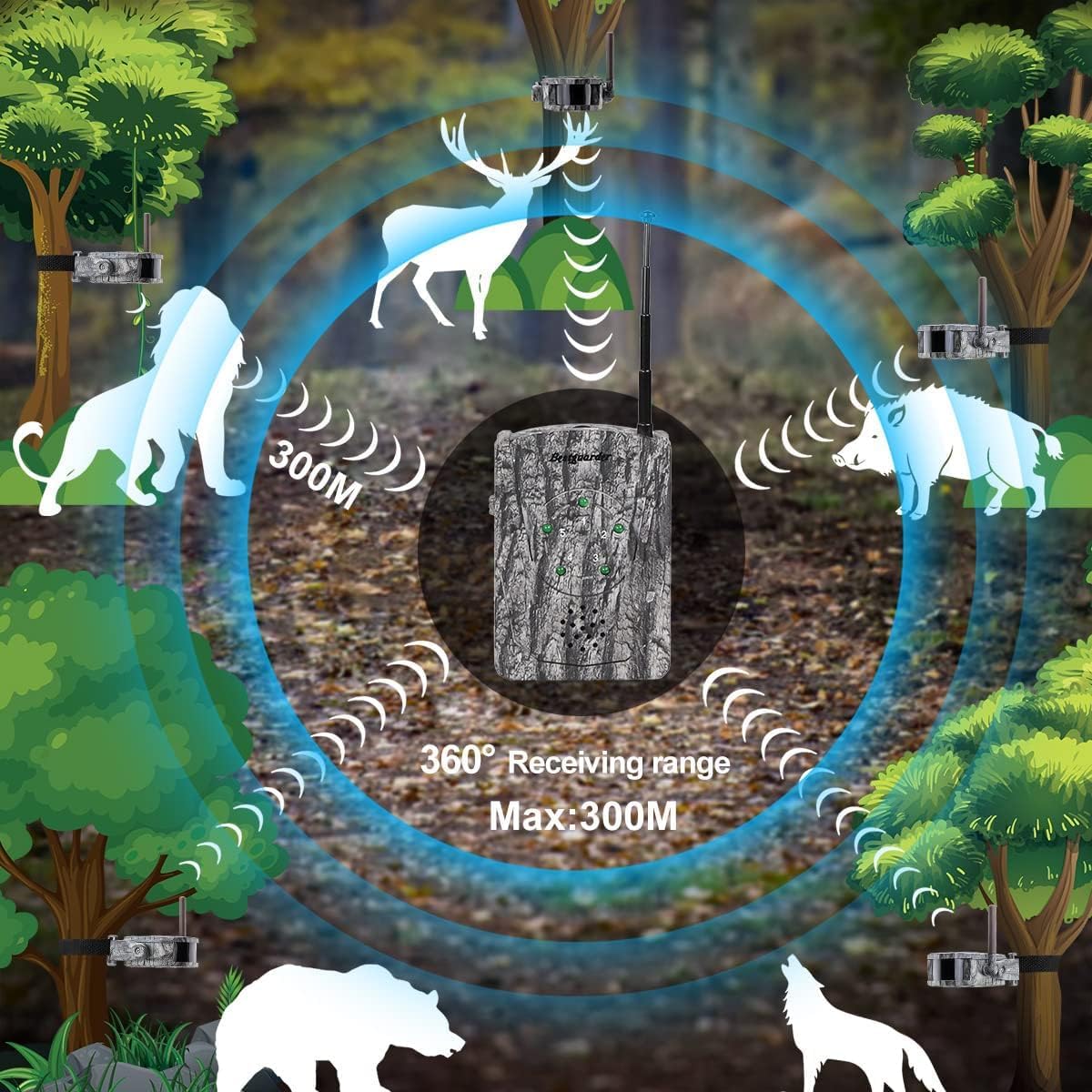
Image: A visual representation of the system's 360-degree receiving range, with sensors strategically placed to cover a wide area.

Image: An example of the system's application in a hunting scenario, illustrating how sensors detect movement around a hunting blind.
6. Maintenance
- Battery Replacement: Replace batteries in both the receiver and detectors when performance degrades or the low battery indicator (if present) illuminates. Always use fresh batteries of the specified type.
- Cleaning: Wipe the exterior of the devices with a soft, damp cloth. Do not use harsh chemicals or abrasive cleaners. Ensure the sensor lens is clean for optimal detection.
- Storage: When not in use for extended periods, remove all batteries to prevent leakage and store the system in a cool, dry place away from direct sunlight.
7. Troubleshooting
| Problem | Possible Cause | Solution |
|---|---|---|
| No alert from receiver when motion is detected. |
|
|
| False alarms. |
|
|
| Short detection range. |
|
|
8. Warranty Information
Bestguarder products are manufactured to high quality standards. For specific warranty terms and conditions, please refer to the warranty card included with your product or visit the official Bestguarder website. Keep your purchase receipt as proof of purchase for any warranty claims.
9. Customer Support
If you encounter any issues or have questions regarding your Bestguarder Wireless Alarm System Kit, please contact Bestguarder customer support. Contact information can typically be found in the included user manual or on the official Bestguarder website.
For additional resources and product information, you may visit the Bestguarder Store on Amazon: Bestguarder Amazon Store.


