
1. Introduction
This manual provides detailed instructions for the operation and maintenance of your BAOFENG DM-32UV DMR 10W Portable Radio. The DM-32UV is a versatile two-way radio supporting both Digital Mobile Radio (DMR) and analog communication across UHF, VHF, AM, and FM bands. It features integrated GPS and Digital APRS capabilities, a 2-inch color display, 4000 channels, and a robust 10W power output for reliable communication.

2. Setup
2.1 Package Contents
Verify that all items are present in the package:
- 1 x BAOFENG DM-32UV DMR Radio
- 1 x 2500 mAh Li-ion Battery
- 1 x Antenna
- 1 x Desktop Charging Cradle
- 1 x USB-C Charger
- 1 x Earpiece
- 1 x Radio Holder
2.2 Battery Installation and Charging
To install the battery, align the battery pack with the grooves on the back of the radio and slide it upwards until it clicks into place. To remove, press the release latch and slide the battery downwards.
For charging, place the radio with the battery installed into the desktop charging cradle, ensuring proper contact. Alternatively, connect the USB-C charger directly to the battery pack or the radio's USB-C port. The charging indicator on the cradle will show red during charging and turn green when fully charged.

2.3 Antenna Attachment
Screw the antenna clockwise onto the connector at the top of the radio until it is finger-tight. Do not overtighten.
2.4 Powering On/Off
To power on the radio, rotate the power/volume knob clockwise until you hear a click. To power off, rotate the knob counter-clockwise until it clicks.
3. Operating Instructions
3.1 Display and Navigation
The radio features a 2-inch color display that shows channel information, frequency, battery status, and other operational data. Text colors can be customized through the radio's menu settings for improved visibility.

3.2 Channel and Frequency Management
The DM-32UV supports up to 4000 channels and 250 zones, allowing for organized storage and quick access to frequently used frequencies. Channels can be programmed via software or directly through the radio's menu. Use the navigation buttons to scroll through channels and zones.

3.3 DMR and Analog Modes
The radio operates in both DMR digital and traditional analog modes. Switch between modes to ensure compatibility with various communication systems. DMR Tier II dual time slots enable efficient two-way communication on a single channel. The radio supports private, group, and general calls in DMR mode.

3.4 GPS and Digital APRS
The integrated GPS module and Automatic Packet Reporting System (APRS) allow for real-time location transmission. This feature is beneficial for outdoor activities, emergency services, and field operations coordination.

3.5 Advanced Features
- 10W High Power Transmission: The radio offers an adjustable power output up to 10W, providing extended communication range.
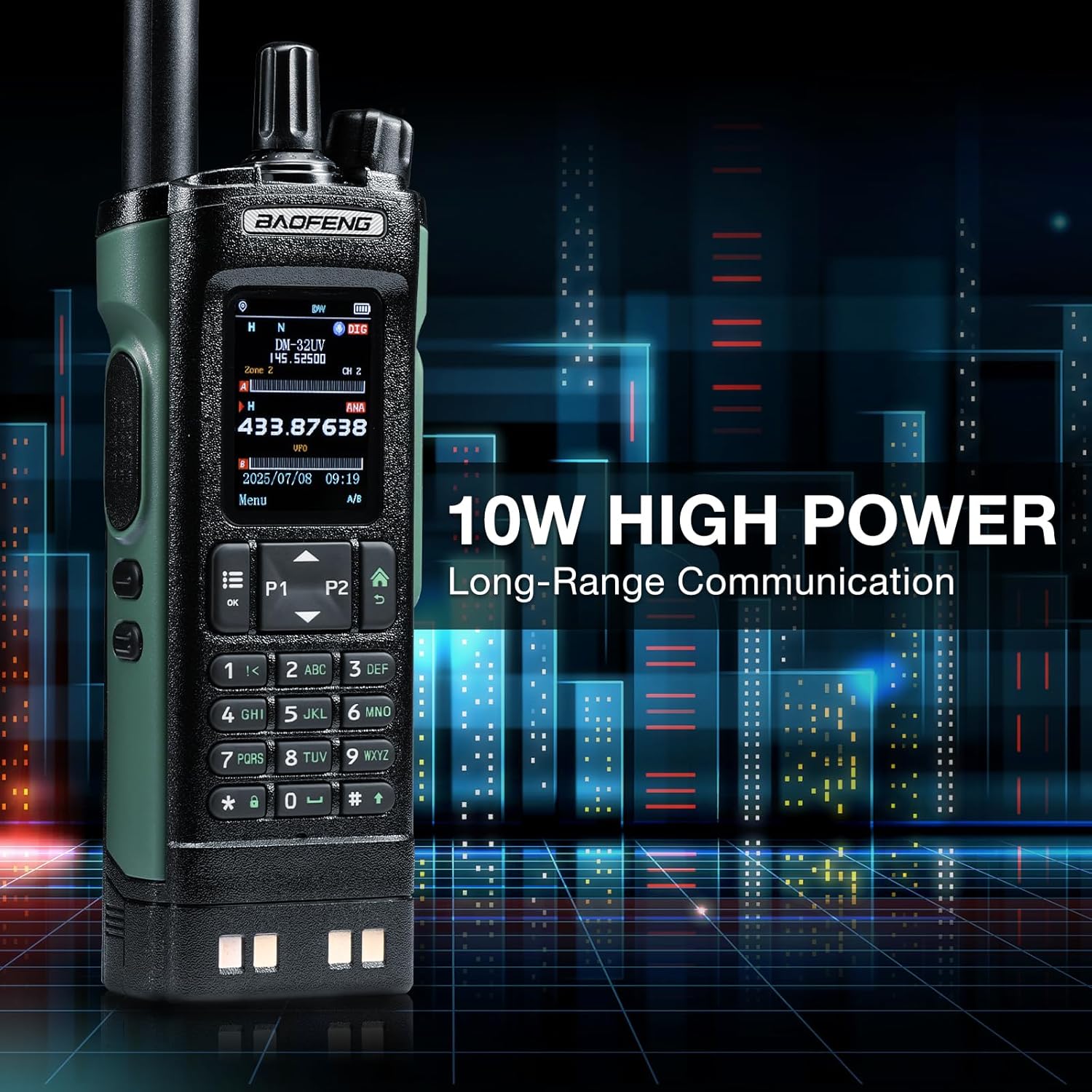
Figure 3.5: The 10W high power output ensures long-range communication capabilities. - AM Aviation Receiver: The radio can receive AM frequencies, including the aviation band, for monitoring air traffic communications.

Figure 3.6: The DM-32UV includes an AM aviation receiver for monitoring aircraft communications. - Digital Audio Recording: The device supports up to 10 hours of digital voice recording, useful for logging communications.

Figure 3.7: The radio offers up to 10 hours of digital audio recording for important conversations. - Programmable Buttons: Four buttons on the radio are freely programmable, allowing users to assign frequently used functions for quick access.

Figure 3.8: The DM-32UV features four customizable buttons for quick access to preferred functions. - Frequency Copy Function: Available in analog mode, this function allows for quick copying of frequencies from other radios.
4. Maintenance
4.1 Cleaning
Clean the radio's exterior with a soft, damp cloth. Avoid using harsh chemicals or abrasive cleaners. Ensure the charging contacts are clean and dry.
4.2 Battery Care
To prolong battery life, avoid fully discharging the battery frequently. Charge the battery in a cool, dry environment. If storing the radio for an extended period, remove the battery and store it separately at approximately 50% charge.
4.3 Storage
Store the radio in a dry, dust-free environment away from direct sunlight and extreme temperatures. Keep it away from strong magnetic fields.
5. Troubleshooting
This section addresses common issues you might encounter with your BAOFENG DM-32UV radio.
- No Power: Ensure the battery is correctly installed and fully charged. Check the power/volume knob is turned on.
- No Signal/Poor Reception: Verify the antenna is securely attached. Check if you are on the correct frequency or channel. Ensure you are within range of the transmitting station.
- Poor Audio Quality: Adjust the volume. Check the earpiece connection if one is used. Ensure the microphone and speaker are not obstructed.
- GPS Not Functioning: Ensure the radio has a clear view of the sky for satellite acquisition. Check GPS settings in the menu.
- Radio Not Charging: Verify the charger and charging cradle are properly connected to power. Ensure the battery and radio contacts are clean.
If problems persist, consult the BAOFENG support resources or contact your seller.
6. Specifications
The following table outlines the technical specifications for the BAOFENG DM-32UV radio:
| Feature | Specification |
|---|---|
| Brand | BAOFENG |
| Model | DM-32UV |
| Dimensions | 26.6 x 22.2 x 6.5 cm |
| Weight | 780 grams |
| Battery | 1 x 9V (included), 2500 mAh Li-ion |
| Tuner Technology | VHF and UHF |
| Compatible Devices | Two-way radios, headphones |
| Additional Features | Dual band, Digital display, Rechargeable, Voice-activated transmission |
| Included Components | 1 antenna, 1 earpiece, 1 2500 mAh battery, 1 DM-32UV DMR radio, 1 desktop charging station and USB-C charger, 1 radio holder |
| Voltage | 7.4 Volts (DC) |
| Water Resistance Level | Not water resistant |
| Number of Channels | 4000 |
| Frequency Spectrum | 144-146 & 430-440 MHz |
7. Warranty and Support
For warranty information, please refer to the documentation provided with your purchase or contact your authorized BAOFENG dealer. For technical support or further assistance, please reach out to BAOFENG customer service or the seller from whom you purchased the product.