Introduction
Thank you for purchasing the Xtreme Bluetooth Speaker with RGB LED Light Show. This manual provides essential information for the safe and efficient operation of your speaker. Please read it thoroughly before use and retain it for future reference.
Safety Information
- Do not expose the speaker to extreme temperatures, direct sunlight, or open flames.
- Avoid dropping or subjecting the speaker to strong impacts.
- Keep the speaker away from water and liquids, despite its splash-proof design. Do not submerge.
- Do not attempt to disassemble or repair the speaker yourself. Contact qualified service personnel.
- Use only the provided charging cable or a certified equivalent.
- Keep out of reach of children.
Package Contents
- Xtreme Bluetooth Speaker
- USB Charging Cable
- Auxiliary Audio Cable
- Instruction Manual
Product Overview
Familiarize yourself with the speaker's components and controls.
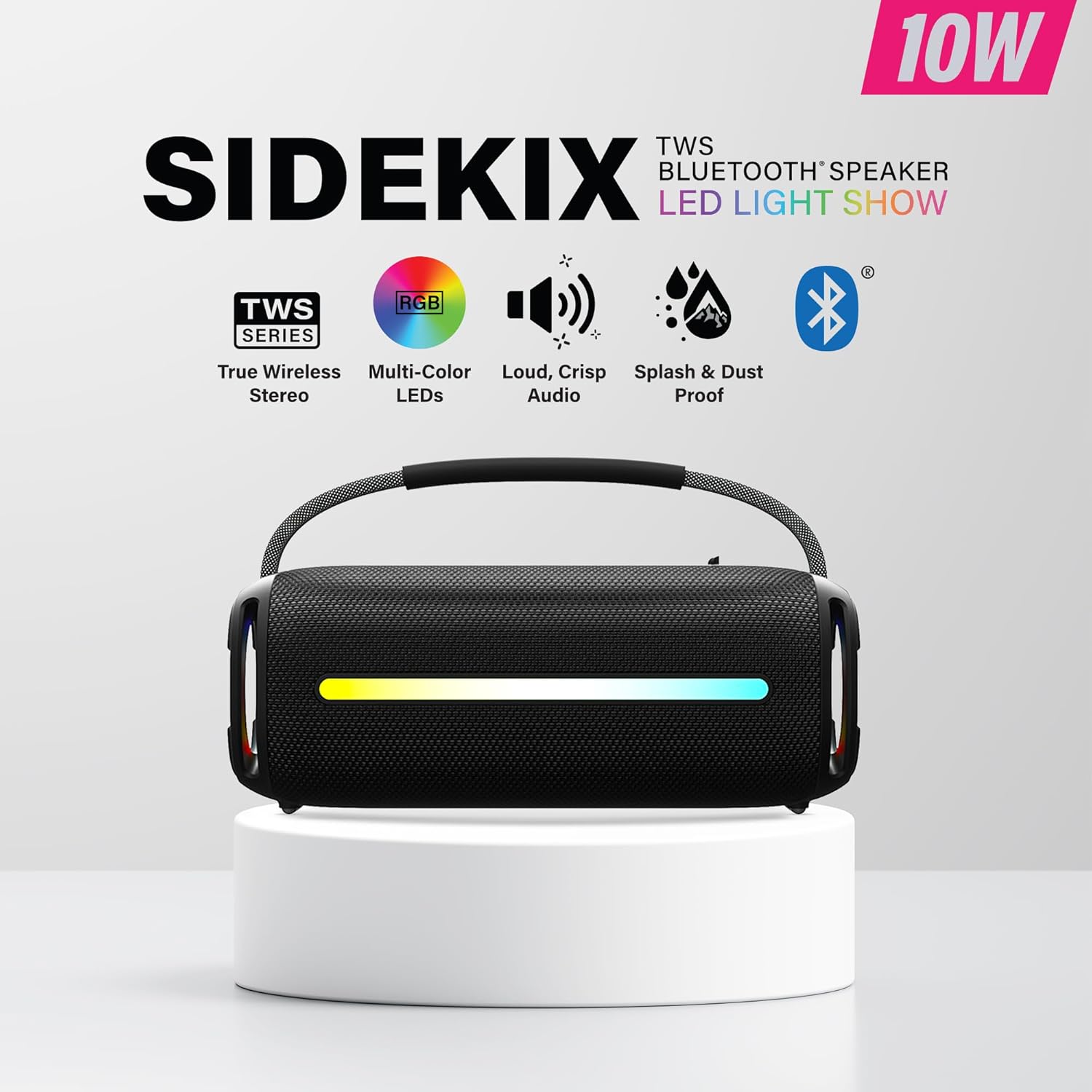
Image: Front view of the Xtreme Bluetooth Speaker. This image highlights the main speaker grille, the integrated RGB LED light strip, and the durable carry handle. Key features like True Wireless Stereo (TWS), Multi-Color LEDs, Loud, Crisp Audio, and Splash & Dust Proof capabilities are indicated around the speaker.
Controls and Ports:
- Power Button: Press and hold to turn on/off.
- Play/Pause Button: Press to play or pause music.
- Volume Up/Next Track Button: Press to increase volume, hold to skip to the next track.
- Volume Down/Previous Track Button: Press to decrease volume, hold to go to the previous track.
- Mode Button: Press to switch between Bluetooth, AUX, USB, and Memory Card modes.
- LED Light Mode Button: Press to cycle through different RGB LED light patterns.
- Charging Port (USB-C/Micro USB): For charging the speaker.
- AUX Input: For wired audio connection.
- USB Port: For playing music from a USB flash drive.
- Memory Card Slot: For playing music from a memory card.
Setup
1. Charging the Speaker
Before first use, fully charge the speaker. Connect the provided USB charging cable to the speaker's charging port and the other end to a USB power adapter (not included) or a computer's USB port. The LED indicator will show charging status and turn off when fully charged.

Image: The Xtreme Bluetooth Speaker positioned on a sandy surface with water splashing, demonstrating its splash and dust-proof features. The RGB LED light strip is illuminated, showcasing its visual appeal in an outdoor setting.
2. Powering On/Off
Press and hold the Power Button for approximately 3 seconds to turn the speaker on or off. A sound prompt will indicate the power status.
3. Bluetooth Pairing
- Turn on the speaker. It will automatically enter Bluetooth pairing mode, indicated by a flashing LED light.
- Enable Bluetooth on your device (smartphone, tablet, etc.).
- Search for available Bluetooth devices and select "Xtreme Speaker" from the list.
- Once paired, the LED indicator will stop flashing, and you will hear a confirmation sound.

Image: Top-down view of the Xtreme Bluetooth Speaker, showing its robust construction amidst splashes of water and scattered sand. This image reinforces the speaker's durability and suitability for outdoor use, with the RGB lights active.
4. True Wireless Stereo (TWS) Pairing
To achieve stereo sound, you can pair two Xtreme Bluetooth Speakers together.
- Ensure both speakers are turned on and not connected to any other Bluetooth device.
- On one speaker (this will be the primary speaker), press and hold the Mode Button for 2-3 seconds until you hear a TWS pairing prompt.
- The two speakers will automatically connect to each other. Once connected, you will hear a confirmation sound.
- Now, connect your device to the primary speaker via Bluetooth as described in "Bluetooth Pairing" above. The audio will play in stereo through both speakers.

Image: A close-up, angled view of the Xtreme Bluetooth Speaker, focusing on the side panel where the RGB LED lights are prominent. This image also provides a clearer look at the texture of the speaker's exterior and the integrated handle.
5. Connecting via AUX Input
Use the provided auxiliary audio cable to connect your device's headphone jack to the speaker's AUX input port. The speaker will automatically switch to AUX mode, or you can press the Mode Button to select AUX.
6. Using USB Drive or Memory Card
Insert a USB flash drive or a memory card (with MP3 audio files) into the respective port/slot. The speaker will automatically detect the storage device and begin playing music. Press the Mode Button to switch to USB or Memory Card mode if needed.
Operating
Basic Playback Controls
- Play/Pause: Press the Play/Pause Button.
- Volume Up: Press the Volume Up Button.
- Volume Down: Press the Volume Down Button.
- Next Track: Hold the Volume Up Button.
- Previous Track: Hold the Volume Down Button.
RGB LED Light Show
Press the LED Light Mode Button to cycle through various light patterns and colors. The lights will synchronize with your music, enhancing the listening experience. Continue pressing to turn the lights off if desired.

Image: The Xtreme Bluetooth Speaker displayed in a low-light environment, showcasing its dynamic RGB LED light show. The lights are brightly colored, creating an engaging visual effect that complements the audio experience.
Maintenance
- Cleaning: Use a soft, dry cloth to clean the speaker's exterior. Do not use abrasive cleaners or solvents.
- Storage: Store the speaker in a cool, dry place away from direct sunlight and extreme temperatures when not in use for extended periods.
- Battery Care: To prolong battery life, fully charge the speaker at least once every three months if not used regularly. Avoid completely draining the battery frequently.
Troubleshooting
| Problem | Possible Cause | Solution |
|---|---|---|
| Speaker does not turn on. | Low battery. | Charge the speaker fully. |
| Cannot pair via Bluetooth. | Speaker not in pairing mode; device Bluetooth off; too far from speaker. | Ensure speaker is on and in pairing mode. Turn on device Bluetooth. Move device closer to speaker (within 33 ft). |
| No sound. | Volume too low; incorrect mode selected; device not playing. | Increase speaker and device volume. Press Mode Button to select correct input. Ensure music is playing on your device. |
| TWS pairing fails. | Speakers already paired to another device; incorrect pairing procedure. | Ensure both speakers are disconnected from other devices. Follow TWS pairing steps carefully. |
| LED lights not working. | Lights turned off; malfunction. | Press the LED Light Mode Button to activate or change modes. If issue persists, contact support. |
Specifications
| Model Number | XBS9-1081 |
| Speaker Type | Portable Speaker |
| Connectivity Technology | Bluetooth, AUX, USB, Memory Card |
| Bluetooth Range | Up to 33 feet (10 meters) |
| Battery Capacity | 1500mAh Rechargeable |
| Speaker Maximum Output Power | 10 Watts |
| Product Dimensions | 9.8"D x 6"W x 5.3"H |
| Item Weight | 4 pounds |
| Features | RGB LED Light Show, True Wireless Stereo (TWS), Splash & Dust Proof |
Warranty and Support
For warranty information or technical support, please refer to the warranty card included with your purchase or visit the official XTREME website. You may also contact customer service at the details provided on the product packaging or the XTREME brand store on Amazon.
XTREME Store Link: Visit the XTREME Store on Amazon


