1. Introduction
This manual provides detailed instructions for the proper use, setup, and maintenance of your WIWU OWS O300 Wireless Earbuds. Please read this manual thoroughly before using the product to ensure optimal performance and longevity.
2. Package Contents
Verify that all items listed below are present in your product package:
- WIWU OWS O300 Wireless Earbuds (Left and Right)
- Charging Case
- USB-C Charging Cable
- User Manual
3. Product Overview
The WIWU OWS O300 earbuds feature an open-ear design for comfort and situational awareness, paired with a compact charging case.

Figure 3.1: WIWU OWS O300 Wireless Earbuds and Charging Case

Figure 3.2: WIWU OWS O300 Charging Case open with earbuds inside
Earbud Components
- Ear Hook: Provides a secure fit over the ear.
- Speaker Unit: Delivers audio.
- Touch Control Area: For managing playback, calls, and other functions.
- Microphone: For voice calls.
- Charging Contacts: Connects with the charging case.
Charging Case Components
- Earbud Slots: Holds and charges the earbuds.
- USB-C Charging Port: For charging the case.
- LED Indicator: Shows charging status and battery level.
4. Setup
4.1 Charging the Earbuds and Case
Before first use, fully charge both the earbuds and the charging case.
- Place the earbuds into the charging case, ensuring the charging contacts align.
- Connect the USB-C charging cable to the charging port on the case and the other end to a power source (e.g., USB wall adapter, computer USB port).
- The LED indicator on the case will show the charging status. A full charge typically takes approximately 1.5 hours.
- Once fully charged, disconnect the charging cable.
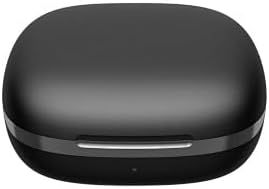
Figure 4.1: WIWU OWS O300 Charging Case in closed state
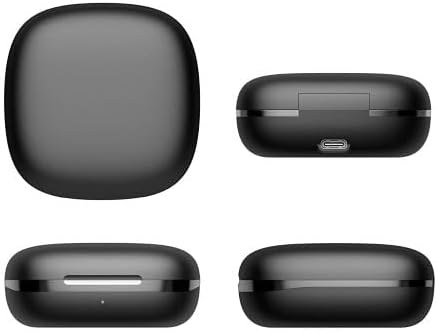
Figure 4.2: Various views of the WIWU OWS O300 charging case, highlighting its design and USB-C charging port
4.2 Pairing with a Device
- Ensure the earbuds are charged. Open the charging case; the earbuds will automatically enter pairing mode. The LED indicator on the earbuds may flash to indicate pairing readiness.
- On your device (smartphone, tablet, etc.), enable Bluetooth.
- Search for available Bluetooth devices and select "WIWU OWS O300" from the list.
- Once connected, a voice prompt will confirm successful pairing, and the earbud LED indicators will turn off or show a steady light.
- If pairing fails, place the earbuds back into the case, close it, and repeat the steps.
5. Operating Instructions
5.1 Power On/Off
- Power On: Open the charging case, and the earbuds will automatically power on.
- Power Off: Place the earbuds back into the charging case and close the lid. They will automatically power off and begin charging.
5.2 Music Playback
- Play/Pause: Tap the touch control area on either earbud once.
- Next Track: Double-tap the touch control area on the right earbud.
- Previous Track: Double-tap the touch control area on the left earbud.
- Volume Up: Triple-tap the touch control area on the right earbud.
- Volume Down: Triple-tap the touch control area on the left earbud.
5.3 Call Management
- Answer/End Call: Tap the touch control area on either earbud once.
- Reject Call: Press and hold the touch control area on either earbud for 2 seconds.
5.4 Voice Assistant
- Activate Voice Assistant: Press and hold the touch control area on either earbud for 3 seconds (when not on a call).

Figure 5.1: The open-ear design of the WIWU OWS O300 earbuds allows for situational awareness while listening.

Figure 5.2: Ergonomic design of the WIWU OWS O300 earbuds for a secure and comfortable fit.

Figure 5.3: The WIWU OWS O300 earbuds are suitable for various activities and environments, including outdoor use, office work, leisure, and sports.
6. Maintenance
Proper maintenance ensures the longevity and performance of your earbuds.
- Cleaning: Use a soft, dry, lint-free cloth to clean the earbuds and charging case. Do not use harsh chemicals or abrasive materials.
- Charging Contacts: Periodically clean the charging contacts on both the earbuds and the case with a dry cotton swab to ensure a good connection.
- Storage: When not in use, store the earbuds in their charging case to protect them from dust and damage. Store in a cool, dry place away from extreme temperatures.
- Water Exposure: Avoid exposing the earbuds or case to water or excessive moisture.
7. Troubleshooting
If you encounter issues with your WIWU OWS O300 earbuds, refer to the following table for common problems and solutions.
| Problem | Solution |
|---|---|
| Earbuds do not power on. | Ensure the earbuds and charging case are fully charged. Place earbuds in the case and close the lid, then open again. |
| Earbuds do not pair with device. | Make sure Bluetooth is enabled on your device. Place earbuds back in the case, close, then open to re-enter pairing mode. Forget "WIWU OWS O300" from your device's Bluetooth list and try pairing again. |
| No sound or low volume. | Check the volume level on both your device and the earbuds. Ensure earbuds are properly connected. Try playing different audio. |
| Charging case not charging. | Verify the USB-C cable is securely connected to both the case and the power source. Try a different cable or power adapter. |
| One earbud has no sound. | Ensure both earbuds are charged. Try placing both earbuds back into the case, closing it, and then taking them out again to re-establish connection. |
8. Specifications
Technical specifications for the WIWU OWS O300 Wireless Earbuds:
| Feature | Detail |
|---|---|
| Model | O300 |
| Bluetooth Version | V5.3 |
| Bluetooth Chipset | Airohia AB1562M |
| Earbud Battery Capacity | 50mAh (per earbud) |
| Charging Case Battery Capacity | 400mAh |
| Charging Port | USB-C |
| Charging Time | Approx. 1.5 hours |
| Call Time | Up to 5 hours |
| Music Playback Time | Up to 8 hours |
| Standby Time | Up to 12 months |
| Earbud Net Weight | 7.5g ± 0.2g (per earbud) |
| Charging Case Net Weight | 52.6g |
| Earbud Dimensions | 16.10mm x 41.51mm x 49.60mm |
| Charging Case Dimensions | 66.71mm x 66.28mm x 28.97mm |
| Connectivity Technology | Wireless |
| Ear Placement | In Ear (Open-Ear Design) |
| Color Options | Black, White |

Figure 8.1: The WIWU OWS O300 earbuds offer extended battery life for music playback, with additional charge provided by the charging case.
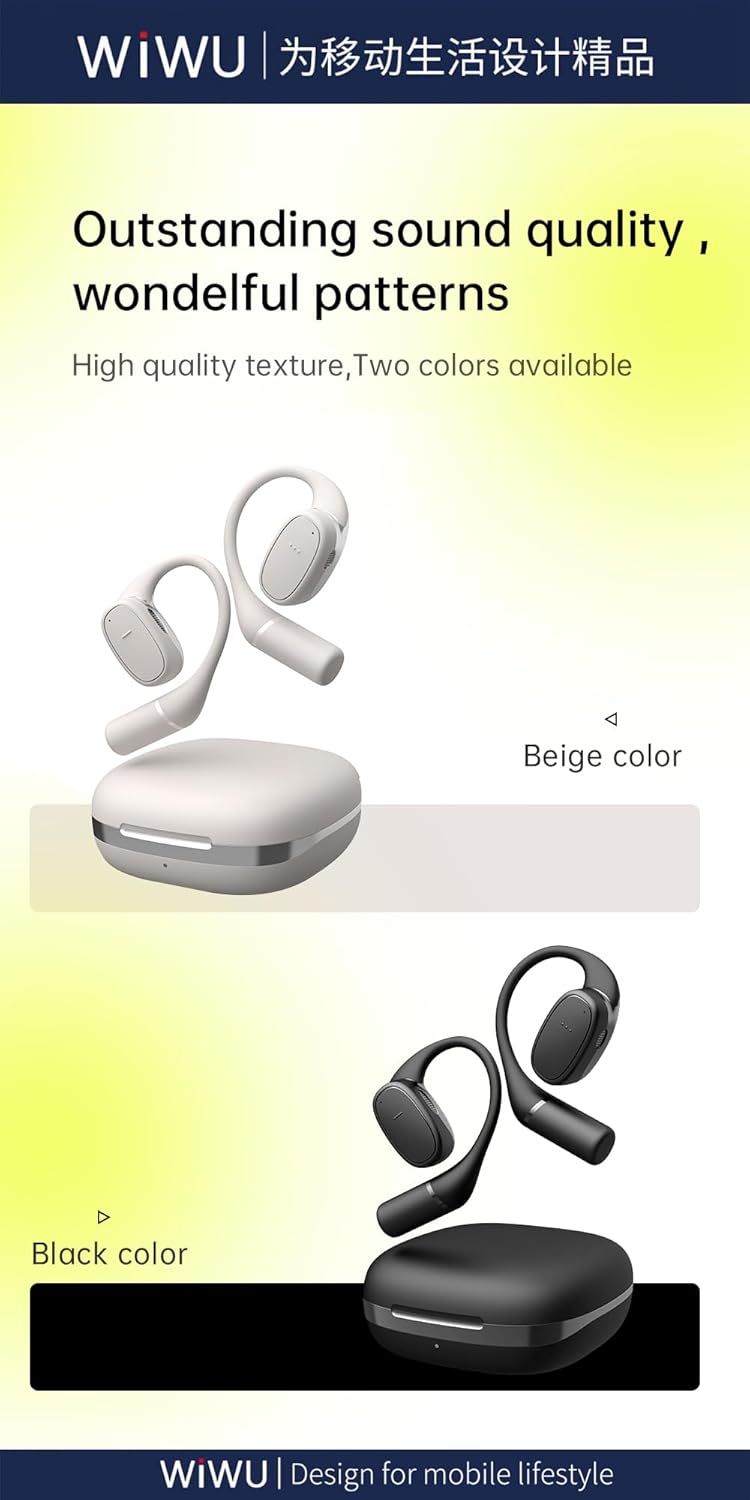
Figure 8.2: Available color options for the WIWU OWS O300 earbuds, including Black and White.
9. Warranty Information
WIWU products are covered by a limited warranty from the date of purchase. Please refer to the warranty card included in your package or visit the official WIWU website for detailed warranty terms and conditions. This warranty typically covers manufacturing defects but does not cover damage caused by misuse, accidents, or unauthorized modifications.
10. Support
For further assistance, technical support, or inquiries regarding your WIWU OWS O300 Wireless Earbuds, please contact WIWU customer service through their official website or the contact information provided in your product packaging.


