
1. Introduction
Thank you for choosing the Black Shark FunCooler 5 NEO. This wired mobile phone cooling fan is designed to provide ultra-fast and efficient cooling for your smartphone, enhancing your gaming and multimedia experience by preventing overheating. This manual provides essential information on setting up, operating, maintaining, and troubleshooting your FunCooler 5 NEO.

The Black Shark FunCooler 5 NEO is designed to attach securely to your smartphone, providing efficient cooling during intensive use. Its compact form factor ensures it does not obstruct your hands during gaming or other activities.
2. Product Overview
Key Features:
- 15W Power Ultra-Fast Cooling: Utilizes high-performance semiconductor refrigeration technology for a maximum temperature drop of up to 32℃ (90℉).
- Simple Control: Features a physical on/off switch and a plug-and-play Type-C interface.
- Vertical Air Duct Design: Ergonomically designed to direct hot air away from your hands, ensuring a comfortable grip.
- RGB Lighting Effects: Dazzling RGB lights enhance the gaming atmosphere.
- Compact and Lightweight: Weighs only 90g, providing more space for hand operation without added burden.
- Quiet Operation: Noise-reducing design operates at less than 40dB.
- Universal Compatibility: Extends to fit smartphones from 2.67 to 3.45 inches wide. Includes a bolt design for attachment to handheld gimbals or camera stands.
Components:
The FunCooler 5 NEO consists of a cooling unit with an integrated fan, semiconductor cooling chip, and heat sink, along with adjustable clamps for phone attachment and a Type-C power port.

An exploded diagram revealing the core components of the FunCooler 5 NEO: a large semiconductor cooling chip (1.44 in²), an extensive heat sink for efficient heat dissipation, and a high-speed fan operating at 5,000 RPM, all working in concert for superior cooling.
3. Setup
Installation on Smartphone:
- Gently extend the cooler's clamps to fit your smartphone. The cooler is designed to extend in one direction.
- Position the cooler centrally on the back of your phone, ensuring the cooling plate makes full contact with the phone's surface.
- Release the clamps to secure the cooler firmly to your device. Ensure a snug fit for optimal cooling performance.
The cooler is compatible with smartphones between 2.67 and 3.45 inches in width.
Power Connection:
- Locate the Type-C power port on the FunCooler 5 NEO.
- Connect a Type-C cable (not included in the package) to the cooler's port.
- Connect the other end of the Type-C cable to a suitable power source (e.g., a wall adapter, power bank, or computer USB port). A strong enough USB power adapter is recommended for optimal performance.
The device requires continuous power to operate.
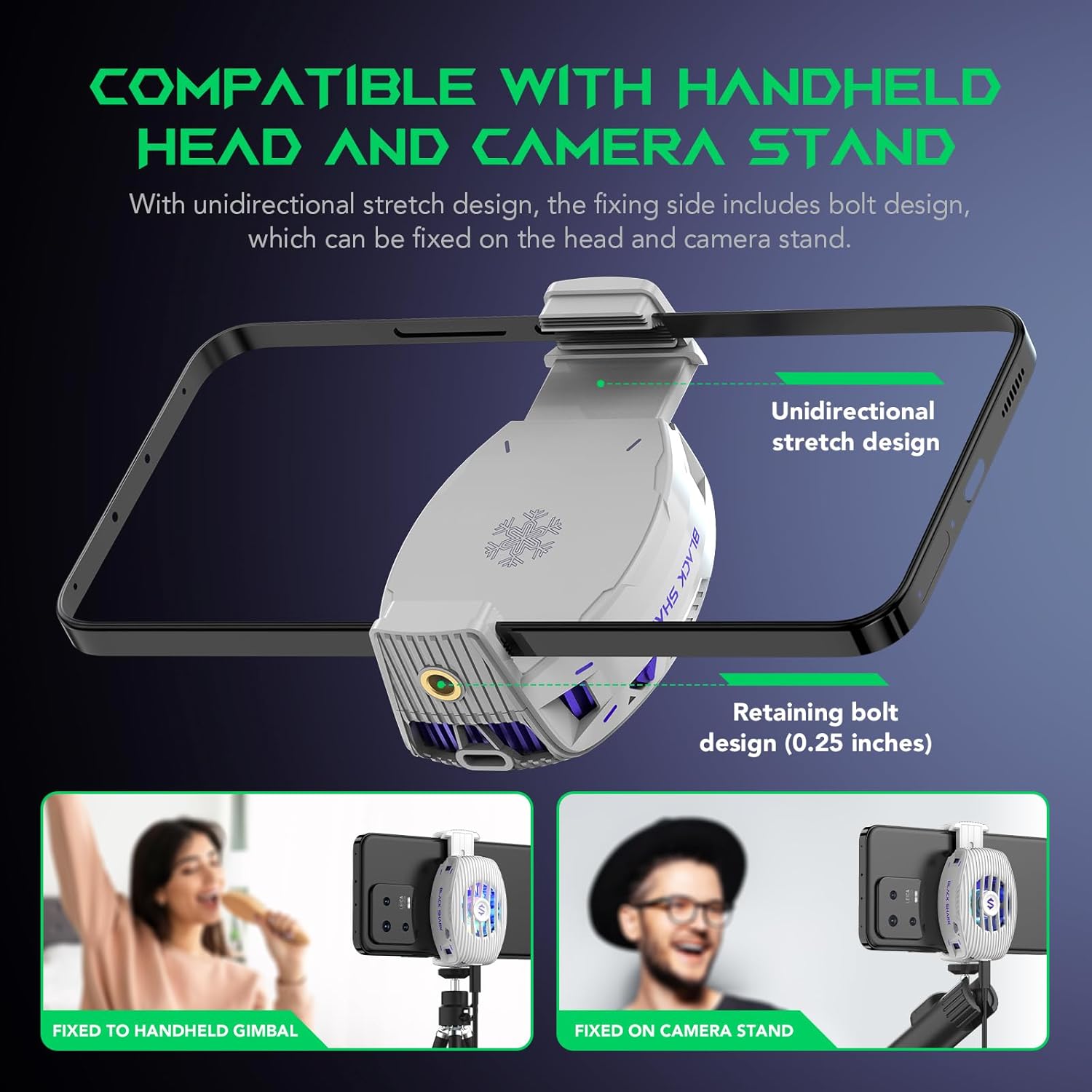
The FunCooler 5 NEO features a unidirectional stretch design and a 0.25-inch retaining bolt, allowing it to be securely fixed to handheld gimbals or camera stands. This enhances its versatility for content creators and mobile photographers.
4. Operating Instructions
Basic Operation:
- Once connected to a power source, locate the physical power switch on the side of the FunCooler 5 NEO.
- Toggle the switch to the 'ON' position to activate the cooling fan and RGB lighting.
- To turn off the cooler, toggle the switch to the 'OFF' position.
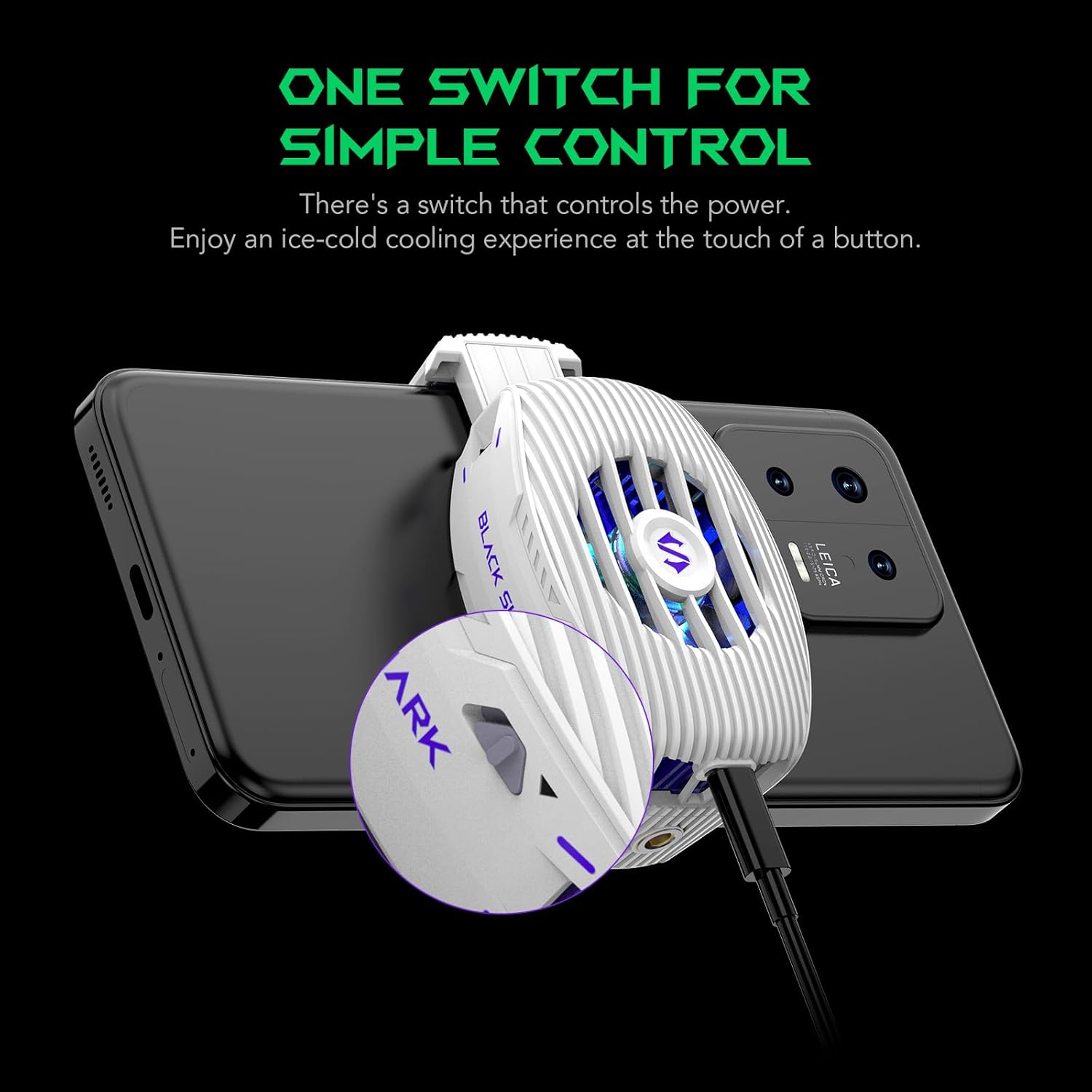
The FunCooler 5 NEO features a simple physical switch for easy power control. A single press activates or deactivates the cooling function, providing instant cooling at your fingertips.
Airflow Design:
The FunCooler 5 NEO features an upper and lower air outlet design. This design ensures that the hot air generated during cooling is efficiently expelled away from your hands, maintaining comfort during extended use.

The innovative upper and lower air outlet design of the FunCooler 5 NEO ensures that hot air is efficiently directed away from your hands, maintaining a comfortable grip even during prolonged use.
Advanced Control (Optional App):
For enhanced control and power management, consider downloading the official Black Shark cooling app. The app may offer features such as:
- Smart Mode: Optimizes cooling performance and power consumption.
- RGB Light Control: Allows you to turn off the RGB lighting to conserve power, especially during daytime use.
5. Maintenance
Cleaning:
- Regularly inspect the fan and air vents for dust, lint, or debris accumulation.
- Use a soft, dry cloth or a small brush to gently clean the exterior surfaces and clear any obstructions from the vents.
- Avoid using liquid cleaners or abrasive materials, as they may damage the device.
Storage:
When not in use, store the FunCooler 5 NEO in a cool, dry place away from direct sunlight and extreme temperatures. Keep it away from moisture and corrosive substances.
6. Troubleshooting
If you encounter any issues with your Black Shark FunCooler 5 NEO, please refer to the table below for common problems and their solutions.
| Problem | Possible Cause | Solution |
|---|---|---|
| Cooler not turning on. | No power, loose cable, insufficient power source. | Ensure the Type-C cable is securely connected. Use a reliable power source with sufficient wattage (15W recommended). Try a different Type-C cable and power adapter. |
| Cooling performance is weak. | Poor contact with phone, blocked air vents, insufficient power. | Ensure the cooler is firmly attached and making full contact with the phone's back. Clear any dust or debris from the air vents. Verify the power source provides adequate power. |
| RGB lights not working. | Power issue, lights turned off via app. | Check power connection. If using the app, ensure RGB lights are enabled in the settings. |
| Clamps feel too strong/tight. | Designed for secure grip. | The clamps are designed to provide a firm hold. Ensure your phone's width is within the compatible range (2.67-3.45 inches). Exercise care when attaching and detaching to avoid damage to your phone. |
| Device makes unusual noise. | Fan obstruction, internal issue. | Check for any foreign objects obstructing the fan. If the noise persists, contact customer support. |
7. Specifications
| Feature | Detail |
|---|---|
| Model Number | BR43 |
| Product Dimensions | 2.24"L x 1.09"W x 3.15"H |
| Item Weight | 3.17 ounces (90g) |
| Power Connector Type | USB Type-C |
| Voltage | 5 Volts (DC) |
| Wattage | 15 watts |
| Cooling Method | Air, Semiconductor Refrigeration |
| Compatible Devices | Smartphones (2.67-3.45 inches wide) |
| Material | Metal, Plastic |
| Color | FunCooler 5 NEO White |
8. Warranty and Support
For warranty information, technical support, or any inquiries regarding your Black Shark FunCooler 5 NEO, please contact Black Shark customer service. You can typically find support contact details on the official Black Shark website or through the retailer where you purchased the product.
Please retain your proof of purchase for warranty claims.