
1. Introduction
This manual provides detailed instructions for the safe and effective use of your Black Shark FunCooler 5 NEO. This wired mobile phone cooling fan is designed to provide ultra-fast cooling for smartphones during intensive use, such as gaming, preventing overheating and maintaining optimal device performance. It features a lightweight design, quiet operation, and RGB lighting effects.
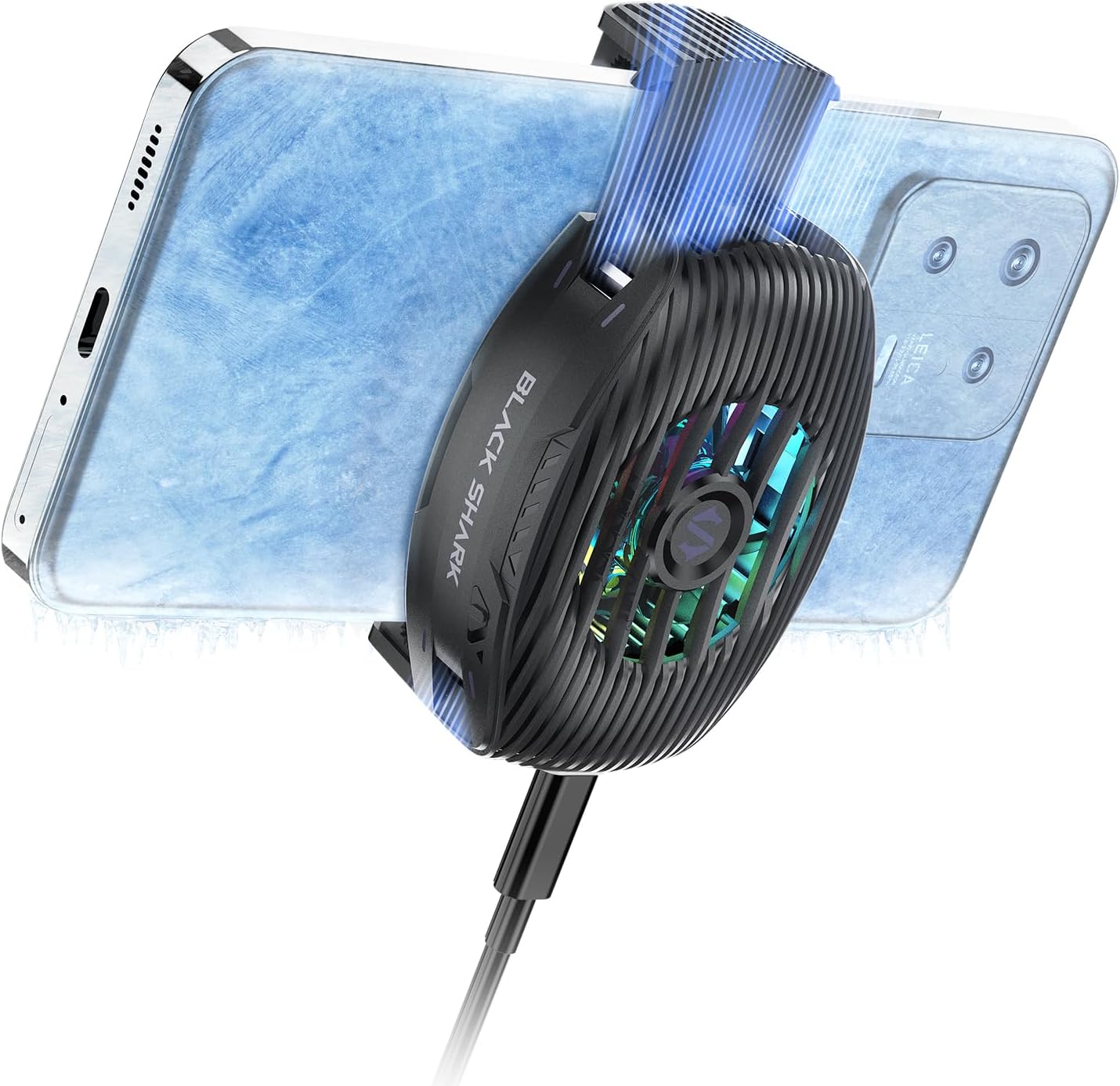
Figure 1.1: Black Shark FunCooler 5 NEO in operation, attached to a smartphone.
2. Product Overview
2.1 Key Features
- 15W Power Ultra-Fast Cooling: Utilizes high-performance semiconductor refrigeration technology for rapid temperature reduction, with a maximum temperature drop of up to 32℃.
- Vertical Air Duct Design: Ergonomically designed to direct hot air away from the user's hand, ensuring a comfortable grip.
- RGB Lighting Effects: Integrated dazzling RGB lights enhance the gaming atmosphere.
- Compact and Lightweight: Weighs only 0.2 lb, providing minimal burden during use and leaving ample space for hand operation.
- Quiet Operation: Features a noise-reducing design, operating at less than 40dB for an undisturbed experience.
- Universal Compatibility: Designed to extend in one direction, fitting smartphones from 2.67 to 3.45 inches wide.
- Retaining Bolt Design: Includes a bolt design on the fixed side for attachment to handheld gimbals or camera stands.
2.2 Components
The Black Shark FunCooler 5 NEO consists of the main cooling unit, which houses the semiconductor cooling chip, heat sink fins, and a high-speed fan. It features a physical power switch and a Type-C interface for power input.
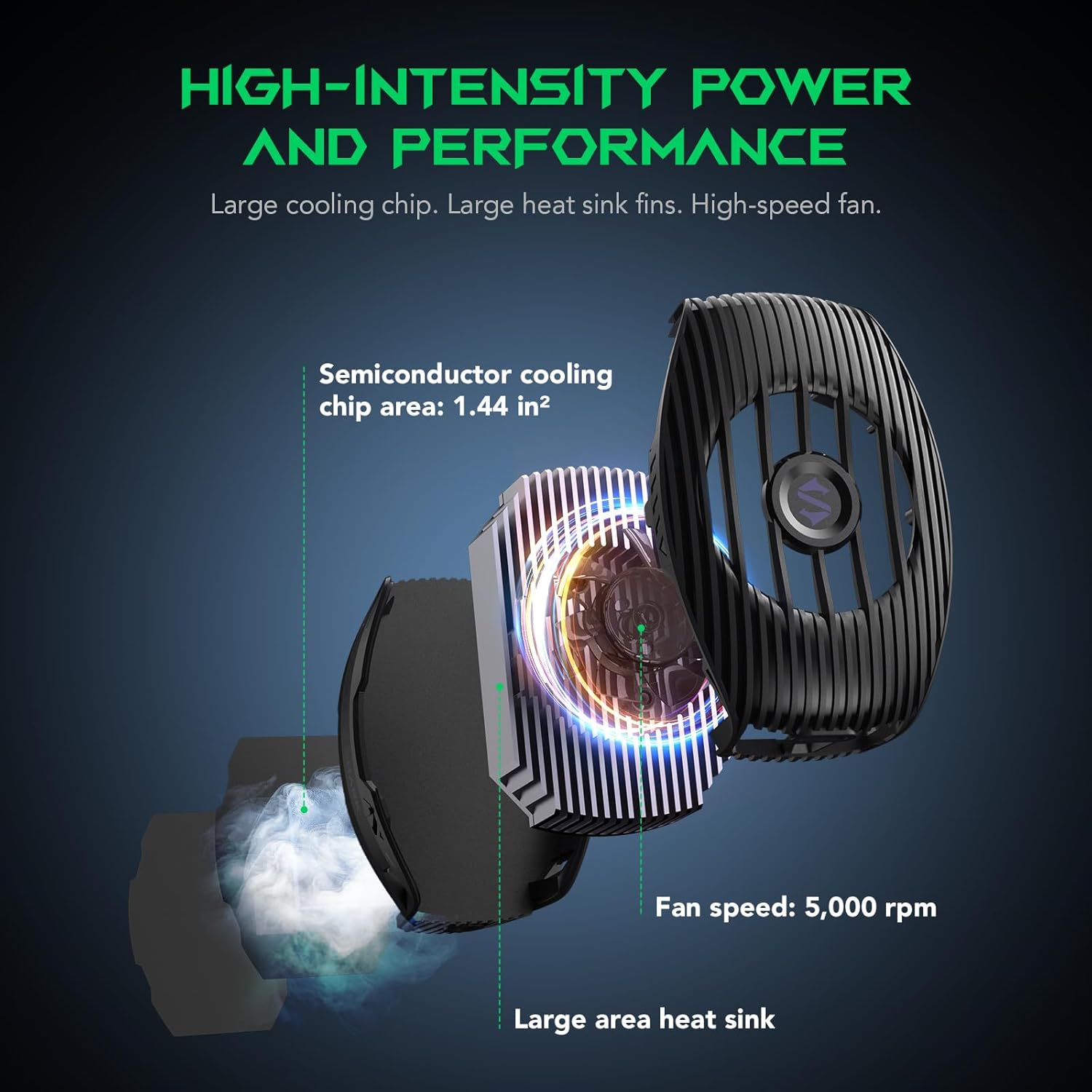
Figure 2.1: Internal components of the FunCooler 5 NEO, highlighting the semiconductor cooling chip, large heat sink, and high-speed fan.

Figure 2.2: Illustration of the oversized semiconductor cooler, emphasizing its 1.2 x 1.2-inch size and 37 square inches of heat dissipation area.
3. Setup
3.1 Attaching the Cooler to Your Smartphone
- Ensure your smartphone is within the compatible width range of 2.67 to 3.45 inches.
- Gently extend the cooler's clamp in one direction.
- Position the cooler on the back of your smartphone, ensuring the cooling plate makes full contact with the phone's surface.
- Release the clamp to secure the cooler firmly in place.
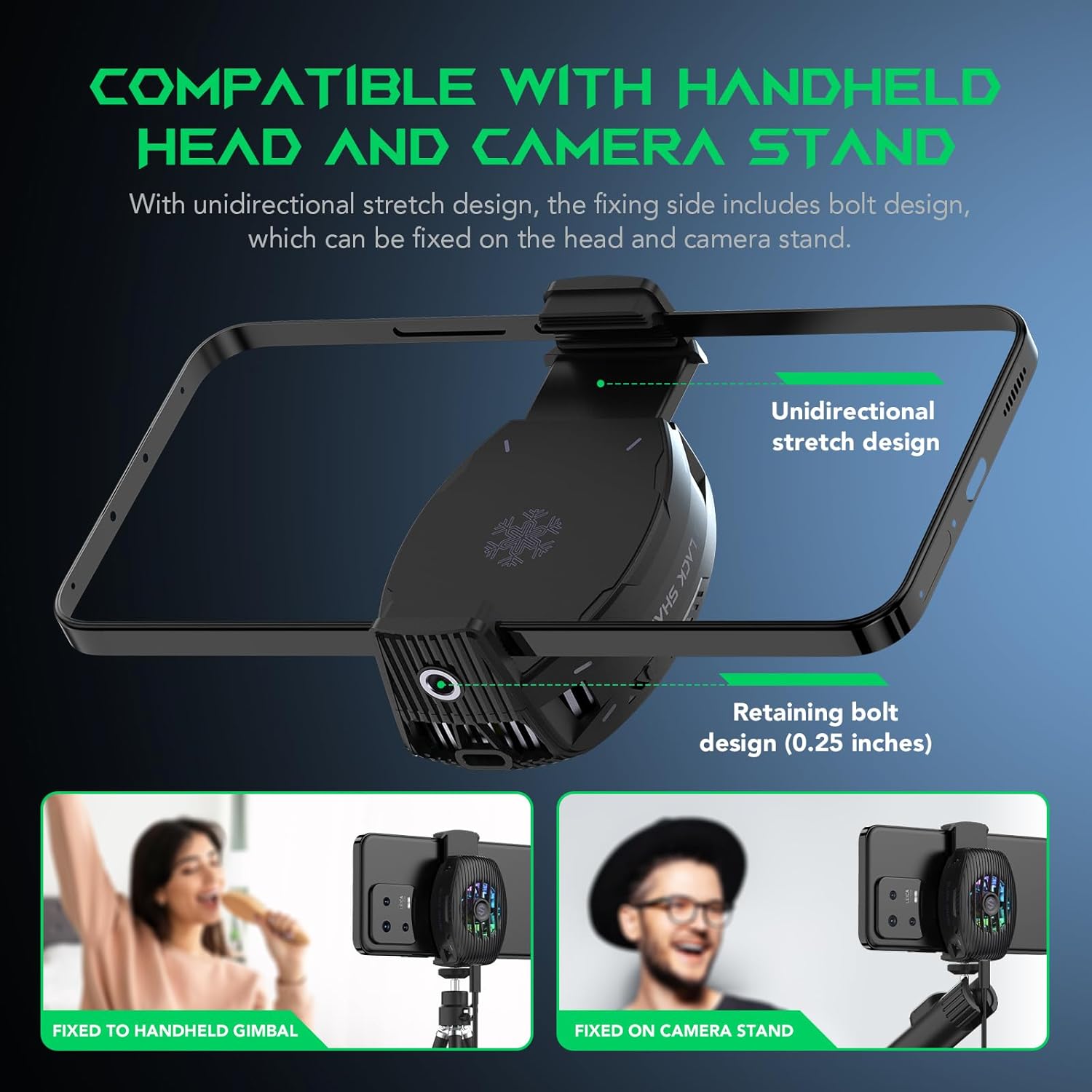
Figure 3.1: The cooler's unidirectional stretch design and retaining bolt for compatibility with gimbals and camera stands.
3.2 Power Connection
The FunCooler 5 NEO requires a wired connection for operation. It features a built-in Type-C interface for power input. Please note that a power cable is not included in the package and must be supplied by the user.
- Connect a USB Type-C cable (not included) to the cooler's Type-C port.
- Connect the other end of the cable to a suitable power source (e.g., a USB wall adapter, power bank, or computer USB port) that can provide 5 Volts DC and 15 watts of power.
4. Operating Instructions
4.1 Power On/Off
The FunCooler 5 NEO features a simple physical switch for power control. Once connected to a power source, slide the switch to the 'On' position to activate the cooling fan and RGB lighting. Slide it to the 'Off' position to power down the device.

Figure 4.1: Location of the physical power switch for simple control.
4.2 Cooling Performance
Upon activation, the semiconductor cooling technology will rapidly cool the contact surface, drawing heat away from your smartphone. The fan will operate to dissipate this heat, maintaining a stable and low temperature for your device.

Figure 4.2: Cooling performance graph demonstrating rapid temperature reduction.
4.3 RGB Lighting
The integrated RGB lighting effects will automatically activate when the cooler is powered on, providing a dynamic visual enhancement to your gaming setup.
5. Maintenance
To ensure optimal performance and longevity of your Black Shark FunCooler 5 NEO, follow these maintenance guidelines:
- Cleaning: Periodically wipe the exterior of the cooler with a soft, dry cloth to remove dust and debris. Do not use abrasive cleaners or solvents.
- Air Vents: Ensure the air intake and exhaust vents are clear of obstructions to maintain proper airflow. Do not block the vents during operation.
- Storage: When not in use, store the cooler in a cool, dry place away from direct sunlight and extreme temperatures.
- Avoid Liquids: Do not expose the cooler to water or other liquids.
6. Troubleshooting
If you encounter issues with your FunCooler 5 NEO, refer to the following common troubleshooting steps:
| Problem | Possible Cause | Solution |
|---|---|---|
| Cooler not turning on. | No power supply; loose cable connection; power switch off. | Ensure the Type-C cable is securely connected to both the cooler and a working power source. Check that the physical power switch is in the 'On' position. Try a different power source or cable. |
| Cooling performance is poor. | Poor contact with phone; phone case interference; ambient temperature too high. | Ensure the cooler's cooling plate makes full and direct contact with the back of your smartphone. Remove any thick phone cases that might impede contact. Operate in a cooler environment if possible. |
| RGB lighting not working. | Cooler not powered on; malfunction. | Ensure the cooler is powered on. If the cooler is cooling but RGB is off, contact customer support. |
| Unusual noise from the fan. | Obstruction in fan; internal malfunction. | Check for any visible obstructions in the fan area. If the noise persists and is abnormal (the device is designed for quiet operation), discontinue use and contact customer support. |
7. Specifications
| Attribute | Value |
|---|---|
| Model Number | BR43 |
| Product Dimensions (LxWxH) | 2.24" x 1.09" x 3.15" |
| Item Weight | 3.17 ounces |
| Brand | Black Shark |
| Power Connector Type | USB Type-C |
| Voltage | 5 Volts (DC) |
| Wattage | 15 watts |
| Cooling Method | Air, Semiconductor Refrigeration |
| Compatible Devices | Smartphones (2.67-3.45 inches wide) |
| Material | Metal, Plastic |
| Color | FunCooler 5 NEO Black |
8. Warranty and Support
For warranty information and technical support, please contact Black Shark customer service. Details regarding warranty coverage and service procedures can typically be found on the official Black Shark website or by contacting the seller directly.
Seller: Black Shark US
For further assistance, visit the Black Shark Store on Amazon.