
1. Introduction
This manual provides detailed instructions for the installation, operation, and maintenance of your XCWIIE 60 Inch Smart Ceiling Fan with Lights. Please read this manual thoroughly before installation and retain it for future reference. Proper installation and operation are essential for safe and efficient use of the fan.
2. Safety Information
WARNING: To reduce the risk of fire, electric shock, or personal injury, always follow these basic precautions:
- Read all instructions before installing the fan.
- Ensure the installation location is suitable for supporting the fan's weight.
- All wiring must be in accordance with national and local electrical codes. If you are unfamiliar with wiring, consult a qualified electrician.
- Before installation or servicing, disconnect power by turning off the circuit breakers at the main fuse box.
- Do not operate the fan with damaged blades or any visible defects.
- Keep hands, clothing, and other objects clear of the fan blades when the fan is in operation.
- This fan is damp-rated and suitable for covered outdoor spaces, but not for direct exposure to rain or snow.
3. Package Contents
Verify that all components listed below are included in your package:
- 1 x LED Light Kit
- 1 x Noiseless DC Motor
- 1 x User’s Manual
- 3 x Wood Blades
- 1 x Remote Control
- Downrods: 5 inches, 10 inches, 24 inches
4. Specifications
| Feature | Specification |
|---|---|
| Brand | XCWIIE |
| Model Name | Smart Ceiling Fan |
| Size | 60 inch |
| Color | Gray Nickel |
| Electric Fan Design | Ceiling Fan |
| Power Source | AC/DC |
| Style | Modern Rustic |
| Product Dimensions | 15"D x 60"W x 20"H |
| Room Type | Bedroom, Dining Room, Dorm Room, Home Office, Kitchen, Laundry, Living Room, Nursery, Playroom, Study Room, Covered Exterior Patio, Porch, Balcony, Garage, Pavilion, Garden, Gazebo |
| Special Feature | Damp Rated for Indoor/Outdoor; Large-area air circulation |
| Recommended Uses | Air Circulation, Cooling, Ventilating |
| Mounting Type | Ceiling Mount |
| Controller Type | App Control, Remote Control, Voice Control |
| Number of Speeds | 6 |
| Noise Level | 30 Decibels |
| Wattage | 40 watts |
| Number of Blades | 3 |
| Voltage | 120 Volts |
| Indoor/Outdoor Usage | Indoor, Outdoor (Covered) |
| Motor Type | DC |
| Smart Home Compatibility | Smart Home Compatible (Tuya App, Alexa, Google Assistant) |
| Light Type | LED |
| Material | Wood (Blades) |
| Certifications | CE, ETL |
5. Installation
Follow these steps for proper installation of your ceiling fan. It is recommended to have a qualified electrician perform the installation if you are unsure.
5.1 Mounting Options
The fan supports both flat and sloped ceiling installations (up to a 20° slope). Three downrod lengths (5", 10", and 24") are included to accommodate various ceiling heights. For ceilings requiring longer downrods, please contact customer support for assistance with extension wires.

Image: The XCWIIE 60 Inch Smart Ceiling Fan installed on a sloped ceiling in a living room, demonstrating its compatibility with various ceiling types.

Image: The XCWIIE 60 Inch Smart Ceiling Fan installed on a flat ceiling in a modern outdoor patio, highlighting its suitability for covered outdoor spaces.
5.2 Installation Video Guide
For a visual guide on installation, please refer to the official video provided by XCWIIE Direct. This video demonstrates how to install the fan, including considerations for high and sloped ceilings.
Video: An official XCWIIE Direct video demonstrating how to install the ceiling fan, including information about longer extension options for high and sloped ceilings. This video is 13 seconds long and provides a quick overview of installation considerations.
6. Operating Instructions
Your XCWIIE Smart Ceiling Fan offers multiple control methods for convenience.
6.1 Remote Control
The included remote control allows you to adjust fan speed, light settings, and fan direction.
- Fan Speed: Select from 6 available speeds.
- Light Control: Turn the light on/off, adjust brightness (dimmable), and change color temperature (Warm White 3000K, Natural White 4000K, Cool White 5000K). The fan features a memory function for light settings.
- Reversible Motor: Switch between summer mode (downward airflow for cooling) and winter mode (upward airflow for heat distribution).
- Timer: Set operational timers.

Image: The XCWIIE 60 Inch Smart Ceiling Fan in a living room setting, with an overlay showing the remote control and illustrations of downward airflow for summer cooling and upward airflow for winter warmth distribution.
6.2 Smart Control (Tuya App, Alexa, Google Assistant)
The fan can be controlled via the Tuya App, Amazon Alexa, or Google Assistant for enhanced convenience.
- Tuya App: Download the Tuya App from your device's app store. Follow the in-app instructions to pair your fan. When pairing, select the 'BLE+WIFI' ceiling fan type. To put the fan in pairing mode, press and hold the '8hr' button on the remote control until it beeps.
- Voice Control: Once paired with the Tuya App, you can link it to Amazon Alexa or Google Assistant for voice commands to control fan speed, light on/off, and dimming.
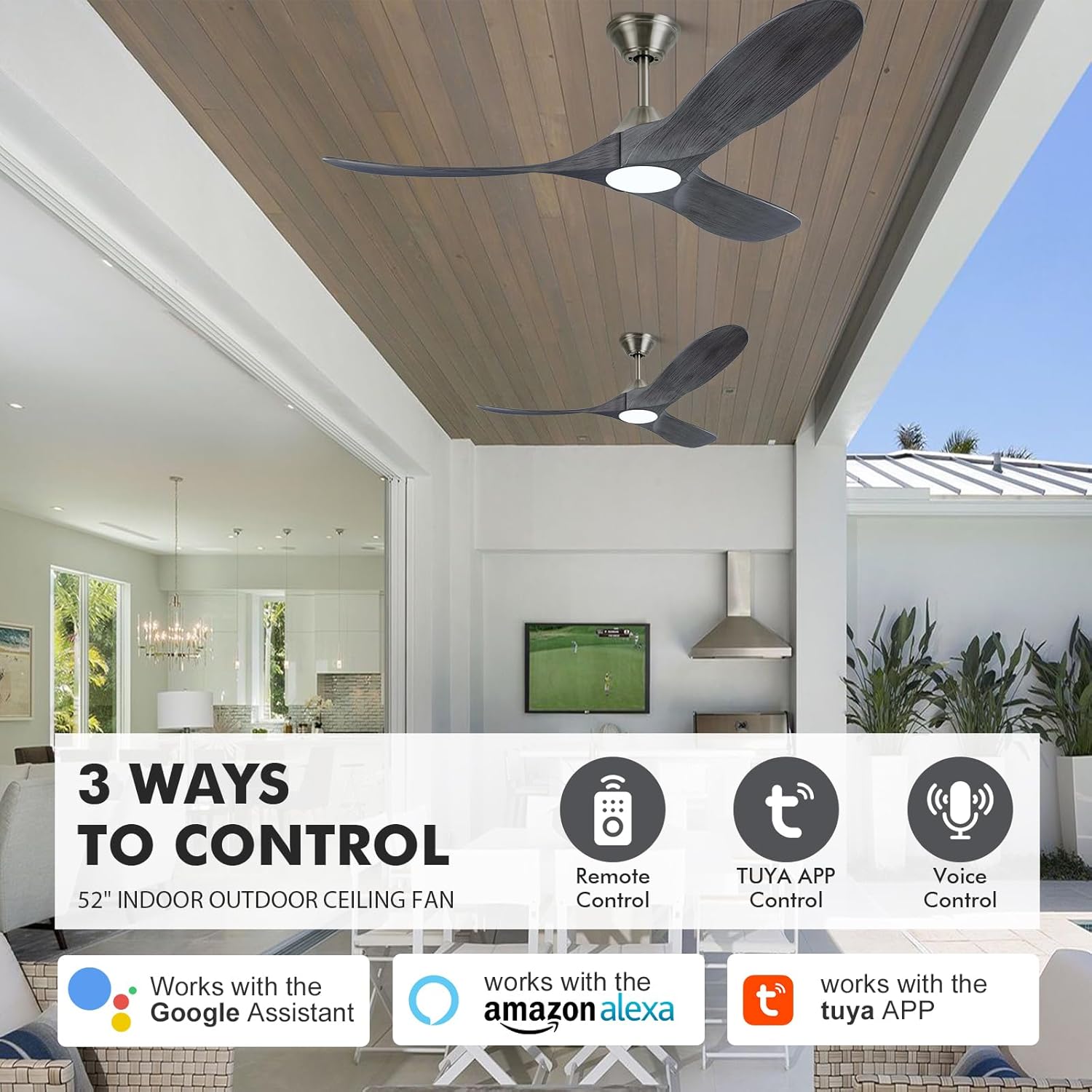
Image: An illustration showing the three ways to control the XCWIIE 60 Inch Smart Ceiling Fan: via remote control, the Tuya App, and voice control through Amazon Alexa or Google Assistant.
7. Maintenance
Regular maintenance ensures optimal performance and longevity of your ceiling fan.
- Cleaning: Use a soft, damp cloth to clean the fan blades and motor housing. Do not use abrasive cleaners or solvents.
- Blade Inspection: Periodically check the fan blades for any signs of damage or warping. Replace damaged blades immediately.
- Tighten Screws: Over time, screws may loosen. Periodically check and tighten all screws on the fan assembly.
- Light Source: The integrated LED light is designed for long life. If replacement is needed, contact customer support.
8. Troubleshooting
If you encounter issues with your fan, refer to the following common problems and solutions:
| Problem | Possible Cause | Solution |
|---|---|---|
| Fan does not start | No power, loose wiring, remote not paired. | Check circuit breaker. Ensure all wiring connections are secure. Re-pair remote control or app. |
| Fan wobbles | Loose blades, unbalanced blades, loose mounting. | Ensure all blade screws are tight. Check for bent blades. Verify mounting bracket is securely fastened. |
| Light does not work | Loose wiring, LED failure. | Check light kit wiring. If LED is faulty, contact customer support. |
| Remote control not working | Dead batteries, remote not paired. | Replace remote batteries. Re-pair remote with the fan. |
| App control issues | Incorrect pairing, Wi-Fi connectivity issues. | Ensure correct fan type (BLE+WIFI) is selected in the app. Verify stable Wi-Fi connection. Re-pair the fan with the app. |
9. Warranty and Support
XCWIIE is committed to customer satisfaction. If you experience any issues such as shipping damage, missing parts, or operational problems, please contact our customer service team.
- Contacting Support: You can reach our customer service 24/7 through Amazon Messages.
- Replacement Service: We offer a free replacement service for items damaged during shipping or with missing parts.
- How to Communicate: Navigate to your order details, select "Problem with Order," choose the relevant topic, and then "Contact Seller."