
MASHI 6669R
MASHI 17.3" Large Digital Wall Mount Clock User Manual
Model: 6669R
Introduction
This manual provides detailed instructions for the setup, operation, and maintenance of your MASHI 17.3" Large Digital Wall Mount Clock. Please read this manual thoroughly before use to ensure proper functionality and to maximize your product experience. Keep this manual for future reference.
Package Contents
Verify that all items listed below are included in your package:
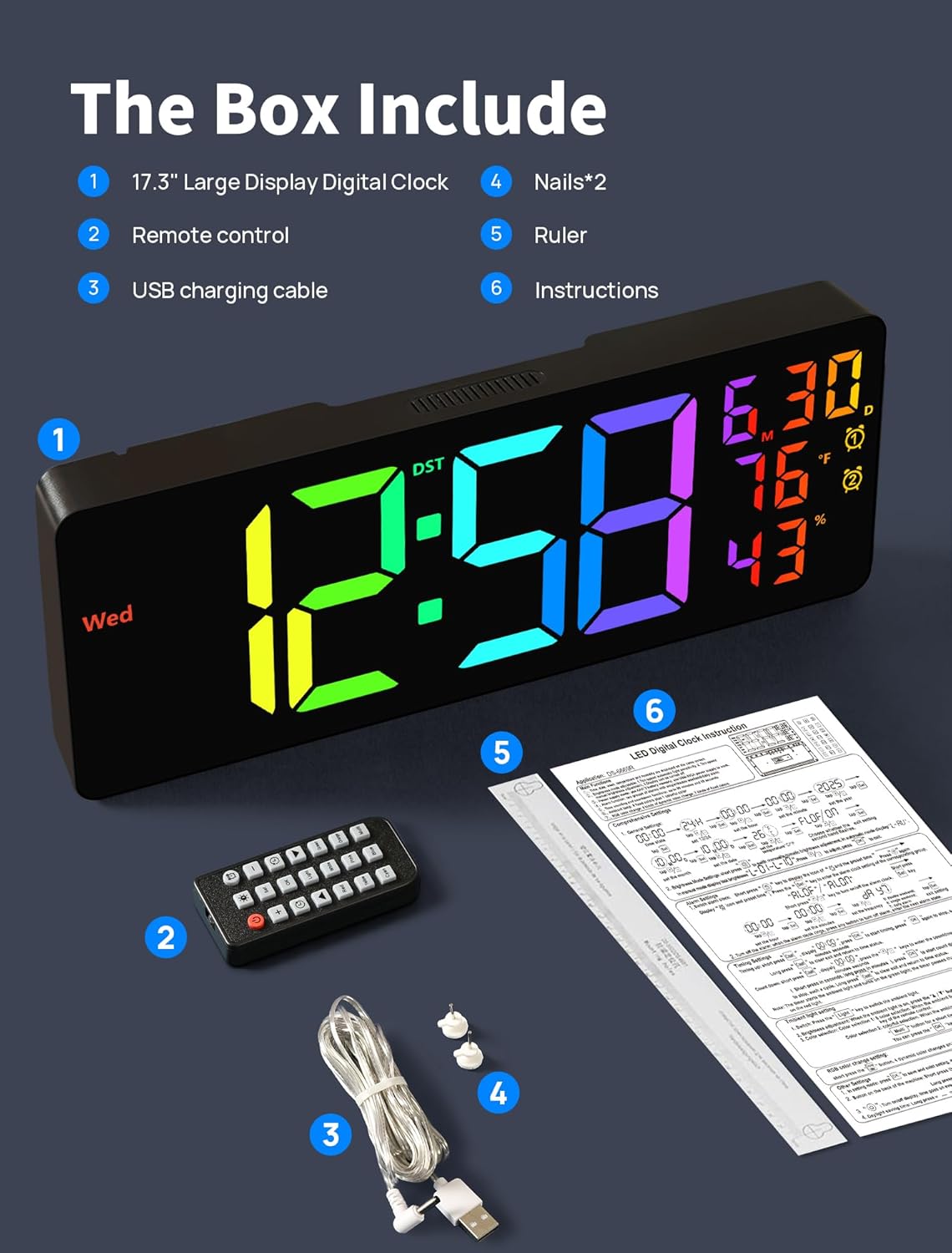
- 17.3" Large Digital Clock
- Remote Control
- USB Charging Cable (11.5 feet)
- Mounting Nails (x2)
- Ruler (for mounting)
- Instruction Manual (this document)
Product Overview
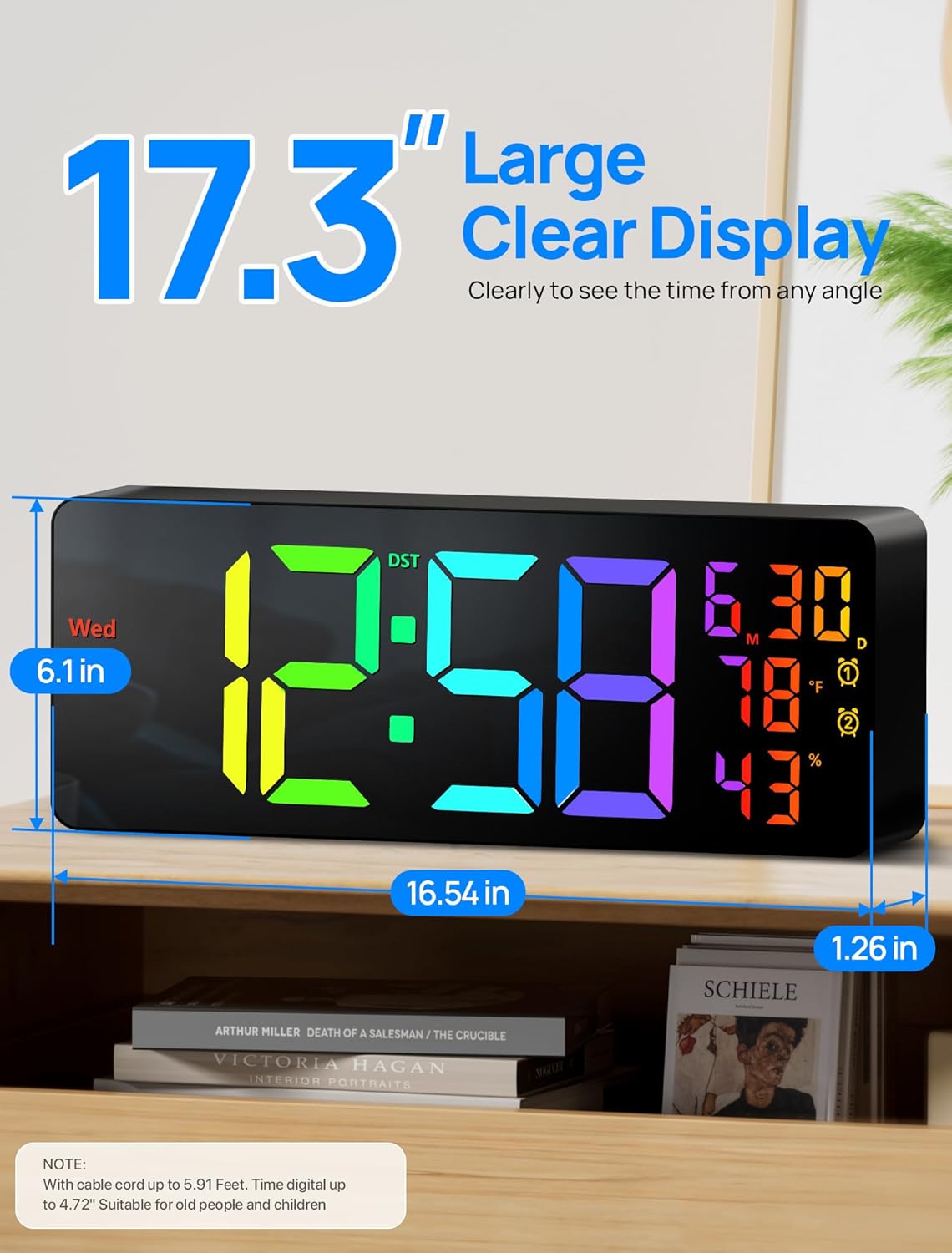
The MASHI Digital Wall Mount Clock features a large 17.3-inch LED display, offering clear visibility and customizable aesthetics.
- Display: 17.3" (16.54" W x 6.1" H) LED display with 4 dynamic multi-color modes and 7 monochrome color options.
- Night Light: Integrated bottom night light with 8 fixed colors and 1 multi-color option.
- Brightness: 10 levels of adjustable brightness, with both automatic and manual dimming options. A built-in light sensor allows for automatic adjustment based on ambient light.
- Functions: Displays time (12/24 hour format), indoor temperature (℃/℉), and includes alarm clock, count-up timer, and countdown timer modes.


Setup
Power Requirements
The MASHI Digital Wall Mount Clock is designed for corded electric operation and is not battery-operated for primary function. It requires a 5V/2A power adapter (not included) and uses the provided 11.5-foot USB cable.
Memory Function Battery Installation
To maintain time settings during power outages, install 2 AAA batteries (not included) into the designated battery compartment. These batteries are for memory function only and do not power the clock's display.
Mounting the Clock
The clock can be wall-mounted using the included nails and ruler. Ensure the mounting surface is suitable and stable. Alternatively, the clock can be placed on a flat surface.


Operating Instructions
The clock can be operated using the buttons on the back or the included remote control.
Basic Time and Date Setting
- Connect the clock to a power source.
- Use the remote control or buttons on the back to enter time setting mode.
- Adjust hours, minutes, year, month, and day.
- Select 12-hour or 24-hour display format.
- Choose temperature unit: Celsius (℃) or Fahrenheit (℉).
Alarm Clock Function
The clock supports setting multiple alarms. Refer to the specific instructions on the remote for setting alarm times and recurrence (e.g., Monday-Friday, Monday-Saturday, or Everyday).

Timer Functions (Count-Up/Count-Down)
Access the timer mode via the remote control to utilize count-up or countdown functionalities. Set the desired duration for countdowns.

Daylight Saving Time (DST)
The clock includes a DST function to easily adjust for daylight saving changes. Refer to the remote control for the specific DST button.

Remote Control Usage
The remote control allows for convenient adjustment of all clock settings from a distance of up to 5 meters. It requires 2 AAA batteries (not included).

Maintenance
Cleaning
To clean the clock, gently wipe the display and casing with a soft, dry, or slightly damp cloth. Avoid using abrasive cleaners, solvents, or excessive moisture, as these can damage the display or internal components.
Battery Replacement (Memory Function)
If the clock loses its time settings after a power outage, the 2 AAA memory batteries may need replacement. Open the battery compartment on the back of the clock, remove the old batteries, and insert new ones, ensuring correct polarity.
Troubleshooting
- Clock display is off: Ensure the USB power cable is securely connected to both the clock and a functional 5V/2A power adapter (not included) plugged into a live electrical outlet.
- Time settings are lost after power outage: Check if 2 AAA batteries are installed in the memory compartment and if they are fresh. Replace batteries if necessary.
- Remote control not responding: Ensure the remote control has 2 fresh AAA batteries installed with correct polarity. Point the remote directly at the clock.
- Display brightness is too low/high: Adjust the brightness manually using the remote control. If automatic brightness is enabled, ensure the light sensor is not obstructed.
- Incorrect temperature reading: Ensure the clock is placed in an area with adequate air circulation and away from direct heat sources or drafts that could affect its internal sensor.
Specifications
| Feature | Detail |
|---|---|
| Brand | MASHI |
| Model Number | 6669R |
| Display Type | Digital LED |
| Display Size | 17.3 inches |
| Product Dimensions | 16.54" W x 6" H |
| Power Source | Corded Electric (5V/2A adapter not included) |
| Memory Battery | 2 x AAA batteries (not included) |
| Mounting Type | Wall Mount |
| Material | Plastic |
| Item Weight | 0.84 Kilograms (1.85 pounds) |
| Special Features | Large Display, RGB Color Modes, Night Light, 10-Level Brightness, Alarm, Timer, DST, Temperature Display |
Warranty and Support
Specific warranty information for the MASHI 17.3" Large Digital Wall Mount Clock is not provided in this manual. For warranty details or technical support, please refer to the product packaging or contact MASHI customer service directly through their official channels or the retailer where the product was purchased.
Ask a question about this manual
Ask about setup, troubleshooting, compatibility, parts, safety, or missing instructions. Manuals+ will review the question and use this page’s manual context to help answer it.