
Introduction
Welcome to your new CATIGA Desktop Calculator. This manual provides essential information for setting up, operating, and maintaining your calculator. Designed for efficiency and ease of use, this 12-digit calculator is perfect for business, office, home, and school use.
Key Features
- Large LCD Display: Clearly displays up to 12 digits for easy reading.
- Sensitive and Large Buttons: Ensures fast and smooth calculations, preventing incorrect entries.
- Dual Power Design: Operates on both solar power (in lit environments) and battery power (battery included).
- Versatile Purposes: Ideal for various settings including business, office, home, basic budgeting, and school.
- Full Functionality: Includes Add, Subtract, Multiply, Divide, Backspace, Grand Total (GT), Clear Entry (CE), Percentage (%), Memory Plus (M+), Memory Minus (M-), Memory Recall/Clear (MRC), On/All Clear (ON/AC), and Auto Power-Off (after 6 minutes of inactivity).
Setup
Power Source
Your CATIGA CD-2786 calculator is designed with dual power capabilities: solar and battery.
- Solar Power: The calculator will automatically utilize solar power when sufficient light is available. Ensure the solar panel (located above the display) is exposed to light for optimal performance.
- Battery Power: A battery is pre-installed to provide power in low-light conditions or when solar power is insufficient. The calculator will seamlessly switch between power sources as needed.
Initial Use
To turn on the calculator, press the ON/AC button. The display will show "0.".

This image illustrates the calculator's dual power system, showing both the solar panel and the location of the pre-installed battery, emphasizing its automatic power-off feature after 6 minutes of inactivity.
Operating Instructions
Basic Arithmetic Operations
- Addition (+): Enter the first number, press +, enter the second number, then press =.
- Subtraction (-): Enter the first number, press -, enter the second number, then press =.
- Multiplication (x): Enter the first number, press x, enter the second number, then press =.
- Division (÷): Enter the first number, press ÷, enter the second number, then press =.
Special Functions
- ON/AC (On/All Clear): Turns the calculator on and clears all entries and memory.
- C·CE (Clear Entry): Clears the last entered number or operation without clearing the entire calculation. Pressing it twice acts as an All Clear.
- Backspace (►): Deletes the last digit entered.
- % (Percentage): Used for percentage calculations. For example, to calculate 20% of 150: enter 150, press x, enter 20, press %.
- M+ (Memory Plus): Adds the displayed value to the memory.
- M- (Memory Minus): Subtracts the displayed value from the memory.
- MRC (Memory Recall/Clear): Press once to recall the value stored in memory. Press twice to clear the memory.
- GT (Grand Total): Displays the grand total of all calculations performed since the last ON/AC or GT press.

This image illustrates the user-friendly design of the calculator, featuring large, responsive buttons and anti-slip rubber pads for stability during use.
Maintenance
- Cleaning: Use a soft, dry cloth to clean the calculator's surface. Do not use liquid cleaners or abrasive materials.
- Storage: Store the calculator in a cool, dry place away from direct sunlight and extreme temperatures.
- Battery Replacement: While the calculator is dual-powered, if the display becomes dim or unresponsive in low light, the internal battery may need replacement. Refer to the manufacturer's website or contact support for battery type and replacement instructions.

This image demonstrates the compact and portable nature of the calculator, making it easy to carry and use in various environments, including alongside a laptop.
Troubleshooting
| Problem | Possible Cause | Solution |
|---|---|---|
| Display is blank or dim. | Insufficient light for solar power; low battery. | Move the calculator to a well-lit area. If the issue persists, the internal battery may need replacement. |
| Buttons are unresponsive. | Calculator is off or frozen. | Press ON/AC to restart. Ensure buttons are pressed firmly. |
| Incorrect calculation results. | Incorrect input or function usage. | Press ON/AC to clear and restart the calculation. Review operating instructions for specific functions. |
| Auto power-off too quickly. | Normal operation. | The calculator is designed to turn off after approximately 6 minutes of inactivity to conserve power. This is a feature, not a malfunction. |
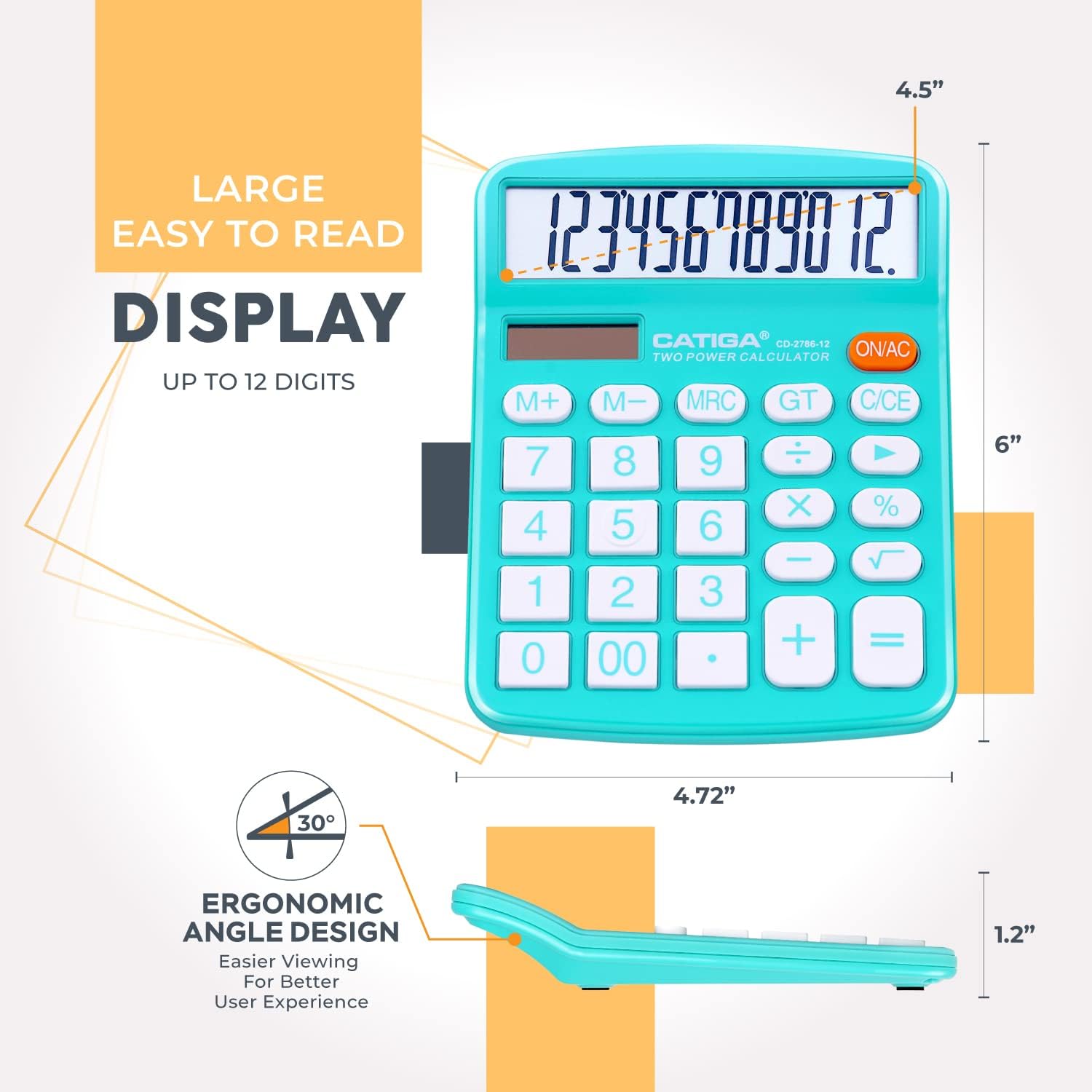
This image provides a visual representation of the calculator's large, easy-to-read display and its physical dimensions, emphasizing its ergonomic angle design.
Specifications
- Brand: CATIGA
- Model: CD-2786
- Display Type: LCD
- Digits: 12
- Power Source: Dual Powered (Solar and Battery)
- Calculator Type: Standard Function
- Package Dimensions: 6.57 x 5.12 x 2.24 inches
- Item Weight: 12.3 ounces
- Color: 1 Light Blue & 1 Light Pink
- Manufacturer: Jeoly / Catiga Electronic Co. Ltd
- Auto Power-Off: Approximately 6 minutes of inactivity
Warranty and Support
For warranty information, please refer to the product packaging or visit the official CATIGA website.
If you require further assistance or have questions not covered in this manual, please contact CATIGA customer support through their official channels.
You can visit the CATIGA Store for more products and information: CATIGA Store.