
Introduction
The NEEWER Basics M20 Magnetic LED Camera Light is a compact and versatile lighting solution designed for photography and video. Featuring 20 high-efficiency LEDs, it provides ample brightness for various applications such as vlogging, selfies, and general video recording. This light offers three adjustable brightness levels at a constant 5600K color temperature and includes an SOS flash mode for emergency signaling. Its magnetic attachment system allows for quick and secure mounting to compatible camera cages, including those for DJI OSMO Action 3/4/5 Pro and NEEWER AC009 Pro. With an IPX5 waterproof rating and a built-in rechargeable battery, the M20 is built for portability and reliable performance in diverse outdoor conditions.
Safety Information
- Do not expose the device to extreme temperatures or direct sunlight for prolonged periods.
- Ensure the USB-C charging cable is properly connected to prevent damage.
- Keep the device away from strong magnetic fields to avoid interference.
- Although IPX5 waterproof, avoid submerging the device in water.
- Dispose of the battery according to local regulations.
Package Contents
Verify that all items are present in the package:
- 1 x M20 Mini Camera Light
- 1 x USB A to USB C Charging Cable
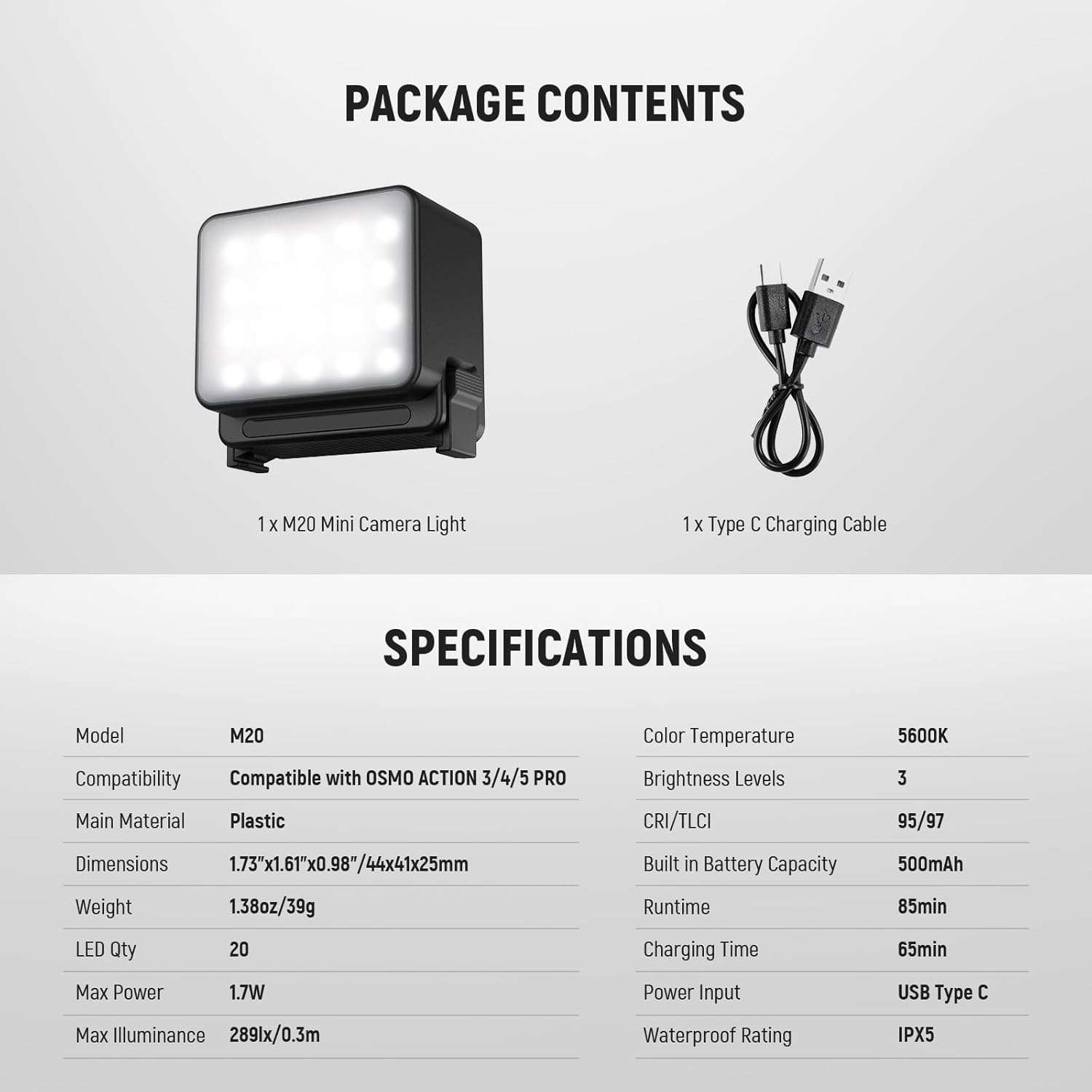
Image: Contents of the NEEWER M20 package, showing the mini camera light and its USB-C charging cable.
Product Overview
The NEEWER M20 is a compact LED light designed for easy integration with action cameras. It features a simple control button and magnetic attachment points for quick setup.
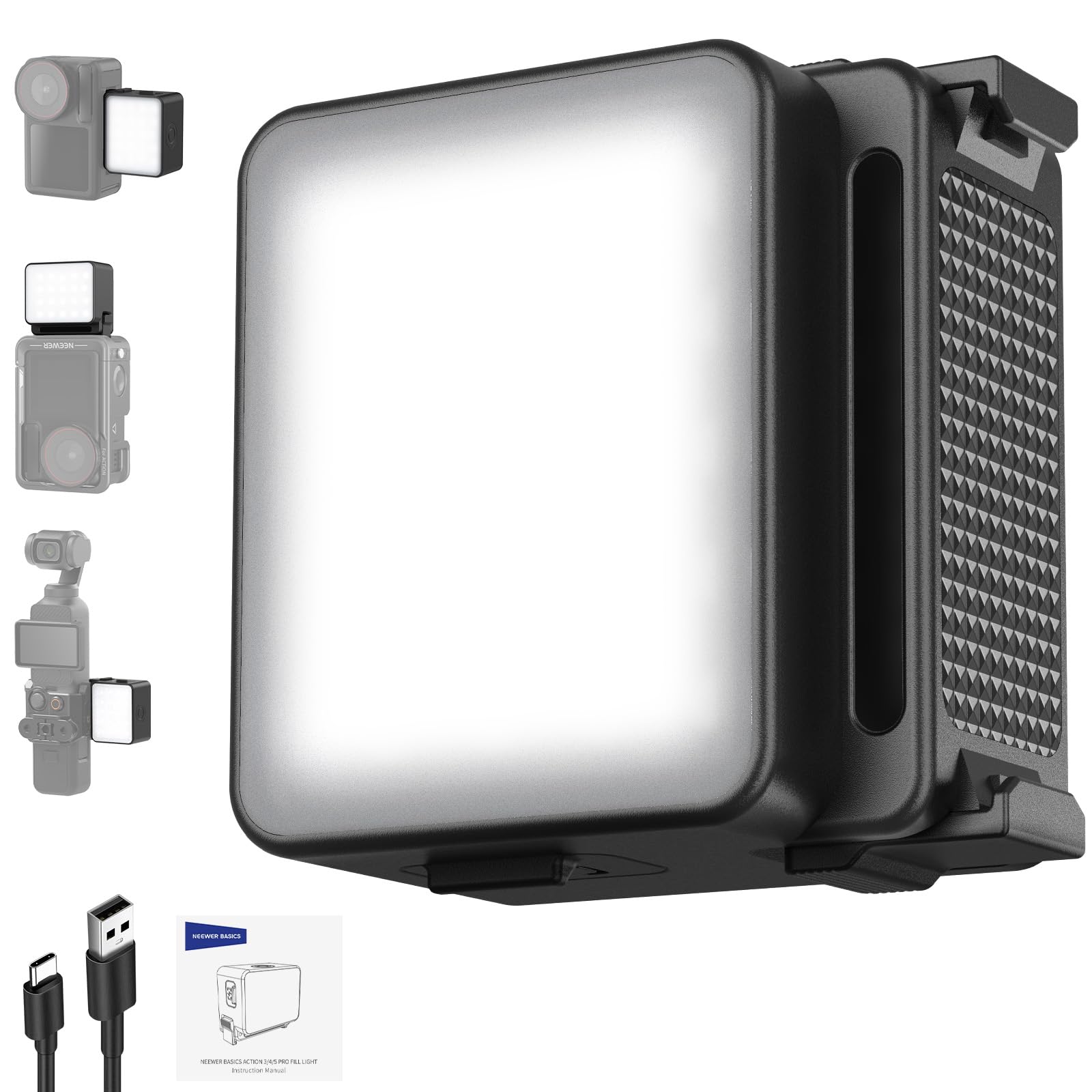
Image: Front view of the NEEWER M20 Magnetic LED Camera Light, highlighting its compact design.
Key Components
- LED Panel: Provides illumination.
- Power/Brightness Button: Controls power and cycles through brightness levels.
- Magnetic Attachment Points: For secure mounting to compatible accessories.
- USB-C Charging Port: For recharging the internal battery.
- Battery Indicator Lights: Displays remaining battery level.
Setup
1. Charging the Device
Before first use, fully charge the NEEWER M20. Connect the provided USB-A to USB-C charging cable to the USB-C port on the light and a suitable USB power source (e.g., computer, wall adapter). The battery indicator lights will show the charging status. A full charge takes approximately 65 minutes.

Image: The NEEWER M20 light connected to a USB-C charging cable, with battery indicators visible.
2. Attaching the Light
The M20 features strong side magnets and plastic locking buckles for quick and secure attachment. It is compatible with DJI OSMO Action 3/4/5 Pro camera cages and the NEEWER AC009 Pro Cage for OSMO Pocket 3.
- Align the magnetic attachment points on the M20 with the corresponding area on your compatible camera cage.
- The light will snap securely into place due to the magnets.
- To release, press the buckle base on the light.

Image: Diagram illustrating the quick release magnetic attachment mechanism of the NEEWER M20 to various camera cages.
Operating Instructions
1. Power On/Off and Brightness Adjustment
The M20 features a single button for controlling power and brightness.
- Power On/Off: Long press the button to turn the light on or off.
- Adjust Brightness: Short press the button to cycle through the three available brightness levels (Level 1, Level 2, Level 3).

Image: Visual representation of the three brightness levels and the SOS flash mode of the NEEWER M20.
2. SOS Flash Mode
The M20 includes an SOS flash mode for emergency signaling during outdoor activities.
- To activate the SOS flash mode, continue short pressing the button after cycling through the three brightness levels. The light will enter a flashing pattern.
- To exit SOS mode, short press the button again to return to the lowest brightness level or long press to power off.
Maintenance
- Cleaning: Use a soft, dry cloth to clean the light. Do not use harsh chemicals or abrasive materials.
- Storage: Store the device in a cool, dry place away from direct sunlight when not in use.
- Battery Care: For optimal battery longevity, fully charge the device before long periods of storage and recharge every three months.
Troubleshooting
| Problem | Solution |
|---|---|
| Light does not turn on. | Check battery level. Recharge the device using the USB-C cable. |
| Light is not bright enough. | Short press the power button to cycle through the three brightness levels. |
| Light does not attach securely. | Ensure the camera cage is compatible with magnetic attachment. Clean magnetic surfaces on both the light and the cage. |
| Battery drains quickly. | Operating at the highest brightness level consumes more power. Reduce brightness if extended runtime is needed. |
Specifications
Detailed technical specifications for the NEEWER M20 Magnetic LED Camera Light:
| Feature | Detail |
|---|---|
| Model | M20 |
| Main Material | Plastic |
| Dimensions (L x W x H) | 1.73" x 1.61" x 0.98" / 44 x 41 x 25mm |
| Weight | 1.38oz / 39g |
| LED Quantity | 20 |
| Max Power | 1.7W |
| Max Illuminance | 289lux/0.3m |
| Color Temperature | 5600K |
| Brightness Levels | 3 |
| CRI/TLCI | 95/97 |
| Built-in Battery Capacity | 500mAh |
| Runtime (100% Brightness) | 85 minutes |
| Charging Time | 65 minutes |
| Power Input | USB Type C |
| Waterproof Rating | IPX5 |
| Compatible Devices | DJI OSMO ACTION 3, DJI OSMO ACTION 4, DJI OSMO ACTION 5 PRO, NEEWER AC009 PRO Cage |

Image: A detailed table of specifications for the NEEWER M20, alongside a product image.
Warranty and Support
The NEEWER M20 Magnetic LED Camera Light comes with a 1-Year Manufacturer Warranty. For warranty claims, technical support, or any product-related inquiries, please contact NEEWER customer service through their official website or the retailer where the product was purchased. Please retain your proof of purchase for warranty validation.