
Introduction
The Kepwam T3 Heated Coffee Mug is designed to maintain your beverage at a precise temperature, ensuring a consistent drinking experience. This 20oz self-heating travel mug features both manual and app-controlled temperature settings, a long-lasting rechargeable battery, and a design suitable for various environments, including car cup holders.

Image: The Kepwam T3 Heated Coffee Mug in Lilac Violet, showcasing its sleek design.
Setup
1. Initial Charge
Before first use, ensure the mug and charging coaster are thoroughly dry. Place the mug on the charging coaster and fully charge the device. A full charge is indicated by the LED lights on the mug.
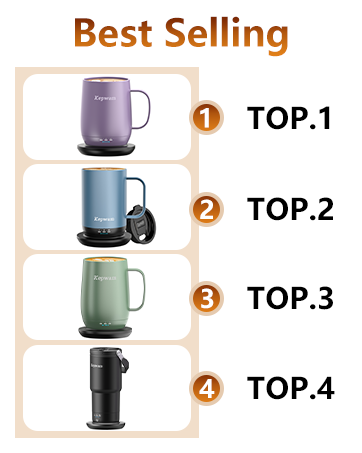
Image: The Kepwam T3 mug placed on its charging base for initial power-up.
2. App Installation and Pairing
For precise temperature control and customization, download the Kepwam App from the App Store or Google Play. Follow these steps:
- Search for "Kepwam" and download the application.
- Sign up and log in to your account.
- Follow the in-app instructions to pair your mug via Bluetooth.
- Once paired, you can set and adjust the temperature in 1°F increments.
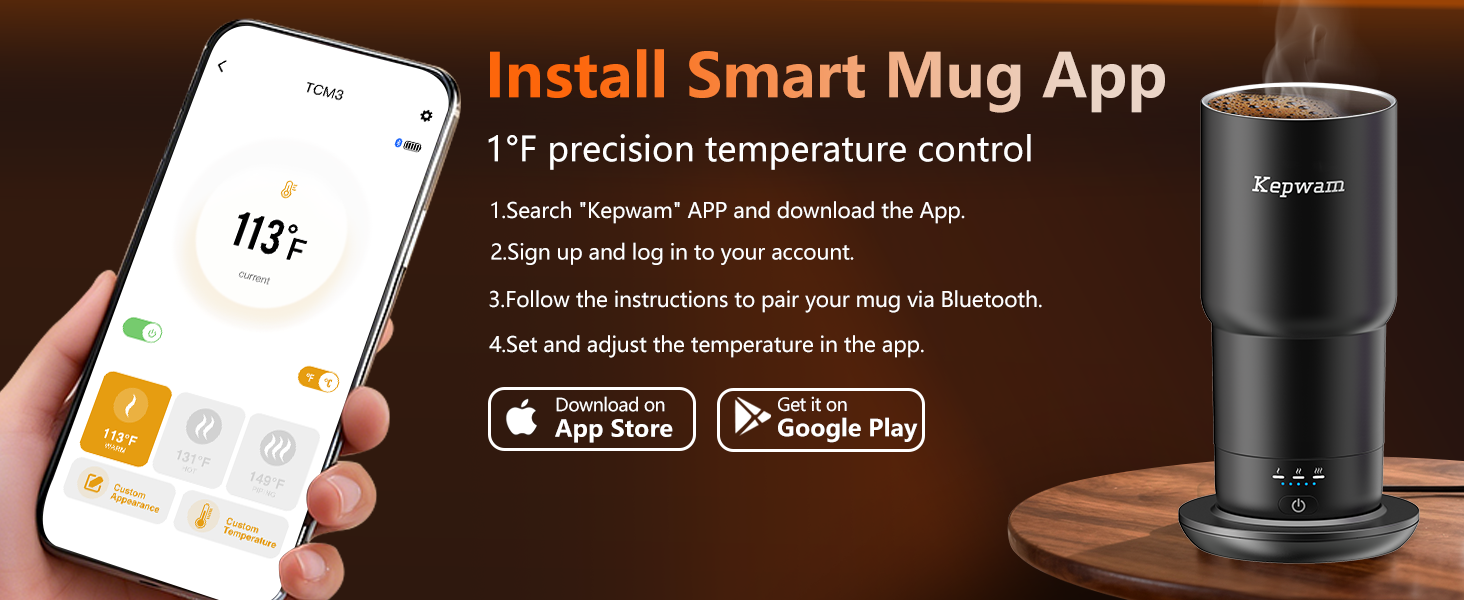
Image: Screenshot of the Kepwam mobile application interface, showing temperature control options.
Operating Instructions
1. Power On/Off and Temperature Selection (Manual)
The mug features a single control button for basic operation:
- Press the button once to power on the heating function.
- Press the button repeatedly to cycle through the three preset temperature settings:
- Warm: 113°F (45°C)
- Hot: 131°F (55°C)
- Piping Hot: 149°F (65°C)
- To power off, press and hold the button until the indicator lights turn off.
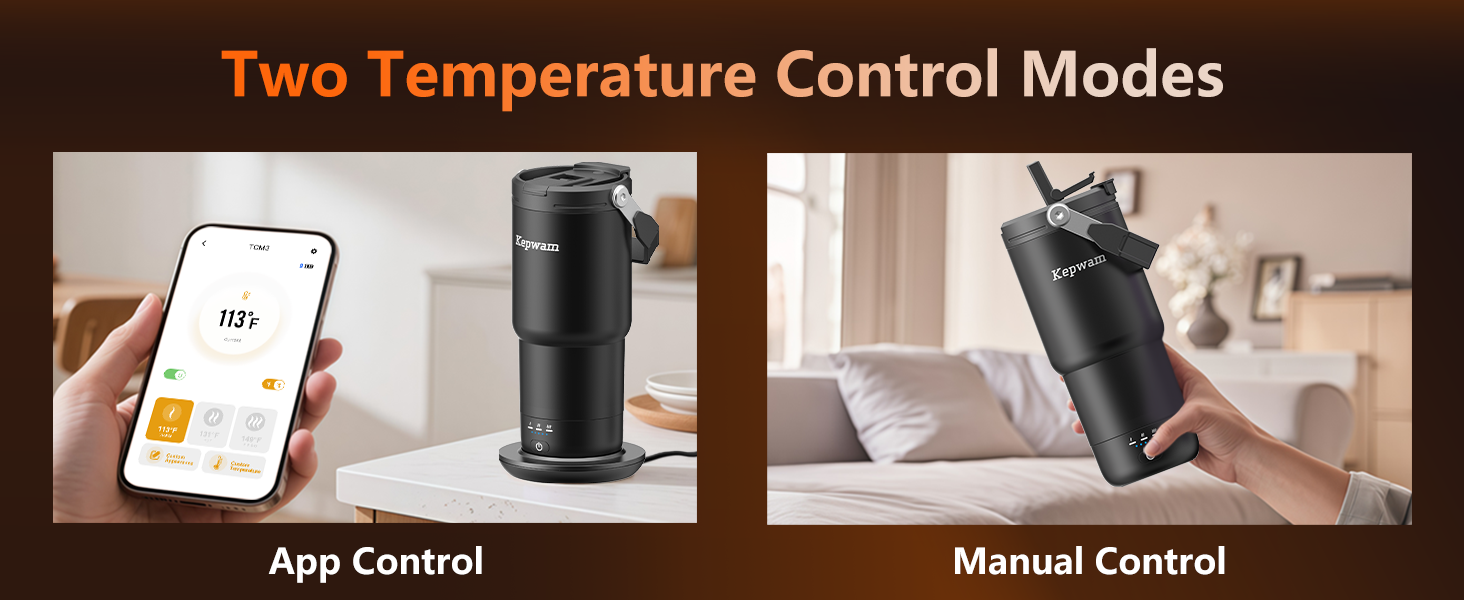
Image: Illustration showing both manual button control and app control options for the Kepwam T3 mug.
2. App-Controlled Temperature Adjustment
Using the Kepwam App, you can:
- Monitor the real-time temperature of your beverage.
- Set your preferred temperature within a range of 113°F to 149°F in 1°F increments.
- Customize the mug's appearance settings within the app.
3. Lid Usage
The mug comes with a leakproof 2-in-1 screw lid designed for versatility:
- Flip-Straw Sip: Use the integrated straw for sipping beverages below 122°F (50°C) for safety.
- Flip-Tab Drink: Open the flip-tab for direct drinking, suitable for hotter beverages.

Image: Close-up view of the Kepwam T3 mug's versatile lid, showing both the flip-straw and flip-tab drinking options.
4. Battery Life and Automatic Shut-off
The mug's battery provides up to 10 hours of heating when fully charged and used independently. When paired with the charging dock, it can maintain temperature all day. For safety and energy efficiency, the mug automatically stops heating if it is empty or after 3 hours of inactivity.
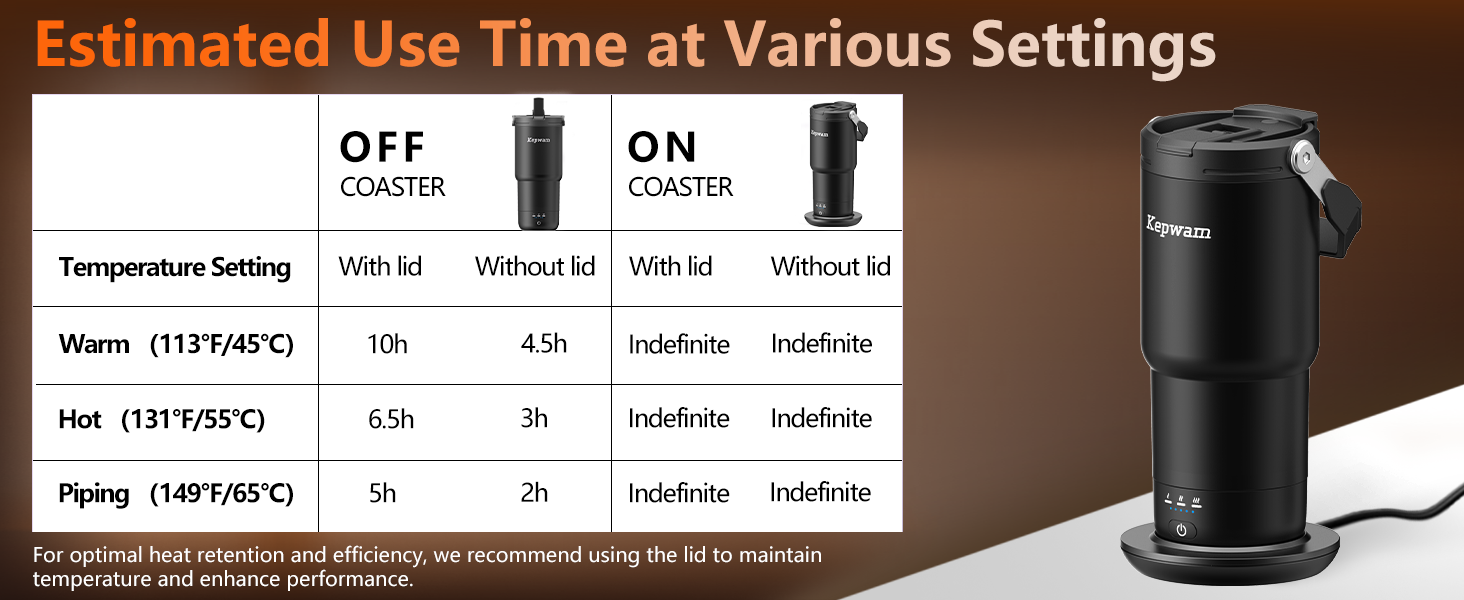
Image: A table detailing the estimated battery life of the Kepwam T3 mug at different temperature settings, both with and without the charging coaster.
Maintenance
Cleaning Instructions
To ensure the longevity and proper function of your Kepwam T3 mug, follow these cleaning guidelines:
- Hand Wash Only: The mug should be hand washed. Do not submerge the electronic base in water.
- Avoid Hot Water: Do not clean with excessively hot water.
- Dry Completely: Always wipe the mug completely dry after cleaning to prevent water damage to the electronic components.
- No Dishwasher or Microwave: The mug is not dishwasher or microwave safe. Using these appliances may damage the battery and shorten the lifespan of the temperature-control system.
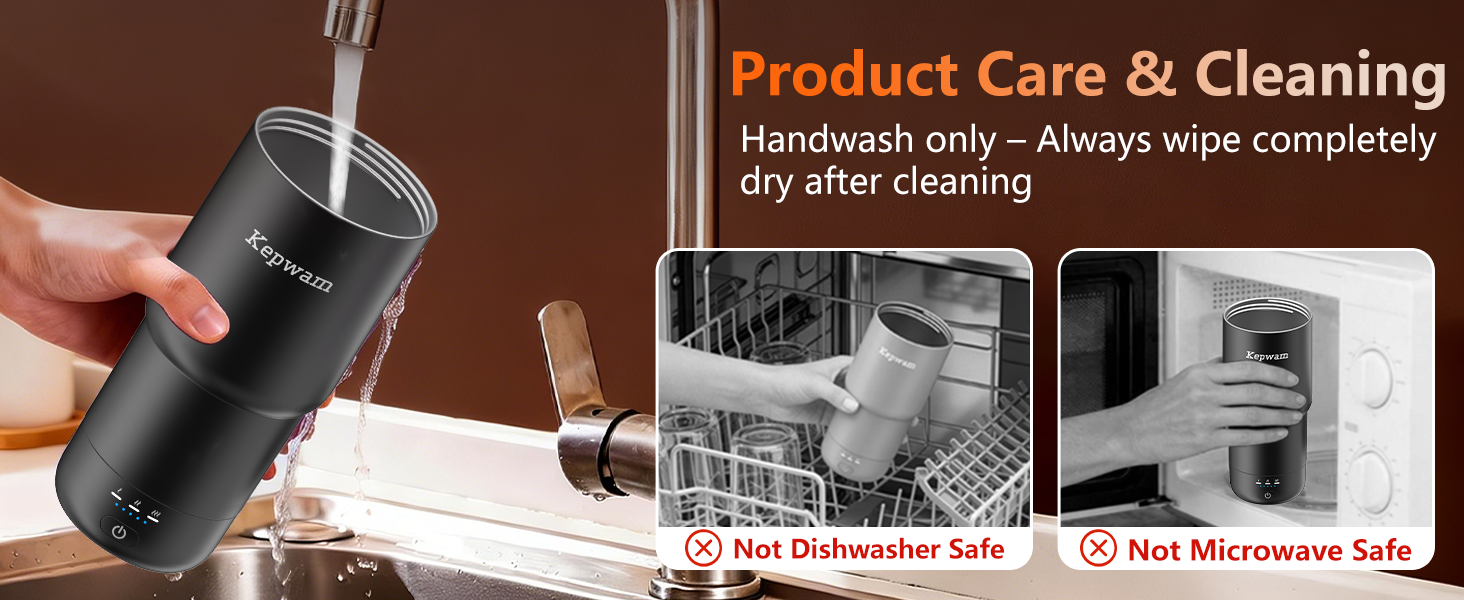
Image: Visual guide demonstrating how to hand wash the Kepwam T3 mug and explicitly showing it is not safe for dishwashers or microwaves.
Troubleshooting
Mug Not Heating
- Check Battery: Ensure the mug is sufficiently charged. Place it on the charging coaster.
- Verify Power: Confirm the mug is powered on and a temperature setting is selected.
- Liquid Level: The mug automatically stops heating if empty. Ensure there is liquid inside.
- App Connection: If using app control, ensure the mug is properly paired via Bluetooth and the app is functioning correctly.
App Connectivity Issues
- Bluetooth: Ensure Bluetooth is enabled on your mobile device and the mug is within range.
- Re-pair: If connection is lost, try unpairing and re-pairing the mug through the app settings.
- App Update: Ensure your Kepwam App is updated to the latest version.
Leakage from Lid
- Securely Fasten: Ensure the screw lid is tightened completely.
- Check Seals: Inspect the silicone seals on the lid for any damage or misalignment.
- Proper Closure: Make sure the flip-straw and flip-tab are securely closed when not in use.
Specifications
| Feature | Detail |
|---|---|
| Model | T3 |
| Capacity | 20 oz (approximately 1.3 lbs) |
| Material | 18/8 Stainless Steel, Ceramic Coating |
| Power Source | Battery Powered |
| Item Weight | 1 Kilogram |
| Temperature Range | 113°F (Warm), 131°F (Hot), 149°F (Piping Hot) |
| Temperature Control | Manual (3 presets) & App (1°F increments) |
| Battery Life (Independent) | Up to 10 hours |
| Included Components | Mug, Charging Base with 6ft Cable, Leakproof 2-in-1 Screw Lid, User Manual |
Warranty & Support
Warranty Information
The Kepwam T3 Heated Coffee Mug comes with a 1-Year Warranty from the date of purchase, covering manufacturing defects. Please retain your proof of purchase for warranty claims.
Customer Support
For technical assistance, troubleshooting, or warranty inquiries, please contact Kepwam customer support. We offer Lifetime Tech Support and aim for 24/7 Quick Reply to ensure your satisfaction.
You can visit the official Kepwam store for more information and contact options: Kepwam Store on Amazon
Official Product Videos
New Self-Heating Travel Mug | Always the Perfect Temperature
Video: An official product video from Kepwam demonstrating the features and benefits of the T3 Self-Heating Travel Mug, highlighting its ability to maintain a perfect temperature. (Duration: 0:31)
The perfect keep it hot and take with you daily!
Video: An official product video from Kepwam showcasing the portability and daily convenience of the T3 Self-Heating Travel Mug, emphasizing its ability to keep beverages hot on the go. (Duration: 0:27)