
1. Introduction
This manual provides essential information for the safe and effective operation of your AZZUNO CUT-55L Plasma Cutter. Please read this manual thoroughly before operating the machine to ensure proper usage and to prevent injury or damage.
2. Safety Information
WARNING: Plasma cutting can be dangerous. Always follow safety precautions to prevent serious injury or death.
- Electrical Shock: Ensure the machine is properly grounded. Do not operate in wet conditions. Always wear dry gloves.
- Fumes and Gases: Ensure adequate ventilation. Avoid breathing fumes. Use a respirator if necessary.
- Arc Rays: Protect your eyes and skin. Wear a welding helmet with appropriate shade, safety glasses, and protective clothing.
- Fire and Explosion: Keep flammable materials away from the cutting area. Have a fire extinguisher readily available.
- Hot Parts: Allow the machine and workpiece to cool before handling.
- Noise: Wear hearing protection during operation.
3. Package Contents
Verify that all items are present in your package:
- Plasma Cutter x 1
- Cutting Torch x 1
- Ground Clamp x 1
- Air Hose x 1
- 220V~110V Adapter Cord x 1
- Tip x 2
- Electrode x 2
- Hose Bands x 2
- Brush Hammer x 1
Note: The packaging box may incorrectly state "Welding Machine". The product inside is the correct Plasma Cutter.

Image: The AZZUNO CUT-55L Plasma Cutter with its complete set of accessories, including the cutting torch, ground clamp, air hose, power adapter, tips, electrodes, hose bands, and a brush hammer.
4. Product Overview
The AZZUNO CUT-55L Plasma Cutter features a user-friendly interface and robust design for efficient metal cutting. Key components and controls are detailed below.

Image: Front and rear view of the plasma cutter, highlighting the torch connector, torch switch, pilot arc, ground clamp connector, power switch, air filter, and cooling fan.
Front Panel Functions:
- TEST AIR / PRE-FLOW / POST-FLOW Switch: Selects air flow control modes.
- 2T/4T Switch: Toggles between 2-stroke and 4-stroke torch operation.
- Flow Time / Amperage Adjusting Knob: Controls air flow duration and cutting amperage.
- Large LED Display: Shows current amperage, air pressure, and selected mode settings.
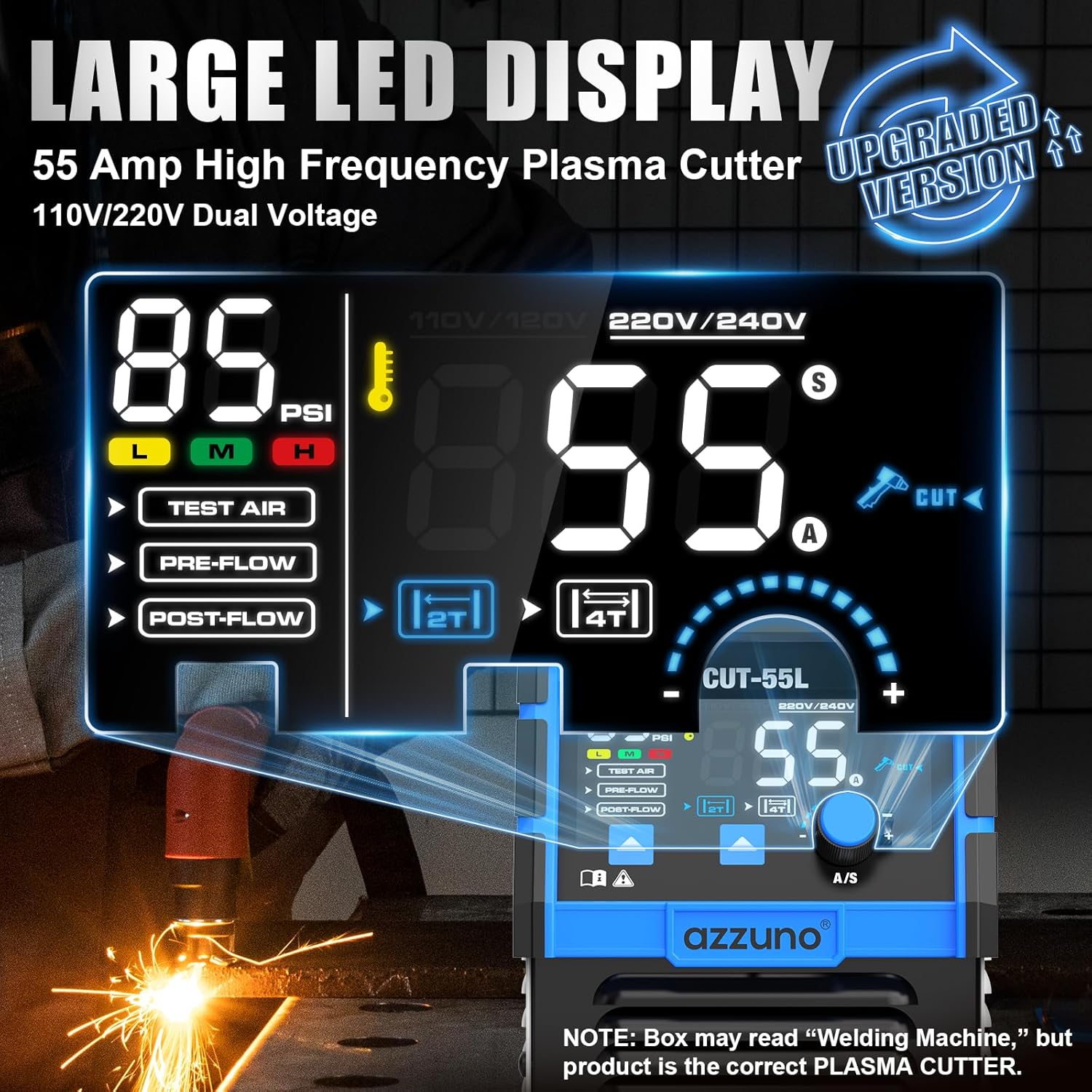
Image: The large LED display clearly showing amperage, air pressure (PSI), and mode selections like TEST AIR, PRE-FLOW, POST-FLOW, 2T, and 4T.
5. Setup
Follow these steps to set up your plasma cutter for operation:
- Power Connection: Connect the plasma cutter to a suitable power source. The machine supports 110V or 220V. Use the provided adapter cord for 110V connections if necessary.
- Air Connection: The unit features a built-in air regulator. Connect your air compressor hose to the pre-assembled air connector on the rear panel. Secure it with a hose band. Ensure your air compressor provides clean, dry air at the recommended pressure (typically 85 PSI for optimal cutting).
- Ground Clamp Connection: Attach the ground clamp cable to the designated connector on the front panel. Securely attach the ground clamp to the workpiece or work table, ensuring good electrical contact.
- Cutting Torch Connection: Connect the cutting torch cable to the torch connector on the front panel.
- Power On: Flip the power switch on the rear panel to the 'ON' position. The LED display will illuminate.

Image: The rear panel of the plasma cutter, illustrating the pre-assembled air connector for easy air hose attachment and the 220V power plug with a 110V adapter option.
6. Operating Instructions
6.1. Non-Touch Pilot Arc
The AZZUNO CUT-55L features a 55A high-frequency, non-touch pilot arc. This technology allows the arc to ignite without direct contact with the metal, reducing consumable wear and providing cleaner, more precise cuts on painted, rusted, or uneven surfaces.

Image: The plasma torch in action, demonstrating the non-touch pilot arc cutting through a metal surface, highlighting the enhanced cutting power.
6.2. Cutting Capacity
The machine offers powerful plasma cuts with precision. Optimal cutting capacity depends on the input voltage:
- Clean Cut:
- 3/8" (10 mm) @ 110V
- 5/8" (16 mm) @ 220V
- Max Cut:
- 1/2" (12 mm) @ 110V
- 3/4" (20 mm) @ 220V
It is capable of cutting various metals including mild steel, stainless steel, aluminum, and copper. It effectively handles solid plate, expanded metal, and perforated mesh.
Image: The plasma torch cutting through expanded metal mesh, demonstrating stable arc and no sticking for clean, consistent results.
6.3. Multiple Cutting Modes
The plasma cutter includes several settings for precise control:
- TEST AIR: Allows checking airflow without igniting the arc.
- PRE-FLOW: Controls the gas delay (0.1-1s) before arc ignition for smoother starts.
- POST-FLOW: Sets the cooling time (1-10s) after cutting to protect the torch and consumables.
- 2T/4T Settings:
- 2T (2-Stroke): Press and hold the torch trigger to cut. Release to stop. Ideal for short cuts.
- 4T (4-Stroke): Press the trigger once to start cutting, release to continue cutting without holding. Press again to stop. Ideal for longer cuts and reduced finger fatigue.
6.4. Air Sensor Technology
A built-in pressure monitoring system with a warning light alerts you if the air pressure is outside the optimal range (Low, Normal, High). This ensures consistent performance and helps prevent machine damage.
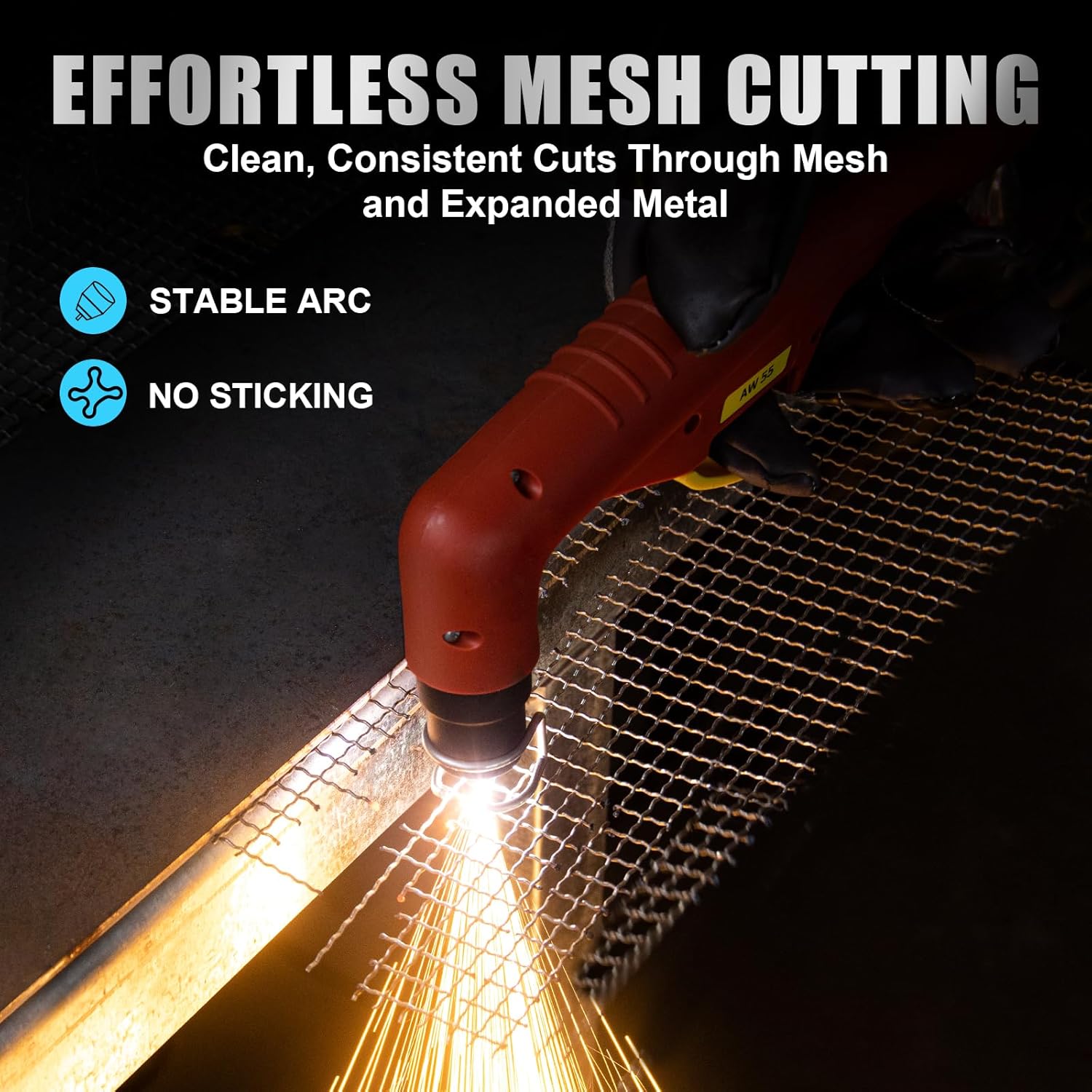
Image: The LED display showing the air pressure warning system with indicators for Low Pressure (insufficient air supply), Normal Pressure (ready to cut), and High Pressure (overpressure detected).
7. Maintenance
Regular maintenance ensures the longevity and optimal performance of your plasma cutter:
- Consumables: Regularly inspect the torch tip and electrode for wear. Replace them when they show signs of degradation to maintain cut quality.
- Air Filter: Check and clean the air filter periodically to ensure a clean and dry air supply. Replace if damaged.
- Cleaning: Keep the machine clean and free from dust and metal particles. Use compressed air to blow out internal components if necessary, ensuring the machine is unplugged.
- Cables and Connections: Inspect all cables and connections for damage or loose fittings before each use.
8. Troubleshooting
Refer to this section for common issues and their potential solutions:
| Problem | Possible Cause | Solution |
|---|---|---|
| No power to machine | Power switch off, loose power cord, circuit breaker tripped | Turn on power switch, check power cord connection, reset circuit breaker |
| No arc ignition | No air pressure, worn consumables, poor ground connection, incorrect settings | Check air supply and pressure, replace tip/electrode, ensure solid ground, verify amperage and mode settings |
| Poor cut quality | Incorrect cutting speed, worn consumables, insufficient air pressure, wrong amperage | Adjust cutting speed, replace consumables, check air pressure, adjust amperage for material thickness |
| Air pressure warning light active | Air pressure too low or too high | Adjust air compressor output to maintain optimal pressure (approx. 85 PSI) |
9. Specifications
Detailed technical specifications for the AZZUNO CUT-55L Plasma Cutter:

Image: A table displaying the technical specifications of the CUT-55L model, including voltage, current, duty cycle, and protection class.
| Feature | Specification |
|---|---|
| Model | CUT-55L |
| Input Voltage (U1) | 110V / 220V |
| Rated Input Current (I1eff) | 110V: 20A / 220V: 17.5A |
| Max Input Current (I1max) | 110V: 40A / 220V: 35A |
| Output Current (I2) | 110V: 20A-35A / 220V: 20A-55A |
| Duty Cycle (X) | 110V: 60% @ 25A, 100% @ 20A 220V: 60% @ 35A, 100% @ 25A |
| No-Load Voltage (U0) | 110V: 88V / 220V: 94V |
| Rated Output Voltage (U2) | 110V: 94V / 220V: 102V |
| Frequency | 50/60Hz |
| Protection Class | IP21S |
| Insulation Class | H |
| Machine Weight | 19.75 Pounds (approx. 8.96 kg) |
| Package Dimensions | 18.2 x 12 x 11.3 inches |
10. Warranty and Support
For warranty information, technical support, or service inquiries, please contact AZZUNO customer service through their official website or the retailer where the product was purchased. Keep your purchase receipt as proof of purchase.

