
Kepwam 20oz Self-Heating Travel Mug
Kepwam 20oz Self-Heating Travel Mug User Manual
Model: 20oz Self-Heating Travel Mug
Introduction
This manual provides instructions for the safe and efficient use of your Kepwam 20oz Self-Heating Travel Mug. Please read this manual thoroughly before operating the device and retain it for future reference.
The Kepwam Self-Heating Travel Mug is designed to maintain your beverage at a desired temperature for extended periods, offering both manual and app-controlled temperature adjustments.
Safety Information
- Do not immerse the mug in water or other liquids. The electronic components and battery are not waterproof.
- Hand wash only. Do not clean the mug in a dishwasher. Dishwasher use can damage the internal battery and heating system.
- Do not use in a microwave oven. Microwaving the mug can cause damage to the device and pose a safety risk.
- Ensure the mug is completely dry before placing it on the charging base.
- Keep out of reach of children.
- Avoid filling the mug with carbonated beverages, as pressure buildup may cause the lid to open unexpectedly.
- The mug automatically stops heating when empty or after 3 hours of inactivity to ensure safety and energy efficiency.

Figure 1: Important safety instructions: Do not use in dishwasher or microwave.
Package Contents
Verify that all items are present in the package:
- 1 x Kepwam 20oz Self-Heating Travel Mug
- 1 x Charging Base with 6ft Cable
- 1 x Leakproof 2-in-1 Screw Lid
- 1 x User Manual (this document)
Setup
1. Initial Charging
- Thoroughly dry the mug and the charging coaster.
- Place the mug onto the charging base.
- Connect the charging base to a power source using the provided 6ft cable.
- Allow the mug to fully charge before first use. The LED indicators on the mug will show charging status.
2. App Download and Pairing (Optional)
For advanced control and customization, download the Kepwam App:
- Search for "Kepwam" in your device's app store (App Store for iOS, Google Play for Android).
- Download and install the application.
- Sign up or log in to your account.
- Follow the in-app instructions to pair your mug via Bluetooth.
- Once paired, you can monitor real-time temperature, set preferred temperature ranges (113°F to 149°F in 1°F increments), and customize settings.

Figure 2: Initial setup and usage steps.

Figure 3: App control instructions for precise temperature adjustment.
Operating Instructions
1. Filling the Mug
- Remove the lid by twisting it counter-clockwise.
- Pour your desired beverage into the mug. Do not overfill.
- Securely replace the lid by twisting it clockwise until tight.
2. Temperature Control
The mug offers two methods for temperature control: manual button control and app control.
Manual Control (Button)
- Press the power button once to turn on the heating function.
- Press the button repeatedly to cycle through the three preset temperature settings:
- Warm: 113°F (45°C)
- Hot: 131°F (55°C)
- Piping Hot: 149°F (65°C)
- Long press the button to turn off the heating function.
App Control (Bluetooth)
- Ensure your mug is paired with the Kepwam App via Bluetooth.
- Open the Kepwam App on your smartphone.
- Use the app interface to select your desired temperature within the range of 113°F to 149°F, adjustable in 1°F increments.
- The app also allows you to monitor the real-time temperature of your beverage.
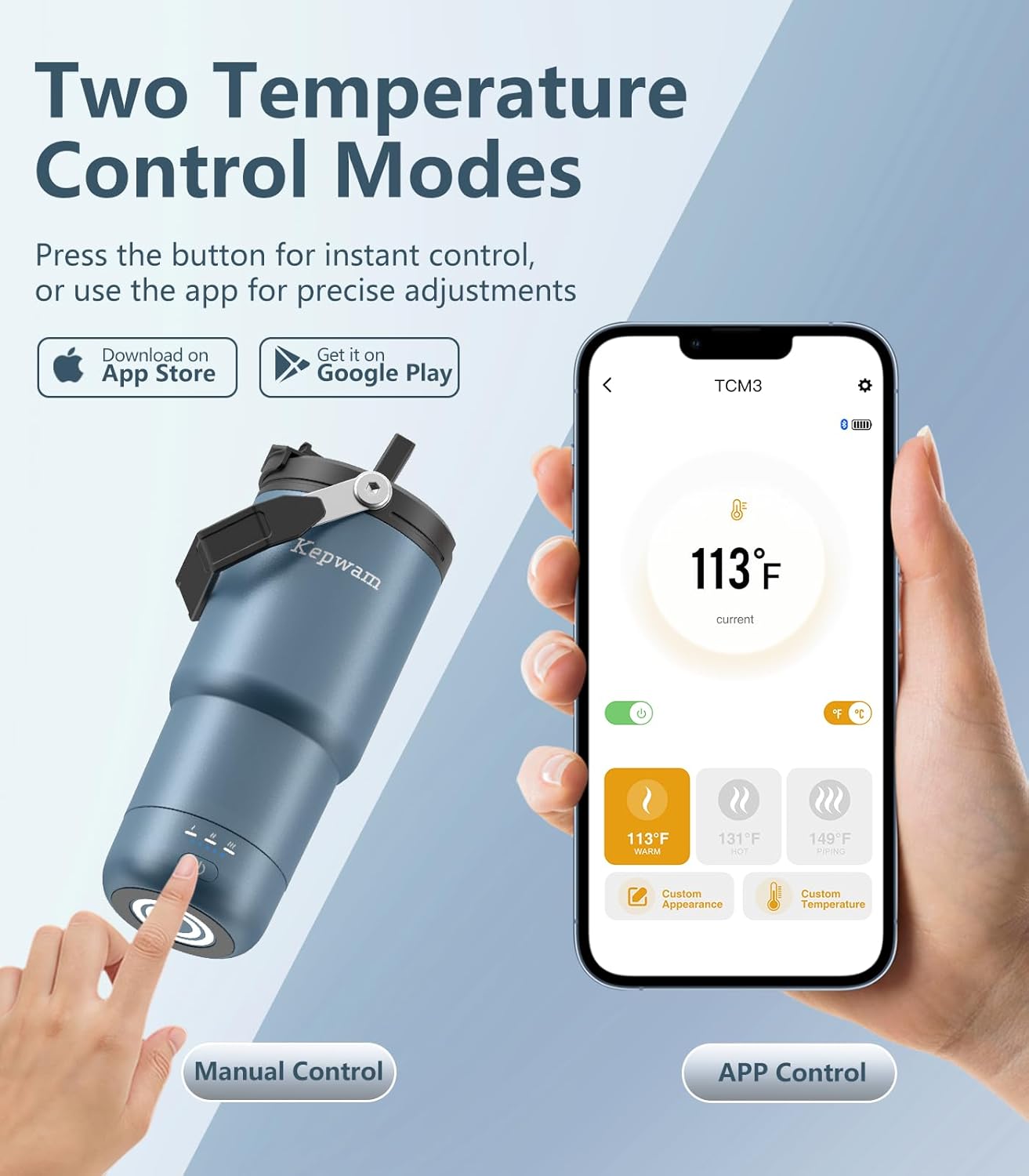
Figure 4: Manual and App control options for temperature adjustment.

Figure 5: One-button control for 3-level temperature settings.
3. Lid Usage
The 2-in-1 leakproof screw lid offers two drinking options:
- Sip with Straw: For beverages below 122°F (50°C) for safety.
- Drink with Flip-Tab: Ideal for hot drinks.

Figure 6: The 2-in-1 leakproof lid with straw and flip-tab options.
4. Battery Life and Charging
The mug features a 4000mAh battery. When fully charged and used independently, it can maintain temperature for up to 10 hours depending on the selected temperature and environmental conditions. For continuous heating, place the mug on the charging dock.
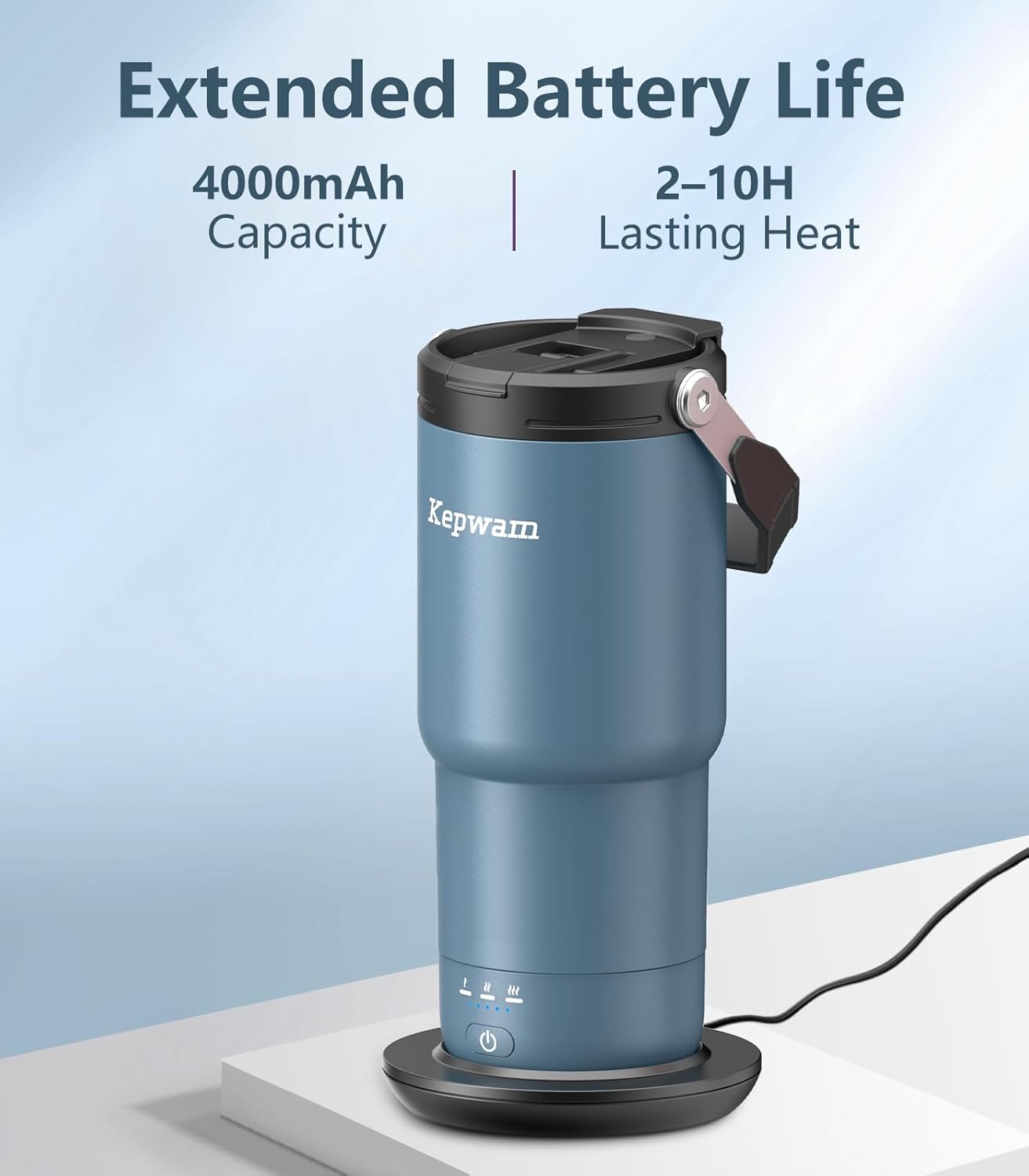
Figure 7: Battery capacity and heating duration.

Figure 8: Estimated use time at various settings.
Maintenance
Cleaning Instructions
- Hand wash only. Use mild soap and warm water.
- Do not use abrasive cleaners or scrubbers, as these may damage the ceramic coating or exterior finish.
- Ensure the charging port and base of the mug are completely dry before charging or storing.
- The lid components can be disassembled for thorough cleaning.
- Do not clean with hot water, as this may affect the battery.
Storage
When not in use for extended periods, ensure the mug is clean, dry, and stored in a cool, dry place. It is recommended to charge the mug periodically to maintain battery health.
Troubleshooting
| Problem | Possible Cause | Solution |
|---|---|---|
| Mug is not heating. | Low battery; Mug not powered on; Mug is empty; Automatic shut-off activated. | Charge the mug; Press the power button; Ensure mug contains liquid; Restart heating cycle. |
| App cannot connect to mug. | Bluetooth is off; Mug is out of range; App not updated. | Ensure Bluetooth is enabled on your device; Move closer to the mug; Update the Kepwam App. |
| Lid is leaking. | Lid not properly secured; Seal is damaged or dirty. | Ensure lid is twisted on tightly; Clean or inspect the silicone seal for damage. |
| Mug not charging. | Charging base not connected; Mug not properly seated on base; Charging contacts are dirty. | Check power connection to charging base; Ensure mug is correctly aligned on the base; Clean charging contacts on both mug and base. |
Specifications

Figure 9: Key components and design features.
| Feature | Detail |
|---|---|
| Model | 20oz Self-Heating Travel Mug |
| Capacity | 20 fl oz (approx. 1.3 lbs) |
| Material | 18/8 Stainless Steel, Food-Grade Ceramic Coating |
| Maximum Temperature | 149°F (65°C) |
| Temperature Settings | 113°F (Warm), 131°F (Hot), 149°F (Piping Hot) - Manual; 113°F-149°F (1°F increments) - App |
| Battery Capacity | 4000mAh (12V battery included) |
| Heating Duration | Up to 10 hours (depending on settings and usage) |
| Dimensions | 4.8 x 4.8 x 8.54 inches |
| Item Weight | 2.18 pounds (0.99 kg) |
| Power Source | Battery Powered |
| Safety Features | Automatic shut-off when empty or after 3 hours of no use. |
Warranty and Support
For warranty information and customer support, please refer to the purchase documentation or contact Kepwam customer service directly. Contact details can typically be found on the product packaging or the official Kepwam website.
Please have your product model number (20oz Self-Heating Travel Mug) and purchase date available when contacting support.
Ask a question about this manual
Ask about setup, troubleshooting, compatibility, parts, safety, or missing instructions. Manuals+ will review the question and use this page’s manual context to help answer it.