
Bella-Pro 90223
Bella-Pro SmartCrisp 8-Quart Air Fryer
Model: 90223 - User Manual
Important Safeguards
When using electrical appliances, basic safety precautions should always be followed, including the following:
- Read all instructions before operating the appliance.
- Do not touch hot surfaces. Use handles or knobs.
- To protect against electrical shock, do not immerse cord, plugs, or main unit in water or other liquid.
- Close supervision is necessary when any appliance is used by or near children.
- Unplug from outlet when not in use and before cleaning. Allow to cool before putting on or taking off parts.
- Do not operate any appliance with a damaged cord or plug, or after the appliance malfunctions or has been damaged in any manner.
- The use of accessory attachments not recommended by the appliance manufacturer may cause injuries.
- Do not use outdoors.
- Do not let cord hang over edge of table or counter, or touch hot surfaces.
- Do not place on or near a hot gas or electric burner, or in a heated oven.
- Extreme caution must be used when moving an appliance containing hot oil or other hot liquids.
- Do not use appliance for other than intended use.
- Always attach plug to appliance first, then plug cord into the wall outlet. To disconnect, turn any control to "off", then remove plug from wall outlet.
- A short power-supply cord is provided to reduce the risk resulting from entanglement or tripping over a longer cord.
- This appliance has a polarized plug (one blade is wider than the other). To reduce the risk of electric shock, this plug is intended to fit into a polarized outlet only one way. If the plug does not fit fully into the outlet, reverse the plug. If it still does not fit, contact a qualified electrician. Do not attempt to modify the plug in any way.
Product Components
Familiarize yourself with the parts of your Bella-Pro SmartCrisp Air Fryer:

Main Unit: The primary housing of the air fryer, featuring a sleek stainless steel finish and the digital touchscreen control panel.

Appliance in Use: A general view of the air fryer on a kitchen counter, demonstrating its compact design and how it fits into a modern kitchen setting.
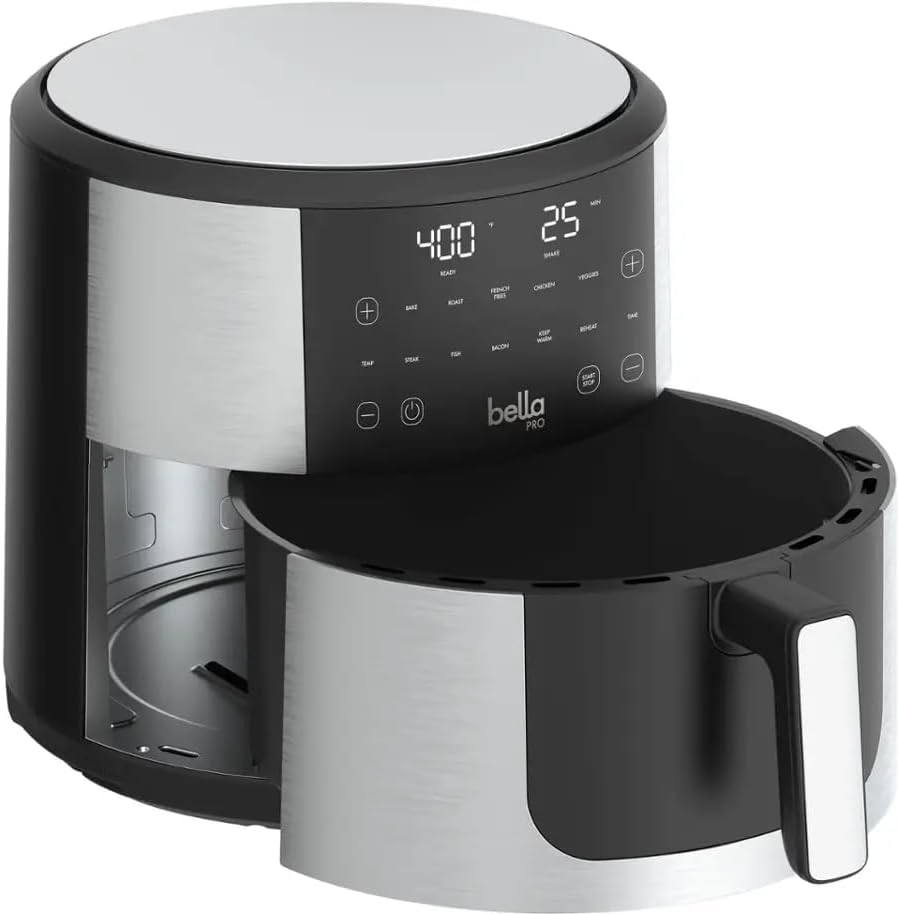
Removable Basket and Crisping Tray: The 8-quart capacity basket and crisping tray are designed for easy food placement and removal. Both components feature EverGood ceramic nonstick coating for healthier cooking and effortless cleanup.

Digital Touchscreen Control Panel: An intuitive interface with clear digital readouts for temperature and time, along with dedicated buttons for various cooking presets and manual adjustments. This panel allows for precise control over your cooking settings.
Initial Setup
- Unpack: Carefully remove all packaging materials and promotional labels from your air fryer.
- Clean Components: Wash the removable basket and crisping tray in warm, soapy water. Rinse thoroughly and dry completely. Wipe the exterior of the main unit with a damp cloth.
- Placement: Place the air fryer on a stable, heat-resistant surface, away from walls or other appliances to allow for proper air circulation. Ensure there is at least 6 inches of space on all sides.
- First Use (Burn-in): It is recommended to run the air fryer empty for about 10-15 minutes at 350°F (175°C) before first use. This helps to burn off any manufacturing residues and odors. A slight odor may be present during this process, which is normal.
Operating Instructions
The Bella-Pro SmartCrisp Air Fryer offers versatile cooking options with its digital touchscreen and preset functions.
General Operation Steps:
- Prepare Food: Place your desired food item(s) into the air fryer basket. Do not overfill the basket to ensure even cooking.
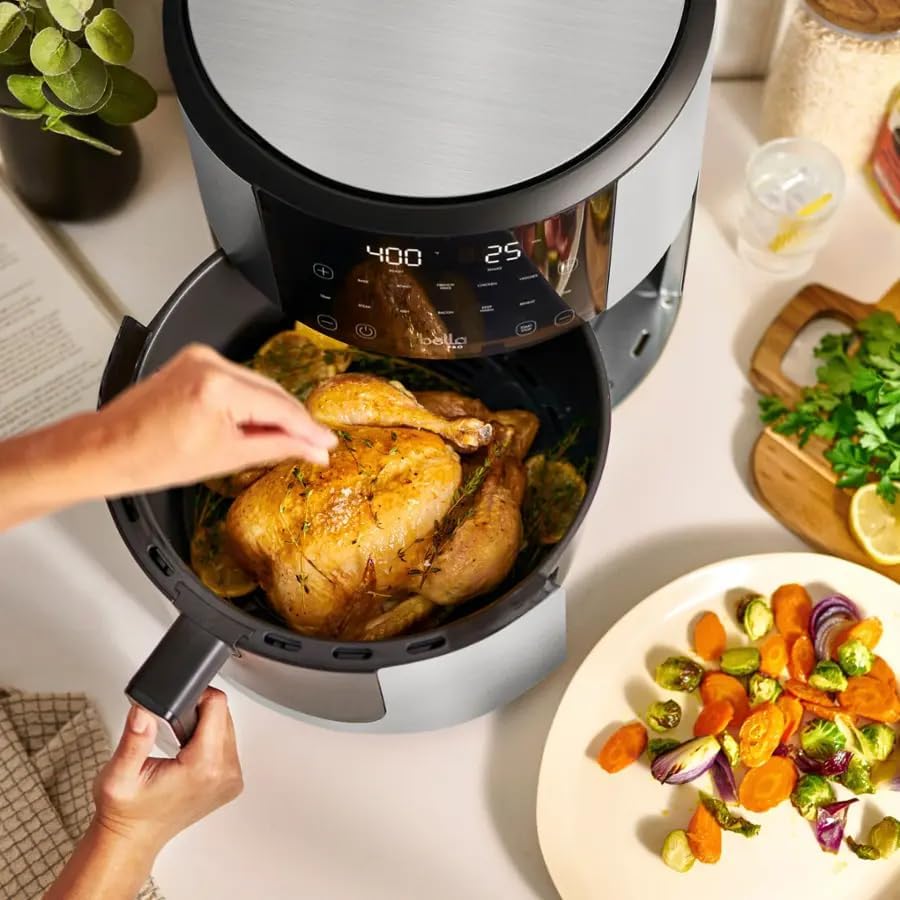
Image: Preparing a whole chicken for air frying. The large 8-quart capacity accommodates family-sized meals.
- Capacity Example: The 8-quart basket is spacious enough for a generous portion of food, such as a large batch of french fries, ensuring crispy results for the whole family.

Image: A full air fryer basket demonstrating the ample capacity for cooking larger quantities of food like french fries.
- Insert Basket: Slide the basket firmly into the main unit until it clicks into place.
- Power On: Plug the air fryer into a standard 120V AC outlet. The digital display will illuminate.
- Select Cooking Method:
- Using Presets: Select one of the 6 preset functions (Air Fry, Roast, Bake, Broil, Reheat, Dehydrate) by touching the corresponding icon on the touchscreen. The air fryer will automatically set the optimal temperature and time for that function.
- Manual Adjustment: Alternatively, use the TEMP and TIME buttons, along with the + and - buttons, to manually set your desired temperature (90°F to 450°F) and cooking time.
- Start Cooking: Press the START/STOP button to begin the cooking cycle.
- Shake Reminder: For certain foods, the air fryer may prompt a "SHAKE" reminder during the cooking cycle to ensure even crisping.
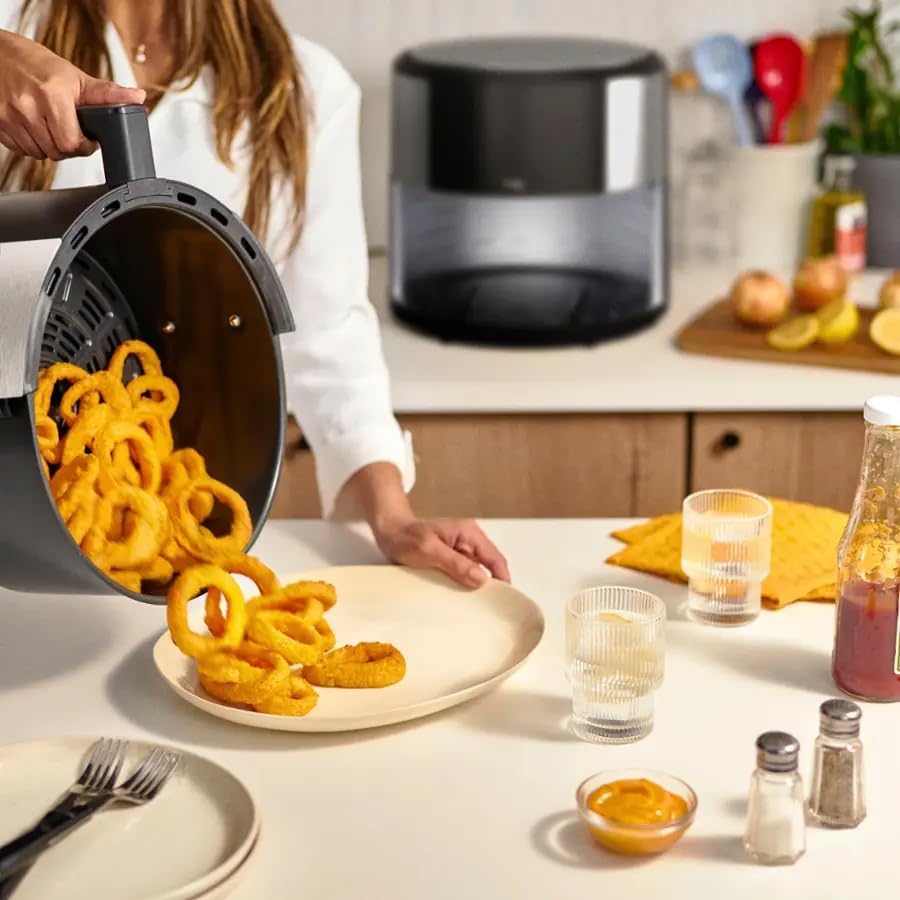
Image: Demonstrating the result of even cooking, with crispy onion rings being served from the air fryer basket, often achieved with the shake reminder.
- Completion: The air fryer will beep when the cooking cycle is complete. Carefully remove the basket and transfer the cooked food.
Care and Maintenance
Proper care ensures the longevity and optimal performance of your air fryer.
- Cleaning After Each Use:
- Unplug the air fryer and allow it to cool completely before cleaning.
- The basket and crisping tray are dishwasher-safe for convenient cleaning. For hand washing, use warm, soapy water and a non-abrasive sponge.
- Wipe the exterior of the main unit with a damp cloth. Do not immerse the main unit in water or any other liquid.
- Clean the interior of the air fryer with a damp cloth and mild detergent if necessary. Ensure all surfaces are dry before storage.
- Nonstick Coating Care: The EverGood ceramic nonstick coating is durable. To prolong its life, avoid using metal utensils or abrasive cleaning pads.
- Storage: Store the air fryer in a cool, dry place. Ensure the basket and crisping tray are clean and dry before storing them inside the main unit.
Troubleshooting
Refer to this table for common issues and their solutions.
| Problem | Possible Cause | Solution |
|---|---|---|
| Air fryer does not turn on. | Appliance is not plugged in. | Ensure the power cord is securely plugged into a grounded electrical outlet. |
| Food is not cooked evenly. | Basket is overcrowded. | Cook food in smaller batches. Shake the basket halfway through cooking. |
| Food is not crispy. | Not enough oil (if applicable) or temperature/time incorrect. | Lightly spray food with cooking oil. Increase cooking time or temperature slightly. Ensure the "SHAKE" reminder is followed. |
| White smoke coming from the appliance. | Grease residue from previous use or high-fat food. | Clean the basket and crisping tray thoroughly after each use. For high-fat foods, drain excess fat from the basket during cooking. |
| Appliance smells during first use. | Manufacturing residues burning off. | This is normal. Run the air fryer empty for 10-15 minutes as per initial setup instructions. Ensure good ventilation. |
Product Specifications
| Feature | Detail |
|---|---|
| Model Name | Pro SmartCrisp 8-Quart Touchscreen Air Fryer |
| Model Number | 90223 |
| Capacity | 8 Quarts |
| Power Output | 1700 Watts |
| Voltage | 120 Volts |
| Temperature Range | 90°F to 450°F |
| Control Method | Touchscreen |
| Material | Stainless Steel with Ceramic Nonstick Coating |
| Dimensions (D x W x H) | 16"D x 13"W x 14"H |
| Item Weight | 9.76 Pounds |
| Dishwasher Safe Components | Yes (Basket and Crisping Tray) |
| Special Features | Built-in Shake reminder, 6 Cooking Presets (Air Fry, Roast, Bake, Broil, Reheat, Dehydrate) |
Warranty and Support
This product is covered by a manufacturer's warranty. Please refer to the warranty card included with your purchase for specific terms and conditions, including warranty period and coverage details.
For technical support, troubleshooting assistance, or to inquire about replacement parts, please contact the manufacturer's customer service. Contact information is typically found on the product packaging or the manufacturer's official website.
Keep your purchase receipt as proof of purchase for warranty claims.
Related documents90223

Ask a question about this manual
Ask about setup, troubleshooting, compatibility, parts, safety, or missing instructions. Manuals+ will review the question and use this page’s manual context to help answer it.