1. Introduction
Thank you for choosing the Braun Series 5 Electric Shaver, Model 52-B1600s. This manual provides essential information for the safe and effective use, maintenance, and care of your new shaver. Please read these instructions thoroughly before first use and keep them for future reference.
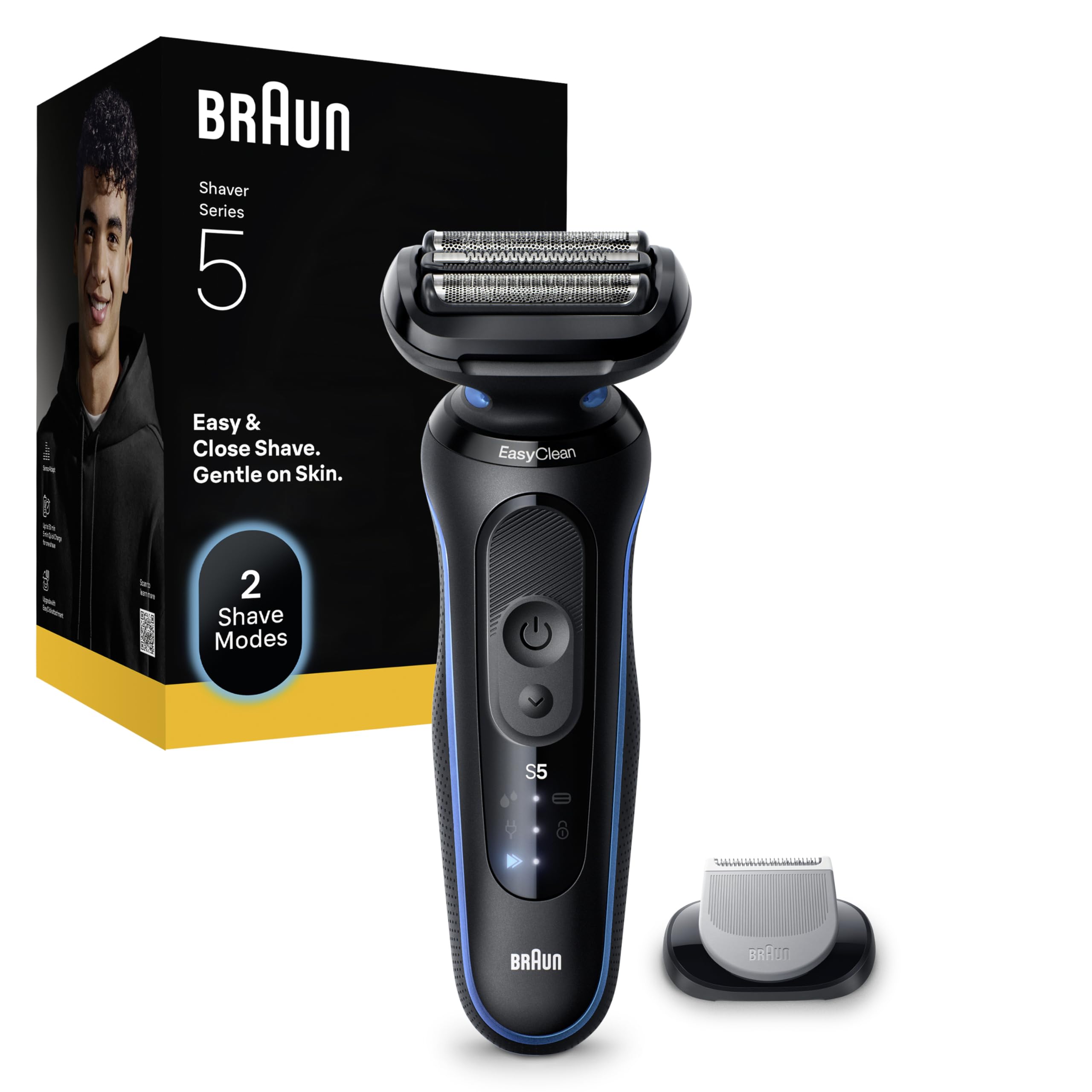
Image 1.1: Braun Series 5 Electric Shaver (Model 52-B1600s)
The Braun Series 5 Electric Shaver is designed for a fast and comfortable shave, suitable for both wet and dry use. It features flexible blades that adapt to your facial contours and includes a body trimmer accessory for versatile grooming.
2. Important Safety Information
Please read all safety instructions carefully before using the appliance. Failure to follow these instructions may result in electric shock, fire, or serious injury.
- This appliance is suitable for cleaning under running water and for use in the shower or bath. For safety reasons, it can only operate cordless.
- Always disconnect the shaver from the power supply before using it with water.
- Keep the power supply, charging base, and cleaning station dry.
- Your appliance has an integrated Low Voltage Safety system. To avoid the risk of electric shock, do not replace or tamper with any of its parts.
- Use only the Braun power supply with code 492.
- Do not use the appliance or any accessory if it appears damaged.
- Do not open the appliance! Integrated rechargeable batteries can only be replaced by an authorized Braun Service Center.
- This appliance can be used by children aged 8 years and above and persons with reduced physical, sensory or mental capabilities or lack of experience and knowledge if they have been given supervision or instruction concerning use of the appliance in a safe way and understand the hazards involved.
- If the appliance is provided with a hair-cutting attachment, it can be used for hair cutting by children aged from 3 years under supervision.
- Children shall not play with the appliance.
- Cleaning and user maintenance shall not be made by children.
3. Product Components
The Braun Series 5 Electric Shaver package typically includes the following items:
- Braun Series 5 Electric Shaver
- Body Trimmer Accessory
- Travel Pouch
- Charger (Power Supply Unit)
- Cleaning Brush
- User Manual (this document)

Image 3.1: Shaver and included accessories (may vary by package)
4. Setup and Charging
4.1 Initial Charging
Before using your Braun Series 5 shaver for the first time, it is recommended to fully charge it.
- Ensure the shaver is switched off.
- Connect the charger to the shaver's charging socket.
- Plug the charger into an electrical outlet.
- The charging indicator lights on the shaver will illuminate, indicating that charging is in progress.
- A full charge typically takes approximately 1 hour and provides up to 50 minutes of cordless shaving time. A 5-minute quick charge is sufficient for one shave.
- Once fully charged, disconnect the charger from the outlet and the shaver.
4.2 Attaching/Detaching Accessories
To attach or detach the body trimmer accessory, ensure the shaver is switched off. Gently pull the shaving head upwards to remove it, then align the desired accessory with the shaver body and push it down until it clicks into place.
5. Operating the Shaver
5.1 Basic Shaving Instructions
The Braun Series 5 shaver is designed for both dry and wet shaving.
- Dry Shaving: For best results, shave before washing your face. Ensure your skin is dry.
- Wet Shaving: The shaver can be used with foam, gel, or under the shower. Apply shaving foam or gel to your skin before shaving.
- Press the On/Off button to switch on the shaver.
- Hold the shaver at a right angle (90°) to your skin.
- Stretch your skin and shave against the direction of hair growth.
- Apply gentle pressure.

Image 5.1: Shaving face and body with the Braun Series 5
5.2 Flexible Blades and SensoAdapt Technology
The shaver features 3 flexible blades that adapt to the contours of your face, ensuring close contact with the skin for an efficient shave. The integrated SensoAdapt technology detects beard density and adjusts motor power accordingly, providing optimal performance.

Image 5.2: Flexible blades adapting to contours

Image 5.3: SensoAdapt technology for power adjustment
5.3 Shaving Modes
The shaver offers two distinct shaving modes to suit your preference:
- Turbo Mode: Provides a faster shave, ideal for dense beards or when you need to shave quickly.
- Standard Mode: Offers an optimal balance between speed and gentleness, suitable for daily use and sensitive skin.

Image 5.4: Turbo and Standard shaving modes
6. Cleaning and Maintenance
Regular cleaning ensures optimal performance and extends the lifespan of your shaver.
6.1 EasyClean System
The Braun Series 5 features an EasyClean system, allowing for quick and convenient cleaning without removing the shaving head.
- Switch off the shaver.
- Hold the shaver head under warm running water.
- Turn the shaver on and let the water rinse through the shaving head for approximately 10-20 seconds.
- Switch off the shaver and gently tap off excess water.
- Allow the shaver head to air dry completely before reattaching any protective caps or storing.

Image 6.1: EasyClean system for rinsing under water
6.2 Deep Cleaning (Optional)
For a more thorough cleaning, you can remove the shaving head and use the provided cleaning brush.
- Switch off the shaver.
- Remove the shaving head by gently pulling it upwards.
- Use the small cleaning brush to remove any trapped hair from the shaving head and the shaver body.
- Rinse both parts under running water.
- Allow all parts to dry completely before reassembling.
6.3 Replacing Shaver Parts
To maintain 100% shaving performance, it is recommended to replace the shaver head (foil and cutter block) every 18 months. Replacement parts are available from authorized Braun retailers or service centers.
7. Troubleshooting
If you encounter any issues with your Braun Series 5 shaver, please refer to the following common problems and solutions:
| Problem | Possible Cause | Solution |
|---|---|---|
| Shaver does not turn on. | Battery is discharged. | Charge the shaver for at least 5 minutes for a quick shave, or 1 hour for a full charge. |
| Shaver does not shave effectively. | Shaver head is worn out or clogged with hair. | Clean the shaver head thoroughly. Consider replacing the shaver head if it's older than 18 months. |
| Skin irritation after shaving. | Incorrect shaving technique or sensitive skin. | Ensure you are shaving against the direction of hair growth with gentle pressure. Try wet shaving with foam/gel. Allow skin to adapt to the new shaver. |
| Shaver makes unusual noise. | Shaver head might be damaged or improperly attached. | Check if the shaver head is correctly attached. Inspect for any visible damage. If the issue persists, contact customer support. |
If the problem persists after attempting these solutions, please contact Braun Customer Service or an authorized service center.
8. Specifications
- Model: 52-B1600s
- Brand: Braun
- Power Source: Rechargeable Li-Ion Battery
- Battery Life: Up to 50 minutes of cordless use
- Quick Charge: 5 minutes for one shave
- Waterproof: 100% waterproof for wet & dry use
- Blade Material: Stainless Steel
- Head Type: Foil
- Dimensions (Packaging): 23.7 x 10.4 x 6.4 cm
- Weight (Packaging): 400 grams
- Special Feature: High Efficiency, SensoAdapt Technology
- Recommended Use: Beard shaving, Body trimming
- Manufacturer: Procter & Gamble
- Country of Origin: Germany
9. Warranty and Support
9.1 Warranty Information
Your Braun Series 5 Electric Shaver comes with a manufacturer's warranty. Braun offers up to 5 years of warranty on this product. Specific terms and conditions apply and can be found on the official Braun website. Please visit www.Braun.com/IT for detailed warranty information.

Image 9.1: Up to 5 years warranty information
9.2 Customer Support
For further assistance, product inquiries, or to locate an authorized service center, please visit the official Braun website or contact their customer service department.
- Official Website: www.braun.com
- Brand Store: Braun Store on Amazon.it
10. Disposal
This product contains batteries and recyclable electronic waste. To protect the environment, do not dispose of it with household waste at the end of its useful life. Please take it to appropriate local collection points or authorized service centers for recycling.