
Introduction
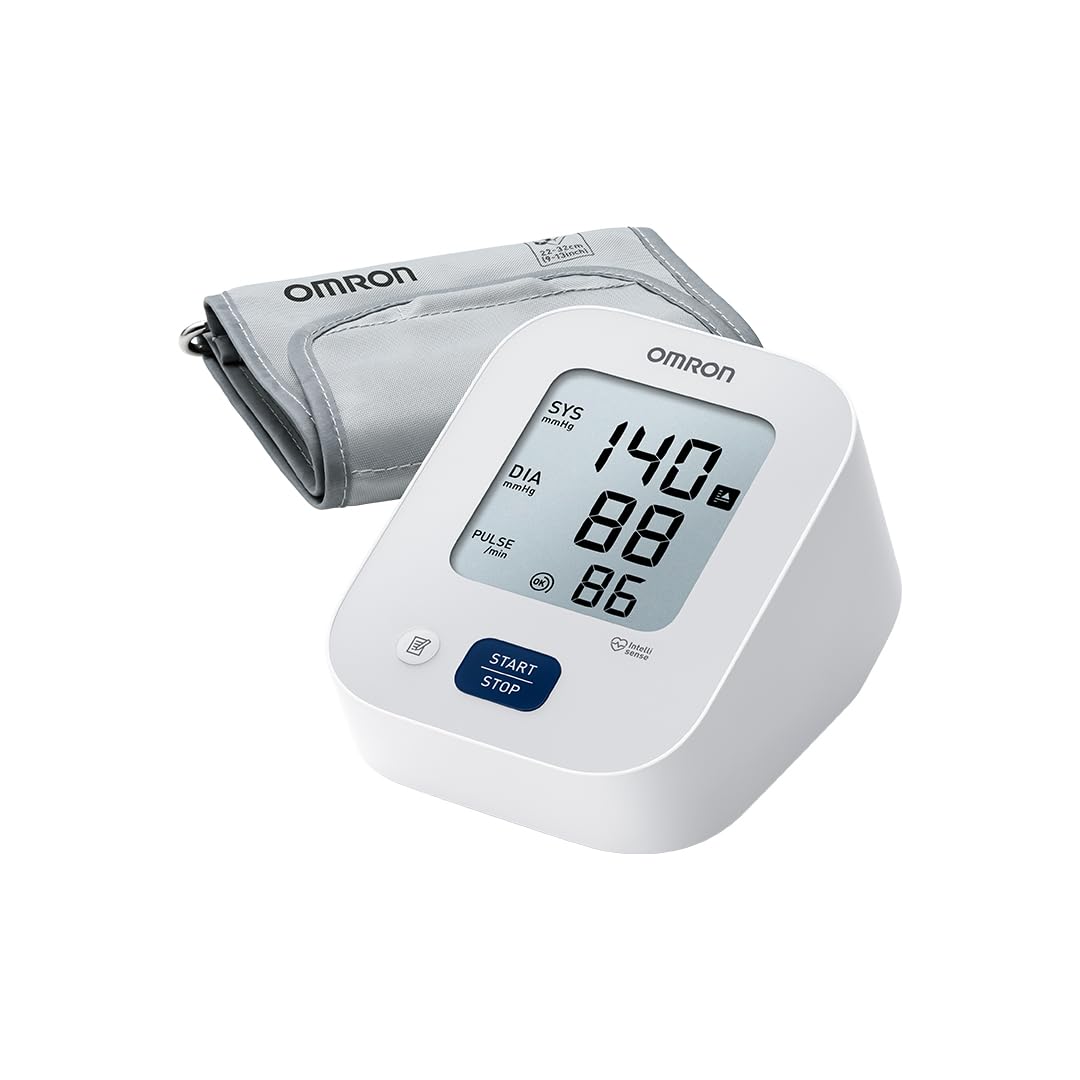
The OMRON X2 Essential is an automatic arm blood pressure monitor designed for simple and reliable home use, particularly suitable for individuals monitoring their blood pressure for the first time. Clinically validated, this device features a large, easy-to-read display and a convenient one-touch button to start measurement. The Intellisense technology ensures controlled and comfortable cuff inflation by automatically adjusting the pressure, preventing discomfort and providing accurate results. For enhanced accuracy, the X2 Essential includes body movement detection, which alerts the user if movement occurs during measurement, and irregular heartbeat detection, which helps identify potential heart rhythm abnormalities. A hypertension indicator clearly signals when measured values exceed recommended thresholds, contributing to better cardiovascular health awareness. The integrated memory stores up to 30 measurements, facilitating the tracking of blood pressure trends over time. It is compatible with optional cuffs (17–22 cm and 22–42 cm) and comes with an ML soft cuff (22–32 cm).
Important Safety Information
Please read this instruction manual thoroughly before using the OMRON X2 Essential blood pressure monitor. Keep this manual for future reference. Consult your physician for specific information about your blood pressure. Self-diagnosis and treatment based on measured results can be dangerous. Always follow the instructions of your healthcare professional.
- Do not use this device on infants, toddlers, or individuals who cannot express their consent.
- Do not use this device for any purpose other than measuring blood pressure.
- Avoid using the device in a moving vehicle or airplane.
- Do not use the device in areas with high humidity or water exposure.
- Keep the device out of reach of children and pets.
- If you have a serious circulatory problem, consult your doctor before use.
Package Contents
Verify that all components are present in the package:
- OMRON X2 Essential Blood Pressure Monitor Unit
- ML Soft Arm Cuff (22-32 cm)
- 4 x AA Batteries
- Instruction Manual

Image: The OMRON X2 Essential monitor, cuff, and batteries shown next to the product box.
Setup
1. Installing Batteries
Open the battery compartment on the back of the monitor. Insert the four AA batteries, ensuring correct polarity (+/-). Close the battery compartment securely.
2. Attaching the Arm Cuff
Insert the air plug of the arm cuff into the air jack on the left side of the monitor. Ensure it is securely connected.

Image: A close-up of the cuff's air plug being inserted into the monitor's air jack.
Proper Measurement Technique
For accurate blood pressure readings, follow these guidelines:
- Use a clinically validated blood pressure monitor.
- Ensure the room is calm and at a comfortable temperature.
- Avoid smoking, consuming caffeine, eating, or exercising for 30 minutes before the measurement.
- Sit quietly and relaxed for 3 to 5 minutes before measuring.
- Do not talk during measurements.
- Sit comfortably with your back and arm supported.
- Keep your feet flat on the floor, with legs uncrossed.
- Place the cuff at the same level as your heart.
- Take two readings one minute apart and average them.

Image: A diagram showing a person seated correctly for blood pressure measurement, with conditions and posture guidelines.
Operating Instructions
1. Applying the Arm Cuff
Wrap the arm cuff firmly around your upper left arm, approximately 1-2 cm above your elbow. The air tube should run down the inside of your arm and be aligned with your middle finger. Ensure the cuff is snug but not too tight.

Image: A man correctly positioning the blood pressure cuff on his upper arm.
2. Taking a Measurement
Press the START/STOP button. The cuff will begin to inflate automatically using Intellisense technology, which adjusts to your arm size for a comfortable and accurate measurement. Remain still and silent during the measurement. Once complete, your systolic pressure, diastolic pressure, and pulse rate will be displayed on the screen.

Image: The OMRON X2 Essential monitor displaying a measurement, highlighting the single start/stop button for ease of use.
3. Irregular Heartbeat Detection
If the device detects an irregular heartbeat two or more times during a measurement, the irregular heartbeat symbol will appear on the display. If this symbol appears frequently, consult your physician.
4. Hypertension Indicator
The hypertension indicator will appear on the display if your systolic blood pressure is 135 mmHg or above, and/or your diastolic blood pressure is 85 mmHg or above. This serves as an alert for potentially high blood pressure.

Image: A close-up of the OMRON X2 Essential display showing a high blood pressure reading and the hypertension indicator symbol.
Memory Function
The OMRON X2 Essential automatically stores up to 30 measurement results. To view past readings, press the Memory button (if available, otherwise refer to the manual for specific button). The display will cycle through the stored measurements from most recent to oldest. This feature helps you track your blood pressure trends over time and share them with your healthcare provider.
Maintenance and Storage
- Clean the monitor and cuff with a soft, dry cloth. Do not use abrasive or volatile cleaners.
- Do not wash the cuff or immerse it in water.
- Store the device in a clean, dry place, away from direct sunlight, extreme temperatures, and humidity.
- Remove batteries if the device will not be used for an extended period.
- Do not attempt to repair the device yourself. Contact customer support for assistance.
Troubleshooting
| Problem | Possible Cause | Solution |
|---|---|---|
| No power / Display blank | Batteries are dead or incorrectly inserted. | Replace batteries or reinsert them with correct polarity. |
| Error message (e.g., "E1") | Cuff not applied correctly, movement during measurement, or air leakage. | Reapply cuff, remain still, check cuff connection. Retake measurement. |
| Inaccurate readings | Improper posture, talking during measurement, or incorrect cuff size. | Review "Proper Measurement Technique" section. Ensure correct cuff size (22-32 cm for ML cuff). |
If the problem persists, contact OMRON customer support.
Specifications
- Model: X2 Essential (HEM-7188-EO)
- Power Source: 4 AA Batteries (included)
- Cuff Size: ML Cuff (22-32 cm)
- Measurement Method: Oscillometric
- Display Type: LCD
- Memory: 30 measurements
- Dimensions (L x W x H): 13.8 x 9.8 x 7.9 cm
- Weight: 260 Grams (excluding batteries)
- Special Features: Clinically validated, Irregular Heartbeat Detection, Body Movement Detection, Hypertension Indicator, Intellisense Technology
- Country of Origin: Vietnam
Warranty and Support
The OMRON X2 Essential blood pressure monitor comes with an extended 5-year warranty for purchases made after June 1, 2023. This warranty covers manufacturing defects and ensures long-term quality and reliability. For technical support, warranty claims, or further assistance, please visit the official OMRON website or contact their customer service department.
Product Video
Video: An official OMRON product video showcasing the features and ease of use of the X2 Essential blood pressure monitor, including its clinical validation, simple operation, and hypertension indicator.


